Samsung Galaxy S4, Purple (Sprint)

Samsung Galaxy S4, Purple
Customer Ratings: 5 stars
Buy Now
If you're looking to find and alternative to the iPhone this is it! It can have multiple apps running, kindle for android, google books, music log into college sites and blackboard, email, etc. My gripe is that I could not view flash on this.

You will run out of things to imagine to do with this phone, you'll keep learning more and find it indespensible. I love it!

Click Here For Most Helpful Customer Reviews >>

Zeiss 50mm f/1.4 Planar T ZF.2 Series Manual Focus Lens for

Zeiss 50mm f/1.4 Planar T ZF.2 Series Manual Focus Lens for the Nikon F Bayonet SLR System
Customer Ratings: 5 stars
List Price: $725.00
Sale Price: $699.00
Today's Bonus: 4% Off
Buy Now

I got this lens since a couple of months, and I've shot an important amount of pictures using it, and the only thing I can say is that the optics is extraordinary. It takes some time to get comfortable doing manual focusing -not an autofocus capable lens on nikon but once you get used... OMG. The construction is solid and well finished. One of my best lenses.

Click Here For Most Helpful Customer Reviews >>

Canon PIXMA MX922 Wireless Color Photo Printer with Scanner

Canon PIXMA MX922 Wireless Color Photo Printer with Scanner, Copier and Fax
Customer Ratings: 4 stars
List Price: $199.99
Sale Price: $134.99
Today's Bonus: 33% Off
Buy Now

Get the slightly older MX892. The MX922 is like Windows Vista.. it is like an overhaul model that needs an immediate overhaul.

I did a side by side comparison of the MX892 & MX922. I highly prefer the MX892 that is a few months older than the latest MX922. The MX922 has slightly bigger ink cartridges, can hold more paper in the bottom tray, is slightly less deep, has the same width, but is slightly taller. Also, the exiting paper tray is obtrusively a lot wider. The MX922 claims to have a 15ppm vs the MX892's 12.5ppm. That is one of the reasons I thought it would be better. In all my repeated tests.. the MX892 proved to be faster. It printed single pages in 15.1 seconds, and the MX922 did them in 18.3 seconds.

The MX892 is notably much quieter. The MX922 is loud. The ink cartridges on the new MX922 have been redesigned to be positioned way up front, and not underneath the scanner (like that of the MX892). That is why it is louder.. they are not buried as deep into the machine. Although, such design does allow for a slightly easier change of the ink cartridges, it is at the high cost of a much louder printer. The MX892's cartridges are not at all hard to change (Canon didn't need to overhaul it lol). It requires one extra step (lifting the scanner portion).

A final thing is that the print quality on the MX892 is notably smoother, and pops more (both under grayscale setting, both under 'fast print' setting). The MX892 makes more crisp and slightly darker prints.

Side Note: A huge reason I prefer Canon over other manufacturers is because you can easily default-save 'grayscale & fast printing' under their software setting (that is constantly saved). This saves ink (other companies use software that has the color printing locked by default, so you use more color ink, or you have to manually switch out of color printing for each black & white print).

UPDATE: There is ONE notable thing w/ the MX922 that is better than the MX892. It copies much faster when the 'copy button' is used. This requires the unit to scan, and print w/out a PC. When printing from PC.. the MX892 wins (much faster). Pick your poison. If you do MOSTLY copying, you will prefer the newer MX922 model. If you do mostly printing from your PC, my review stands. I copy 3% of the time.

Please click 'yes' if this was helpful to you.

Click Here For Most Helpful Customer Reviews >>

Sony HDRPJ260V High Definition Handycam 8.9 MP Camcorder

Sony HDRPJ260V High Definition Handycam 8.9 MP Camcorder with 30x Optical Zoom, 16 GB Embedded Memory and Built-in Projector
Customer Ratings: 4.5 stars
Buy Now
After spending hours researching about this camera, I bought it because I decided it was the best. Now that I have used it for several months, I know for myself. Why? Several reasons.

1. The image quality was my #1 concern and this camera doesn't disappoint. Indoors, the quality is definitely more than acceptable, but outdoors is where it really jumps out at you. Color was amazing and there was absolutely no blurriness, fuzziness or grain. It's really as good as it can get.

2. The photo mode is very useful and more than just an added feature. In 8.9 mp, the quality was better than expected (outdoors at least).

3. The touchscreen interface is easy to understand and people with steep learning curves will adjust without trouble. Also, the physical buttons on the camera are few in number, with only the most used and most logical functions being present; everything else is handled one step at a time on the touchscreen.

4. I thought that the GPS function would only be a software gadget that didn't really do anything, but it is nothing short of phenomenal. I live in Ukraine, so naturally I got it shipped here. When I charged up the camera and looked at the GPS section, I saw that the map said I was in New York, presumably the place where the camera was manufactured. I told the GPS to refresh itself and went outside. The camera brought up a satellite map and started connecting with nearby satellites. Once it connected with four of them (after about 2 minutes) I got an exact map of where I was complete with coordinates and exact date and time. The map could zoom way in and I was shocked to find that not only were the names of local areas written in the local language, but the small, almost nameless street that I lived on was present on the map! Nice.

5. The projector is worth every cent of the extra $100 you need to pay for that option. It is extremely clear and the colors are almost as good as on the LCD screen itself. It's a great way to show others the videos you just took. The projector is only a few lumens though, so naturally it works better the less light there is.

6. Another cool feature, the camera takes pictures when someone on the screen smiles, great for catching moments that you would have missed otherwise. Also, you can play a video in slow-motion and then capture an image from it as a separate picture.

Now for a few important notes.

I stand by my decision that this is the best video camera out there for about $600, but that doesn't mean there are things for the buyer to keep an eye on.

First, there's the battery. I think that Sony made a good choice when balancing battery life and the size of the battery, but realistically speaking, most people will only get about an hour and a half of recording time out of a full charge, and that is only if you avoid lots of playback, projector use, and standby time. You can't really complain when you see how small the battery is and how big the LCD display is, but for those hoping for longer recording time, your best bet is to buy the optional NP-FV70 battery like I did. It provides about twice the recording time and honestly, is completely worth the extra $60. Just look out for the NP-FV100 battery pack: It's almost half as thick as the entire camera.

The other thing is the memory. Sure, 16 GB sounds like plenty, but by the time the manufacturer formats the memory and the basic camera software and satellite maps are on there, there is about 12.6 GB of space left. That's adequate, but if you like to record in medium-high quality like I do, then you might want to buy a high-capacity high-speed SD card. If you want to make good use of the GPS tagging function and the projector function, you pretty much HAVE to get an SD card, because once you move your pictures and videos off the camera, there is no way to use the projector function and using the GPS function requires that you install their software and run all of your data from there. I prefer to record in high quality FH mode which allows for full HD resolution, yet doesn't take up as much space as the higher bit rate FX mode. Not only that, but it's the highest quality mode that still allows for simultaneous picture taking and recording; anything higher and you have to quit recording to be able to take a picture. In FH mode, you can record for 1 hour and 43 minutes. By the way, don't bother recording in 60p PS mode unless you have a high-speed solid-state hard drive to put it on. Otherwise the footage will look jerky on your computer. Hard disks are too slow to adequetly process such a complex image.

These notes aside, I think that this camera is flawless except for a slightly squeaky sounding LCD screen (update: it went away after a little while.) I'm sure it's nothing more than a minor issue unique to this one camera that I received. Oh, and still images taken inside usually look grainy even in 8.9 mp; keep in mind that if quality is important, the camera function should NEVER replace a seprate still-image camera.

If you are looking for a video camera that has great video quality and a lot of cool features without bulky size or an eye-watering price, this is definitely it.

Click Here For Most Helpful Customer Reviews >>

Sony XLRK1M Balanced Audio Adapter for Alpha Camera (Black)

Sony XLRK1M Balanced Audio Adapter for Alpha Camera
Customer Ratings: 4 stars
List Price: $799.99
Sale Price: $798.00
Today's Bonus: $1.99 Off
Buy Now

I just received this item so I cannot comment on the audio quality, but please note it does not come with any way to attach it to the camera. No bracket is included. It just hangs there... For $800, Sony can't include a mounting option?

*** UPDATE ***

I have been using this for about 10 months now, and LOVE IT. It is very clean which is something I was initially worried about.

I often use just one microphone, and it has the ability to send that one mic, to both channels, allowing you to set the level of those channels separately, or set one to auto to have a nice backup should levels quickly change. Yes, it has no mounting bracket, so you'll need to pick one up.

This could be so much better if it hand a handle on the top, and you could simply mount it to the cameras shoe, without the need of the cable.

Microphone is included.

Click Here For Most Helpful Customer Reviews >>

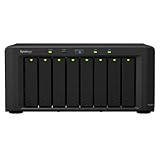
Synology DiskStation 8-Bay (Diskless) Network Attached Storage

Synology DiskStation 8-Bay Network Attached Storage - Black
Customer Ratings: 4.5 stars
List Price: $999.99
Sale Price: $839.99
Today's Bonus: 16% Off
Buy Now

As my iTunes folder and iPhoto folder continue to get larger over the past year, I've notice an increasing number of problems leaving the data folders on the Synology.

I recently purchased a Thunderbolt drive to move these two data folders to them to gain speed, and the speed gains are significant. For this reason, I wouldn't recommend putting these data folders in the Synology and access them via NAS.

The Synology is still a powerful workhorse, but it is now reserved file-sharing only. Still highly valuable in that role as I have a lot of data and multiple computers accessing it.

-----

I've been reading some negative reviews about the Synology, and while I have been really lucky, I can imagine that many setup types might not be ideally suited to the synology design.

If you've read some reviews, and are interested in the link aggregation piece but nervous because of the bad reviews, here's what went through:

Initially, i tried plugging both ethernet ports and connecting the two cables to an unmanaged switch. This caused me some issues, and then i realized there is a port bonding that needs to occur. I did that thru the synology interface, but it didn't bond proerly. I then just un-plugged one of the cables and everything worked great.

As i wanted the 802.3ad feature to work, i then purchased a cisco gbit managed switch with 802.3ad. Plugged everything in, and still couldn't get it to work right, until i realized u have to bond the ports on BOTH the switch and the synology. Now, everything works. Bonding is pretty easy, just a few clicks in the synology interface and the same in the cisco interface. I also set jumbo frames just cuz the pull down menu was right there on both interfaces, and then happily noticed that in the osx system references under network/ethernet, the same pull down menu was there.

Just some thoughts to share if you're thinking about the synology because of the ability to bond ethernet ports. Save some headache and get a managed gbit switch. Cisco's sg series can be had for cheap and works great but there are others that are cheaper.

On another note, some reviewrs said they can't mount the synology when their laptops are in wifi mode...can't help there as mine works fine.

Once again, i love the ds1812+ and if you decide to get one, hope you do too.

----

I still think the Synology is pretty amazing, but I've discovered some limitations.

First, Plex doesn't work very well beyond a few hundred movies or a few tv seasons.

My guess? It all comes down to the limitation of the computer on the Synology itself. As great as it is, at the end of the day, it's a computer, it's a motherboard, it's chip, it's ram. And my guess is that it runs into the same limitations that running server software on a general purpose computer run into. When there's too much load, it slows down, hangs in weird ways, etc.

File copying (writing to the Synology) was also a discovery. When copying, up to about 50GB of data, it's pretty fast and consistently so. But when doing a single copy that exceeds 50 GB or thereabouts, it slows down right around the 50GB mark. Considerably. So fast until then, and suddenly, it's painful to watch... Stare at it long enough and you see bursts of speed of about 10GB or so, but then it slows down again. Very strange. I found that it's faster to copy in about 35-50GB increments. More of a hassle, but after the first copy, I imagine it's not something that would occur that often.

------

What's there to say about the DS1812+?

Plenty.

in short, If you want a super easy to use and setup NAS that's affordable, reasonably fast, fairly secure and mostly worry free, with a ton of cool server features to boot, this is about as it good as it gets.

Most multi-disk enclosures have one key purpose and one secondary purpose growing in popularity. The primary purpose of these devices is to make multiple disks appear as one big disk and design it so if one disk fails, everything keeps on working, giving you a day or two to take out the broken hard disk and replace with a newer one.

The secondary purpose that is growing in popularity among these multi-disk enclosures is NAS functionality. This means you connect it to your network through an ethernet switch, and all the other computers on the network can access it and mount folders/volumes to use either as production storage or as backup.

There are a few competitors here, and Drobo and QNap are the other two well known competitors in this market.

I own an older Drobo 4-bay enclosure that doesn't have the NAS capability, forcing my desktop computer to be the file server for the Drobo, which was attached directly to the server via Firewire.

The Synology, therefore, is a new experience for me. And it is pretty amazing. You don't actually have to do very much at all to get it up and running. It's pretty....ummm...for lack of a better term....stupid easy. I would, however, recommend checking out the reviews for Drobo NAS products and QNap NAS products, just in case. My research lead me to the Synology, but that just means it's a better fit for me, not necessarily for everyone. For instance, with QNAP and Synology, there is a list of compatible disks. You can't go and buy disks willy nilly because the disks you buy might not work. You have to check the compatibility list first. Luckily, the DS1812+ has a pretty good list, but it's not endless. That's one great thing about the Drobo. You go to your local store or go online and you buy whatever you want, and if it's SATA, it'll work. Simple as that. It does seem that the Synology has a better list than the QNAP. But QNAP has some physical interface advantages over the Synology. I read something about esata III or something like that. I have no need of that, so it didn't factor in my research, but it might be important to you.

Add the disks, plug in power, plug in ethernet cable, turn it on....from a physical setup perspective, that's about it.

having said this, installing disks on the Drobo is a tad easier. With the Drobo, the naked SATA disk just slides into the enclosure slots on a simple rail system. With the Synology, there are actual cradles you have to unlock and remove, and then you screw each disk into a cradle and then slide it in and close the corresponding door. Not a big deal, taking just 1 minute per disk or less, but still a hassle compared to the Drobo.

Then go to one of your computers on the same network, load the Synology auto-discovery sw, and it'll automatically find the disk (assuming both the computer and the Synology are on the same subnet) and after that, it's just a web page.

What makes the Synology DS1812+ especially cool is that the web page looks basically like a computer desktop.

Which brings me to the third advantage.

With Drobo, you have a special software that really just helps you to maintain and monitor the health of the Drobo. With the Synology, and this desktop like GUI inside the web page, you can do all that the Drobo software can do, but so much more.

Synology has several native and third party application packages that are normally only available on general purpose PCs that you can install and run, giving you tons of cool server features. After all, as a NAS, there's a computer in there, and there's no reason why it shouldn't be able to run some applications. What an inspiring idea. I have a Plex server and file server and print server running on my computer. I can now off load those server functions to the Synology DS1812+. Some others include: Cloud Station internet file sharing, DHCP Server, LDAP server, Photo Station, Surveillance station, Mail server, Syslog and VPN servers, plus third party apps like iTunes server, OpenERP, Python, WordPress server, php, Logitech media server, and others. The Control panel has native apps for file sharing and network mounting for Windows, Mac, NFS (CIFs, of course), FTP, WebDAV, anti-virus, and some other cool features. Oh, did I mention Synology support double byte/unicode?

Even better, the Synology has Link aggregation capability with two ethernet ports, each of which is Gbit ethernet. how cool is that? Of course, you need an ethernet switch that supports Link aggregation (a.k.a. 802.3ad), but if you do this, you have two ports that support each other fully and can load balance, thus giving higher throughput. TrendNet has some low cost 802.3ad supporting switches as does Zyxel. It also of course supports jumbo frames. Something which i wish OSX supported.

It comes with 1GB of RAM, but in actual use, I've noticed it hit that 1GB ceiling pretty easily, so I'd recommend getting the RAM upgrade (2GB, totaling 3GB altogether). It helps. Now that I installed the upgrade, when monitoring the NAS, it appears to rarely go above 60% RAM usage.

But wait....there's more...

This is the coolest part of Synology solution. You can actually expand the Synology and have a large single volume by adding extension kits. You can add two 510's, and each of these 510s holds 5 disks. So you can aggregate to 18 disks total. Is that crazy or what? I haven't bought an extension kit yet, so can't say how well this works.

----

Now, given, the 4 bay Drobo I have is a few years older, indicating older motherboard technology, and the 4 bay Drobo is much cheaper, but it continues to blow me away just how far NAS has come that a device has come out at this price point that can store that much data and still work reasonably fast with dual disk failure tolerance.

On another note, I'd also say that the Synology is quieter than the older 4 bay Drobo. There are two fans on the Synology, but they don't spin up very often, at least not yet.

-----

Incidentally, the 4 digit model number "1812" I think divides into two parts. the "18" stands for total number of disks. The "12' is really a generational indicator, I think. Right now, the "12" seems to be the latest hw/fw/sw you can get and comes with the DSM 4.0 software, which I believe is a Linux OS and allows for the cool web GUI which emulates a computer desktop.

-----

If you're looking for a multi-bay storage solution, you would be hard pressed to find a more cost effective RAID solution than the Synology DS1812+.

For Q2 2012, this is my #1 pick for performance to cost effectiveness, with some temporary future proofing in storage.

As photos, home movies, music, document files and email databases continue to grow and grow, the importance of data integrity, when considering the nightmare of lost data is strong enough that a solution like this, despite the price (which while reasonable compared to others, is still expensive), is becoming increasingly critical for me. If it is for you as well, then this might be just the ticket.

Whatever you decided, best of luck!

Click Here For Most Helpful Customer Reviews >>
Panasonic DMC-L1 7.5MP Digital SLR Camera with Leica 14-50mm

Panasonic DMC-L1 7.5MP Digital SLR Camera with Leica 14-50mm f2.8-3.5 Mega O.I.S. Lens
Customer Ratings: 4.5 stars
List Price: $1,499.95
Sale Price: $895.00
Today's Bonus: 40% Off
Buy Now

After holding out for years before making the switch from film to digital, I finally made the leap with the DMC-L1. I have used a variety of DSLRs and digital point-and-shoot cameras prior to this. Specifically, when I was considering the DMC-L1, I was also considering the Canon 30D, and the Nikon D80 and D200 (I already had a number of Nikon lenses).

After trying all of the above cameras, I was completely in love with the DMC-L1's feel and ease of use. The shutter speed dial and aperture ring are extremely intuitive to use. Overall, the camera feels much less "fiddly" than the other models I looked at -I didn't like having to drill down through multiple menus on the other DSLRs to get to what I was looking for.

Probably the single greatest selling point to this camera is the lens. It's one of the crispest that I've ever used. I have a Nikon 80mm F1.8 that has been my favorite for years, and the Leica lens has almost instantly supplanted it. The zoom range is pretty good for general shooting, and situations where you want to travel light .

One of the other selling points include the simple but sensible live-view mode, which allows you to compose your shots on the camera's LCD screen. This is a huge advantage for shooting static or slow moving subjects -you can really compose your shot, re-arrange elements, and use the depth-of-field preview to get a good sense of how everything is going to look. However, because the mirror has to flip down for the camera to focus and meter, it is too slow for most high-speed action work.

The Mega OIS feature on the included lens is superb -I've never used anything like it. There are two modes, but mode "2" is the only one I use -it corrects for camera shake only when you take the picture, rather than continuously as in mode "1". I've taken a number of hand-held pictures at 1/4 of second or slower that would have been disasters with a non-OIS lens. Remember to turn OIS off if you are using a tripod, though.

Being able to save RAW images was a selling point for me, too. This may not matter as much to others, but I like being able to edit the RAW file before "developing" it into an image file.

Ergonomically, the camera is good. I would say that the Canon 30D is a better fit in my hand, but since I'm not going to be holding the camera for 12 hours a day it's not been a problem. I find the buttons and their locations to be sensible, and the thumb-wheel although small, works very well. My favorite elements are the two programable buttons located near the shutter release. Depending on the type of shooting I am doing, I reprogram these to my most often used functions (say EV, ISO, or film type). The film "type" feature is also worth noting, and may have some appeal to those that don't want to both with RAW images. There are a number of pre-programed "films" and two user programable "films" that affect the color and feel of the final images. This is a nice way to generate some decent images without going through the trouble of developing RAW images.

So in summary:

Cons:

OK ergonomics -people with large hands or short fingers may have difficulties.

View-finder takes some getting used to. Information display is good, but it feels smaller than others I've used.

This camera is not for people who want to take mostly pictures of very high-speed action. It is also not for people who want 20" X 30" prints (because of the lower pixel count).

Pros:

Very intuitive feel, particularly for converts from more traditional SLRs

Fantastic lens

Live View image composition on camera's LCD screen

Mega OIS image stabilization lens

Much less fiddling than with other DSLRs -more time shooting, less time looking through menus.

RAW + JPEG file formats

Great expansion options with the Four/Thirds lens line

.

Click Here For Most Helpful Customer Reviews >>