Showing posts with label best cannon digital cameras. Show all posts

WD My Passport 1.5TB Portable External Hard Drive Storage USB

WD My Passport 1.5TB Portable External Hard Drive Storage USB 3.0 Black
Customer Ratings: 4.5 stars
List Price: $199.99
Sale Price: $101.69
Today's Bonus: 49% Off
Buy Now

Over the recent years I have purchased quite a number of these drives. I have a couple of USB 2.0 drives and about 12 of the USB 3.0 drives. They all performed flawlessly with my old computer. I purchased that computer in 2006 before these USB 3.0 drives existed and so the computer had only USB 2.0 ports. All the USB 3.0 drives worked perfectly in the computer with the USB 2.0 ports.

Then in December 2012 I purchased a new computer and it has USB 3.0 ports. I connected a drive and was anticipating the "blazing speed" for file transfers. But there was a problem...

The drive would lose connection and I would get an error message saying that the transfer did not complete and data was lost etc., etc.

I contacted the computer manufacturer and they claimed it was a Western Digital problem. I thought they were just passing the buck, but I did some research and found that there are very many complaints all over the Internet about the Passport USB 3.0 drives losing connections. The descriptions were fairly consistent: it happened most frequently when transferring large amounts of data (such as 2 Gb, for example).

There were two theories:

(1) The Passport drive uses only a single USB connection and therefore it draws all power through that USB port. The USB port, being compliant with the USB 3.0 protocol, does not provide enough power for the drive to spin the hard disk fast enough for the data transfer at USB 3.0 speeds. That results in the errors and lost connection.

(2) The USB cables from Western Digital are defective.

So I thought I'd test theory (2) first. I got on Amazon and found a seller for a compatible USB 3.0 cable, ordered it, received it, plugged it in and the drive works just fine. I selected a folder that had a large amount of data (8.4 Gb) and copied it to my C drive no problem. I copied it back and forth several times and it always worked (with "blazing speed", I might add 100 Mb per sec WHEW!!). I tried different drives they all worked just like I expected. That seemed to confirm to me that the cables were defective in some way.

I called Western Digital support. The Technical Support person sounded happy to help me. I described the problem to him. The first reply was that the support person put me on hold to discuss it with his supervisor. He came back and thanked me for bringing it to their attention and asked if there was anything else he could do. I said, "Yes you can replace the cables." I have 7 drives that are still within the warranty period, so I would expect a replacement for at least those drive cables.

After discussing with his supervisor again, he said only one cable could be replaced. I said that was not acceptable. He said it was a problem with the system that would not allow him to process more than one. I said that was not my problem and I expected to get the cables replaced for at least the drives that are in warranty or I would become a Seagate customer. He spoke with his supervisor again and said he could do it. I guess his supervisor must have somehow fixed the problem with the system.

Anyway, he said I would be receiving replacement cables. I asked if they would be the same identical cables which would also not work. He discussed with his supervisor again and said I would be receiving y-cables. At that I explained to him that this indicates to me that Western Digital has identified the cause of the problem to be a power issue that not enough power is being pulled from using just one USB port. He said, yes that was correct.

I asked what I should do when I need a new drive and the market is filled with product that was shipped with the inadequate cables. Am I supposed to just wait until that inventory sells off or should I instead buy Seagate drives... He said I can buy a Western Digital drive and call them right away. They will send a replacement y-cable. He didn't sound very happy at this point.

Note that when I first called Western Digital, the response was to appear like they had never heard of this before and to just blow me off.

After I pressed, the next response was to try to mollify me with just a single replacement cable.

Finally, they essentially admitted that they knew all about this all along and also had a solution that they never offered to me until I pressed hard.

So I still think Western Digital hard drives are among the best. But they have an identified, known, and confirmed defect in the USB 3.0 drive design (really just inadequate cables). Their response is to keep silent about it and hope people don't notice or just put up with it.

Therefore, I would have provided a 5-star rating for the drive, but because of the poor approach to Customer Service I knocked them down a couple of notches.

Shame on you Western Digital!! I place a lot of stock in the Customer Support a company gives, and in the honesty of the company to their customers. My confidence in you as a company is seriously undermined by this. Seagate may not be my provider for my drives at this point, and although I never seriously considered them before, I *AM* considering them seriously now.

Note this, Western Digital: I WAS a very satisfied customer. I continued to purchase drives even though I never posted an evaluation of the drives. Now I have become a somewhat dissatisfied customer and I have taken the time and made the effort to post this evaluation. Think about that...

Click Here For Most Helpful Customer Reviews >>

Canon EOS Rebel T5i 18 MP CMOS Digital SLR Camera w/EF-S 18-55mm

Canon EOS Rebel T5i 18 MP CMOS Digital SLR Camera w/EF-S 18-55mm f/3.5-5.6 IS STM Lens + EF-S 55-250mm f/4.0-5.6 IS Telephoto Zoom Lens + LP-E8 Replacement Lithium Ion Battery + External Rapid Charger + 16GB SDHC Class 10 Memory Card + 58mm Wide Angle Lens + 58mm 2x Telephoto Lens + 58mm 3 Piece Filter Kit + Mini HDMI Cable + Carrying Case + Full Size Tripod + External Flash + SDHC Card USB Reader + Memory Card Wallet + Deluxe Starter Kit DavisMAX Bundle
Customer Ratings: 5 stars
Buy Now
The camera and lenses are spectacular. It was like opening a christmas present there were so many extras. If you have ever owned an old SLR camera as I have, this one is a breeze and a pleasure to operate and the pictures are of a very high quality. If you have never owned one this will not be a great challange to learn, especially in automatic mode. I have and love my two previous canon cameras, an AE1 and an FTB but this one is majic.

Click Here For Most Helpful Customer Reviews >>

Canon EOS 5D Mark II 21.1 Megapixel Full-Frame Sensor Digital

Canon EOS 5D Mark II 21.1 Megapixel Full-Frame Sensor Digital Camera
Customer Ratings: 5 stars
Buy Now
Just received the kit this morning and while I'm waiting on the battery to charge, I thought I'd take the time and write this review. The kit was as promised...almost. While the kit says that there are "two extended life batteries included", I only received one. However, the shipping was so fast and everything else about the kit is wonderful so being shorted one battery won't taint my review. I've been waiting for a long time for this camera and I'm looking forward to getting my video shooting started! Cheers to the seller for the prompt service!

Click Here For Most Helpful Customer Reviews >>

Tokina 17-35mm F/4 AT-X Pro FX Lens for Nikon Digital SLR Cameras

Tokina 17-35mm F/4 AT-X Pro FX Lens for Nikon Digital SLR Cameras
Customer Ratings: 4.5 stars
Buy Now
Before purchasing this lens, I'd been searching for a reasonable ultra-wide-angle lens for my D800. This was among 4 or 5 options in consideration. I love my Tokina 11-16mm f/2.8 Pro DX Digital Zoom Lens Nikon for DX, and had wanted an equivalent lens for full frame.

This is my third Tokina lens, behind the 11-16mm f/2.8 and 100mm macro. I'd been satisfied with those two, and so decided to give this lens a try.

First off, mechanics:

The build quality is typical of Tokina; that is to say: very good. It feels perfectly solid in the hands, and I doubt anyone would complain about the quality of the construction. One thing that I'd noticed, however, is that the zoom and focus rings are a bit more loose than the 11-16mm. This perhaps makes the lens a bit more usable, but at the same time gives it a different feel than I'm used to.

The focus and zoom rings are spaced well, and allow for easy manual focus. One thing to note: when changing the clutch from AF to MF, or vice versa, the focus setting can change slightly. This can sometimes be obnoxious, though it will not matter for most use.

Despite, on paper, only being slightly larger than the 11-16mm, make no mistake, this is a larger lens. It is just generally bigger in all regards. Despite being fairly large, it 'looks' like an appropriate size on the D800. The 82mm filter thread is annoying, but it is better than none at all. Anything other than a UV filter at this size can be a bit pricey.

Second, optics:

I've not had as much chance as I'd like to to 'real world' testing, so most of these findings are based off of test-type environments. I understand that this lens seems to have a moderately-high variance in quality (based on internet searching), so I can't generalize beyond my copy:

In the center, it seems to be sharp at all settings. Wide open is definitely less sharp than f/5.6 and beyond, but still not bad at all.

Towards the moderate corners, it is fairly sharp wide open, and plenty sharp from f/5.6 onward. Seems to be better at the wider focal lengths.

The extreme corners are somewhat disappointing. Wide open, they are not sharp. They don't become sharp until around f/8, and even then, not ideally so. Here, ~20mm seems to be the most sharp setting.

In general, the sharpness does not seem to be limited by resolution so much as it is by contrast. I think that it can resolve very well, but wide open it has a bit of 'haziness' about it.

Flare: at its worst when a bright object is just out of frame, which causes a low contrast veil. When the bright object is in frame, it copes with the flare better.

Distortion: Almost none, and looks easy to correct.

Bokeh: Very good actually. Certainly the best I've seen in the several UWA lenses I've owned.

Overall and conclusion:

If you treat it as a constant f/5.6 lens, you will certainly not be disappointed. For me, this is quite fine, as I likely won't shoot it much below f/8. Alternatively, if you crop away the most extreme bits of the corners, you'll be perfectly happy too. (I can see myself using 5:4 aspect ratios more commonly with this lens.)

In general, this lens has exceptional build, and very good, though not exceptional, optics. Is it an 11-16mm for full frame? Not really. Is it worth the money? I'd say so.

Click Here For Most Helpful Customer Reviews >>

Nokia Lumia 720 White Unlocked Quad Band GSM Smartphone - WCDMA

Nokia Lumia 720 White Unlocked Quad Band GSM Smartphone - WCDMA 850/900/1900/2100
Customer Ratings: 5 stars
Buy Now
Windows 8 apps are a welcome change from iOS. Among the three ecosystems, I prefer Android, Windows 8, and iOS in that order. Blackberry, what ?! For ease of use, Windows phone is really easy to use. For someone interested in a first smartphone, Lumia 720 is an excellent choice. I got access to few Windows 8 phones to review. I will try to review them, but since I have not used for a period longer than a month I am not reviewing for reliability. User interface in Windows 8 is very pleasing and this is one of best phones with awesome user experience. If you prefer great user experience over infinite hackability, aka Android, then Windows 8 phones are great choice.

Nokia Lumia 720 has Qualcomm Snapdragon S4, 1 GHz dual-core Qualcomm Krait, 512 MB RAM (big minus?), 8 GB internal memory. microSD slot up to 64 GB which is awesome. Nokia Lumia 720 is the first time Nokia added an expansion slot for microSD (up to 64GB) into one of its polycarbonate builds. To access that slot you don't need to open the back. Like SIM card in iphones, you need one of those pins and push it to eject it and the microSIM card.

This is a HSPA+ device, not a LTE. HSPA+ provides an evolution of High Speed Packet Access and provides data rates up to 168 Megabits per second (Mbit/s) to the mobile device (downlink) and 22 Mbit/s from the mobile device (uplink). These are theoretical of course, and in reality one can get 6-7 Mbps down and 1-2 Mbps up.

Currently Temple Run is one of the Apps that require your device to have 1 GB of Memory hence I am surprised why the phone makers go in this route. Memory of 512 MB is not that expensive to put if they can sell in bulk. Microsoft says "Memory (RAM): Some apps and features won't work on phones with less than 1 GB of RAM. To see how much memory your phone has, check the manufacturer's website or your phone's documentation."

Screen is good, not great 4.3-inch IPS touchscreen 800 x 480 pixels at 217 ppi. I have extensively used in the past HTC Titan I and II which is pre Windows 8 (7.5) and I was surprised Windows 8 has become more buttery smooth now. This phone has Gorilla Glass 2. Glass 3 is in the making and supposed to be even better. Stating following because this is highly underrated in reviews. From Corning's Gorilla Glass specs; WHAT MAKES GORILLA GLASS SO DAMAGE RESISTANT? The unique composition of Gorilla Glass allows for a deep layer of high compressive stress (created through an ion-exchange process). This compression acts as a sort of "armor," making the glass exceptionally tough and damage resistant. Ion exchange is a chemical strengthening process where large ions are "stuffed" into the glass surface, creating a state of compression. Gorilla Glass is specially designed to maximize this behavior.

Battery is rechargeable 2000mAh Li-ion battery. (Compared to a high end Android Galaxy Note II, which has a battery of 3100 mAh Battery.) The Lumia 720 doesn't have a removable battery cover, which means you can't access or replace your battery.

Camera 6.7 MP is good enough, Bluetooth 3.0, 802.11a/b/g/n, G-Sensor, Digital Compass, A-GPS &GLONASS, micro-USB. I was able to get excellent reception with Bluetooth headset, Jaybird Sportsband Stereo Bluetooth Headphone Bulk Packaging Midnight Black and JayBird BlueBuds X Sport Bluetooth Headphones Midnight Black All the usual smartphone stuff, facebook, twitter, music, emails etc are all excellent. It is only the third party apps that are lacking in some arenas. If you are Microsoft heavy like Office suites, Lumia phone are awesome!

Apps are limited in Windows 8 marketplace. Yes, we have heard this a gazillion times. Lumia has GPS receiver with A-GPS and GLONASS support. I tried with Garmin Navigon app which turned out to be great in giving voice directions. App ecosystem is a chicken and egg situation. Unless more phones are sold, developers don't have incentives to write apps. Apps are less now, because people are not buying in big droves. Windows Phone is now (early-mid 2013) the third-leading mobile phone platform, more than tripling its market share year-over-year. One recent report I read Android and iOS are ahead in games with 162.1 and 37.4 million shipments in 1Q13 and Windows phone came in 7 million. This is more than double from previous year. I really hope for Windows 8 platform to surge ahead because having a 3 way competition with iOS and Android is good for the ecosystem.

Overall, for the price point this is a great phone in the Windows family. I am really surprised Nokia has been able to turnaround quickly when I thought they are out in smartphone area.

Click Here For Most Helpful Customer Reviews >>

Gateway ZX6980-UR328 All-in-One Touch Desktop PC

Gateway ZX6980-UR328 All-in-One Touch Desktop PC
Customer Ratings: 4 stars
List Price: $949.99
Sale Price: $699.99
Today's Bonus: 26% Off
Buy Now

I received my Gateway all-in-one desktop a couple of days ago (through another seller). It was manufacturer refurbished and came with no quick guide. While the PC was everything I expected and much more, the lack of installation guide almost ruined the whole system. I was impressed with less cables tangling under my desk, though I still have my old Windows Vista Jurassic at the other end of the room that served me well for 5 years. This PC identified and connected to my WiFi instantly. The display is dazzling with the brightness. Then I got to the wireless mouse and keyboard, and my nightmare began in earnest. I installed the batteries in both of them. They both would not work. After 3 hours of fruitless efforts and a couple of emails to the seller (waiting for the response), I finally located a wifi adapter hidden inside the mouse cover, to my dismay. That was after I have screwed up all the configurations inside the PC in all the efforts to troubleshoot. Then back to undo all the crap that I had caused myself by a reset. A simple quick guide could have saved me the migraine. Now the mouse, the keyboard and the entire system work just as expected and more. The installed windows 8 and the touch screen are very exciting and amazing.

Update: 4/27/13

This machine is going strong by the day. I had a minor scare 2 days. This is the story. I was uploading my updated website to the remote server and the system was going to 10 hours to complete the upload. The machine was literally at a crawl. I just could not upload to the server even after 3 attempts. Come to finally discover that to upload unto the server you may need to either stop other programs that are running or video streaming. Or you may need to just upload the only section of the website that is edited instead of the whole website contents, like I always do. Once I figured this out, my system is back to its old self. Now I can upload as fast as it comes. I love this machine....

Update: 10/3/13

I will downgrade to 4 stars. It is a good buy though. Sometimes this machine is annoyingly slow in response time. I still don't know how to speed up this machine during the slow period. It is not my WiFi connection. I have done all the maintenance required but with little change. At any rate, I like this machine.

Update: 10/7/13:

After some research on how to solve the slow response problem; I was able to zero in on some steps (on advice from a forum) to solve the problem. I went into to start up mode and disable several start ups applications that may not be critical to my needs. I disabled almost half of the start ups. Now this machine is working fine.... at least for now. The response time is faster and my productivity is per excellent. I will still leave the rating to 4 stars while I keep my fingers crossed.

Update: 10/26/13

As much as i like this AIO, I wish it could give 100% satisfaction. Sometimes it runs so sluggishly to a point of annoyance. I have to disk clean, defrag almost everyday to get it to respond normally. I keep all the updates current. I am worried this problem will continue. I like this PC but I am very worried. Looking to get a backup desktop. It may have to be another Brand name.

Update: 11/6/13

This AIO keeps disconnecting from the wifi (Internet). It reconnects after troubleshoots or disabling and re-enabling the connection. I also have a laptop with Windows 7 and 2 Desktops with Windows Vista. Also my android phone and tablets. All maintains stable wifi connections. So I guess the problem must be with the Windows 8.1 OS. All updates and patches did not resolve the problem. Anyway, I was able too zero in on the Network Adapter (Qualcom) inside this system. Two days ago, after much thought, I decided to connect (plug into the usb) one of my wireless network adapters that was lying idle on my desk. Guess what, the connection to wifi has been stable for the past 48 hours. There has been no freezing of the browsers and the internet connection has been good. I will keep my fingers crossed. i will keep the rating at 4 stars. One does not need to go through hassles.

Update: 11/11/13

Solution to the wifi continue disconnects. I think the Qualcom Adapter in this Gateway AIO may not have stable connection with my Zoom Access Point. No patches or updates will fix the problem. I disabled the pre-installed Qualcom adapter and connects an off market wifi adapter. I have not had a wifi disconnection for more than a week. Good news to me. I guess my frustration and annoyance may be over.

Click Here For Most Helpful Customer Reviews >>

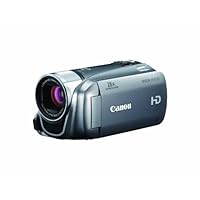
Canon VIXIA HF R200 Full HD Camcorder with Dual SDXC Card Slots

Canon VIXIA HF R200 Full HD Camcorder with Dual SDXC Card Slots
Customer Ratings: 4.5 stars
Buy Now
Bottom line: A good value-oriented camera that works well with my Mac. It is easy to use with intuitive controls although some of the advanced settings required me to read the instruction manual. For good quality home movies, it seems to be perfect; and the minor improvement in video quality available on higher-end models probably isn't worth the additional cost.

Opening the Box:

All items were packed securely in the box except the battery, which was just rattling around in the box; and the box was not taped shut. I don't know if this had to do with the seller or the manufacturer; but I wish that all manufacturers would get in the habit of sealing the boxes at the factory with security tape, so that there would be no question that the box remained sealed from factory to consumer. Maybe I am nit picking, but the lack of security tape on the box and the battery issue could signal larger quality control problems at Canon.

First Use:

My 16GB SDHC card did not arrive on time, so I popped in a Kingston 4GB (class 4) card that I had. I wanted to take a short test video first thing, so I ignored the instructions about charging the battery first. I just plugged the camera in and began to use it.

After I took my test video, I charged the battery as indicated in the instructions: the first time you use it you are supposed to charge it to full capacity, and then use it until completely drained.

Operation:

The camera's operations and controls seem very easy to me. I know that review sites like CNET give Canon low marks for hard to use LCD touchscreen menus, but I found them rather easy to navigate, even without reading the instructions. The exterior buttons and controls were intuitive.

I use a Mac computer, and it was easy to transfer video to iMovie for editing and uploading to YouTube. Instead of connecting the camera to the computer via the included USB cable, I just stuck the SD card into the card reader on the side of my MacBook Pro, opened iMovie and clicked the button that tells it to look for a camera ... and bingo, there was my movie. I did some quick editing and uploaded it to YouTube. I would say that the total time from plugging in the SD card to having the video on YouTube ready to go was no more than 10 minutes.

I have read other websites where people make a fuss about the software not working well with a Mac. The bottom line here is that the Mac recognizes the video shot with the camera and easily transfers it to the computer for editing and storage. Honestly, I can't think of a reason why anyone would need the software that comes with the camera. I'll probably never take it out of the package.

Complaints I have Read in Other Reviews:

1. Noise. I think I hear a very faint sound on playback that might be the noise people have talked about when shooting in very quiet locations. But it certainly is not anything I would ever worry about. The background noise from my computer equipment is louder than the faint noise I was hearing. I probably wouldn't have noticed it if I hadn't read about it. It might be an issue with Canon's 2010 models, but not with this one.

2. Battery Life: Using the Advanced Zoom and the Dynamic Image Stabilization features (and other such things, which are "ON" by default) suck down the battery pretty quick. If you don't need these features, just turn them off, and the battery will last much longer. There is a convenient button on the side of the camera labeled "Auto." You can turn off all of that stuff and run the camera in manual mode, and then easily use the "Auto" button to activate the other features, and switch back and forth. With a tripod I would leave the IS turned off all the time. You can also dim the LCD screen if you are doing a lot of indoor shooting to get a few more minutes of battery life. I spent a couple of hours shooting test video, turning different features on and off, and using the included HDMI cable to watch playback on my TV, and I still have 75% battery life remaining. I used various recording settings, including highest quality MXP mode, and that didn't seem to make a difference in the battery life. The reviewers who say that battery lasted only an hour must mean that the battery lasts for 1 hour of actual video shooting time with the IS turned on. An hour of shooting video is a long time. Full-length feature films are only 90 minutes. When I spend all day at the park with the kids, I'll carry an extra battery.

3. Low Light Performance: I suppose that if you are doing a lot of indoor low light video, you might want to spend more money to get a camera that has an advanced sensor, like Canon's CMOS Pro. But the R200 has better low-light specs than some other brands; and it has a manual exposure setting. This comes in handy when you are shooting indoor scenes with bright windows in the background. The automatic exposure tends to "underexpose" in these situations, but it can be manually adjusted to compensate. The video does come out a little grainy in low light ... but our standards for acceptable quality have been raised as technology has improved. You won't be able to produce a video on this camera like you see on TV. Duh!

4. Software issues: Honestly, I don't get it. Camera companies make cameras. If you want video editing software, buy it from someone who makes software for a living. As I said above, iMovie works for me.

Conclusion:

I am glad that I did not spend more money on a more expensive camera! This camera is easy to use and will do everything I want it to do. As a casual user, I am mostly interesting in making home videos of the kids. If I find flaws after several months of use, I'll post an updated review.

Click Here For Most Helpful Customer Reviews >>

MOTOACTV 8 GB GPS Fitness Tracker and Music Player (Discontinued

MOTOACTV 8 GB GPS Fitness Tracker and Music Player
Customer Ratings: 3.5 stars
List Price: $249.99
Sale Price: $155.72
Today's Bonus: 38% Off
Buy Now

I'll admit that I was torn about purchasing the MOTOACTV after reading the reviews on Amazon, but I finally decided to purchase this product a few days ago and I'm glad I did. As an alternative to some of the detailed, product-specific reviews, I thought it might be helpful to walk through my purchase decision:

It is clear that Motorola identified an unmet market need with this product: a small, fitness-specific GPS device with a built-in MP3 player. That was exactly the feature set that I had been searching for. The alternatives on the market fell short for different reasons:

iPod Nano, 7th generation: GOOD: small, clip + watch + armband options, music, Nike+ app; BAD: No GPS

Nike+ Sportwatch, Garmin Watches: GOOD: GPS, small; BAD: No music, watch only

Smartphone apps (e.g. Runkeeper, Endomondo, MapMyRun, Nike+): GOOD: GPS, cheap or free, most offer music; BAD: requires bulky smartphone, varying quality software

Despite having a feature set that separated it from these alternatives, the MOTOACTV is a first-generation device supported by first-generation cloud-based fitness tracking software. As a result, the device shipped with key flaws, not the least of which was poor battery life and inaccurate GPS accuracy. These types of issues should have been fixed before this product hit the market, but my guess is these flaws were a result of the product team being pushed to get the product out before the holiday shopping season. The nice thing is that in this day and age, the concept of "rapid prototyping" is all the rage. It's now okay to ship a half-baked product, solicit tons of input from early adopting customers, and offer frequent firmware updates to fix major and minor flaws.

Which brings me to the reason I purchased this product: I knew the MOTOACTV v1 would not be a flawless device but it had the features I wanted at a price (on Amazon) that I thought was reasonable. I debated waiting until v2, but I decided to buy this model because I recognized that most of the flaws could be fixed with firmware updates and Motorola appears committed to listening to users and releasing frequent updates. They have already released multiple firmware updates over the past few months (with a preference for the 8GB model, so be wary of the 16GB), including one just before I bought it that fixed the battery life issues. Since battery life was one of the primary complaints from early users, it was essential that they corrected that issue. In addition, they have a forum manager named Matt who is trolling all of the comments on this site and others and is frequently responding directly to customers. I appreciate that, even if he can't fix every issue.

In sum, this is not a perfect product, but I love the combination of features and the fact that it's getting better with each firmware update. Using the MOTOACTV is SOOO much better than lugging around my bulky mobile phone on long runs! As long as Motorola continues the level of support that they have shown during the first few months of this product's life cycle, I would definitely recommend purchasing this device.

------------

January 14, 2012 Update

I've been running with the MOTOACTV for over two weeks and have logged ~80 miles with it. Overall, I am extremely satisfied with the device itself. The website that stores workout data and other features, on the other hand, is decent but needs additional focus. For instance, the site does not integrate "planned" and "actual" workouts into the same calendar interface. That's a clear miss that I imagine most customers would want.

As I mentioned in my review above, this is a v1 website and thus I would not expect it to be perfect. Motorola appears committed to listening to customers and rapidly updating the product, so I trust that they are working behind the scenes to improve the online experience. At this point, I'd give the entire MOTOACTV ecosystem (device + website) 4.5 stars. Because I care more about the device than the website, however, I left my rating at 5 stars.

---------------

August 25, 2013 Update

Downgraded to three stars since Motorola discontinued the product and is no longer committed to improvement as they were when I wrote the initial review. Unfortunate because this could have been a great product.

Click Here For Most Helpful Customer Reviews >>

Garmin GPSMAP 62stc Handheld Navigator

Garmin GPSMAP 62stc Handheld Navigator
Customer Ratings: 4 stars
List Price: $499.99
Sale Price: $459.48
Today's Bonus: 8% Off
Buy Now

UPDATE September 7 2010. The issues resolved below are solved by release 2.50 of the 62st firmware. I have no trouble recommending this unit at this point!

I purchased the 62st recently and took it out for a 9 mile geocaching adventure. While I like the unit very much in general, it has one major problem. Like any hiking GPS, the 62st will record your track as you hike, letting you upload it to your computer when you return home. This is very useful for keeping track of your adventures. The accuracy of the 62st's GPS, combined with its barometric altimeter, lets you accurately record your track for later use.

Sadly what I discovered is that on the 62st simply pressing buttons on the GPS interferes with the barometric altimeter. Pressing even a single button on the GPS can result in spikes in the recorded data of 30 feet or more! On my first test hike, my 62st GPS said that I had climbed more than 8000 vertical feet, while the other GPSes carried by my friends on the same hike recorded only 2000.

I did apples-to-apples comparison experiments of the Garmin 62st, Garmin 60csx and Delorme PN-40, and only the 62st exhibits this bug. Pressing buttons on the other GPSes does not interfere with the recorded track data.

I have been in contact with Garmin Support about this issue, but as of today there is no fix.

Until this issue is resolved sadly I cannot recommend the Garmin 62s or 62st. I hope for a fix soon!

UPDATE as of 8/12/2010: Today Garmin released a new set of beta firmware for the 62 series GPSes. In preliminary experiments, the new firmware seems to have significantly improved things with respect to the altimeter. I will do more testing this weekend, but the situation seems to be improving! I'll report back early next week.

UPDATE as of 8/22/2010. The beta firmware has fixed the altitude issue. Some users have reported problems in updating to the beta, so I'd still suggest holding off on a purchase until Garmin releases a new "official" firmware release. I've taken the GPS out on several hikes totalling over 20 miles, and am quite impressed with it. I upgraded my review to three stars today, and will give it another star once a new firmware release is available.

UPDATE as of 9/7/2010. Garmin has now released firmware 2.50 for the 62st. If you update your unit to the new firmware level, I have no problem recommending it. My earlier problems are fixed.

Click Here For Most Helpful Customer Reviews >>

Panasonic VIERA TC-P54VT25 54-inch 1080p 3D Plasma HDTV, Black

Panasonic VIERA TC-P54VT25 54-inch 1080p 3D Plasma HDTV, Black
Customer Ratings: 4.5 stars
List Price: $2,999.95
Sale Price: $1,799.99
Today's Bonus: 40% Off
Buy Now

Before I make any large purchase I make sure to try and do my homework. I had an 8 year old panasonic lcd projection tv that worked fine but it was time for an upgrade. After looking at CNET, Consumer Reports, avs forums and others there was a consensus that this TV was the best TV of 2010. This TV has the best 3d and among the best 2d with some of the best black levels this side of the pioneer kuros series.

After bringing it home and setting it up I am blown away. The 3d picture is fantastic to a point while watching Avatar with my son he said "Is this real!" The 2d picture is also spectacular with excellent black levels. I set this tv up with my PS3, xbox 360, and Wii and they all look fantastic. 3d gaming on the ps3 is an immersive experience.

Overall, the only thing is that it is not as thin or flashy as the LED's but they can't touch the picture quality this tv gets. Great product!

Click Here For Most Helpful Customer Reviews >>

Sangean ATS-909X BK AM/FM/LW/SW World Band Receiver - Black

Sangean ATS-909X BK AM/FM/LW/SW World Band Receiver - Black
Customer Ratings: 4 stars
List Price: $449.00
Sale Price: $232.08
Today's Bonus: 48% Off
Buy Now

I recently purchased the new 909X model, and did some technical tests on the 909x versus my Tecsun Pl-390 and Grundig 750. First, as to FM reception, the 909X has outstanding FM reception, as to both the number of stations received and the tonal quality. I was able to easily log 18 RDS stations from my central Florida location in daytime. As to tonal quality, this is where the 909X is a great portable. The built-in amplifier and the high-quality speaker, give the FM listener a range of tonal quality approaching my Tivoli Audio SongBook radio. This excellent tonal quality carries over to AM reception also. My next test was on the shortwave bands. I was surprised as to the radio's sensitivity and, again, good tonal quality on SW voice and music programs. Although my Grundig 750 and Tecsun PL-390 are very sensitive shortwave radios, the big plus in the 909X is it's very high signal-to-noise ratio. What that means is that weak signals received on the Grundig 750 and Tecsun Pl-390 come in with a large amount of background noise. The 909X, in contrast, has a surprisingly low background noise level on the various shortwave bands. This low background noise level allows weak signals to become more audible and less anoying to copy. Also, the 909X appears to be equally sensitive on all shortwave bands. Even the normally weak 26-28Mhz band sensitivity on most portables, I was easily able to tune in some CB radio traffic at that higher frequency. I also tested medium wave, and found it just as sensitive as on my Grundig 750, again, with better tonal quality, and the wide/narrow filters worked well to separate loud from weak stations.

Just to mention some other things that make this portable shine are the alpha-numeric page memory system, world time in many cities which sync automatically after you set your local home time, and the many ways that you can tune stations. The 909X even has a squelch control in addition to an effective RF Gain control. Due to the very low background noise level of the 909X, I have yet to use the squelch control even when seeking for weak shortwave signals

So, in conclusion, with just using the radio's long provided whip, and better, the reel-in antenna acompanying the radio, the 909X serves as an excellent portable to carry on trips, and carry around in its nice case. I can't overemphasize the great signal-to-noise ratio of this radio. Yes, the 909X is rather large and expensive compared to other portables. But, what you get in this larger package is a high-quality speaker and a great built-in audio amplifier of very large tonal range.

Click Here For Most Helpful Customer Reviews >>

Nissin NDMF18C MF18 Macro Ring Flash C (Black)

Nissin NDMF18C MF18 Macro Ring Flash C
Customer Ratings: 5 stars
List Price: $519.00
Sale Price: $399.00
Today's Bonus: 23% Off
Buy Now

I looked around at many ring flashes for macro. There were not a whole lot of reviews for this product. Nissin products have good quality associated with what they produce. I figured that they know what they are doing when it comes to photography and optics. I am very happy with this flash. I use it for all occasions, just not macro. But as far as the macro settings are concerned, they are top notch. This flash is very well engineered. The command at the macro level is outstanding. 1/6 steps of control. I have done a lot of testing and what they claim is true to form. 1/6 of a step is is a very small increment and their product delivers it. Their are about 20 steps at the macro level. You have at your command a super tight command of light for any situation. My setup is a Canon 20D and this flash works perfectly with it. I have tried out a lot of functions that the flash has to offer and I can't find anything to complain about. They have delivered a quality product. I wish I could insert a composite image to show how well this flash does it's job. Feel free to contact me at marksoftball@comcast.net for a pdf showing the flash at work. Just title it FLASH COMPOSITE so I don't miss it. I will give you a detailed account. I really like this product. Buy one. You won't be disappointed. This flash is for those who know what they want. Just so you know I am not affiliated with Nissin in any way. But I will go out of my way to support a good product. I read reviews closely. I buy a lot of my stuff based on others who can can deliver an unbiased opinion through personal field testing.

Click Here For Most Helpful Customer Reviews >>

B+W 82mm Slim-Line Circular Polarizer with Multi-Resistant

B+W 82mm Slim-Line Circular Polarizer with Multi-Resistant Coating
Customer Ratings: 4 stars
List Price: $418.00
Sale Price: $209.00
Today's Bonus: 50% Off
Buy Now

Like a lot of other photographers, I consider a polarizing filter to be really valuable for outdoor photography, especially landscape work. My 24-70mm Zeiss Vario-Sonnar, on a Sony A900 (full frame), will vignette at the widest angle with any polarizer but this slim profile design B+W. Such vignetting is more bothersome than fatal, but sometimes I have to use the photograph right up to the corner edges and vignetting there creates a lot more work in Photoshop. The B+W , slim line, 77MM Circular Polarizer does NOT vignette.

Click Here For Most Helpful Customer Reviews >>

Nikon 80-400mm f/4.5-5.6G ED VR AF-S NIKKOR Lens for Nikon

Nikon 80-400mm f/4.5-5.6G ED VR AF-S NIKKOR Lens for Nikon Digital SLRs
Customer Ratings: 4.5 stars
List Price: $2,699.95
Sale Price: $2,696.95
Today's Bonus: $3.00 Off
Buy Now

I purchased this mainly for bird and wildlife photos after much consideration about the price. I'm not a Pro photographer just a committed amateur. Mounted on a D700 it's focus speed allows for bird in flight photo's without any searching or hunting as long as you are reasonably close to begin with. Like most lenses you can't go from 20 feet to 300 yds and expect instant focus (it hunts), it will however switch from bird to bird in a flock nearly instantly. It is very sharp and the VR is outstanding, I can hand hold this at 400mm at 1/60 with no problem till the weight gets to me. I really like the tripod ring, makes setting up quick and easy. There is a small amount of distortion that is easy to get out in post processing, hardly worth mentioning. Yes, it's heavy, but it isn't to heavy for anyone who is used to going out to shoot birds. Just because, I mounted this on my D5100, other than the handling on a smaller camera and the obvious crop factor differences it worked perfectly.

I didn't own the original 80-400mm so can't make a comparison, I can compare it to the Sigma 50-500 however. This lens is worlds better than the Sigma, it's faster, the VR is better, it's sharper, has more contrast etc etc. It is superior in every respect but I don't know if it's more than $1000 better. I really had to put the price into perspective before purchase, for the price of this lens you can currently buy a Nikon D600 with 24-85mm plus a 70-300mm. In hindsight I probably would have waited till the price came down a bit but alas the impulse was to great. If you're a pro, by all means get this lens, it might save you the shot of the day. If like me you're just a committed amateur, might want to think long and hard on it. It's an amazing piece of glass, but it's probably not $1000 plus more amazing.

Update: So I spent the weekend with this lens after taking the day off it arrived. (some will understand my need to take the day off). Took it to an indoor volleyball game where it was stellar in it's focus speed and indoor image quality, again the VR is outstanding. Set it on a tripod and shot some Swans at about 150 meters, image quality is easily good enough to get a 1.5x crop on my 12 megapixel D700 so you probably won't need to take the 1 stop hit that a 1.4x teleconverter would give you. I'd imagine on a higher resolution camera you could do much better, this should really shine on a D800.

I don't have anything bad to say about it, it's build quality is good ( it's not a 24-70mm but it's not a 18-55mm kit lens either), I can detect no unusual side to side or top to bottom softness even cropped. I haven't seen the sun in weeks so I can't mention anything about flare. It's still so expensive you question your sanity for buying it, even if the dog does have to do without gravy on her kibbles. I'm glad it's part of my kit.

Click Here For Most Helpful Customer Reviews >>

Acer Aspire E1-731-4656 17.3-Inch Laptop (Steel Gray)

Acer Aspire E1-731-4656 17.3-Inch Laptop
Customer Ratings: 3 stars
List Price: $449.99
Sale Price: $399.99
Today's Bonus: 11% Off
Buy Now

Huge, great looking screen. Great price. Quick response times.

I had to adjust track pad settings (increase mouse speed, turn off right swipe charms bar).

Get classic start menu for Windows 8.

Trackpad/mouse and keyboard are the weakest links.

I have had no problem with the battery to date.

For the price, I am happy with the purchase.

Click Here For Most Helpful Customer Reviews >>

Canon Speedlite 600EX-RT Flash with Bracket & Cord + Reflector

Canon Speedlite 600EX-RT Flash with Bracket & Cord + Reflector + Batteries & Charger + Kit for EOS 5D Mark II III, 6D, 7D, 70D, Rebel T3, T3i, T5i, SL1 Cameras
Customer Ratings: 5 stars
Buy Now
Totally awesome. flash. I have a Canon Mark III which hardley needa a flash but it is great for backlighting and other modes. It has many different modes to use for a multitude of photograhy photos.

Click Here For Most Helpful Customer Reviews >>

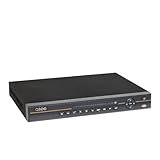
Q-See QC818-1 8 Channel Digital POE Solution NVR

Q-See QC818-1 8 Channel Digital POE Solution NVR with Pre-Installed 1 TB Hard Drive
Customer Ratings: 4.5 stars
List Price: $751.99
Sale Price: $740.18
Today's Bonus: 2% Off
Buy Now

This is my second Q-See NVR purchase. First I got the 4 channel NVR and now an 8 channel NVR. The POE cameras are great since you only have to run a single thin cat5e wire. It's cleaner if you have the tools / ability to cut the wire to length and put your own ends on. Also, it was cheaper to get the whole system with 4 cameras than the cameras separately. Also, S@ms club has it real cheap.

Here are some observations that may save you some time:

-Be prepared to spend some quality time getting to know the interface. This is the fun part right? Once it's setup you can mainly use your smartphone for monitoring.

-The setup interface on the NVR can not configure all the functions. The included PSS software also can not configure all the functions. You will need to use both the NVR itself and the PSS software to properly configure the NVR. I suggest setting it up with a monitor and mouse next to your PC and go through the configuration first on the NVR then install the PSS and go through all the options again until you have it working. Again, neither interface can completely configure it alone and this is why I knocked off a star. To top it off, its not like a whole function is done with a particular interface, its just certain check-boxes and fields that show up in one vs the other.

-The PSS software has its own user ID / password separate from the NVR. Don't get them confused.

-Use PSS to format the HDD. In PSS, add your device then under Device List right click your device and select Advanced --> Device Config. Under Advanced --> HDD Management you can format the drive and it will reboot. This was one of the steps I took on both NVRs before it was working properly. I'm not sure if this was necessary but it can't hurt when its new.

-If you are wondering why it is recording all the time it is because it defaults to "manual" for the extra stream. Go to the same place where you format the drive but choose Record then Extra Stream then set it to Schedule.

-The PSS software GUI was corrupted looking on Windows 8. I fixed this by right clicking the desktop and choosing screen resolution then "Make text and other items larger or smaller". I then set it to "Smaller 100% (default). Apparently it don't work properly with larger settings.

Click Here For Most Helpful Customer Reviews >>