I have other digital cameras but I wanted one with slow motion ability. For the cost of this camera: I am truly amazed at the quality at 120fps, 240fps, and even at 1000fps. It does take about 40mb for each second of slow motion video, but for my needs, that's fine. The quality is really good, easy to use, and regular photos and HD video is also better than I expected. Definitely a camera I would recommend to others.
Showing posts with label canon digital camera reviews. Show all posts
Showing posts with label canon digital camera reviews. Show all posts

Canon EOS Rebel T3i 18 MP CMOS Digital SLR Camera with EF-S


List Price: $989.99
Sale Price: $769.95
Today's Bonus: 22% Off

Awesome cam! dope lense with great zoom
Cheap little tripod and small bag but everything else was well worth the purchase.
Fast and responsible shipping

Canon EOS 5D Mark II 21.1 Megapixel Full-Frame Sensor Digital
Just received the kit this morning and while I'm waiting on the battery to charge, I thought I'd take the time and write this review. The kit was as promised...almost. While the kit says that there are "two extended life batteries included", I only received one. However, the shipping was so fast and everything else about the kit is wonderful so being shorted one battery won't taint my review. I've been waiting for a long time for this camera and I'm looking forward to getting my video shooting started! Cheers to the seller for the prompt service!

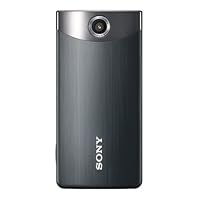
Sony Bloggie Touch Camera, 4-Hour (Black)
I've had this camera for about a week now and have been loving it ever since. I've used another "flip" camcorder and the Bloggie Touch puts it to shame.
Pros:
1. Love the quick on and record. Great for spontaneous videos of the little one.
2. The touch screen interface makes it both useful and fun to use the big screen.
3. The still pictures come out brilliant, when the lighting and focus is good.
4. The battery charges up super fast and stays with you for a whole day of shooting.
5. The image stabilization is good. You can take decent video while walking around and panning too. Note that it is not optical, but electronic SteadyShot stabilization.
6. The lens is very good quality and the pictures are crisp.
7. Really like the "snap picture while recording" feature. I find myself using that feature the most. The video doesn't stall while the picture (full 12M resolution) is being taken and since the focus and exposure are usually locked well while you're in the middle of the video, the pictures come out great.
Cons:
1. In low lighting, there is quite a bit of graininess and using the digital zoom makes it much worse.
2. While the lens is good quality, the auto-focus mechanism is really very slow. If you move around the camera too much before focus has locked on, the auto-focus will almost never lock.
3. What I really miss with this camera is a flash. Even a tiny one would help with low light pictures.
4. Minor annoyance: to preview a picture right after you take it, you have to go through at least two clicks. Sony could have designed it so that it always goes to the last picture taken by default, instead of the thumbnail list of all pictures/video on the device.
I decided to purchase this camera over a still camera that can do video because:
1. This one is dead simple. One button to turn on, one to take video and one to take stills. This makes it both easy and quick to use.
2. This one can do 1080p video and 720p at 60fps.
3. Its under $200 and is smaller than your phone.
4. Its got internal flash and USB connector no more SD cards or cables. 8GB is enough to get you through the day before you can come back to your laptop to dump the pictures.
I decided to purchase this camera over other ones in the same category because:
1. Its got a big display and the touch screen is fun to use.
2. Its got a better lens system than the others.
3. Its got (some) image stabilization.

Pros:
1. Love the quick on and record. Great for spontaneous videos of the little one.
2. The touch screen interface makes it both useful and fun to use the big screen.
3. The still pictures come out brilliant, when the lighting and focus is good.
4. The battery charges up super fast and stays with you for a whole day of shooting.
5. The image stabilization is good. You can take decent video while walking around and panning too. Note that it is not optical, but electronic SteadyShot stabilization.
6. The lens is very good quality and the pictures are crisp.
7. Really like the "snap picture while recording" feature. I find myself using that feature the most. The video doesn't stall while the picture (full 12M resolution) is being taken and since the focus and exposure are usually locked well while you're in the middle of the video, the pictures come out great.
Cons:
1. In low lighting, there is quite a bit of graininess and using the digital zoom makes it much worse.
2. While the lens is good quality, the auto-focus mechanism is really very slow. If you move around the camera too much before focus has locked on, the auto-focus will almost never lock.
3. What I really miss with this camera is a flash. Even a tiny one would help with low light pictures.
4. Minor annoyance: to preview a picture right after you take it, you have to go through at least two clicks. Sony could have designed it so that it always goes to the last picture taken by default, instead of the thumbnail list of all pictures/video on the device.
I decided to purchase this camera over a still camera that can do video because:
1. This one is dead simple. One button to turn on, one to take video and one to take stills. This makes it both easy and quick to use.
2. This one can do 1080p video and 720p at 60fps.
3. Its under $200 and is smaller than your phone.
4. Its got internal flash and USB connector no more SD cards or cables. 8GB is enough to get you through the day before you can come back to your laptop to dump the pictures.
I decided to purchase this camera over other ones in the same category because:
1. Its got a big display and the touch screen is fun to use.
2. Its got a better lens system than the others.
3. Its got (some) image stabilization.
Apple MacBook Air MC966LL/A 13.3-Inch Laptop (OLD VERSION)
*2012 Pro and Air models are available but the designs remain the same meaning the physical aspects covered below are the same as well.
The primary features of the 2012 13" MacBook Air are:
Ivy Bridge processor + HD 4000 graphics (60% better performance)
USB 3.0
720p webcam
2x SSD read speeds. Write speeds didn't change.
$100 price drop
I've owned the machine for 10 months now and have simplified the review for your convenience.
Things I like:
+ Light weight; 2.9 lbs (1.3 kg). You can easily hold it with one hand the MBP 13" is noticeably heavier at 4.5 lbs.
+ Solid build quality like the MBPs. Chassis is rock solid, no keyboard flex, screen housing is rigid with minor flex in the middle.
+ Better ergonomics than the MBPs; the palm rest edges don't dig into your wrists like the edges on the MBPs do.
+ Same fluid multitouch trackpad and the backlit keyboard makes a return.
+ The screen is a pleasure to use with it's high resolution (1440 x 900) and semi-gloss finish.
There is no glass cover so there will be dramatically less reflections compared to the screen of the MBPs
I personally chose the Air over the Pro because of reduced glare.
+ 18 second boot ups and 3 second shut downs. Resumes from sleep within 3 seconds.
+ The two USB 2.0 ports are on opposite sides of the laptop (less clutter than MBP)
+ Speakers are surprisingly loud; they can fill up a small room.
+ Runs extremely cool and it's so quiet that you'll wonder if the fan is running at all.
I can definitely feel heat ~ 87 degrees F on the MPB 13's underside after 6 hours of use
where as the MBA 13's underside stayed relatively cooler.
+ Runs Windows 7 just as cool and quietly. (I installed Windows 7 via flash drive)
+ Performance is almost identical to the MBP 13" 2011 on everyday tasks because the Core i5
CPU can turbo boost to 2.7 GHz and the SSD allows for instant application launching.
+ Gaming: it has the same Intel HD Graphics 3000 as the MBP 13" 2011. I was able to run
Starcraft II smoothly at low settings on native resolution. Medium settings also ran nicely but
you get less FPS during large battles. League of Legends ran smoothly at medium settings
30 FPS flat) on native resolution.
_______________________________________________________________________________________________________
Things I don't like:
*IMPORTANT* Wifi drops have been less frequent in the wake of more updates from Apple.
The keyboard is shallower and has less travel than the MBP keyboards (you'll get used to it
within a few days)
The screen has less color gamut than the MBP 13's screen. This screen covers only 46% of
sRGB color spectrum where as the MBP 13's screen covers 77%. For image editing,
I would use an external monitor.
The vertical viewing angles aren't so great. One minute tilt of the screen causes colors to shift
dramatically (for example: a purple color can change from lavender to light blue as you tilt
the screen backward or forward). Again, I would use an external monitor for tasks in
which accurate colors are mission critical. For everyday use it's not noticeable and is
actually easier on the eyes than the glare-prone screens of the MBPs.
Not all models come with the same SSD. There are 2 variations; a Samsung SSD and a
Toshiba SSD. The Samsung SSD significantly outperforms the Toshiba SSD in
benchmarks (check the AnandTech review)
To check what SSD you have, click on the Apple logo -> About this Mac ->
more info/system report -> then look on the left hand side and click on "SerialATA".
If your SSD's serial number starts with "SM" it's a Samsung and a "TS" means it's a
Toshiba.
I personally get 5 hours of battery life max on a single charge while surfing with 10+ tabs open on safari; I got
~7 hours doing the same tasks on the MPB 13 2011. My activities included watching
YouTube videos, viewing flash content on tech and news sites, reading/writing email,
and using AIM.
No FaceTime HD Camera (720p) as on the MPBs. The quality difference is, unfortunately,
very noticeable.
The integrated microphone is located on the side of the laptop instead of on top of the keyboard
as on the MBP. During Skype calls, my buddies told me that my voice sounded muffled
when using the Air. Using a headset with a mic, I was able to improve the sound quality.
The base of the machine developed a creaking noise within the first week of use. I suspect this to be
caused by uneven tension in the screws.
after 5 months of, a white cluster of stuck pixels developed in the bottom left corner of the screen.
The machine has been handled with care so it's not accidental damage.
_________________________________________________________________________________________________________________________
Conclusion: Which one should you get?
As a college student, I would recommend the Macbook Pro 13". The Air is more than capable of being a primary machine because
of it's superb performance and overall very good screen. For everyday tasks, it should be snappy and an ease to use.
However, students will get a $100 discount on the Pro while the Air only provides a $50 discount. This means that there is a price
difference of $150 for students. The storage space on the Air is imited to 128GB or 256GB while the Pro comes standard with 500GB.
Plus, you can always add a SSD to the Pro later on. The Pro will be the better choice for creative students because it's screen has more color
gamut than the Air's. Lastly, you are getting a full voltage processor which can make a differencein video encoding or other CPU intensive tasks.
If you are not a student:
If you value the extra ports (Ethernet, Firewire, optical drive), a high gamut screen (although more reflective), a 720p webcam
(it's a lot better), and the ability to upgradelater down the line go for the Pro.
If you prioritize portability (light weight), higher screen resolution, fast boot ups/shut downs, and less reflections go for the Air.
In everyday performance the Air feels faster when booting up and launching applications because of its SSD. In CPU intensive tasks,
the Pro will have a slight edge but not much. (the two CPUs are actually pretty neck to neck on GeekBench benchmarks). They both
have the same graphics chip but note that the Pro will get better battery life (1-2 hours more) than the Air because the Pro has a bigger
capacity battery (63.5 watt-hours vs. 50 watt-hours)
Unfortunately, my unit is affected with a wifi drop problem. I don't know if you will encounter the same issue but if you buy an Air from
an Apple Store, make sure to test the wifi out by using it on multiple networks. If you encounter any erratic wifi drops within
the first 14 days demand a refund or an exchange.
_________________________________________________________________________________________________________________________
Update December 27th, 2011
After installing the 10.7.2 and a firmware update, the wifi connections in my dorm room became more reliable.
However, after taking it home I experienced drops as before on the home network. I DOUBT it's a problem with my
router because ALL other connected devices work fine. The 2011 MBP 13" I previously owned worked flawlessly on my network.
This is most likely a problem with the Air's drivers. 5 months after product launch, I don't believe Apple
has acknowledged the issue or either chose to IGNORE it as other users on the official forums continue to
have similar complaints even to this day.
Hardware wise, the casing held up well except for a scratch on the side. The lid is frighteningly thin and I've read
reports of the screen's fragile nature cracking at the slightest bump by another object. I would handle with care.
Want to know something funny? With the machine off, I can see through the Apple logo on the lid if there's light
behind it it's that thin.
Software wise, sometimes the machine would run hot with fans blazing full throttle when watching HD YouTube videos
and would remain that way even though I close everything. Very odd. A quick reboot solves the problem.
A creaking sound developed within a week of purchase. When I lift the machine up, press on the palm rest or type on it
there would be a creaking noise produced. I suspected the screws of the bottom to be loose so I decided to tighten them.
Note that you'll have to order a pentalobe screwdriver to do this the screws aren't the typical type.
_____________________________________________________________________________________________________________________
January 9th, 2011
A cluster of 4-5 stuck pixels developed so I went to get a screen replacement. The Apple genius confirmed it was
4-5 pixels which qualified me for a screen replacement. Service was prompt and I got the machine the next day.
However, the new screen had 2 clearly visible dead pixels in the center of the screen. I tried using it for a few days
but they were an absolute distraction.
Dissatisfied, I took it back to another genius only to be met with rude service. I stated that the dead pixels hindered
functionality as they were visual distractions. He snidely responded with, "Where? I don't even see them" and remained
adamant about not replacing it because I didn't qualify for the "minimum of 5 dead pixels for a replacement" policy.
It was an unpleasant experience to say the least and didn't help.
_____________________________________________________________________________________________________________________
March 11th, 2011
I've learned to live with the two dead pixels on the screen and Apple has released an update (10.7.3) to address the
wireless card. I've noticed that with Bluetooth off, the connections are pretty stable around campus and at home.
I've not yet tested this with Bluetooth it makes me curious because people on the official forums report wifi drops when
enabling Bluetooth. Anyway, After 7 months of ownership I would say most of the initial bugs have been remedied and
the Air is a pleasure to use. However, I speculate that the Pro and Air lineup will be updated to Ivy Bridge in the summer
(along with the rumored redesign of the Pros). Buy now if you need it but if you can waiting might be better.
Cheers!
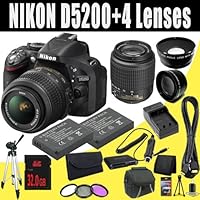
Nikon D5200 24.1 MP CMOS Digital SLR with 18-55mm f/3.5-5.6 AF-S
I can't speak for either of the other reviewers, but mine was a direct import or "gray market" body and lenses. That means Nikon won't warranty anything and will never do any warranty work either. DavisMAX offered me a 3 year 3rd party warranty or a refund. They said that the reason they sold me a "gray market" camera was because they were out of stock. They should more clearly state that the manufacturer's warranty won't be available.
Olympus Evolt E330 7.5MP Digital SLR Camera with 14-45mm
I have had the E330 for about 1 month now and couldn't be happier. I looked very closely at the Canon 30D, the Nikon D50 and the Olympus E500. I am really happy I went with the E330. While there is no such thing as a perfect camera, I have found that this one in particular fits my needs and caters to my more creative side with the live view articulated view finder. The Live A and B modes really open a lot of doors that other cameras in its class do not allow. Although it does't look as traditional as the others, the style had grown on me. I opted to get the body only so that I could upgrade the lens to a 14-54mm Zukio which is a wonderful all around lens. I find that the camera feels very good in my hands, although the D50 also had a great feel to it. It is very responsive and handles most situations well. I like to do street photography and the live view articulating lens allows for the taking of pictures without being too obvious. The low light performance is pretty good compared to the other olympus digital SLR with its new sensor, but is still not as good as either the 30D or the D50. This may change however when Lecia releases its 4/3rds mount image stabilized lens which is supposed to be compatible with the Olympus lineup. While I am new to digital SLRs, I consider myself to be a photography enthusiast. I started out with a Sony S85 which was a wonderful camera in many ways, but I have to say I am having a wonderful time learning about a whole new realm of photography with the E330. I highly recommend a good look at this camera if you are looking to get into digital SLRs as it serves not only as a nice crossover camera, but as a midline intermediate SLR that will keep you wanting to get even more creative with your photographic hobby.

Zacuto Z-Finder Pro 3x for 3.2" Screens


List Price: $395.00
Sale Price: $375.25
Today's Bonus: 5% Off
Bought for use with a Nikon D800. Excellent, attaches firmly, easy to remove and does the job, ie allows a DSLR to behave like a "proper" video camera. Also great for Focus when used with live view for stills.
HP dm4-3090se (14.0-Inch Screen) Laptop
Favorable:
* Sharp, anti-glare screen
* Hybrid hard drive speeds up boot times noticeably
* Unique red-backlit keyboard
* Impressive battery life, given the specs
* Beats Audio provides better-than-average sound
Unfavorable:
* Premium HP Envy lineup is only $150 more
* Lid is a fingerprint haven
* Terrible speaker placement
* Tight USB ports
* On/Off Wi-Fi button easily pressed by accident
Introduction:
As a college student, my main justifications for selling off my previous computer was for better portability and battery life. Lugging my thick, weighty Dell around campus wasn't very fun, and although it got the job done, I ultimately decided a different laptop would serve my current needs much better. My initial goal was to end up with a thin and light or possibly an ultraportable. A Toshiba Portege r835 or Asus Zenbook perhaps. So, how in the world did I end up with the HP dm4-3090se? The short answer: The formerly mentioned machines simply didn't have the features I longed for. The longer, more descriptive answer: I can't wrap it all into one sentence, but keep reading and I promise I'll tell you!
Specifications:
I'll keep this section short and sweet since Amazon has the specs readily available on this webpage. This computer came with an i5-2450M @ 2.5 GHz and Turbo Boost Technology of up to 3.1 GHz. 500GB 7200RPM Hard drive with a 20GB mSATA drive*. 6GB of RAM. 14-inch anti-glare (matte) screen with a maximum resolution of 1600 x 900. Red-backlit keyboard, no number pad included. 3 USB Ports ( Two 3.0 and One 2.0), HDMI Port, Ethernet Port, Card Reader, Beats Audio with Subwoofer. In other words, this laptop is loaded.
*HP has recently increased the mSATA capacity from 20GB to 32GB. My machine came with a 32GB.
Unboxing and Initial Impressions:
I bought this laptop off Amazon and it arrived a couple of days later by UPS. Upon opening the box, I was greeted with the power cord, battery, setup instructions, a packet featuring advertisements for HP's many accessories and Norton Anti-Virus, and the laptop itself nicely placed in a cloth sleeve. There is some widespread confusion about whether there is a Beats Audio headphone included and I can say with certainty that there are no headphones, of any kind, included with this computer. It would have been nice, but HP isn't feeling quite that generous.
I pressed the power button, located in the top, left corner, expecting a somewhat slow boot time. Any brand new Windows-based computer has to go through the dreaded "Preparing Windows for first time use" screen before use. From my experience, this can take up to three minutes! So it goes without saying that I was completely taken aback at how fast the setup was. I can't give you a specific time length, but it was asking what I wanted to name the computer in well under a minute. And thanks to the hybrid hard drive, boot up times are always between 10-15 seconds.
Design and Features:
As this is the Beats Audio Special Edition of the current dm4 lineup, the user is graced with a nearly all black finish. A major plus, for me anyways, is the matte black covering most areas. This cuts down the reflections and annoying glares that come being outside in the sunlight or in a classroom full of florescent lights. The top lid is all black, save the now iconic Beats symbol placed in the very center. Open the notebook up and you are greeted with even more black. In fact, the keyboard, trackpad, and palm rests are graced in a mute, matte black finish . It makes for one very cool-looking laptop, to say the least.
The screen is gorgeous! The first thing everyone should know, is that this is a matte screen. Simply put, the horrendous reflections brought on by glossy screens are a thing of the past! I know glossy has had its fair share of user backlash, and it still stumps me as to why computer manufacturers continue to put these screens on the majority of machines. This screen also features a resolution of 1600x900, also a rarity in the 14-inch laptop world. Text will be smaller, but less pixilated and much sharper.
The next thing I went for was the keyboard. It has a red-backlight! Keep in mind, this feature can be turned off or on by pressing F5. Some users may be turned off by the color, and I admit that it probably isn't for everyone. It isn't blinding bright, but at the same time it isn't particularly mute. For me, it is just right. And to top it off, typing is a breeze!
The Beats Audio provides a very loud and clear sound. I primarily listen to hip-hop and R&B and noticed right off the bat how natural the sound was. There is a subwoofer as well, lending a hand on the low end. Given this combination, music sounds full and without noticeable distortion. It's a shame, however, that HP placed the speakers on the very front, at an angle. This often muffles the sound, especially if you have the notebook in your lap or on the bed.
Drawbacks:
First off, there is no dedicated graphics card, only the industry standard Intel HD 3000. This particular con varies on severity, depending on intended use. The causal user probably won't notice the difference, but for you gamers and video editors out there, consider a different laptop.
The lid cover, and even the keys, attract fingerprints heavily. Being black, fingerprints tend to show up more than usual.
The USB ports are quite tight. Attempting to inject and deject my USB flash drive was a job in itself. It took two hands, one to hold the computer in place, the other to pull the device from the port.
The Wi-Fi switch is in a terrible location. The F12 key serves as an automatic on/off switch of your wireless card and accidentally pressing it during a download or Skype conversation can have tumultuous effects on one's sanity.
What Makes This Laptop Worth the Purchase (Conclusion):
See, I promised if you kept reading I would tell you why I chose the dm4-3090se! The current going price of this laptop is around $830, and if you are still reading this review, you obviously want to be as informed as possible before making such a purchase. I don't blame you. After hours of debating, I ultimately chose this machine for the following reasons:
* The i5 Sandy Bridge Processor. Dual core @ 2.5 GHz
* 6GB Random Access Memory (RAM)
* The screen. A matte finish and 1600x900 resolution. This was the deciding factor in my purchase.
* Hybrid Hard Drive
* Red-backlit keyboard
* Beats Audio
* USB 3.0
* HDMI
Laptops with comparable specs are normally in the "premium" category and beyond the $1000 price point, such as the HP Envy line. Granted, for only $150 more you can have an Envy with an all metal finish and a slot-loading optical drive. But you also get a standard resolution (1366x768) glossy screen and an added pound of weight to carry. So for me, the screen was what set this laptop apart from the competition. People often overlook this pivotal feature, assuming all laptops are glossy and reflective with a single resolution. But the screen is what you will be looking at, possibly for hours, and if you aren't happy with the screen, how can you be truly happy with the laptop?
Savvy shoppers tend to be weary of HP and the company's shaky reputation. This will unfortunately deter many prospective buyers who would be perfectly happy with this computer if they gave it a chance. Initial usage is impressive, with the few complaints being quite trivial. If the previously mentioned specifications fits your needs, I urge you to seriously consider this laptop. It is truly unlike any other notebook currently on the market and is a true miracle for the anti-glare, pro-matte screen consumer.
EDIT:
For readers obsessed with numbers, here is the most recent Windows Experience Index:
Processor 7.0
Memory (RAM) 7.4
Graphics 5.9
Gaming Graphics 6.3
Primary Hard Disk 5.9
EDIT: After reading comments by Zvika and OJMH, I installed Intel's Rapid Storage Technology driver, restarted the computer, and was able to see the true capacity of my mSATA drive. It is in fact 32GB! I have edited this review to reflect that. I don't know what drive is 20GB under the System Properties menu, but like Reinaldo mentioned, the mSATA is not visible by this method. So I believe this drive works as a cache, which is the true reason for such a fast start-up. Either way, this systems performance is more than adequate and I am still happy with it! Thanks to Reinaldo, OJMH, and Zvika for the clarification.
Vtech 6.0 2-Line Expandable Cordless Phone with Digital


List Price: $79.95
Sale Price: $54.95
Today's Bonus: 31% Off
I am running a business with 2 phone lines for many years now and phones have always been a problem for me. I found that all cordless phones degrade or stop working after a couple of years, so I went through several different brands and models which I can repport here for you. My comment on the VTech is the last paragraph.
Starting 1999 I had a 2.4 GHz Siemes Gigaset and that was the best phone I had, it was stylish, very well organized and functioning. Unfortunately, wireless computer networking exploded shortly after and swamped this frequency band that no cordless phone at 2.4 GHz worked well any longer. Features included phone book copy amongst the different hand sets.
I had two sets of different Panasonic 5.8 GHz phones, and all were really bad. Voice quality was horrible and something stopped working in a short time. One is tempted to buy Panasonic because they have the largest selection of models. But don't be fooled by that! I could not buy Siemens because they retracted from the 2-line analog phone market, they only offer VoIP stuff, but I am not ready for that yet.
I had a Motorola 5.8 GHz for a couple of days and let me tell you, this was the worst phone I ever had, it was even much worse than all Panasonics. There would be not enough space on the Amazon server to write down all the details :-)
Then I had a 5.8 GHz AT&T phone and I really liked voice quality and workmanship. But all hand sets had different numbers in their phone book because you cannot transfer the phone book between them; I just could not keep up with this. Also, the functionality was not very intuitive.
Finally I got his VTech phone, and I must say that I am impressed. I wanted to have a DECT 6.0 phone because I believe this is the best frequency band for cordless phones. This phone looks great, has excellent voice quality, has an intuitive menu setup, and it has a very competative price. And what I like most which no other phone ever had: You program a number into your phone book and it is available instantaneouly in all hand sets. Only thing, they should have memory for more than 50 numbers. I have this phone and 4 hand sets since Dec 2009, and the only thing I hope is that it will be reliable. As soon as I have an issue I will update this review, so if you don't see an update, that is more points for this phone.
Nikon 85mm f/1.8D AF Nikkor Lens for Nikon Digital SLR Cameras
A exceptional portrait lens for both digital and film, the Nikkor 85mm f/1.8D is usably sharp wide open and tack sharp by the time you stop down even just a bit. Relatively small and very light, it feels just right in my hand. Steve McCurry is one of my favorite photographers and I was happy to discover that many of his great shots were taken with this lens.
Also, if you shoot on a manual focus body like the F3, you'll like the solid but smooth feel of the focus ring.
The 85mm comes with a metal, screw-on hood. My preference is the plastic bayonet mounts, but I find that I don't need the hood that often since this lens doesn't tend to flare.
Two minor complaints about this lens: first, the bokeh is not exceptional. That's OK; I'm not a bokeh hound. But when I see the creamy out of focus specular highlights that the 85mm f/1.4 produces, sometimes I dream about spending the extra money.
Second, I wish it were AF-S. But even without AF-S, it focuses faster than you'd expect.
Finally, the construction is solid. I've used it heavily for two years in deserts, jungles, and glaciers (ok, and in less glamorous places like around the apartment) and it still looks brand new.
In short, my favorite lens. Absolutely worth every penny.
Apple MacBook Pro ME866LL/A 13.3-Inch Laptop with Retina Display

List Price: $1,799.00
Sale Price: $1,774.99
Today's Bonus: 1% Off
Great Laptop. During the first week it had a software problem that caused the mouse and keyboard to randomly freeze. Apple fixed it with a software patch already. Since then its been working perfectly.
Nikon D5300 24.2 MP CMOS Digital SLR Camera with Built-in Wi-Fi

List Price: $799.95
Sale Price: $796.95
Today's Bonus: $3.00 Off
The primary reason for me to upgrade from Nikon's D5100 to D5300 was new GPS location recording function. A secondary reason was hoping a sharper image without the low pass filter. With limited use so far, I would not say D5300 is a must have upgrade from D5100.
Pro:
* It is slightly lighter than D5100. I like it but others may not.
* LCD screen is bigger than D5100.
* There is an added single/continues/self-timer selection button. Although the button position could be better, but it is still better than D5100 has go through quick menu to change it.
* The image may be marginally sharper using Nikon 18-200 zoom lens, but because the sensor has different pixel counts, it is hard to say for sure without spend some effort look into it. But then again, if one needs to look so hard to find the difference. it shows the differences are really small.
* LiveView although still sluggish, at least it is much improved over D5100.
* It uses the same EN-EL 14 battery as the D5100. This means I can keep my spare batteries.
* Wi-Fi function was not important to me but with Nikon's Wireless Mobility Utility I can sync the camera's clock with my phone. This is important for using the phone as GPS logger. The utility also functions as remote with ability to turn Live View on/off.
Con:
* When I first got the D5300 three days after it was released, the GPS's performance is just awful! Then there was talk about update the camera's GPS file. With the update, the GPS function improved somewhat but there is catch that we the owner need to download and applied new updates every two weeks! I just came back from a week long trip to Germany and I found out even with the update, it is still near useless in the field! First, even with the update it still take time to lock on satellite signal! To make matter worse is even with the GPS logging function on, the camera will not maintain the lock once it goes to standby mode and upon wake up, it needs to rescan and lock! Further more, even after it locks, any movement can cause it to loose the lock even by just walking a few steps! I even have many shoots just seconds apart without moving and yet the camera still could not maintain the lock! I would say the outdoor shoots managed to get GPS data is only about 50% and one can forget any hope the GPS can track indoor or inside cars.
* As the GPS not able to lock quickly not bad enough, it is also not very accurate!! While some pictures that I shoot so far are accurate, most of them are at least 50ft-100ft off and many are even more than 1,000ft off!!
* Not only the GPS is close to useless, it also drain battery much quicker! With the GPS on, the battery can be drained with as little as 200-300 shoots! When changing battery with GPS "on", sometimes the GPS came back resumed to "on", but other times it came back as "off"! I found it very frustrating as most of time I need to change battery in a hurry and do not have time to check all the status.
* D5300 has an AF assist lamp as the D5100 and it has the same problem. While this lampmay be good for some cases, it is inappropriate for others. The way Nikon implements it is not very flexible. The default setting is have the lamp on all the time for Auto and PASM mode with some pre-programmed scene modes will disable it. The only way for user to turn it on/off for PASM is to go through custom setting menu and it applied to all modes. One cannot program PASM differently that made this function less useful or even annoying.
* Wi-Fi function was not important to me but it seems I have to use it for some functions only the wireless utility offers, it matters now and I was surprised to find out it can only be connected to smart devices with either Android or iOS AND with Nikon's Wireless Mobility Utility running. It does not connect to PC or router. It is a two stages job. First to connect the two with Wi-Fi and then start the utility on the smart device. For some Android devices that supports WPS, the connection is secure. Otherwise by using SSID to connect, it is unsecured with SSID broadcast wide open that some one else can possible to connect to the camera.
* The wireless utility has a function to use smart device's GPS tag which is very good. But, my test so far seems it will only embedded the tag as picture been transferred from the camera to the device not directly to the SD card in the camera. Although I can understand the logic in view of possible unsecured link, it is another two stages job first to transfer the image to device and then to PC or somewhere else. It also made this function not very practical to use when travelling as the smart devices' memory are much smaller than the SD card and the prolong use of Wi-Fi seems draining the battery quickly.
I will update this review after I have time to take a closer look at the pictures taken so far.
Edit 11/20/2013:
* Because of the AF assist lamp setting was so inflexible, I turned it off when I first got the D5100 and did not even remember it also has the lamp until I am comparing it with the D5300. Too bad Nikon has not done any improvement on the settings.
* Tried the GPS on another open space, it was even worse than before! It seems this GPS function is worthless as is. If GPS function is an important buying factor, I would rate the D5300 THREE STARS or less. If you are like me already have the D5100 or D5200 thinking about upgrading to D5300 for the GPS, you probably should stay with what you have.
* Added comments about Wi-Fi
Edit 11/22/2013
S. Fox mentioned SSID for Wi-Fi. Although I have seen it before, never thought I will use it because it is unsecure. But since Fox mentioned, I gave it a try and that is when I found out it can not even connect directly to PC or router!
Edit 11/23/2013
* Mercury Coach mentioned updating A-GPS data might help. Well, it did! Although the GPS is still inconsistent that took from 10s to 1 min. to lock on at same location, it is at least far more usable now. The problem is it seem we have to update this GPS file every two weeks to keep it happy.
* Tried Wi-Fi and the Wireless Mobility Utility a bit with mixed feeling.
* Although the GPS is faster now , it also seems less accurate. Those pictures taken before the update were very accurate but those taken after the update were at least 200ft off. I will test some more to see if indeed the update traded accuracy for speed.
Edit 12/1/2013
Just came back from a trip. I am very disappointed with the GPS even with the update! Most of the time it could not lock on or maintain lock to signal when we walk around a handful of cities in Germany. Not only it is useless for the trip, it also drain the battery much faster than I like or expect! I will give more details later.
Edit 12/3/2013
Added more details about the GPS.
Samsung UN46EH6000 46-Inch 1080p 120Hz LED HDTV (Black) (2012

List Price: $1,079.99
Sale Price: $899.00
Today's Bonus: 17% Off
UPDATE:
The picture settings that I previouly stated in my review were made while the `Eco Solutions' settings (found under the `Plug & Play' tab) is set to `On'.
However, I found something very interesting. If you change `Eco Solution' setting' to' Off', it dramatically changed the picture. When you first turn the setting to `Off', the picture turns exceptionally bright. However, it is not as bad as you think. While having the `Eco Solution' setting set to `Off', I made the following changes to my settings and I'm updating my review to allow for a choice between the two options. No matter which setting changes you choose, your picture will be greatly improved. It's just a matter of taste.
Again, my goal all along was to get the clearest, most stunning picture that the set had to offer without comprising the beautiful blacks, nor the brilliant colors, nor the outstanding 3D like effects you can sometimes perceive, all while never having to change the settings between channels or sources, no matter what the lighting of the room may be. I believe that I succeeded in this endeavor.
If you choose to set the `Eco Solutions' setting found under the `Plug & Play Tab' to `Off', then try these settings. I recommend that you do a `Picture Reset' first. This is found under the `Picture' settings.
Under The `TV Picture' settings, I have the `Picture Mode' set to `Standard', the `Backlight' set to `10', `Contrast' set to `80', Brightness set to `45', `Sharpness' set to `50', color set to `50', and tint (G/R) set to `50/50. Under the `Advance Tab' settings, I set the `Color Space' to `Native', the `Dynamic Contrast' to `Low', the `Black Tone' to 'Dark', (and here is a big change), the `Flesh Tone' to -3, and the `Motion Lighting' to `Off'. Under the `Picture Options Tab' settings, I set `Color Tone' to `Standard', the `Digital Noise filter' to `Auto', the `HDMI Black Level' to `Low', The `Film Mode' to `Auto', The `Auto Motion Plus' to `Clear' and the `LED Motion Plus' to `Off'.
If you choose to set the `Eco Solutions' setting found under the `Plug & Play Tab' to `On', then try these settings. Once again, I recommend that you do a `Picture Reset' first. This is found under the `Picture' settings.
Using the `Standard' viewing mode settings for everything, I made the following changes. Under `Picture' settings, I changed the contrast from `100' to `85'. Under `Advanced Settings', I set the `color space' to `native' the Dynamic Contrast to `medium' the Black Tone to' Dark' and turned the motion lighting `Off". Under `Picture Options', I have the color tone at' standard', digital noise filter at `auto', HDMI Black level at `Low', Film Mode at `Auto', Auto Motion Plus at `Clear', and turned the LED Motion Plus to `Off'.
ORIGINAL REVIEW:
First I must say that I didn't purchase this TV from Amazon. However, I love Amazon and I love this TV!
PROS:
This TV is aesthetically gorgeous and made a solid hand shake with my receiver. It has surprisingly smooth sounding speakers that I can finally hear over my loud AC. The colors are vibrant, vivid, actual, and true. The picture can, at times, appear to look like a 3D TV when viewing certain movie sources. It quickly powers on and off and plays a sweet sound. It comes with a perfectly sized backlit remote that has a sleep button on it. It does not use Edge lit or ARC channel technology. Yea!
CONS:
I had a dickens of a time tweaking this set. Initially, it gave off a bright, 'reality' type look. My circle of people thought that this was a cool thing. However, I hated it with a passion and spent the last two weeks trying to get rid of it.
These changes made all the difference in the world and now there is uniformity between all of the source material. Movies, be it cable broadcast movies or Blu Ray movies , as well as primetime cable shows including cable news, all look the way they were intended.
SUMMATION:
In my quest to find the best TV for the money, I've discovered that most of today's LED TV's are challenged with the aforementioned "soap opera' effect. In a way, it's understandable. Networks broadcast their shows using a multitude of lighting choices. That alone can be problematic. Add to that the commercials that are broadcast in a non-HD format and then throw in the desire for TV makers to make TV panels super thin and you get too many options for your backlight to choose from. All I know for sure is that I love the fact that, with this TV, Samsung chose to put the backlights across the whole of the back of the TV and not around the edges. Also, please know that, in my opinion, this TV is easily thin enough, takes up surprisingly little space and has the audacity to look beautiful.
I actually HIGHLY RECOMMEND THIS TV and think that it is a fantastic TV and it is being offered at a fantastic price. YOU JUST GOT TO TWEAK IT. I'm also writing it so that the next person doesn't become discouraged and want to immediately send it back. They would be making a HUGE mistake. I was about to return it myself because of that crazy REALITY look that it had on certain stations and formats. To my mind, my initial tweaking should have done the trick and solved the lighting problem. It is, after all, my fourth owned HDTV, one being a Sony XBR full array set, so I'm no stranger to tweaking.
MORE THOUGHTS:
The changes I eventually made was just counter-intuitive as first choice changes, hence, it took me two weeks to get it right. I don't have a college degree, but it seems to me that, if it took me two weeks to tweak the TV, Samsung could have, and should have; done it themselves before they put it out on the shelves. They know, or at least they should know, about the various swings regarding lighting amongst the various media sources. It just shouldn't be rocket science.
Canon EOS 60D 18 MP CMOS Digital SLR Camera with 3.0-Inch LCD
Update: With the release of the T4i, this review needs a short addendum, which I will add to the end.
The newest addition to Canon's XXD line might initially seem like a minor downgrade to the previous XXD cameras, but several new capabilities actually help make this a nice, well-featured camera that will appeal to many people who don't get caught up in whether or not this is a better camera than it's predecessor. Canon certainly made this camera for the price point and was careful to add just enough features to make it desirable over the T2i, but not desirable enough to compete with the 7D. In some respects though, it seems like a beefed-up version of the Rebel line (a "Super-Rebel") instead of a new addition to the XXD line.
As someone who has now had the opportunity to use all three of Canon's mid-range lineup (the T2i, 60D, and 7D), I have to say that I really like the feel of the 60D. Even though it no longer has the magnesium alloy body, it feels solid. In no way does it feel cheap. I have fairly small hands and the 60D feels like it was made for me. It's significantly lighter than the 7D and feels like it would be much more friendly on long hikes. The 7D feels much more robust; however, the 60D feels much more "comfy". It is definitely bigger in size than the T2i, but the angles and design of the camera have a nicely updated feel to them that makes it seem like you are getting a much more substantial camera. The articulating screen was also done very well. My initial worries that the screen would feel cheap and break easily were immediately relieved after using it. The hinges are very solid and feel almost stiff to the point where you are comfortable with it staying right where you want it. It also is very flush with the rest of the body and offers little space in between.
Aside from the feel, the camera takes beautiful pictures. Quality-wise, there is very little difference between the pictures that come out of the T2i, 60D, and 7D. ISO performance is very similar and therefore can not be much of a deciding factor between the models. Most of the decision factors really will focus on which user interface and camera system best appeals to your type and level of photography. Each of Canon's mid-range models has it's own pros and cons, and while there are MANY differences between each camera, these are the main points I considered when deciding between cameras to purchase (hopefully it helps those going through the same decision I did):
60D vs. 50D:
(+) New Sensor the same 18MP sensor that the 7D and T2i have, better ISO coverage/performance
(+) 63 zone dual-layer metering
(+) Better viewfinder 96% coverage vs 95% coverage
(+) Video
(+) Articulating screen
(+) Wireless flash control
(+) Horizontal electronic level
(+) In camera processing (new RAW processing feature and in camera filter effects)
(+) Control over max auto-ISO
(+) Eye-Fi wifi file transfer functions
(-) The magnesium alloy body of the 50D has been replaced with a polycarbonate body
(-) 6.3 fps shooting is down to 5.3 fps
(-) No lens microadjustment in 60D
(+/-) Compact flash card slot has been changed to a SD card slot
(+/-) Joystick replaced by directional pad
60D vs. T2i
(+) 9 all cross-type AF points vs T2i's 9 points w/ 1 center cross-type
(+) 96%, .95 magnification pentaprism viewfinder vs T2i's 95%, .87 magnification pentamirror viewfinder
(+) Articulating screen
(+) Wireless flash control
(+) Horizontal electronic level
(+) In camera processing (new RAW processing feature and in camera filter effects)
(+) Top LCD screen
(+) 5.3 fps vs 3.7 fps
(+) Built in adjustable audio level capability in video
60D vs. 7D
(+) Articulating screen
(+) In camera processing (new RAW processing feature and in camera filter effects)
(+) Control over max auto-ISO
(+) Eye-Fi wifi file transfer functions
(+) Built in adjustable audio level capability in video
(-) 9 all cross-type AF points vs 7D's 19 all cross-type points
(-) Less AF features (such as Zone AF and Point Expansion)
(-) Polycarbonate body vs 7D's magnesium alloy
(-) 96%, .95 magnification pentaprism viewfinder vs 7D's 100%, 1.0x magnification pentaprism viewfinder
(-) Transmissive LCD screen on focus screen on 7D
(-) Only horizontal electronic level vs both horizontal and vertical level on 7D
(-) 5.3 fps vs 7D's 8 fps
(-) No lens microadjustment in 60D
(-) Shutter life of 100,000 vs 7D's 150,000
(-) Dual DIGIC 4 processors in 7D
(-) 3 custom settings in 7D; 1 custom settings in 60D
(-) No PC Sync in 60D
By comparing these features, it's easy to see that the 60D fits well in the price point directly between the T2i and 7D, but of course, a large segment of previous 40D and 50D owners hoping for a true successor that isn't watered down to a certain price point will still undoubtedly be disappointed. It's easy to see in comparing the 60D to the 7D and also to Nikon's newest offerings that Canon chose to limit functionality merely so that 60D sales didn't interfere with the 7D. In fact, if you are not completely entrenched in the Canon camp, I would also suggest looking at the new Nikon D7000. It looks like a spectacular camera for not much more than the 60D. I have not used it nor will I, so I can't comment on whether it's a better choice or not.
Even so, the quality of the 60D and new functionality offer enough new aspects that many customers will surely be happy with it. The articulating screen offers a way to attain tough shots that would have previously demanded extra equipment or odd contortions to reach. It also gives a great new avenue for video capture. Eye-fi wireless transfers work well and help out on those lazy days where you just want to set your camera down and have the work of transferring photos be done for you. Much of the in camera post-production comes off as being a little "gimmicky" to me, but having the option to add effects and process photos definitely doesn't detract from the camera. And many people who don't do much of their own post-processing after transfer to a computer will probably find the in camera RAW conversion and creative effects to be a nice addition.
To me, it really came down to one major factor though: autofocus. I tend to do a lot of shooting involving fast moving subjects, so autofocus for my photography is key. The T1i and T2i were disappointing in this respect. 9 points with one cross-type in the T1i/T2i is respectable, but I found that I really could only rely on using the center point in AI servo mode to get many speedy subjects in focus. I purchased a 7D later, and was blown away by the accuracy. The options of using extra points for expansion, using autofocus zones, having 19 full cross-type points, superior subject tracking, and even the option for narrowing the points in spot autofocus really opened up new areas of photography for me. I get about 10x the amount of usable shots than I would with the T1i and T2i. The 60D isn't THAT good, but it is still much better than the T1i/T2i. In fact, just like with almost everything else about the camera, it's just about right in between the T2i and 7D. Autofocus is fast and accurate, but there are still moments where subjects just move too fast and unfortunately, the 60D doesn't have the capabilities of the 7D. If you are deciding between the 7D and 60D, this is the area you should really look at, because this is the real difference between the 2 cameras. I chose the 7D, and then decided to give the 60D a try just to see if I made the right decision. I am happy with my 7D, but the 60D was no slouch.
In my honest opinion, I think this is a huge sticking point for 40D and 50D owners though. The autofocus system needed to be updated from the previous 2 XXD editions. It has the same 9 cross-type points as the 40D and 50D did before it, and same functionality. To be a good upgrade for previous XXD users, it didn't have to be as good or better than the 7D, but it would have been nice for it to be better than the previous 2 models. Removing the magnesium alloy body and lens microadjustment really comes across as a slap in the face to some users who valued those aspects. I have to say that the body is much lighter, doesn't feel significantly less sturdy (even though it probably is less sturdy), and I've never needed to use lens microadjustment though, so I'm not overly upset about those aspects. I am not thrilled about the "non-update" of the autofocus system though.
Now that I have handled and used all 3 cameras currently in Canon's mid-range lineup, I can definitively say that they are all stellar cameras, but just made for different segments of the market. The T2i is an amazing starter camera and takes great photos for those who want to save a little extra money by going without some of the features they might not use. It might be the best budget option for those who don't take many action shots. For an extra few hundred dollars, the 60D adds some intriguing new features and seems to be aimed at the people who want a slightly higher-end camera than the T2i, but aren't ready to shell out the money for the 7D. It's a great compromise, and to me, the main thing you are missing out on is superior autofocus capabilities. The 7D is more aimed towards the pro-sumer market who want/need a faster autofocus and overall faster, more rugged camera. It's hard to go wrong with any of them, but the 60D offers a great blend of features from both the T2i and 7D along with new features of it's own for a price that won't completely break the bank. It seems to have accomplished everything it needed to do, except for one: giving the 40D and 50D owners an option for upgrade aside from the expensive 7D. If the 60D had kept the magnesium alloy body, lens microadjustment, or even just had a slightly better AF system compared to the 50D, I could easily give this camera 5 stars. As it is, I can only give it 4 stars because it's a wonderful camera for a certain segment of customers looking for a new camera, but completely isolates another loyal customer base looking for their beloved XXD line to continue.
Update: With the release of the T4i, Canon's camera playing field has certainly changed. The minor changes to the T3i didn't warrant much more discussion on the 60D vs Rebel DSLR's than was already posted with the T2i, but the T4i brings some new interesting features to the table, puts picture quality and capture characteristics on par with the 60D, and in some respects ends up being a more appealing camera.
Perhaps the most interesting new features on the T4i are that it now has autofocus during video while using Canon's new STM lenses and has a touchscreen display. For those who want or need autofocus while shooting video, this is a big selling point for the new Rebel instead of the 60D. Granted, it's not going to live up to the snappy autofocus you get when not using live-view mode or that when using specialized video camera's, but Canon did a great job with it over all. In my mind, it is a desirable feature to have access to even if you prefer to manual focus video most of the time.
The T4i also upped the Rebel line's bar to include the 5 fps and 9 cross type autofocus points already found on the 60D.
So back to the question at hand though: If you are choosing between the 60D and the T4i, which one do you go for? The 60D still has some major advantages in my opinion, and it really comes down to the better camera body of the 60D vs. the new video features of the T4i. With the 60D, you get the large dial on the back of the camera for rotating through images and selections and you also get the top LCD. The 60D still has a better, brighter viewfinder and can shoot at 1/8000 of a second opposed to the max 1/4000 of a second that the T4i can do. If those aspects don't concern you and you desperately want video autofocus, go for the T4i instead. It's a great camera. If, on the other hand, you would like a slightly more professional body and can live without video autofocus, the 60D is a great choice too. My personal choice still goes to the 7D if you can afford the upgrade though the autofocus and 8 fps on it really put it in another level.
Canon EF 28mm f/1.8 USM Lens + UV Filter + EW-63II Hood + Kit
Fast f/1.8 apature for a 28mm
Provides almost instant and accurate AF every time.
Perfect for chest up shots on a 1.6 crop sensor. And provides smooth beautiful bokeh

Provides almost instant and accurate AF every time.
Perfect for chest up shots on a 1.6 crop sensor. And provides smooth beautiful bokeh
Polaroid Studio Series Ultra Wide Angle 8mm f/3.5 Circular
I've had the lens a few days, which is a Polaroid-labeled Samyang lens that comes in a number of other brands and camera mount systems. On the Canon EOS Rebel T2i, it has a 167% lens angle, which gives a clear and wide fisheye image. Like the other Samyang lenses in this class, it produces a rectangular image without vignetting, which I prefer over a circular fisheye view.
The lens is solid, although the lens cover feels a little gimmicky. The aperture ring feels a little loose, but it's not a problem for it to stay put. The mount works perfectly with my Canon T2i. The images are clear, and while the lens is strictly in manual aperture mode on the T2i (and manual focus!), the camera meters the light very well through the lens. The results, in Tv mode or full manual mode, are excellent as long as one pays attention to the meter or uses the LCD view on the camera when setting up the shot. After a a few indoor and outdoor shots, I'd say that the lens is more useful for longer-range shots, but I did did some shooting in a large cathedral and got some stunning results.
Most wide-angle DSLR lenses will cost at least twice this much. This lens requires more work in determining shutter speed and setting the focus, but most photographers serious enough to add a wide-angle lens already know how to handle this. It's a fun entry-level choice for wide-angle shooting, and I'd very happily recommend it.