Showing posts with label nikon slr digital camera reviews. Show all posts

Nikon COOLPIX P310 16.1 MP CMOS Digital Camera with 4.2x Zoom

Nikon COOLPIX P310 16.1 MP CMOS Digital Camera with 4.2x Zoom NIKKOR Glass Lens and Full HD 1080p Video
Customer Ratings: 4.5 stars
Buy Now
First of all, this is not a full review (people already did great jobs in reviewing the older model P300) this is more like a comparison between p300 and p310 because I had a hard time until I've settled on this camera. The choices for me were (P310, Canon s100, Olympus XZ-1, and of course the older model P300)

I don't own and never used the Nikon p300, so I can't tell if the p310 worth the extra 70$ but am going to mention the added features to the p310 and you decide for yourself :

16.1 megapixels instead of 12.2. Some might say it will produce more noise, but in my case I didn't face any issues with the 16 megapixels, no noticeable noise at all. And with some added features such as noise control of 3 different levels (which is also not available in the P300), then I don't think you should be concerned at all trust me.

fn button (This is customizable, allowing you to assign a frequently used camera setting to it rather than having to dig through the camera menus.) I use it to give me access to ISO settings.

Vibration Reduction V2 (which is an enhanced version of the one available on p300) so far I didn't get any blurry pictures even when am driving a car.

one more mode has been added to the dial on top (which is `U' mode, you can for example go to manual settings and adjust the shooting mode, aperture, shutter speed, etc and save them to the user mode for next use) It allows you to save only one preset, but you can always reset of course.

Manual focus (yes the p310 has manual focus, p300 doesn't) You can also use the manual focus during video recording.

ISO range (instead of 160 to 3200 in the p300, now it's 100 to 6400)

3D mode (this feature has been added to the "scenes mode" it allow you take 2 pictures from two different angels and then the camera will produce a 3D photo that is viewable on 3D TVs.

That's all I guess

The camera is really nice and takes sharp and crisp pictures, as you know most of the cameras take good photos in day light. However, the real challenge is when shooting in low light and when it comes to low light this camera is SICK!! I took some pictures in extremely dark places and the camera never let me down. I took some photos at night with ISO 1000+ and still no noticeable noise!

A small hint: never use `auto mode' when shooting at night, use either "landscape mode" if you want to shoot buildings, etc or "night portrait" scene if you want to shoot people at night with background (requires flash) or Aperture priority and of course there's always a manual mode.

To my experience so far, the best mode for night shots is "Night Landscape". When you choose it you'll be provided with two options:

1Handheld: In this scenario the camera will take 5 consecutive shots very quickly in just 1 second, actually you will hear the sound of the lens taking five shots. The output is nice but a little darker with no noticeable noise.

2Tripod: This is the second option and when you choose it the camera will first set the vibration reduction to off, and then it will increase the shutter speed to around 2 or 3 seconds I guess, depending on the situation. The output is tremendous. So when using a tripod with this mode YOU WILL NEVER miss a shot at night believe me.

Cons: I gave this camera 5 star because the Cons are not a deal breaker for me. So here we go:

1At first, it might be hard for you to hold the camera, turn it on, etc because the buttons are so close to each other. However, one day is enough for you to adapt.

2Zooming while recording video is EXTREMELY slow. I usually don't zoom while recording so it's not a big deal for me but it might be for others.

3Still no RAW like its predecessor.(probably all of you already know that)

4Charging cable like others mentioned is not a standard USB cable.

Hint: you can go to ebay and buy a wall charger with two extra batteries for 14 bucks.

Generally, for under 400$ this camera is a winner in its class, if you're willing to spend over 400$ you can look for the Canon S100 or Olympus XZ-1. (I've checked them both) The Olympus has some focusing issues + video quality is terrible, the S100 has a common lens error + the flash will pop up automatically and it's located exactly where you put your left finger, so I ended up buying the P310)

In conclusion, I've dealt with many P&S cameras and all I can say is that this Camera is meant for..well, like the title says "Photography in the Dark"

Click Here For Most Helpful Customer Reviews >>

Pentax K-r 12.4 MP Digital SLR Camera with 3.0-Inch LCD

Pentax K-r 12.4 MP Digital SLR Camera with 3.0-Inch LCD and 18-55mm f/3.5-5.6 Lens
Customer Ratings: 5 stars
List Price: $749.95
Sale Price: $629.00
Today's Bonus: 16% Off
Buy Now

My husband got this for me as a replacement to my aging Nikon D70. First the color, I love it. It is a true red, and not a pinkish color. The camera has a good weight to it and feels very sturdy without being to heavy. The attached lens works well and produces good images. I am a hobby/enthusiast and am starting to study photography, this camera more then does the job. Best thing is that the anti-shake technology is built into the camera, and that makes the lenses much cheaper. Having come from Nikon, where the anti-shake is in the lens, this is a huge relief. the same lenses are considerably less expensive. It will also take any Pentax lens ever made, and that is huge. You can find good used lenses at photo shops and second hand stores and save a bundle!

I am still learning the menu systems but they are pretty smooth so far. If you mess up your settings, there is a reset function that will reset all of your settings back to factory, and the auto setting always works. It seems to write to the disk pretty fast too. It also does HDR shooting. I am still playing with this so I can't speak to the quality of those images yet.

I am very happy with this camera, and I will be sticking with Pentax!!

Click Here For Most Helpful Customer Reviews >>

Zacuto Z-Finder Pro 3x for 3.2" Screens

Zacuto Z-Finder Pro 3x for 3.2' Screens
Customer Ratings: 4.5 stars
List Price: $395.00
Sale Price: $375.25
Today's Bonus: 5% Off
Buy Now

Bought for use with a Nikon D800. Excellent, attaches firmly, easy to remove and does the job, ie allows a DSLR to behave like a "proper" video camera. Also great for Focus when used with live view for stills.

Click Here For Most Helpful Customer Reviews >>

Nikon 10-24mm f/3.5-4.5G ED AF-S DX Nikkor Wide-Angle Zoom Lens

Nikon 10-24mm f/3.5-4.5G ED AF-S DX Nikkor Wide-Angle Zoom Lens for Nikon Digital SLR Cameras
Customer Ratings: 5 stars
Buy Now
Upon first inspection, fit & finish are on par with Nikon's own 18-200, 16-85, etc. I would say that it's very-very close to the build, size/weight of my 16-85. It's a very decent build, solid plastic, and has smooth operating zoom and focus rings. This lens has a metal mount, weather seal gasket, and a focus distance window.

Why I didn't buy the 12-24 f/4: The Nikon 10-24mm will give me 10mm at f/3.5, which works fine for me. The 12-24mm will give me 12mm at f/4, which is neither wide or bright enough. I hear so many folks state "but the 12-24 is a constant f/4." I've also heard people say that "variable aperture" lenses are indicative of cheaper or consumer-grade lenses. I don't necessarily agree with that. I believe most lenses are a touch sharper when stopped down from their maximum aperture anyway, therefore a constant f/4 with the 12-24mm doesn't necessarily attract me to that lens. I wouldn't shoot the 12-24mm at f/4 anyway, especially for landscapes. In my opinion, the 10-24mm makes more sense with it's wider field of view.

I choose the Nikon 10-24mm for the following reasons:

1. Versatility. This is one of its best attributes. The 10-24mm is versatile due to ultra wide views for landscapes, yet can zoom to a more natural focal length for a quick snapshot or portrait at your home gathering or outing.

2. Landscape photography. For me, it comes down to real-world applications and benefits of having a wide angle. I love landscape shots and though you can make decent landscapes at 18mm, having an ultra wide in your bag allows you to capture expansive vistas, whether at the beach or the mountains.

3. Perspective. The perspective you're able to get with this lens is tremendous. Though there is fair distortion on the 10mm side, it's easily correctable with DxO or Photoshop, among other graphics programs. To be creative with wide angle, read Ken Rockwell's page on using a wide angle lens. He and others will explain that a wide angle is for drawing people into the picture. Use your wide angle to emphasize the main subject. As Ken says, ultra wide lenses are for getting close and bringing the viewer into the photo, not for fitting a subject into a photo.

4. Range. Opting for the Nikon 10-24mm gives more range than both the Tokina 11-16mm and Sigma 10-20mm. It can easily be left on the camera all day, allowing landscape shooting and a decent portrait lens from 18-24mm without the need to switch lenses.

So how's the lens? It's outstanding, given the nature of ultra-wides. You'll notice distortion in the far corners/sides of your images below 15mm or so. Those corners will be a little soft at times, depending on your aperture setting. Wide open at f/3.5, you'll get softness away from the center of the image. Depending on your shooting habits, the large aperture will not detract from your images if you place your main subject in the center. Even wide open the main subject or center of the image will be sharp. Stopping down to f/5.6, f/8, and smaller apertures sharpens entire image. For landscapes, I routinely shoot at f/5.6-f/11 or smaller for optimal sharpness across the entire image.

Alternatives to Nikon:

A. Tokina 11-16mm. In my opinion the 11-16 at f/2.8, though a fine lens, is not necessarily a landscape lens. I don't shoot landscapes at f/2.8, f/3.5, or f/4 for that matter. If I want captivating ultra-wide shots with foreground/background in clear focus, I'd set f/5.6 through f/16 or beyond, depending on the lens I'm using. This is not to say you can't bring the Tokina to the Grand Canyon and shoot at f/11 to capture an expansive view at 11mm. You can surely do that with the Tokina, but you can see where I'm going with this. The Tokina's maximum aperture of f/2.8 is not utilized when shooting in a landscape setting. The Tokina makes for a superb low light interior ultra-wide, whereas it's hard to use a flash and light the entire room properly. I believe that lens serves a different purpose all together and you may find the zoom range too limited.

B. Tokina 12-24mm. It's definitely a contender at half the price. Superb build better than Nikon. However, wouldn't you rather have Nikon for the ultimate in quality, dependability, and resale value?

C. Sigma 10-20mm. It's worth looking at due to fair reviews, better range than the Tokina 11-16mm and its low price point compared to Nikon.

D. Tamron 10-24mm. I wouldn't write it off completely. However the reviews I've read do indicate it's too soft, so and check the user reviews and Ken Rockwell's review as well.

The filter for this lens is a 77mm. I opted for a B&W multi-coated UV filter. B+W 77mm UVA (Ultra Violet) Haze MRC Filter #010 Filters in this size can be pricey, especially a 77mm circular polarizer, which isn't recommended for this lens due to uneven darkening of skies. You'd be better off grabbing a Cokin Z or for UWA lenses, the X-Pro series filter. The Lee foundation kit utilizing 4x6 filters or Hitech's 4x5's would be a good option.

Neutral Density (ND) Filters. Many of you may wish to make cool wide angle shots of a waterfalls, creeks, rivers, or oceans with the silky smooth water movement you see so often in these pictures. To do that you need a neutral density filter if shooting in daylight conditions. I would recommend an inexpensive Hoya 77mm ND8X. Hoya HMC NDx8 Filter neutral density 8x 77 mm If you're worried about vignetting with the Hoya, please don't. I use it on the Nikon 10-24mm and see absolutely no vignetting at 10mm. The ND8x is a 3 stop filter and will allow you to get between 1-2 second shutter speeds during broad daylight. With those speeds and by using a tripod, you're able to get the silky water movement in your waterfalls and such. Better still would be to wait until later in the evening or find a shaded cove or dense foliage location with a waterfall or creek. Your shutter speeds in those conditions may be upwards to 5-6 sec or more.

Circular Polarizer's (CPL): Not recommended for UWA lenses due to uneven darkening of skies. However, I carefully and strategically use a 77mm Marumi Super CPL with no issues with uneven darkening and no vignetting. The Marumi is fantastic with a solid 5mm thin build, superb polarization quality, and smooth operation. It's almost equivalent to B&W's top end CPL and less than half the price. What I mean by strategic use of a CPL is to use clouds, trees, buildings, etc, to "mask" any uneven darkening of skies. Moreover, you don't have to use your CPL with its maximum effect. It works very well at giving you a touch more blue in your skies, while helping to bring out details is clouds and brighten & saturate your foregrounds. On cloudy days, the CPL can help you with your reflections, so it's not only good for those sunny days. I would avoid using it for landscapes with clear blue skies that fill the frame. If you are to do that, you'll clearly see a dark striation down the center of your image. The CPL effect can't cover the field of view at 10mm and there's no getting around it, less "masking" your shot with clouds, trees or buildings as mentioned earlier. Marumi CPL is here: Marumi DHG Super Circular Polarizer CPL PL.D 77 77mm Filter Japan By the way, I can stack the Marumi and the Hoya ND8x down to 11mm with no vignetting.

Regarding my copy of the 10-24mm, with thourough testing, 10mm seems sharpest at f/5.6 f/8. Depth of field appears as broad at 10mm f/5.6-f/8 as it is at smaller apertures. At 24mm, my sharpest setting is f/11.

Bottom line: The Nikon 10-24mm is a superb ultra wide lens for DX cameras. Its build quality is typical Nikon with a solid plastic feel, smooth zoom & focus, weather sealed gasket, metal mount, and quick/quiet auto focus. It's capable of sharp landscape pictures and offers any photographer the ability to take creative pictures with tremendous perspective and depth.

Click Here For Most Helpful Customer Reviews >>

Canon Digital Rebel XSI 12MP Digital SLR Camera (Silver Body

Canon Digital Rebel XSI 12MP Digital SLR Camera
Customer Ratings: 5 stars
Buy Now
My journey with DSLRs began back in 2003 with the original Digital Rebel. DSLRs changed my photography for the better like nothing else. Five years and some 25,000 shots later, it's still going strong. Along the way I upgraded to the Canon 30D, which is a fantastic camera as well. When the 40D was announced, I decided to wait until the 50D sometime in 2009, but wanted a newer backup/second body for my photography needs. So when the XSi/450D was announced, it sounded like a perfect fit for my needs.

I got it from Amazon.com three days ago, and have given it a pretty good workout since then, having shot about 650 shots under a variety of shooting conditions and with a number of different Canon and third-party lenses. The following are my impressions.

The build feels very good. The camera feels wonderfully light yet well built. I'm 6ft tall with average size hands, and the camera feels good in my hand. The battery grip, to me, defeats the purpose of having a small, light DSLR, so I opted for a Hakuba/Opteka grip (it's a plate that screws into the tripod socket that enables you to use the excellent Canon E1 hand strap with it) and I couldn't be happier. I'm not a fan of neck straps, so this works well for me (see the uploaded photo for the configuration).

Most of the menu buttons on the back feel different from the ones on the original Digital Rebel and the 30D; the XSi buttons feel more tactile and have a definite "click" to them when you press them. The exception are the Exposure Lock (*) and AF selector buttons, which have retained the deeper, softer feel of the older cameras. Just different, not better or worse, for me.

The LCD is now 3" with 230K pixels. The playback images look great, and probably because of the higher resolution of the sensor, there's a very slight delay when you zoom in to 10x while the image loads and displays properly. People coming from other cameras or brands might not even notice it--I only did so because of the difference between it and my two other Canon DSLRs (which have lower resolution sensors). The viewing angle of the LCD screen (how clearly you can see the screen from side and up and down) is excellent; you can still see the screen holding the camera almost straight up for an overhead shot (more on this later). I'd estimate the viewing angle is about 160-170 degrees both horizontally and vertically.

The Digital Rebel has a separate status screen above the main LCD screen, and the 30D had one on top of the camera, so I wasn't sure if I was going to like the big LCD acting as the status screen and no top screen. I'm happy to say that this arrangement works well, at least for me. The back screen makes it really easy to take all the settings at a glance. The viewfinder is much larger and brighter than that in the Digital Rebel. A humongously welcome feature for me is the always displayed ISO value in the viewfinder.

The camera is only 1/2 of the image quality equation, the other being the lenses being used. Coupled with my favorite lens, the Canon EF 70-200mm f/4 L telephoto lens, the XSi turns out fantastic images. The supplied kit lens is very light and compact for being an image stabilized lens, and turns out good performance. The IS is certainly very useful.

Two features that used to be missing from the Digital Rebels and found in the more expensive DSLRs are now featured in the XSi: spot-metering and flash exposure compensation (these may have been available in the previous Digital Rebel model, the XTi, as well). The inclusion of those two features make the camera a much more complete and compelling photographic tool. The timer function now has a custom mode, where it'll count down from 10 seconds then take a number of shots (specified by you) in succession. No more running back and forth to reset the timer after each shot! There's also the traditional 2-second timer.

Let's talk for a minute about sensor and the ISO values. XSi/450D has five ISO values you can choose: 100 (best image quality), 200, 400, 800, and 1600. Higher ISO increases the camera sensor's sensitivity to light, thus you can achieve faster shutter speeeds for a given lighting condition. However, the trade-off is that the sensor "noise" (think grain for film photography) increases with higher ISO, so you get a degraded image quality in return for less blurred photos from hand shakes (thanks to faster shutter speed). This may come in handy in situations where flash photography is not permitted, such as a museum or a concert or theater. HOWEVER, compared to point-and-shoot digital cameras, the larger sensors of DSLRs, including the XSi, means that even at ISO 800 and 1600 you get very usable images right out of the camera. Running the images shot at those ISO settings through any number of third-party noise reduction software will improve them even further.

This ties in to another very useful feature of the XSi/450D that makes life easier for the photographer: The Auto ISO function. By default, Auto ISO sets the ISO (the sensor sensitivity to light) between 100 and 800 (by using custom functions, this can be changed to 200-1600). If you are, for example, shooting your kid's indoor basketball game and you know that you need a shutter speed of at least 1/200 sec to "freeze" the action, then you can set the camera to Tv (shutter priority mode) and set the value to 1/200, and set the camera to Auto ISO. Then the camera will match the aperture and the ISO to achieve proper exposure at that shutter speed. With my other DSLRs, setting the camera to shutter priority only allowed the camera to adjust the aperture value; ISO setting had to be adjusted manually. With the XSi/450D, the ability for the camera to adjust the ISO value automatically makes it one less thing for you the photographer to worry about.

I've only tested the Live View function to see how it works, but I can already see how useful it's going to be in studio and macro shootings. Just a note, you can't half-press the shutter to autofocus while in Live View mode. You can either manual focus, or use one of the two autofocus methods, quick (the mirror flips up, the LCD goes dark for a short while, and flips down with focus locked) or live (the camera uses the LCD's contrast detection to achieve the focus--this method is slower than the quick method), both by pressing the exposure lock button (*) while in the Live View mode. Using either the RS-60E3 wired remote or RC-1 wireless remote in Live View mode will ONLY trigger the shutter, and has no bearing on focusing.

Some people seem to be under the impression that the inclusion of the Live View feature will enable them to use the XSi/450D as they do point-and-shoot digital cameras, to compose their shots. That is not the case. You can't really make a functioning use of the Live View feature unless the camera's securely mounted on a tripod or on a flat surface. Both Live View focusing modes, while precise, are too slow to be used for hand-held shooting.

Having said that, there is one use of Live View in hand-held shooting that I've come to value. When shooting overhead or over an obstacle, I can, with the same hand holding the camera, trigger the Live View, compose the scene through the LCD monitor (even if it's out of focus, it's easy to get the general framing right), disable Live View, and take the photo normally. With a little practice, this can be accomplished very quickly. Very handy when you're just holding the camera overhead and hoping for the best.

The Direct Print button that's been much ridiculed and maligned in most Canon cameras now double as the white balance menu button. The Set button in the middle of the four-direction arrow keys can be programmed for a number of different functions: Change image quality, flash exposure compensation, LCD monitor on/off (same as Display button, but can be triggered by the same hand holding the camera), and Menu display (again, can be triggered by the same hand holding the camera).

There is a dedicated ISO button, which is also very welcome. It can easily be accessed during shooting with the right thumb, thereby minimizing the interruption to shooting.

The battery life seems very good. I've shot about 500+ shots on a single charge and the status monitor is still showing charge at full.

I'm using Transcend 8GB Class 6 SDHC card with it. At ISO 100, the camera reports it can fit 396 RAW+JPG (highest quality) on it, but in reality it can probably fit about 420-450 (the camera's always conservative when estimating). With RAW only, it can fit 507. With highest quality JPG, it can fit 1,822. Note that as ISO increases, so do the file sizes and thus you can store less images per card. For example, on ISO 1600, the same card can only hold 323 images, compared to 396 at ISO 100.

My only gripe, and this is more about me than the camera, is the RAW+JPG buffer. I always shoot RAW+JPG, and the buffer will only hold four images at that speed (this is a limitation that's built into the camera's memory buffer system, and thus using a fast memory card doesn't help--see p.64 of the manual). When the buffer's full, you can take two additional images at about a frame a second, then have to wait until the buffer empties (finishes writing to the memory card). When shooting RAW only, it's 6 images. When shooting JPG only, then it's no problem at more than 50 frames. I've found myself switching the mode dial to Sports mode when I'm shooting a fast-moving subject and the buffer simply can't keep up with it. Well, that's why Canon produces different grades and ranges of DSLRs.

I've uploaded some photos that I shot of the local wildlife. Most if not all of those were taken with the EF 70-200mm f/4 L lens.

All in all, it's a fantastic camera. Pretty amazing to see how far the entry-level DSLRs have come in just a few years in terms of features, interface, ergonomics, and quality. I'm very pleased with my purchase and intend to have lots of fun shooting pictures with it.

Click Here For Most Helpful Customer Reviews >>

Panasonic AG-AC130APJAVCCAM 1/3INCH HAND-HELD CAMCORDERVideo

Panasonic AG-AC130APJAVCCAM 1/3INCH HAND-HELD CAMCORDERVideo Camera with 22x Optical Zoom with 12.26-Inch LCD(Black)
Customer Ratings: 4.5 stars
List Price: $4,446.00
Sale Price: $3,680.00
Today's Bonus: 17% Off
Buy Now

If this is your first journey into the professional camera realm, you will do yourself a great favor if you take the time to learn the functions this camera has and study how to set up the camera properly for the intended scene. Simply setting it on the automatic mode and pointing it at the subject will not yield the best image this camera has to offer. I have heard so many complaints about the auto-focus. Yes, it's slow. Most professionals would never use auto-focus, so it's a moot point in the pro shooter's world.

The Panasonic AG-AC130 camera is an upgrade from my current Panasonic AG-HMC40 which for half the price, is itself a decent camcorder. The first thing I noticed was the size. The AC130 is double the size and weight of the HMC40. I was content with the HMC40 in bright light. But the 40 isn't a great camcorder in low light. It gets grainy and chalky in a dimly lit room.

Outdoors, the AC130 offers a noticeably better image than the HMC40. It has a wider dynamic range, slightly better sharpness and less image artifacting than the smaller Panny. But it isn't a night and day difference. On a sunny day, you could match the image from the two camcorders fairly closely and only a pro could see the difference. Inside, however, it's a different story.

At zero db gain, the HMC40 produced a dark, unusable image in typical room light (a single 60 watt ceiling mounted light fixture). AT zero db, the AC130 produced a very usable but not bright image that was free of video grain. Blacks were pure black and the red sofa looked truly red with no visible grain in the image. Pumping both cameras up to 9 db yielded more usable images. The smaller Panny struggled with the light, but the image was usable. The bigger Panny produced an image that looked like it was lit in a studio, albeit with a small amount of grain becoming noticeable. Holding the iris wide open on both cameras, at 18 db the smaller Panny gave a bright enough image, but it was getting too grainy for production quality use. At 18 db, the AC130 was grainy too, but not nearly as much. Parts of the image were overexposed when the iris was held wide open. Closed down to F4, the exposure was perfect and the grain was just enough to give it a 35mm film look. You can program a hi-med-low gain switch to any gain settings in 3db increments. A detail coring adjustment reduces grain while leaving the image sharp.

The lens on the HMC40 is a Leica lens and it really is the strong point of the camera, offering a crisp image corner to corner with very little geometric distortion at wide angle. The AC130 uses a Panasonic lens. It looks as sharp as the Leica, but there is some barrel effect at full wide angle. To be fair, the widest setting is much wider than the smaller Panny. When I zoomed in to match the widest setting of the HMC40, the barrel effect was gone.

The lens has three rings dedicated to focus, zoom and iris. The zoom is mechanical, while focus and iris are drive-by-wire, but still precise enough to use with comfort. You can set the information in the viewfinder for the lens to read distance in feet, focal length in millimeters and iris in F-stops. Gain is displyed in dB. There's also a shutter speed wheel that manually sets the shutter speed and shows it in the viewfinder as fractions of a second. Not only can you manually control every aspect, you can see in one neat cluster the status of every function as well as minutes remaining on the SD card and minutes of battery life. Of course, you can set it all to automatic if you just want to see what the camera will do on it's own. It isn't bad.

There are six settable scene files you can customize with any combination of dozens of manual settings such as contrast, matrix, color level, sharpness, gamma, etc. There is a neutral density filter that you will need to use outdoors to prevent overexposure and to adjust depth of field. I set one for video mode and one for film mode, leaving the other four as they came.

The viewfinder and the flip out LCD panel are both top notch and sharp enough to obtain critical focus without the need for an external monitor. That is, if you have the eyes of a twenty year old. Otherwise you'll need your glasses or contacts.

The image stabilizer provides a minimal amount of steadiness; not a high amount like on a consumer camcorder. It's better than nothing, and left on at all times it's unobtrusive. White balance is easy to set, and you can save two of your favorite settings in addition to the preset 3200K tungsten setting.

The built in mikes pick up a slight bit of camera handling noise. They do have a decent sound, but here again, it's reference audio, Used with a good external desk mike or a high end shotgun mike, the audio is strikingly clean. You can set the levels independently, as well as 10 and 20 db input padding to prevent overload. Independent limiter settings for each channel keep the high volume sounds from clipping. The XLR inputs are built in, and the manual controls are easy to access.

Another high point is the ability to record to two SD cards at the same time for backup purposes, or one after the other for more recording time. The controls are well laid out and labeled in white for easy viewing in low light environments.

Frame rates are adjustable between 24, 30 and 60 frames at 720 and1080p. There is also a 640x480 DVCAM mode, but I can't see the use unless you are trying shoot to match some older 4:3 footage.

The AC130 has three MOS chips that are native 16:9. For richer color and sharper edges, three chips are always better than one. Because of this, the image quality and color are significantly better than the best single chip DSLR cameras and the AC130 is cheaper than some of those. With it's1/3 inch chips, you won't get as much depth of field as the DSLRs, and the DSLR's have a tiny edge in low light. But there are so many more pluses in the AC130 to offset that, such as better color, sharper imaging, no visible compression artifacts, no 12 minute video shot limitations, fully synced XLR audio and a crisp, fast F1.6 22x zoom lens. It's hard to see why someone would want to spend more money on a DSLR than this Panasonic unless they wanted the ability to shoot great stills. Of course, I could see the justification of buying a 1000 dollar DSLR over this strictly based on budget concerns.

To summarize, the AC130 is a great looking camcorder that lets any client know you mean business. It will run and gun with the best of them and still let you produce that indie film you've always wanted to make.

Rick Bennette, FineArtFilmWorks.com

Click Here For Most Helpful Customer Reviews >>

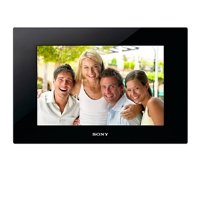
Sony DPF-D1010 10.2-Inch WVGA LCD (16:10) Digital Photo Frame

Sony DPF-D1010 10.2-Inch WVGA LCD Digital Photo Frame
Customer Ratings: 4.5 stars
Buy Now
The main reason I decided to buy a digital photo frame is because printing out photos from my Sony DSC-H5 on an Epson PictureMate to share with the family got pretty tiresome. Sure, the prints looked good, but printing them took a long time, they cost about 35 cents apiece and some of the older relatives couldn't see them very well. I figured a digital photo frame would improve the whole process. My requirements were simple: the frame must have very high resolution, be small and lightweight (for packing in a carry-on suitcase), and accept images via a Memory Stick and also via a standard USB interface (which many, I found, do not).

The Sony DPF-D810 meets all of my requirements with flying colors. The 800-by-600-pixel 8-inch-diagonal display is clear, crisp, bright and saturated. Photos display instantly, either singly, until you manually advance them, or in a slideshow with your choice of 10 time intervals from three seconds to 24 hours and with your choice of six transition effects. You can show the full image or crop it to fit the screen. If the aspect ratio of the picture is wider than 4:3, thin black bars appear at the top and bottom of the screen--the image itself is undistorted. You can display image information such as the time and date taken, camera type, shutter speed and aperture, EV compensation and more. The unit will show photos directly from an SD memory card, Memory Stick Duo or USB flash drive, or you can copy them to the internal memory, which holds about 150 high-resolution images. A mini-USB connector lets you transfer photos directly from your computer. You can choose from 14 different full-screen clock and calendar displays, or integrate a clock and/or calendar with six of the 10 different slideshow display options. Thus you can place this frame on a desk or mantel and run it all the time as a useful item of room decor. You can even choose whether or not to display the bright "Sony" logo on the lower part of the frame. All in all, this is a very impressive device that should satisfy the most demanding user. Plus, it is small (roughly 9 inches by 7 inches by 1 inch) and lightweight (less than 1-1/2 pounds, including the AC transformer and the remote control).

Speaking of which, the remote control is a great bonus. When I first set up the DPF-D810, I found it difficult to see the on-screen menus while manipulating tiny buttons with minuscule labels on the back of the unit. Then I used the remote. What a difference! You can access all of the frame's well-designed and logically arranged setup and functional menus with ease. Not all frames in this price category offer remotes. I didn't care about it when I selected this frame, but now I wouldn't be without it.

Even though I wanted a digital photo frame for just one simple purpose, I was pleased to find that this one far exceeded my expectations and offered much more than I needed for a reasonable price. If you're considering taking the next logical evolutionary step in digital photography by displaying your pictures on a photo frame rather than printing them, I highly recommend you consider the Sony DPF-D810.

Click Here For Most Helpful Customer Reviews >>

Light and Motion Sola Photo with Red Focus Light (1200-Lumens

Light and Motion Sola Photo with Red Focus Light
Customer Ratings: 5 stars
Buy Now
It is a very handy, powerful and sophisticated light.

I have it only 2 months and it has been underwater 3 times to date.

Also the service I received from "Light and Motion" support, as I had some queries related to its operation, it was superb and prompt.

Recommendation. Please study very carefully the small manual as it is very informative as regards its operation.

Particular attendance is to setting the "travelling " and "SOS" modes and how to return to the normal operating mode.

Click Here For Most Helpful Customer Reviews >>

Nikon D50 6.1MP Digital SLR Camera with 28-80mm f3.3-5.6G AF

Nikon D50 6.1MP Digital SLR Camera with 28-80mm f3.3-5.6G AF Nikkor Zoom Lens
Customer Ratings: 5 stars
Buy Now
First of all, I must admit that this is only my third digital camera, and first digital SLR. But it isn't my first SLR ... I have used a Canon Elan IIE for a number of years, and trust me, that camera is no slouch.

But enough about me ... the D50 is the real star of the show! I have had the camera (along with the standard lens included with the kit) and so far I am extremely happy. I purchased it just in time to capture some photos of my new neice, and my family swears that the pictures that I was just casually snapping at the hospital look like they are professional portaits. Granted, some of my family members ... well, their necks are pretty tan, if you know what I mean, but you get the point. The camera has a slew of modes that are ideally suited to your subject (portraits, action, etc etc), and they do a great job of making all of the fine adjustments that improve the overall quality of the photo for the non-experts. But this camera has varying levels of automation to where you would practically require a photography degree to get your picture. My skills are somewhere in between, but trust me, if you are an absolutely beginner, in 5 minutes you can be taking photos that are 99% of the quality that a pro with a $5000 setup would take. Now you might need to snap a few dozen shots to get just one that is amazing, but that is what is just wonderful about digital cameras. And with a huge, super sharp LCD preview window, you can see in an instant if you have a decent shot, and if not, delete it and try again!

The camera takes the small "big-toenail" SD memory cards, which is a departure from what you will typically see in a digital SLR. I personally like the smaller size; otherwise, I don't believe there is a significant difference. If you pick up one major point from this review ... READ THIS !!!! I initially tried shooting with some SD memory that I had been using in my MP3 player. It worked fine, but if shooting a series of rapid shots, it would take the camera what seemed like a couple of seconds to write to the memory. That is typical with all of the digital SLRs that I have read about ... you get maybe a dozen high-speed shots, and then the camera sort of "bogs down". And most of the time that is fine. But this camera takes advantage of the slightly more expensive "pro" SD memory, which can be written to at extremely high speeds. Because of this, the camera can take an unprecendented number of shots (I believe 137 according to Nikon)!!! Folks, that is amazing, let me tell you. You can just hold the button down and fire away, and capture all of the high-speed action that you can imagine. No more excuses for missing that perfect action shot. Sure, you aren't going to require this feature very often, but it is nice to have, just in case. And even with normal shots, the high-speed memory seems to work much quicker than normal memory.

The camera can save files in three different size (resolution) levels, three different JPEG quality levels, and the complete uncompressed RAW format. I've been shooting using the medium resolution and medium JPEG quality, and the photos look sharper than my old Canon 35mm SLR. You could easily print out 8 x 10 photos and they would look perfect even at the medium quality setting; poster size would look fine at the high quality setting.

The rechargeable battery that is included is simply amazing I believe they rate it for 2000 shots, and I believe it. It would be VERY diffult to drain this battery in a single day, even with numerous flashes and auto-focusing shots.

The fast auto-focus, very user-friendly menus, flexibility with all Nikon lenses, and near-pro quality at a price that the weekend-photo-warrior consumer can afford, I don't see how you can go wrong with this camera.

Happy photographing!

Click Here For Most Helpful Customer Reviews >>

Logitech Surround Sound Speaker System Z906

Logitech Surround Sound Speaker System Z906
Customer Ratings: 4.5 stars
List Price: $399.00
Sale Price: $315.99
Today's Bonus: 21% Off
Buy Now

Firstly I got these as a replacement for a Logitech Z5500 that had a control pod failure. So I have owned and used both systems. Now if you currently have a Z5500 and are thinking that these would be an upgrade, they are not and you should not get these. To go from the Z5500 to the Z906 is pointless unless you have to. They both have similar stats and both sound roughly the same.

If you are looking to upgrade to a new set of 5.1 speakers, these are an excellent choice. The satellites sound exactly the same as Z5500. Crisp and clear. Very fluid and a warm sound. Also can get very very loud. They also made them much easier to wall mount by just having a bolt hole in the back of it which is an industry standard. They have removed the cloth covers that the Z5500 had but that is just a personal taste thing.

Now when it comes to the sub-woofer, here is where the difference comes into play. The Z5500 has a 10 inch sub, the Z906, an 8 inch sub. You would think that this would cause the system to suffer compared to the Z5500 however this is not the case. The sub-woofer on the Z906 seems to have more of a bass punch to it then the Z5500. While at high volumes however, the Z906 obviously falls prone to being a smaller sub-woofer then Z5500. On bass test tracks it can bottom out or become "farty" before the Z5500 does. So in a sense, it cannot shake up the house/room as much as the Z5500. It still CAN shake up the room and cause things to move however, this still is a powerful sub woofer and sounds better then any PC sub woofer out there. But the plus of this system is the punch it gives at normal listening volume. Another plus is the actual size of the sub woofer box. It is almost half the size of the Z5500. Makes putting the sub and also moving it much easier. Through design they have kept the great sound of the sub woofer and greatly shrunk the size of it.

The control pod also is redesigned for the better. Its much smaller, doesn't have a bright LCD screen on it that can be distracting, and doesn't heat up like the Z5500. Another note is that changing the effect mode of the system is much quicker then the Z5500. It happens instantly, the Z5500 would take about 1 full second to change the effect mode.

The downsides of the system are as follows. The remote control feels really cheap. The buttons have this plastic "clicky" sound/feel when you press a button. Another is having all the inputs on the sub woofer instead of the control pod. Which means you have to have all your devices within roughly 4 feet of the sub woofer. This was probably changed due to the failure of the control pods but its just a minor complaint.

This is an awesome sound system and overall is slightly better then the Z5500 which was already an awesome system. Don't listen to all the people who bought this set expecting to be way better then the Z5500. This is meant to just be newer design. It isn't meant to out perform or out class the Z5500 at all. Worth it if you can get it under $350.

Click Here For Most Helpful Customer Reviews >>

Canon EOS 6D 20.2 MP Full-Frame CMOS Digital SLR with 24-105mm

Canon EOS 6D 20.2 MP Full-Frame CMOS Digital SLR with 24-105mm f/4.0L IS USM AF Lens and Canon EF 75-300mm f/4-5.6 III Telephoto Zoom Lens and Canon EF 50mm f/1.8 II SLR Lens TWO LP-E6 Replacement Lithium Ion Battery w/ External Rapid Charger 32GB SDHC Class 10 Memory Card Wide Angle / Telephoto Lenses Filter Kit Full Size Tripod External Slave Flash Deluxe SLR Carrying Case Mini HDMI Cable Deluxe Starter Kit DavisMAX Bundle
Customer Ratings: 5 stars
Buy Now
I overlove the Canon 6D. It has a full frame sensor like the 5D but is less expensive. I originally wanted the 24-70mm lens, but am much happier with the 24-105. It's slightly more versatile. I'm still getting to know the rest of the items in the package, but the camera is a win for sure!

Click Here For Most Helpful Customer Reviews >>

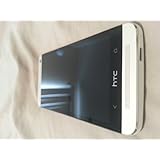
All NEW HTC One M7 Silver 32GB Factory Unlocked 3/4G LTE

All NEW HTC One M7 Silver 32GB Factory Unlocked 3/4G LTE- International version
Customer Ratings: 4 stars
List Price: $999.00
Sale Price: $574.00
Today's Bonus: 43% Off
Buy Now

What is there to say about this phone? If I just write about it, I'm just going to ramble on and on. So to save everyone some grief, here are bullet points (my direct comparisons are to the iPhone 5, Samsung Galaxy S3 and Note 2, but mainly to the Galaxy S4):

The Good:

1) THE SCREEN: If there was such a better screen on a phone, I have not yet seen it. The iPhone 5 is lauded for its excellent screen, but at its current resolution, it trails behind the One's screen by far. Everything just POPS out at you. Even in direct sunlight, everything is CLEAR and BRIGHT. I really loved the Droid DNA/HTC Butterfly's screen, but once again HTC has outdone itself and given us a true masterpiece in 4.7" 1080p(468ppi) form. This is THE BEST screen on the planet right now WOW!!!

2) THE DESIGN/HARDWARE: Why do most reviewers laud the iPhone 5's aluminum construction so much, when it chips and nicks so easily?? If you want a true masterpiece in design and craftsmanship, look no further. The One feels THICK and TOUGH. I don't have to worry about carrying this around case-less(except from drops, which is a whole other case). I will not be worried about this phone nicking and scraping like the iPhone 5. Personally, it may not have the flair of some of the Sony and Nokia phone of the past, but in totality the One has the best combination of design and craftsmanship. It oozes style and sophistication(*cough*Samsung*ahem*).

3) THE DUAL FRONT-FACING SPEAKERS: We have all been desensitized to the modern smartphones nowadays with their crappy, tinny, mono speaker. I remember the days of the Nokia n95 and n84 with their stereo speakers whatever happened to phones after that? Whoever agreed to a mono/solo speaker with all the smartphones thereafter?? FINALLY, someone has the senses to come back to reality thank you, HTC!. Trust me, your ears will thank you and you will realize all phones should have been made like this. Especially when you use ringtones/alerts that were specifically created for this phone, the sound is loud, immersive, expansive, and POPs into your ears. It's simply a re-revolution.

4) THE CAMERA: I don't use my phone camera to make prints from photos, I have my dedicated cameras for that. So to me, the paramount function of phone cameras is the convenience/accessibility it has to be able to capture what I want quickly and clearly, with decent enough quality to post online. Therefore, the 4MP size in the One's camera does not bother me at all. Who cares if the camera isn't THE BEST phone camera ever? Because it is not, but it is a GREAT low-light shooter, and to me that's more important than pixel count. The sensors in the camera are bigger than other phone cameras, therefore, it can capture a lot more light, which in laymen's terms it can give you better photos in more situations than other phone cameras can. Also, the touch spot focus is almost instantaneous this camera is quick, quick, quick!

5) For a near 5-incher, it's quite svelte, at least at the girth. It's easier to hold in the hand than the Samsung Galaxy S3/S4, and for sure a heckuva lot better than the Note 2. It fits in your hands nicely and securely, with just the right combination of size, weight, and balance.

6) The UI and software design is now very minimal and simplistic. For better or for worse, if you are used to the old Sense UI's, you will need some readjusting. Personally, I like this new one better. If you're a casual news reader, then you'll like new default home screen which displays a gathering of news sources some of its own partners, some for your Facebook and Twitter, etc. to form a Flipboard style of news reader. Personally, I'm a huge Pulse news reader fan, so I only use that.

The Bad and Ugly:

1) The battery is only 2300mAh I wish it was bigger because I'm one of those paranoid people who always needs my phone at fully charged, just in case, of you know, something. But so far it's been holding steady at about 40% at the end of the day(from 9am-6pm). I check emails, read the news, text, Facebook, etc. throughout the day I would say that I'm a moderate to heavy user. Another bad thing that I've noticed is it charges slower than most other phones.

2) Comparing features with the Samsung S4, the One is lacking. It's not a deal breaker, but for those who like fancy functions, the One will not make you as happy. The HTC One is very simple in its feature set. The one feature I miss most from the new Samsung phones is Smart Stay, where the phone can sense that you're looking at the screen, and won't dim/turn off the screen that was a HUGE convenience for when you're watching a movie or reading the news.

3) Like I wrote earlier, the size is both good and bad, and it's also heavier than most similar phones. It's taller than the S4, and with the power button up on top, it's almost impossible to do one-hand phone operations without shifting your hand up and down to accommodate both the screen gestures and buttons. The buttons(power and volume) don't protrude enough to make it easy to press them.

All in all, I feel the combination of the One's screen, design/craftsmanship, and audio experience trumps over the Samsung S4's fancy functions. The S4's screen is almost just as good AMOLED screens are known for their deep blacks and saturation, while the One's is much better in direct light. The S4 has a higher MP camera, therefore able to take better photos in broad daylight, while the One's camera is more versatile and MUCH better in low light conditions. The One has a much better audio experience, while the S4 gives you better convenience with its features userability goes to the S4 for sure.

But in the end, considering the totality of things, I feel the HTC One provides me the best TOTAL experience, and is the king of the smartphones right now.

Click Here For Most Helpful Customer Reviews >>

Panasonic DMC-LX3 10.1MP Digital Camera with 24mm Wide Angle

Panasonic DMC-LX3 10.1MP Digital Camera with 24mm Wide Angle MEGA Optical Image Stabilized Zoom
Customer Ratings: 5 stars
List Price: $499.95
Sale Price: $296.90
Today's Bonus: 41% Off
Buy Now

In the last 6 years I've used a couple of compacts which I've since got rid of after upgrading to DSLRs (Canon XT and then 40D). For a while I was waiting for a compact that I could carry with me anywhere I want, and particularly to parties and other social occasions where bringing a DSLR is really not an option.

When this camera was announced it really looked like a dream compact for me. Fast, wide and optically stabilized lens is ideal for low-light indoor shots. The design is stylish and beautiful, the camera is quite compact and it has all the controls an advanced amateur would need.

Further the sensor is essentially as big as they get in compact cameras and with almost reasonable 10mp (still about 5mp too many but not as bad as 12-15mp you would get in any other compact with a comparable sensor).

I've had the camera for a couple of weeks now (and shame on Amazon for not having it in stock a month after it appeared in some other big stores). I like it a lot and the camera delivers on most of Panny's promises. Here are some of the experiences.

1. The image quality is certainly and noticeably better than the ulracompact cameras (like Panny's own FX series). It is however still a compact camera ... meaning there is visible noise even at ISO 80 and lots of noise at ISO 400. However noise reduction algorithms seem to be doing quite a good job and ISO 80 pics look very nice ... sometimes almost like a DSLR. And even at ISO 400 most shots are good enough to keep. In general the output from this camera is comparable to my 40D at 8 times the ISO (that is 80 on LX3 is about 640 on 40D and 400 LX3 is a bit better than 3200 on 40D). Fortunately, with fast lens and image stabilization I almost never need to use ISO above 400.

2. The camera is very responsive and the autofocus is fast and seems accurate.

3. Changing ISO through the menus is a bit of a pain but a variety of useful ISO regimes are provided. In general controlling all the options is not very easy ... but I guess that's the compromise you get with such a small camera with a large LCD.

Update: it is possible to simplify ISO changing by reassigning a button for this purpose. The drawback of this is that now reviewing pictures becomes more cumbersome.

4. Aspect ratio switch on the lens is more useful than I thought ... saves quite a lot of cropping.

5. Shooting in RAW+jpeg is fast enough to be usable.

6. The camera is quite a bit bulkier than it might seem (and the given dimensions are misleading since they do not include the lens and other protrusions from the main part of the body). It is not shirt-pocketable both because of its size and weight ... but fits fine in a jacket pocket or purse.

7. The macro capability of the camera is really excellent.

8. Having user customizable preset regimes on the dial is very useful and quite a luxury not present even on Canon XSi DSLR (shame on Canon!)

Overall it's a great compact camera: in my opinion certainly the best on the market by a margin (I've studied the market very thoroughly). It is in the same league as Canon G-series (which I owned back when they were the best and liked a lot) but fits my current needs much more than a Canon Gx. I also think it's a real bargain at around $400.

But it is still a compact camera with a sensor 1/8 area of most DSLRs and 1/20 of full frame (mostly pro) DSLR. So those expecting miracles like close-to-DSLR quality or usable ISO 800+ might be disappointed.

==================================================================

A quick update in response to a comment:

1. At widest setting of the zoom there is quite significant distortion especially noticeable in 16:9 regime. There is also noticeable loss of sharpness in the corners. This might not look good in some shots (like if a straight like or someones face is close to the border) but nothing too bad for most of the shots.

2. HD video is very good for a compact. There is no zooming, no auto focus and sometimes exposure adjustments are not very smooth. So I'd not recommend to treat it as a camcorder. But overall it gives detailed and reasonably smooth video (well not quite 30fps smooth). I've just made a quick comparison with Canon HF10 dedicated compact camcorder (which is as good as they get these days). In bright light LX3 cannot quite match the 1080p detail of Canon. But in relatively dim light it is about as good. Also LX3 has a huge advantage in wide angle. All dedicated consumer camcorders have widest angle around 40mm which is much worse than 24mm of LX3.

Another impression which I have with LX3 and certainly did not have with other compacts is that it is a tool worth learning and investing some time and experimentation. My pics with this camera keep improving even the first ones were already decent.

For anyone interested in sharpness and noise level comparisons with some cameras you can check out=======================================================================

Update Dec 17: Finally Photoshop and Lightroom started to recognize LX3 raws. The quality of my pictures is now even higher: colors much more pleasing and noise reduction less "blotchy". Overall this camera gives results well beyond what I thought to be possible for a compact camera. So it still has my highest recommendation.

Update Jan 27, 2009.

The single most annoying thing about this camera is its lens cap. Having to remove it slows you down. Attaching via a string leaves it dangling ... which detracts from the aesthetics of the camera and can add a bit of extra shake. Without the string it's likely to get lost ... and I have not seen any replacements on sale. Anyway, fortunately, creative peoples found out that Ricoh LC-1 lens adapter can be easily modified to be used on this camera. I've did this and it works much better than the original cap. I've uploaded some pictures of the result to the product images. Use google to find the modification instructions.

Click Here For Most Helpful Customer Reviews >>

Canon PIXMA MX452 Wireless Inkjet Office All-In-One

Canon PIXMA MX452 Wireless Inkjet Office All-In-One
Customer Ratings: 4 stars
List Price: $99.99
Sale Price: $79.99
Today's Bonus: 20% Off
Buy Now

Updated August 3, 2013....I recently purchased the Canon PIXMA MX522 wireless color all in one office printer. I also wrote a review for it as well. There wasn't anything that was major or wrong with this printer but I really just wanted an upgrade with more features. I still like this printer, but I love the MX522!

July 21, 2013....Updated review.....After owning this printer for some time I wouldn't recommend this printer for a business or home office. I had to print up 70 pages recently for a project and even though it printed well it did take some time for the pages to print. But it is still a good printer for home use if you just need to print a few pages daily. I still feel that the scanner features still needs more tools. I do have a Visioneer scanner and I use the Paperport software that came with it. So if I need major editing tools Visioneer is my go to scanner. It would be nice if Canon put some time into the scanner features then I wouldn't have to drop a star.

This Canon printer is nice. I also own the Canon PIXMA IP100 Mobile Photo Printer since Feb 2009. I love that printer because it was mobile, small and printed beautiful photos as well as documents. But lately is started to have a few problems (going to have it repaired) that I had to put it on the shelf for this new Canon MX452. I really wanted something that was 100% wireless without sending it a cloud. This printer does everything that is says it will do and more. Printing, scanning, and faxing is a breeze! And it really is 100% wireless! I installed the software (CD) that came with the printer on my Windows 8 PC with no problems at all. There are a few programs that are helpful that work well with your printer. The Canon website also has the software on line, but then you have to install each program individually.

I had to use the printer USB cable that came with the printer in order for me to connect wireless. But you may or may not need to use the cable like I had to in order to set it up. The software and cable came in handy and connected me right away. After 1 minute the printer recognized my network. I put in my network password and connected and then the installation CD asked you to remove the printer cable to then go wireless. The only cord that is used is the power cord and the telephone cord for the faxing. Best part is I can print now from anywhere in the house from my laptop or tablet and even my Android cell. Goggle play has a Canon app, but it's really not needed since mostly every program or web page has a print button to click on. Just make sure you don't turn off the printer power button. When the printer is not in use the printer will just go to sleep to reduce the power. But as soon as you click print or any other feature the printer will wake up immediately.

Printing documents is sharp and clear. This printer uses 2 ink tanks (color & black). Most printer brands these days use 5 or more inks cartridges. So it really depends on how much color printing you use to notice any cost savings in using 5 tanks verses 2 tanks. So far the ink that came in the box is still going strong and has not run out. We use the printer for personal use everyday. The only thing I wish Canon would of spent more time in perfecting this printer is adding more tools to the scanning features of the printer. Needs work, but will get the scanning job done. This printer even has an area just for scanning photo negatives. Photo printing is really nice, but I didn't really purchase this for my photos. But overall for the low price and for everything that this printer does it is a purchase that I still recommend. But just make sure you do a comparison shopping before getting this one. I highly recommend the MX522 over this model.

Click Here For Most Helpful Customer Reviews >>

JVC GRDVL920U MiniDV Digital CyberCam Video Camera with 3.5"

JVC GRDVL920U MiniDV Digital CyberCam Video Camera with 3.5' LCD, SD Memory Card Compatibility & Color Viewfinder
Customer Ratings: 5 stars
Buy Now
Wow! That's really all that can be said, but I'll try my best to say more. I was really hesitant about getting the 920, as I planned on getting a sony in similar price range(trv25,27), but after extensively testing both, and excluding panasonic altogether because of a horrible past experience, the JVC was my only option, and boy is it one amazing option. The first thing that will shock you is the size and design. No matter how small and sleek you think this camcorder is, when you finally get your hands on it, it will be smaller and sleeker then you ever imagined. The design is just beautiful, putting anything sony and panasonic have to shame. Now let's get to the "real" issues. This camcorder has manual everything, from focus to white balance, the latter being one of the greatest features you'll ever use. The video quality is superb; the colors are very true to their subjects. The digital stills it takes are really great, of course nowhere near a dedicated digital camera, but definitely good enough to print a 4x6 or 5x7. You even get a 16mb media card, rather then the standard 8mb card.

Now the bad, I have to be honest there are a few things that did annoy me. First the battery is short, but that is the case with every battery included with every camcorder, it's just short. The second problem I have is that a few of the controls, and ports for firewire and usb are located under the lcd, which means you have to open the lcd to access them, thus draining your already low battery more. The last problem I have is the manner in which you charge the battery. There is no external charger included, and to make matters worse you can't use the camcorder as it's charging the battery.

My suggestions are: Buy a bigger battery and an external charger and you are set. The good far outweighs the bad in this situation ten times over. Believe me for the price, design, size, and manual features, you can't go wrong, you can't!!!! Wow I should work for JVC:)

Click Here For Most Helpful Customer Reviews >>

Canon EOS Rebel SL1 18.0 MP CMOS Digital SLR with 18-135mm EF-S

Canon EOS Rebel SL1 18.0 MP CMOS Digital SLR with 18-135mm EF-S IS STM Lens
Customer Ratings: 5 stars
Buy Now
If you like the Canon Rebels AND you want a small camera then the SL1 with 18-135mm lens is a good choice. I had this camera with 18-55 and 55-250 lenses which equal useless. The whole idea of haveing a small portable dslr camera is to not worry about extra baggage yet have the option of using extra stuff. With this particular lens it will do about 90% of all shots you want to take (unless you are interested in long range shots).

This camera is also available in 18-55mm lens only. If you only take wide angle shots then that one will work but I would not recommend it. I guess if weight is a concern then 18-55 will work but your portrait photos will have people looking like a Poodle with a big nose and small ears. Larger focal lenghts 85 135mm give better images on portraits, in my opinion.

Picture Quality?

I have a Nikon d5200 and d7100 and the photo quality looks different from the Canon. I prefer the Nikon quality but there is nothing wrong with the Canon quality it's a personal preference. If you take pictures with the SL1 then you will probably like them. You only run into problems when you shoot a different camera, like Nikon d5200 or d7100, then try to compare the images. The d5200 is much larger than the Canon SL1 and the d7100 is larger than the d5200. The Canon 70D is pretty big too. So if size is a concern the the SL1 is your best choice.

Again, if you like the quality of Canon images, especially the Rebels, then you will like this camera. Just make sure to purchase it with the 18-135 lens.

Click Here For Most Helpful Customer Reviews >>

Nikon 35mm f/1.8 G DX AF-S Nikkor Lens, 3 UV/FLD/CPL Filters

Nikon 35mm f/1.8 G DX AF-S Nikkor Lens, 3 UV/FLD/CPL Filters and Accessory Kit Digital SLR Camera
Customer Ratings: 5 stars
Buy Now
This lens is now my favorite lens on my Nikon D5100. The portrait that I take with his lens is just eye popping and knocks the pants out of my stock Nikor 18-70mm lens. It takes good landscape photo as well but it's the eye popping portraits that makes this lens shine. The only issue I have with it is that the auto focus is slow even on bright sunny day.

I have a Nikon 50mm F1.8 lens as well which focuses instantly so I don't know what the beef is with the 35mm. Despite this shortcoming, it's on my camera all the time unless I need zoom. At the end of the day, I want shots that are stunning and compelling and not just more of the run of the mill shots. I've taken more than 20,000 digital photos and have all sorts of lens so I don't need more of the same so this lens really stands out.

Click Here For Most Helpful Customer Reviews >>