Showing posts with label cheap digital camera. Show all posts

Canon SX40 HS 12.1MP Digital Camera with 35x Wide Angle Optical

Canon SX40 HS 12.1MP Digital Camera with 35x Wide Angle Optical Image Stabilized Zoom and 2.7-inch Vari-Angle Wide LCD W/16GB SDHC Memory + Extra Extended Life NB10L Battery + Ac/Dc Rapid Charger + 3 Piece 67mm Filter Kit + Lens Adapter + Super Wide Angle Lens + 2x Telephoto Lens + Mini Hdmi Cable + USB Card Reader + Memory Card wallet + Deluxe Case + Accessory Saver Bundle!.
Customer Ratings: 4 stars
List Price: $779.00
Sale Price: $454.09
Today's Bonus: 42% Off
Buy Now

I did quite a bit of research to find a camera kit that had all the extras I wanted. This kit included a ton of extras, and the price was more than reasonable. The seller shipped the items very quickly, it took only two days to come in. All of the items seem to be of very good quality. The only negative is that the extra lenses require a 58mm to 72mm adapter, no big deal I found one for under $4. Overall I am very pleased with the kit they have put together. I dont think much needs to be sadi about the Canon SX40HS, there are plenty of reviews out there for it, and it is a great camera for the money.

Click Here For Most Helpful Customer Reviews >>

Panasonic Lumix DMC-ZS30 Digital Camera (White)

Panasonic Lumix DMC-ZS30 Digital Camera
Customer Ratings: 4 stars
Buy Now
I have had the Panasonic ZS30 about a week now. It is my 5th TZ/ZS Panasonic camera I've owned, including the excellent ZS20. However, the ZS30 is the best yet. I'm not a beginner. I've been making pictures since the 1960s or before with all kind of cameras, and I've sold a few pictures over the years too. Currently I have the ZS30, the ZS20, a couple of "enthusiast" compact cameras, and a fairly nice and complete DSLR set up one of several I've owned. The DSLR gathers dust for the most part too heavy with a bunch of lenses and other photographic "stuff."

Getting right to the heart of things: The ZS30 is a great little camera takes great pictures in good light and also in low light. It also has a plethora of fun and useful features, and a great Leica lens. You can shoot on full automatic or take control with aperture, shutter, or full manual priority. There are 14 or so "art filters, plus about 16 "scene" modes. For the younger generation there is WiFi, and NFC, and, of course there is GPS. The camera is easy to carry, excellent build quality and, did I mention, takes excellent pictures. I highly recommend it.

Some people may worry about the high pixel count (18 MP). Don't! The improvements in the sensor and the processor pretty much take care of that, and pictures are certainly as good as the ZS20, which I also have, and better than the other, older Panasonic super zooms that I have had. It is not a DSLR, but the pictures good light and low light are certainly very good for this type of camera up to about ISO 3200 (Yes, there is some noise, but pictures are certainly "usable" for what most people who buy this kind of camera will use them for.) Generally speaking though, I'd use a top end ISO 1600 and below for normal, everyday use. I usually have it set to ISO 200 works fine.

Everyone is worried about blurry pictures. Left to its own devices the ZS30 does not give blurry pictures. It is quite a capable little camera. That's not to say you can't take blurry pictures with the ZS30. You certainly can. Here are some ideas to minimize blurry pictures with the ZS 30 or any other camera for that matter: Most important of all Be sure the image stabilization is ALWAYS turned ON unless you are on a tripod then turn it off. Then: 1. Neither the ZS30 nor the subject should be moving when you take the shot i.e. hold the camera still, and shoot when the subject is not moving (some exceptions when using very high shutter speeds, the tracking focus mode, fireworks, moving water, and other "creative" stuff). 2. To hold the camera still, hold on to it like you own it and are proud of it, with BOTH hands, and not with just the thumb and forefinger only. 3. Keep your elbows tucked in to your sides. 4. Lean against a wall, a table, a chair, and/or look for something to rest the camera on. 5. Shoot with the reciprocal of the lens extension for a shutter speed, i.e. At full extension of 480 mm (in 35 mm terms) (You can estimate it if not at full extension.), keep the shutter speed no lower than 1/500 second OR 1/125 second (2 stops) if the image stabilization feature is turned on. If you have a REAL steady hand, maybe you can cheat down to 1/60 second. (You can adjust the aperture, the ISO, and/or the lens extension to achieve these shutter speeds, but anything less will almost undoubtedly result in a blurry picture.) 6. Wait for the camera to focus when you hear the beep (if turned on) or when the focus area boundary turns green on the LCD. It doesn't take long with the fast Panasonic focus speed, but I've seen some folks beat even a DSLR to focus. 7. Press the shutter button gently, don't "stab" at it. 8. Don't let the camera pick the focus point. Do it yourself. I mostly use the center point only smallest one unless using tracking focus mode. 9. Shoot on aperture priority and set the widest aperture available (ZS 30 will adjust it as you zoom.) or shoot in "sports" mode to assure the fastest shutter speed for the ISO set and the light available. 10. Don't shoot ANYTHING with a shutter speed of less than 1/30 sec unless the camera is "braced." 11. Walk closer to the subject if you can, and retract the lens to fill the frame at the new, shorter distance. Long lenses, fully extended are much harder to hold still than "shorter " ones. Note: The 30X Sony HX50 may not be such a bargain at full extension unless braced or on a tripod a 700 mm something lens, handheld REALLY?! and about that atmospheric haze... Note: You can easily have a 30X lens equivalent with th ZS30 either by slightly lowering the number of pixels used (best way all optical lens magnification) or by using the "extended" optical lens mode at full resolution. I like the first way pictures seem sharper, and there is still plenty of resolution for high quality prints. 12. If all else fails, use a tripod (Heaven forbid!).

Added November 22, 2013 13. Panasonic's "light speed" focusing is very fast and pretty much eliminates shutter lag. It is a FAST camera. Secondly To eliminate blur from pictures of moving subjects as in sports, if iA mode is not doing it for you, shoot in "Sports" mode, and the camera will set the fastest shutter speed for the settings you already have on your camera (i.e. ISO, aperture for the zoom extension you are at, etc.) If you still get blur, or if the exposure icons on the LCD are showing red, increase the ISO or shoot in "Shutter priority" mode and set a fast shutter speed up to 1/2000 sec. (Try 1/500 sec first.) Again, you may have to increase the ISO to get a properly exposed picture (green exposure icons) when you increase the shutter speed. Finally, in either case, set the focus mode to continuous/tracking, and shoot in burst mode. (Set these up before you go to sports or shutter priority) (I mostly use 5 fps burst speed allows for focus on each shot in the burst.)

Added July 6, 2013 One more little thing (OK,OK. I forgot it!) 14. Shoot within the focusing distances of the AF setting you have set or you WILL have blurry pictures. "Standard" AF mode at full lens extension is about 6 1/2 feet to infinity. Closer than 6 1/2 feet and the picture WILL be blurry. With AF mode set to "Macro Tele" you can focus from a little over 3 feet to infinity at full lens extension. At "Super Macro" AF mode your focus distance is limited from about 2 inches to about 3 feet, ans it will NOT focus to infinity. The macro modes are found at the "down" press of the rotary dial. Hey! it's easy, but if you are having trouble focusing, check that you are in the "correct" AF mode.

Flash is another "scary" thing for many people. First remember the flash is only "good" to about 10 feet, so "be within range." You cannot adjust the flash output on the ZS30, but the camera will do that for you if using "fill" flash mode (always on) or full auto, within certain parameters (Read the manual.) The "sync speed" about 1/200 sec will "freeze" most "portraits," but if the subject is moving, you may still get a blurry picture. For best results, use "slow sync" or night portrait mode, just watch that the shutter speed doesn't get below what you can comfortably handhold, AND tell your subject not to move for one full second after the flash goes off. You can use the flash in bright sunlight also to reduce the dark shadows that are characteristic of photos taken in bright sunlight. To get even better flash shots, use a diffuser two or three layers of facial tissue held over the flash will do wonders just make sure your fingers are not covering the flash. Another hint: Set the camera to "manual" mode, and set the correct exposure for the background. Turn the flash on normal or "always on" i.e. "fill" flash mode. In this case, NOT slow sync or you will overexpose the background). Then take your picture. The background will be nicely exposed, and most likely, so will your subject if in range of the flash. Use the diffuser trick, and things should be really good.

Back to the ZS30. The ZS20 and the ZS30 are fairly comparable, but the ZS30 has some significant improvements IMHO. Better LCD 920k dot resolution compared to 460k for the ZS20, and better touch screen capability. 18 MP compared to 14 MP for the ZS20 Yes, there is more detail in the ZS30 picts. Cancel playback mode and return to shooting mode with a touch of the shutter button something Panasonics' have needed for years. More movie choices. Added number of "art filters" These are kind of fun. High Speed video shooting. Easier access to panorama mode. Better image stabilization 3 way in stills, 5 way in video. "Starry Sky" scene mode back. good for shooting fireworks and other creative stuff. The ZS30 can take a 13.5 MP still picture during video, compared to a 3.5 MP one with the ZS20. Longer lasting battery. In short, the ZS30 is just a more "complete" camera, although the ZS20 takes wonderful pictures also.

Both the ZS20 and the ZS30 have Panasonic's "light speed" AF. Solves a MAJOR problem with earlier compact cameras. Both cameras have no purceptable shutter lag, and being able to adjust the size of the focus area, not just the focus points is a big plus. Of course there is face detection/face recognition, and tracking focus mode, now with up to 5 frames per second WITH focus for each frame or up to 60 fps with initial focus and lower megapixels. Both cameras have vastly improved white balance compared to earlier Panasonic cameras. Both have in-camera editing kind of hit and miss though, but fun. There are other neat things too many to mention. Handheld night shot works wonders on both cameras as does HDR scene mode. Build quality of both cameras is excellent.

Yes, you CAN blur the background with a compact set "macro telephoto" mode, largest aperature (smallest f/ number), extend the lens to maximun extension, move in as close as you can so that the camera still focuses, make sure the background is "some distance" behind the subject, etc. or shoot wide angle, lens fully retracted, f/3.3 (smallest numbered f/ stop largest lens opening), set super macro mode, and move in to where the camera will just focus, background again "some distance" behind the subject, etc.

For travel, easy carry, long lens, and good pictures, the ZS30 really can't be beat. ZS30 has LOTS of travel features.

Finally, the best camera, as always, is the one you have with you. The Panasonic ZS30 is idealy suited for that, and it takes very good pictures on its own settings, and even better ones if the photographer is knowledgeable enough to adjust some of the settings to suit the situation and light. (Hint: Read the manual.) Beware of putting much stock in the review of anyone who simply blasts away in full auto mode (the camera picks the focus points in full auto, and it can't read your mind YET as to what you really want in focus.), and then condemns the camera. What shutter speed was used? If it was 1/60 second or less at full extension (480 mm equivalent) and no bracing, pictures probably will be blurry with ANY camera, even a DSLR.

The Panasonic ZS30 is compact enough to carry easily, has an incredably long, compact Leica lens, more than enough low light capability for most people unless you are a pixel peeping nerd or a pro who has to make a living off of his/her talent as a photographer, and it has more neat features that most people will ever use. Is it a DSLR? NO. Is it a darned good compact camera? Yes. Is it an excellent, full-featured, long lens travel camera? Absolutely, yes! Remember, taking "good" pictures is a duel effort between the camera and the photographer. Don't always blame the camera. Figure it out! Read the manual. Get the most out of your camera. It has lots to "give." Relax, quit worrying, and enjoy your ZS 30. Thus ends the "War and Peace" review.

Click Here For Most Helpful Customer Reviews >>

NET10 LG Optimus Net No-Contract Touchscreen Prepaid Cell Phone

NET10 LG Optimus Net No-Contract Touchscreen Prepaid Cell Phone
Customer Ratings: 4 stars
Buy Now
I am a college student on a budget so I bought this to save money since the monthly service is so cheap compared to other unlimited plans. I use it constantly to go online and I literally have about 50 apps that range from Facebook to GRE practice to games, etc. which were all completely free. I have 8+ GB of music on it and still have plenty of room on it (you can put whatever microSD card in that you would like so I bought a 16 GB one for like $10). I have had this phone for a few months now and have only had 2 dropped calls and it has excellent service. The sound is amazing whether you are watching youtube videos, taking a phone call, or listening to songs. Plus the screen is absolutely amazing! The HD videos definitely look HD. I have no complaints whereas my stupid Ipod touch 4gen was such a rip off. I brag about my phone all the time since I have a cheap smart phone with cheap service. Buy this phone!!! Plus you can go on the NET 10 website and sign up for an automatic monthly plan!!! So convenient!!

Click Here For Most Helpful Customer Reviews >>

Canon EF 24-70mm f/2.8L USM Standard Zoom Lens for Canon SLR

Canon EF 24-70mm f/2.8L USM Standard Zoom Lens for Canon SLR Cameras
Customer Ratings: 4.5 stars
List Price: $2,300.00
Sale Price: $1,850.00
Today's Bonus: 20% Off
Buy Now

I've owned the 24-70mm for almost a year now. This lens has been a favorite of many since it replaced its well-regarded predecessor, the 28-70mm. It shoots images that are very sharp and have excellent contrast and saturation. It's sharp wide open and only gets better when stopping down. The USM (Ultrasonic Motor) focuses very fast, and full-time manual focusing is allowed. I've thought about buying a 50mm f/1.4, but the results from this lens are so good, I'm having a hard time justifying the purchase. I've been nothing but pleased with the pictures I get from the 24-70mm. The constant f/2.8 aperture is great for shooting indoors and produces a very nice bokeh (background blur) when shooting portraits. This lens is much heavier than comparable consumer-grade zooms, but I don't object to the weight. I actually like the heft and feel of this lens on my 20D. The only feature I wish it had is IS (image stabilization).

The one thing preventing an unqualified recommendation is the recent release of the Canon 24-105mm f/4.0L IS. The latter lens costs about the same and has some noteworthy advantages. It is .7" shorter, .2mm narrower and .6 lbs. lighter. It has 3rd generation IS that gives you a 3-stop shutter speed advantage when shooting handheld. I know from my 70-200mm f/2.8L IS that image stabilization is a very welcome feature when shooting handheld at slow shutter speeds. And, obviously, the 24-105mm adds an extra 35mm of focal length on the long end.

The 24-70mm bests the 24-105mm in one way: It's a faster lens. That translates into the following advantages: At f/4.0, the 24-105mm cannot stop subject motion blur as well in low-light situations where the 24-70mm's f/2.8 can give you a shutter speed that is twice as fast. Note that IS does not have any impact at all on subject motion blur, only on camera shake on your end. If bokeh (background blur) is important to you, the 24-70mm will have a slight advantage over the 24-105mm given its wider aperture. A wider aperture also helps a camera focus a little better in low light.

The first run of the 24-105mm had a flare problem (see Canon's Web site for more info), and the early production models have been recalled. But the problem has now been fixed. You'll have to consider your photography priorities when deciding which of these two excellent lenses best suits your needs. You would be well served by either.

Update 2-12-12: It's been over six years since I wrote this review, and I continue to use and enjoy my 24-70mm, which is now paired with a Canon 7D. Anyone considering buying this lens today, however, should know that Canon announced on 2-7-12 the successor to this lens: The 24-70mm f/2.8L II. Contrary to rumors that had been circulating for years, the mark II version does not add image stabilization. Canon's USA website lists the MSRP for the new lens at $2,299.00.

Click Here For Most Helpful Customer Reviews >>

Logitech S150 USB Speakers with Digital Sound

Logitech S150 USB Speakers with Digital Sound
Customer Ratings: 4 stars
List Price: $14.99
Sale Price: $14.40
Today's Bonus: 4% Off
Buy Now

I generally place a lot of stock in the customer reviews, as for the most part I have found the majority of the ratings to be accurate indicators of product quality. Accordingly, I purchased the Logitech S150 USB powered speakers based on relatively strong reviews. The first pair that I received rattled terribly and I thought that I just got a bad pair and ordered a second set. The second set is slightly better than the first, but the right control speaker to both sets rattle, sometimes excessively. The speakers will play adequately at low volumes, but if turned up to even a moderate level to overcome normal background noise, the right speaker will rattle, at least two for two for me. My recommendation is to purchase a different speaker. However there are some positive aspects to these speakers they are attractive, small and the sound quality is not too bad, if the right speakers did not rattle, the S150 USB speakers would certainly rate at least a 4 based on the price.

Update, Fix: The source of the rattle is the three control buttons at the base of the speaker, to eliminate the rattle, place a piece of 3M magic tape over the buttons,cut slightly larger than the width and length of the buttons, just make sure there is enough tape to keep the buttons from vibrating in the speaker housing. The tape is elastic and permits the buttons to function, and if done carefully, doesn't detract from the speaker's appearance. The sound is now quite good,even at loud volumes.

Click Here For Most Helpful Customer Reviews >>

Sony VAIO SVD13225PXW 13.3-Inch Convertible 2-in-1 Touchscreen

Sony VAIO SVD13225PXW 13.3-Inch Convertible 2-in-1 Touchscreen Ultrabook
Customer Ratings: 4 stars
List Price: $1,899.99
Sale Price: $1,898.00
Today's Bonus: $1.99 Off
Buy Now

Excellent product. Overall, I love it. The touchscreen is very sensitive which takes getting used to, but once you do, it really works to your advantage. The pen/stylus device really adds that extra precision if needed. The overall processing system and technical specifications are top of the line, i.e. having the latest i7 processor. And if you buy the 8gb ram model, it really shows in the speed in which you can open, run, close, re-open, apps and other work. The scanning feature is really neat if you have situations in which you need to do it often. Otherwise, its something you just never think to use or commit to memory on how to go about doing so. It does come in handy though, since carrying around a scanner is not practical. My only complaint is that when it goes into labtop mode position, it can only assume one angle. One would think with the crazy technology available, and with the company being SONY, that they would figure out a way to allow the adjusting of the angle in which the device becomes a labtop. Otherwise, great product.

Click Here For Most Helpful Customer Reviews >>

Sony NEX-5RK/WQ 16.1 MP Compact Interchangeable Lens Digital

Sony NEX-5RK/WQ 16.1 MP Compact Interchangeable Lens Digital Camera with 18-55mm Lenses
Customer Ratings: 5 stars
List Price: $899.95
Sale Price: $666.89
Today's Bonus: 26% Off
Buy Now

Great on every level. Would recommend the viewfinder if you will be taking lots of sun outdoor shots. Skip the flash its rarely needed and get the wide angle lens!!

Click Here For Most Helpful Customer Reviews >>

Samyang Cine SYCV14M-C 14mm T3.1 Cine Wide Angle Lens for Canon

Samyang Cine SYCV14M-C 14mm T3.1 Cine Wide Angle Lens for Canon
Customer Ratings: 4.5 stars
List Price: $499.99
Sale Price: $419.00
Today's Bonus: 16% Off
Buy Now

Was skeptical about the performance of this lens, but overall, great look and handling.

Love the de clicked aperture. The only complaint is a minor one--used to a harder focus on the lens ring; however, no big deal. It does the job I need it to at a fraction of the cost.

Click Here For Most Helpful Customer Reviews >>

Canon EF-S 18-200mm f/3.5-5.6 IS Standard Zoom Lens + Deluxe

Canon EF-S 18-200mm f/3.5-5.6 IS Standard Zoom Lens + Deluxe Accessory Kit
Customer Ratings: 5 stars
List Price: $749.99
Sale Price: $529.00
Today's Bonus: 29% Off
Buy Now

Pros: Good zoom, it's the one that u want to have in your camera all time. Very Good Wide Angle. Awesome Image Stabilizer (I can take pictures up to 1/30 and they are very sharp)

Cons: In the borders have little shade sometimes (nothing that u can't correct on photoshop). Don't have a USM motor (standard motor sounds loud), but still pretty fast focusing.

Overall: This is a standard zoom lens, I'm not a professional photographer but I consider myself an Average type of photographer. I use a Rebel XSi and you can make a very good crops of the pictures because with this lenses zoom and the 12mp working together the results are awesome. Don't spec the quality of a Canon L lense but its really good one.

I don't regret for buying this lenses. I recommend this lenses for a normal photographer who like a good zooming, wideangle, lense lock, and the best Image Stabilizer which automatically detects when u're paning.

Some examples of my pictures of airplanes with this lenses are:Note: Both of them are edited on Photoshop CS3 but just to saturate and sharp a little bit. Almost all my pictures are airplanes so always they're moving, and works perfectly. Have a Marry X-Mas

Click Here For Most Helpful Customer Reviews >>

Uniden Public Safety Receiver (HOMEPATROL)

Uniden Public Safety Receiver
Customer Ratings: 4 stars
List Price: $499.99
Sale Price: $439.26
Today's Bonus: 12% Off
Buy Now

The Uniden Home Patrol-1 is an amazing piece of technology. A touch screen scanner that requires very little user input, and has the entire US frequency database in its memory. For the most part, the HP-1 make scanning as simple as can be. You hook up the scanner to your PC, and run the Uniden Sentinel Software. The software downloads the latest frequency database from RadioReference. You upload the the database to the scanner, and you're good to go. Just enter your Zip Code, City, or GPS coordinates, and the HP-1 will scan all the agencies in your area. You can even hook up an optional GPS unit to automatically follow your location. You set the range of the scanner from 0-30 miles to limit how far away the agencies are that the scanner will attempt to scan. You can also select the type of agencies you wish to listen to. I find the "location" setting to be hit or miss. It seems to think that towns that are 40 miles from me, are actually less than 1 mile from me. It also thinks agencies in my own town are more than 10 miles away. This is due to the database, not the scanner. The database has been getting updated on a daily basis, to get it more accurate and up to date. I find that setting up your own "Favorites Lists" works well in listening to what you want to.

As for the hardware itself, the HP-1 is a very solid performer. The receiver has great sensitivity and selectivity. I've listened to APCO-25 digital systems, EDACS, and Motorola analog trunking systems. All of them were configured correctly without any user input. Audio quality is good, but not great. It is about what I expected from a very small speaker. The small SMA duck antenna performs surprisingly well, especially on UHF. The touch screen is bright and easy to use. Battery life with the included 2300mAh batteries is good. I get over 8 hours on a single charge. The scanner is capable of replaying and recording transmissions. A very cool feature. The scanner also comes with a home charger/adapter, car charger/adapter, and home stand. The stand is a nice touch. The HomePatrol-1 is a nice addition to my collection of scanners. People that don't like to program their scanners, or would like to use it in different areas, will probably enjoy it also.

Update: A few months ago, Uniden introduced a new "Extreme Upgrade" firmware update for the Home Patrol-1. They are charging $100 for this upgrade, and it adds some new features to the scanner. So basically in order for you get all the features of the Home Patrol-1, you now have to spend $600, or you'll have a crippled $500 radio. In my opinion, this is a dangerous practice. Many in the Amatuer Radio Community are outraged about this, but everyone has to decide for themselves whether or not they have an issue with this. As a matter of principle, I will not be paying another $100 for a firmware upgrade, and I lowered my rating from 5 stars to 4 stars. I will also think twice about purchasing another Uniden radio since I'll never know whether or not Uniden will be charging for future upgrades.

Click Here For Most Helpful Customer Reviews >>
Canon EF 24-70mm f/2.8L II USM Standard Zoom Lens

Canon EF 24-70mm f/2.8L II USM Standard Zoom Lens
Customer Ratings: 5 stars
Buy Now
After several years of use of the prior iteration of this lens, I've now had about a month of use with the II. This lens is beautifully sharp absolutely no question as to it being an improvement of what was already a wonderful lens. Generally speaking, I've found that I do not sharpen images in post to the extent that I used to, if at all, with no changes to camera settings. I've been using this with a full frame (5D III) and this is definitely my standard lens that I walk around with now. While this model is still heavy, it's significantly lighter than the last model. Though I don't particularly notice that around my neck, I find that the camera sits better against my chest with a standard neck strap than it did with the earlier lens, which tended to pull down on the camera body. That said, you may find in a full day of walking that a lighter weight lens is preferable. There are definitely days when I feel like just putting a 50mm prime on the camera and calling it a day.

Controls on the lens body operate smoothly perhaps not quite so smoothly as on the earlier model, but close enough the lens barrel itself may be where some of the weight savings come into play, but this is mere speculation on my part. Don't forget that this lens has an 82mm filter diameter, so all your filters for the last model will need to be replaced. The 82mm size is a little large for smaller hands to manipulate as easily, but this won't be a significant issue for most. Neither this nor its predecessor has image stabilization. That is truly a non-issue with Canon's current line of cameras where your shooting ISO can be increased quite reasonably to the point where a handheld shutter speed is attained with almost any aperture. Obviously, your situations may vary from routine daytime exterior shots, but I found that I could obtain quite acceptable HDR shots where the camera shoots three pictures in rapid succession while holding the camera without a tripod inside an old church. I prefer saving the ounces to having IS in this particular lens.

The II is significantly more expensive than the earlier model. If cost is not an issue, I'd say the decision is clear Canon has made significant improvements with the new version. If cost is an issue, obtaining the earlier model instead would not be an incorrect decision; the cost differential will buy a lot of other gear. But you may find yourself eventually longing for the improved sharpness and lighter weight.

Click Here For Most Helpful Customer Reviews >>

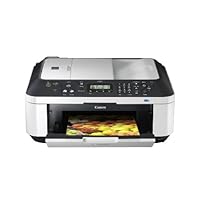
Canon PIXMA MX340 Wireless Office All-in-One Printer (4204B019)

Canon PIXMA MX340 Wireless Office All-in-One Printer
Customer Ratings: 3.5 stars
Buy Now
Got this printer couple of weeks ago and it has been performing up to my expectation. I still cannot believe the price of this AIO printer. Even at the MSRP of $99 from Canon, it is still very well below a comparable unit from other brands. I like a good bargain, so originally I had 2nd thought on getting this because it was only $10 cheaper at Amazon than list price. However, after comparing other AIO printers with similar features like wireless, fax, auto-document feeder, this became a no-brainer.

Pros:

AIO with fax.

Mac friendly software

Price point

Sleek symmetric design vs. other brands (i.e. all trays are closable to create a neat look)

Self opening output tray if tray is closed. I had other printers where if I forgot to open the output tray, the paper would just cumple up.

Easy Wi-Fi setup

reasonable replacement OEM ink cartridge prices.

iPhone/iPod touch app for printing photos from your iPhone or iPod touch.

USB cable included, useful and a must for initial setup

Cons:

so far I have not been able to fax from my MacBook wirelessly, though faxing from PC wirelessly works.

slow start-up like most other users have experienced

I have owned AIO printers from HP, Lexmark, and Epson before. This model by far has been the best price performance for me.

Click Here For Most Helpful Customer Reviews >>
AmScope 40X-2000X Full-Size 17 Lbs Professional Trinocular Lab

AmScope 40X-2000X Full-Size 17 Lbs Professional Trinocular Lab Education Biological Compound Microscope with 3D Two-Layer Mechanical Stage
Customer Ratings: 5 stars
List Price: $1,700.00
Sale Price: $288.98
Today's Bonus: 83% Off
Buy Now

For a sub-$300 microscope, this is a very good value. But compared to Nikon or Olympus professional models that cost 10 times more, it would be an unfair comparison. Simply put, optical and mechanical quality and performance fall well short of professional models. For students and hobbyists, this is more than adequate.

I also bought the Phase Contrast Kit (Model PCT) directly from Amscope for $684. When I was purchasing it, I thought it was a bit strange that Amscope priced the contrast kit so high since the microscopes it was designed to be used with cost only a fraction. I thought maybe the quality of the contrast kit might be high. Unfortunately, that wasn't the case. It was not really useable so I ended up returning it.

The reason why I mention the Phase Contrast kit is this. For anyone considering buying anything from Amscope, buy from Amazon if you can. Returning anything to Amazon is exceptionally easy. That's not the case if you buy directly from Amscope. I had to call 3 times to get an RMA number, then call 3 times to get a refund processed. They eventually refunded the full price less shipping cost but it took too much effort to make that happen. Their technical support is non-existent.

Click Here For Most Helpful Customer Reviews >>

Apple MacBook MC207LL/A 13.3-Inch Laptop (OLD VERSION)

Apple MacBook MC207LL/A 13.3-Inch Laptop
Customer Ratings: 4.5 stars
Buy Now
I made this video to hopefully add a little more life to the product.

Snow Leopard adds a lot more than I thought.

This is a great computer if you want to play with pics, surf the web, mess with your music collection.

This is not the Mac if you want serious processing power of lots of inputs to create a home network.

Look to a MacBook Pro or iMac for that.

I would have given it 5 stars if it had more inputs.

This is a pricy computer already, now I have to spend more to get adaptors.

I wish it was still available in black or you could opt for the non-glaze display.

I hope you enjoy the video, I had fun making it.

Click Here For Most Helpful Customer Reviews >>

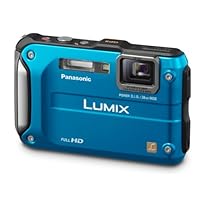
Panasonic Lumix DMC-TS3 12.1 MP Rugged/Waterproof Digital Camera

Panasonic Lumix DMC-TS3 12.1 MP Rugged/Waterproof Digital Camera with 4.6x Wide Angle Optical Image Stabilized Zoom and 2.7-Inch LCD
Customer Ratings: 4 stars
Buy Now
I am a serious photographer and I usually shoot with a pro Nikon camera. I purchased this camera because I did not want to expose my pro Nikon to the elements, and this camera is wonderful for that purpose.

I have added some sample shots for you to judge the quality for yourself. I have to agree with other reviews that the GPS function is ok at best. I have found that I need to be in clear view of the sky for the GPS to find the current location. I have noticed that while the GPS is searching, it really uses lots of battery power. I now geotag a few photos and then turn off the GPS to save on battery power.

In strong light, the camera sensor washes out some images... I would like to see a feature to allow for strong backlight as well.

It is very easy to put your finger in front of the lens by mistake.

If you use a Mac, the AVCHD (30 min recording at a time) mode does not play, I have to A) convert the file or B) set the camera to HD (10 min recording at a time) mode.

I have dropped the camera from 5 feet or so into the sand where it was 75% buried, I found that I needed to rinse the camera off under running water to get all the sand out before I opened the door. No damage or issues with this.

I have operated the camera in 20 degree weather for hours with no issues.

I have operated the camera in 90 degree weather for hours with no issues.

I love that I can simply push a button to start and stop the recording process.

If you have some basic knowledge of photography, you will be able to use all of the different available settings to your benefit. If you simply want to point and shoot, keep the camera in the iA mode and this will work out fine for you.

I really like the night shot mode because it allows me to hand hold the camera.

Overall, I really think that this camera is a very good buy, given all that it can stand and the places I can take it without having to worry about it. No the photos quality is not A+, but I am also not exposing a camera that costs thousands of dollars to the elements. I have in fact recommended this camera to other friends. I am enjoying this camera and I think you may enjoy it as well...

Click Here For Most Helpful Customer Reviews >>

LaCie d2 Quadra v3 4TB External Hard Drive (9000258U)

LaCie d2 Quadra v3 4TB External Hard Drive
Customer Ratings: 4.5 stars
List Price: $324.99
Sale Price: $299.99
Today's Bonus: 8% Off
Buy Now

I found this external HD to be of the utmost quality build (the case at least--not sure what actual hard-drive is running inside). One word of caution though, don't get trigger happy and decide to format the drive as I did. This is a GPT drive, and such it cannot be formatted in the normal (default) manner. Make sure to use the included utility to format the drive in order to take full advantage of the 4 TB of storage.

After I realized what I had did (and getting only 2TB of the drive), I tried to go to the manufacturer's website to try and download the software that had come on the drive in order to initialize correctly. However, I couldn't find the software anywhere. I had to turn to an open source program called "EaseUS partition Master" in order to get the drive formatted to the full 4TB.

I can't speak about the "sanctioned" method of formatting the drive with the included drivers (since I zapped those), but be aware if you do initialize to a single GPT partition of 4TB, older OSs won't be able to see it, including Windows XP (with the exception of the 64-bit version).

Other than that one issue (which was of my own making), everything is going well. I've been able to consolidate files I had scattered about, due to storage limitations. Even so, I'm filling up the 4 TB fast! :O This is especially amazing when I consider how much less of storage I lived with in the past.

Click Here For Most Helpful Customer Reviews >>

Samsung 16mm f/2.4 NX Ultra Wide Pancake Lens (Black) with 32GB

Samsung 16mm f/2.4 NX Ultra Wide Pancake Lens with 32GB Card + Tripod + 3 UV/FLD/CPL + Accessory Kit for NX200, NX210, NX300, NX1100, NX2000 Digital Cameras
Customer Ratings: 5 stars
Buy Now
*** This review is for the lens itself only and not the bundle ***

OK, so this lens has some mild vignetting, some softness in corners when wide open (but cured by stopping down to f4), and so on. Compared to the 20mm and the 30mm, it is generally the lowest rated overall of the three (though it seems to be moving up the ranks lately). But...it has something they don't -a very wide field of view! It's center sharpness is excellent, by the way, and it compares very well to other manufacturer's 16mm lenses (beating most, if not all, in a similar price range, and even a few more expensive competitors). Plus it's the fastest (at f2.4) 16mm available currently. Overall it is very good to excellent, I'd say.

So, for someone like me, who shoots a lot of landscapes, street scenes, flowers, insects, sometimes at weird angles, and some far shots, again at a creative angle usually, this is an interesting tool. As someone who likes to be able to cover a wide angle of view in his compositions and who can live with the very minor shortcomings noted above...this lens is a good choice. Especially if you can find a good used one at a low price, as I did.

It also makes your NX1000/NX1100 a slimmer, nicer looking camera which is great for walk-abouts and quick off the cuff shots. So, as pretty much the only choice for a really wide angle prime for your NX1000/1100, I give this 4 stars. As I gain more experience with it, I will come back and update with comments on actual image quality in real life situations.

*** Update: Raised my rating to 5 stars as I am very pleased with the shots I am getting. Also, the AF (Auto-focus) is faster than the 20-50mm Zoom (and less finicky) and the manual focus works well. Overall, I like the handling better than the (excellent) 20-50mm Zoom and I very much like the more compact profile. But the big win remains the wider field of view. I am enjoying that aspect very much. This is the lens that will be mounted on my NX1000 by default.

*** Update: It was a beautiful, sunny day this past Sunday and I had a chance to take my Samsung NX1000 and this new lens to a local park for some test shots. I've uploaded a few (in "customer images" and downsized for web) to give you an idea of the field of view you get with this lens. I loved every minute shooting with it. These are posted under my review for the lens itself here: Samsung 16mm f/2.4 NX Ultra Wide Pancake Lens (Black)

*** Update: I continue to be very happy with this lens. It's a true joy to shoot with. More versatile than I expected. I get good close-ups and gorgeous landscapes. I am having a blast with it and that's what it's all about, right? This lens opens new doors in terms of composition and really broadens the creative options at my disposal.

Click Here For Most Helpful Customer Reviews >>