Showing posts with label digital camera tips. Show all posts

Sony Cyber-Shot DSC-TX10 16.2 MP Waterproof Digital Still Camera

Sony Cyber-Shot DSC-TX10 16.2 MP Waterproof Digital Still Camera with Exmor R CMOS Sensor, 3D Sweep Panorama, and Full HD 1080/60i Video
Customer Ratings: 4 stars
Buy Now
First, some background on what I was looking for: I'm a casual photographer. I wanted a waterproof camera which would produce high-quality photos in all settings (indoor, outdoor, and underwater. My intention was to completely replace my 7.2MP Sony DSC-W7, which I LOVE. I wanted to add the underwater feature without compromising on other features. I did not want to spend more than about $400 for everything (camera, two 8GB memory cards (Class 10), two extra batteries with charger, and float strap. This left me with about $340 max to spend on the camera itself. I do NOT know a lot about photography. Terms like "ISO" and "white balance" are foreign to me. I like to use pre-programmed scene modes and auto features. I enjoy digital scrapbooking and I frequently zoom and crop. It takes a very high quality photo to crop out/enlarge a small figure without too much distortion.

I began my search online and spent about 6 hours researching the cameras in my price range. The cameras I focused on most were the Canon D10, Sony TX10, Panasonic TS3 (sometimes referred to as FT3), Olympus TG-810, Olympus Tough 8010, Fujifilm XP30, and Pentax WG-1.

I eliminated most of these options rather quickly based on their reviews, overall ratings, and the quality of photos that I reviewed. I narrowed my focus to the Canon D10, the Sony TX10, and the Panasonic TS3.

I wanted to love the Canon D10, since it seems to be the overwhelming fan favorite, but I ultimately decided that it wasn't going to be a good fit for me. The price of the D10 is similar to the Sony and the Panasonic, but it's a 2.5 year old model which doesn't have HD video. The photo quality seemed about equivalent to the other two, so I decided to only focus on the two models with HD video.

I would have been completely sold on the Sony, since I've used only Sony cameras most of my adult life and I've never been disappointed in one; however, there were some notable deficiencies which most reviewers found with this model (detailed below), so I was a bit hesitant to take the plunge. The Sony was also priced near the top of my budget ($329), whereas the Panasonic was only $275 at Amazon.com. The Panasonic reviews seemed to all be very positive, with the only significantly commonly-noted problem being lower quality indoor photos. However, all of the indoor, outdoor, and underwater photos that I reviewed online looked very good.

I decided to take a chance on the Panasonic TS3 and I really, really, wanted to fall in love with it. I ordered it from Amazon and they delivered it the next day. I wasn't blown away by this camera. The outdoor photos were good. The video was very good. The underwater photos (taken in my large fish tank) were very good. The indoor photos were POOR. I decided to order the Sony TX10, hoping that I'd see better results. I ordered it from Amazon at 9pm that night and it was delivered at 1:00pm the next day (gotta love Amazon!). The photo quality of the Sony camera is outstanding. I'll be keeping the Sony TX10!!! For some people, however, the Panasonic might be the better choice.

First, I'll provide my overall recommendations, then I'll add in all of the detail:

BUY THE SONY TX10 IF:

You value the quality of the photos/video above all else.

You like touch screen devices.

You don't plan to dive lower than 16 feet.

You don't care if you can't adjust your settings (other than zoom) underwater.

You want a VERY small camera.

You always use a wrist strap.

BUY THE PANASONIC TS3 IF:

You can live with grainy indoor photos.

You don't typically enlarge your photos to 100% (because they will be distorted).

You want a camera with GPS.

You plan to dive deeper than 16 feet.

You want a larger (but not too big) camera.

You're looking for a less expensive option.

NOW FOR MY DETAILED COMMENTS ON BOTH MODELS:

PRICE The Sony is +/$50 more expensive than the Panasonic.

SIZE The Sony is significantly smaller and lighter than the Panasonic. I don't think one is better than the other, per se. It's a matter of personal preference. The Sony will fit in most pockets. The Panasonic probably wouldn't.

RUGGEDNESS Both cameras are rated very well in this area. I haven't "tested" them, but it seems like the Panasonic is built a bit tougher and would be less likely to get destroyed in a fall. Rather than test this feature, I'm going to just trust the experts that either one will hold up well if dropped.

UPDATE: I also posted this review on another site and I recently added photos to it. Seeing is believing!

Click Here For Most Helpful Customer Reviews >>

Canon PIXMA iP100 Mobile Photo Printer

Canon PIXMA iP100 Mobile Photo Printer
Customer Ratings: 4.5 stars
List Price: $249.99
Sale Price: $166.16
Today's Bonus: 34% Off
Buy Now

We bought this little gem to take to Europe. First impressions are very favorable. It's small, reliable, and prints beautifully. At just over four pounds, it's perfect for travel.

The little Bluetooth adaptor also works very well. Reading the manual (!), I discovered it is possible to mount the adapter permanently inside the printer so that it's not exposed and doesn't need attachment every time it is used. This is a simple procedure, and enhances the usefulness of the Bluetooth capability that is all but de rigueur when traveling. The installation / setup information is also in the electronic manual that comes on the CD.

But as good as the printer is, it does not come with (nor does Canon offer) a case of any kind. I found the perfect solution from Case-Mate: go to and buy the 'Glovez 15"' sleeve (like a large envelope with a velcro closure / flap). It comes in an assortment of colors and is a skin-tight (but very workable) fit in the 'length' direction. When inserted, the printer doesn't take up every bit of the case in the 'width' direction, meaning there is just enough room to also accommodate the cord and AC brick. Throw these in, close the flap, and you're always ready to roll.

Best part: this 'Glovez' sleeve is only $9.99 + $3.99 S/H, and gets to you in a few days. It's not bulky just what one wants to protect the printer but not take up room. (As an aside, the Case-Mate Glovez 13" [for the MacBook 13" and Air] fits the Lenovo ThinkPad X300 perfectly).

March 8, 2011: Came back (for the first time) to look over some of my reviews, and thought I would update this one. We took the printer to Europe for a month in the summer of 2008 (and, as noted by one of the commenters, it does indeed have a built-in usable voltage range of 100 240V, 50 60 Hz, so one needs only an adapter for local outlets, and not a transformer of any kind). It performed flawlessly then, and continues to do so today.

We take it everywhere. It goes in the bag wherever we go on vacation, or on business, and has never missed a beat. It sets up in an instant as soon as you get to your hotel room so easy to use. As stated before, I highly recommend the internally-mounting bluetooth adapter; it's never in the way, impossible to lose, and reliable. OK: Canon gets a small demerit for not building it in in the first place, but... With today's wireless-built-in portable PCs and other devices, it's a snap to hook up to the Internet within moments of arriving at your hotel, then send maps, proposals, anything else, etc. to the printer with no cables whatever. Especially good when both of us have our laptops out at a hotel room: we can both send jobs to the printer across the room without getting in each other's way. It's quick, reliable, durable, with various 'quality levels' available and I highly recommend it for mobile use.

I know Canon also makes a battery that 'bolts-on' to the back of this printer. For my application, the additional $100 wasn't worth the extra bulk to achieve a freedom from the electric grid that I didn't need. But if you conduct business in your pickup, or out in the field, it would certainly make sense: put the printer on the passenger seat and produce a customer invoice, etc. on the spot.

I seldom wax so enthusiastic over a product, and have been known to be excoriatingly critical of poor designs / execution. But Canon hit the nail dead center with this product: if you're in the market for a genuinely useful, rugged, portable printer get it. You will not regret the decision.

Click Here For Most Helpful Customer Reviews >>

Hisense 65K560DW 65-Inch 1080p 240Hz 3D Internet LED HDTV

Hisense 65K560DW 65-Inch 1080p 240Hz 3D Internet LED HDTV
Customer Ratings: 4.5 stars
Buy Now
Hisense is giving big name brands a run for their money! We now own 3 Hisense TV's. I've always been a big fan of Samsung and trying a brand that was new to the TV market was a little scary; however, for all the bells and whistles that this TV offers stacked up against another brand with same features this TV was half the cost! We've had the 46" Hisense TV for about 6 months. The 65" and a 42" Hisense, we've had for a little over a month. So far so good. Plug and play out of the box, but those who like to tweek I think just about everything in this TV can be! Also, we love all the inputs and we are using most of them!

Can't really comment on Wi-fi features as we have ethernet wired in the house and the 65" has our media center computer hooked to it. TV sound is OK but let's face it if you are considering a 65" TV you would likely have some sort of home theater system. Love the slim design and frame.

3D features are awesome! Even the 2D to 3D conversion looks great! It adds more depth to a 2D movie. But WOW watch a movie that was actually filmed in 3D and things jump out at you! You can tell the difference between a movie that was "remade" in 3D versus a movie that was filmed in 3D. Not the TV's fault by any means just sharing there is a difference. Unfortunately there are not a lot of movies to choose from at this point that were filmed in 3D. Avatar and Step UP Revolution (the 4th movie in Step Up series) were filmed in 3D. There are some others but these two are my favorites for 3D effects.

One thing to mention the 65" is so new that Hisense employees don't know much about it yet. The TV shipped with 2 pairs of active 3D glasses model # FPS3D06. They have active shutters and run on batteries that are not rechargeable. If you want additional pairs of the same model, you will have to order from China. I found them on E-Bay. If you want rechargeable glasses (which we prefer) call Hisense USA and order model FPS3D02. These are interchangeable with the FPS3D06 that come with the TV. If you see on the internet somewhere that model FPS3D05 is compatible with the 65" TV beware they are not! The 05's are RF glasses and do work with our 42" Hisense. The 65" TV transmits an IR signal for 3D glasses.

We are not usually "trail blazers" on new technology but when we saw the price of this TV compared to other brands with same features we thought we'd give them a try. To this point we have not been disappointed. Exceptional TV for an exceptional price!

Click Here For Most Helpful Customer Reviews >>

Nikon D800E 36.3 MP CMOS FX-Format Digital SLR Camera (Body Only)

Nikon D800E 36.3 MP CMOS FX-Format Digital SLR Camera
Customer Ratings: 4.5 stars
List Price: $3,299.95
Sale Price: $2,999.00
Today's Bonus: 9% Off
Buy Now

Like others, I debated on whether or not to choose the D800E or the D800. I'm primarily a nature photographer, so my inclination was to get the D800E. The one potential problem situation was with moire on bird feathers. I ultimately chose the D800E based on the logic that birds have so many feathers at different angles and proportions that significant moire would be very unlikely.

Well I received my D800E two days before a planned trip to the St. Augustine Alligator Farm. After more than 2500 images under all conditions, I have to rate the camera as spectacular a step beyond excellent. Image quality and detail are stunning. I was using a Nikon 200-400 f/4 VR and a Nikon 600 f/4 VR for most of my images. The level of detail is simply stunning. There is detail that I have never before seen from any camera. I'm seeing resolution at 100% (1/7th the image) that is suitable for a web post or small print. And noise is completely absent at lower ISO levels and minimal even at ISO 6400.

You know going in that the D800E only has a frame rate of 4 fps. That's enough for a quick burst at critical action. With birds I'm shooting at 1/1000 second or faster so I am already trying to capture critical action and a catchlight in just a few frames. At burst rates it does take a little time to write to the card, but I never came close to filling the buffer.

One of the things that has been underappreciated is the new AF system. The new AF system of the D800 is excellent very quick and accurate. There have been some reports of AF errors with the D800 especially using the widest sensor and a wide angle lens. I have not seen that issue on my copy of the D800E.

The ergonomics and controls are very intuitive. This is a camera you can immediately pick up and use just like other Nikons. The one adjustment I had to make was with exposure compensation. The direction of the exposure comp has been reversed, but can be customized in the camera menu settings.

While there have been reports of the need for a tripod or special technique, I shot the D800E just as I would have used earlier cameras. If you miss focus the image is still soft, but there is no problem using the camera handheld or on a gimbal head.

File sizes are large and as expected the large files put greater demand on your computer. Large files understandably take longer to open and to save. But this is to be expected.

Colors and dynamic range at ISO 200 are spectacular. Even at high ISO levels, colors are very acceptable.

Overall, I am very pleased with the D800E and highly recommend it for advanced amateur and pro nature photographers. This is not a camera for a beginner or someone who is not skilled. This is a camera for someone who is skilled, understands the tradeoffs involved, and wants the best image quality possible in a DSLR.

EDIT June 16, 2012

I've continued to use the D800E and my opinion has not changed. It's a great camera. One thing to be aware of is the depth of field. Because the in focus area is so extremely sharp, your specific focus point and depth of field require a little more thought. Your choice of what parts of the image should be in sharpest focus will be rewarded, but if you make the wrong choice you can really tell the difference.

Click Here For Most Helpful Customer Reviews >>

Apple MacBook Pro 15.4" Laptop - 500 GB HARDRIVE - i7 QUAD-CORE

Apple MacBook Pro 15.4' Laptop - 500 GB HARDRIVE - i7 QUAD-CORE - MC721LL/A
Customer Ratings: 4.5 stars
Buy Now
Note: This review is from someone who knows very little about computers.

Although I truly enjoy PCs and will still continue to keep and use my PC laptop, I felt it was time for a change. It took minutes to load up videos and photos, and I was starting to get very frustrated with the entire process. I hadn't considered purchasing a Macbook Pro before, because I felt the cost wouldn't be worth it. I spent over a month researching and reading and watching reviews. I finally took the leap. The following describes features of the Macbook Pro that I find important to an everyday user.

External Appearance: I sometimes look at the laptop and get surprised by how thin it is. However, once I lift it up, I am surprised again by how heavy it is. Apple has done an amazing job at creating a laptop that thrives on outward simplicity. The cold aluminum feels strong and almost indestructible. The Magsafe adapter is a great feature to have, especially if you need to connect your laptop and sit further away. A trip over a cord easily separates the adapter from the laptop, and nothing is harmed. At first I was surprised that there were only two USB ports, but I can't imagine a time where I will need more than two. The difference I noticed from my other laptop is that there is a lack of ports which might add to the fact that it has an incredibly simple design and that it uses only what it needs. What it thrives on is what's inside.

The Screen: I was originally considering getting a large monitor for the Macbook Pro, so I could easily edit documents and pictures. It's not worth it. Even watching Youtube videos looks great. I was looking at pictures taken on a simple point and shoot camera, and they looked phenomenal on the screen as well. However, the glossy screen can seem like a mirror at times and can get incredibly annoying. 15.4 inches is perfect for anyone considering making the Macbook Pro their primary computer at home.

iLife & other apps: I haven't used iLife as much as I would want, but I was able to look at the Mac app store, and I am pleasantly surprised by the quality of apps provided. If you love writing, Scrivener is great for drafting stories, novels, screenplays, and poetry. iWork is also available at the app store. Each of them are sold separately for $20.00 each, which is cheaper than purchasing iWork altogether! Pages and Numbers are incredibly intuitive, and they definitely compete with Microsoft Word and Excel. Like the app store for the iPod Touch, iPhone, and iPad, there's something for everyone. There are apps for work, play, and everything in between.

Speed: From opening Safari to opening apps, there isn't a glitch in speed. Once I start editing film, I'll update if it changes but if not, that means it's still working amazingly. I did play a few games and not only are the graphics amazing, but there isn't any stopping or starting.

Finder: I didn't think it would be very useful until I downloaded a program and had no idea where it went. Finder (of course) finds every single thing on your Macbook Pro, but it does it with speed.

Trackpad: I wasn't sure whether or not I would like the trackpad. I didn't like the original settings but once I changed it, I'm not even considering getting a mouse. It's fun experimenting with it at first and learning the different motions on your own. The trackpad has made surfing the web easier than before.

Keyboard: I was hesitant about the backlit keyboard. I love that I can type at night, but I am used to the keys being closer together. It did take a couple of hours to get used to it but once I did, it vastly improved my typing speed. The spaces between the letters helped, and the fact that the keys aren't raised high definitely helps. Even better? The keys are practically silent.

Heat: I had read reviews about how hot a Macbook Pro gets but after a week, I haven't noticed any extreme heat. Again, I haven't done anything extreme, so I will update if it changes.

Portability: If you decide to take the laptop around, I would recommend getting a case for it. It is prone to scratches and dents, so any protection helps. I carry the laptop in my backpack, and the weight is quite noticeable. I think it's something I'll get used to, but I'm still surprised by its weight. It is, however, a great device to carry around but if I wanted it for true portability, I might have gone with the 13.3 inch or possibly a Macbook Air. Given the fact that this my primary device used at home, I prefer to keep it there unless I know I will absolutely need it.

The hard drive and RAM are completely replaceable. People were disappointed with the slow performing 5400 RPM hard drives, but I honestly don't see a difference in speed. If it is a huge problem, again, it can easily be upgraded. I plan on upgrading the RAM to 8gb soon. My initial benchmark test showed a score of 8843, so I'm excited to learn what the score will be after upgrading.

If there are any major changes with the laptop, I will update.

UPDATE:

The first thing I would like to update on is battery life. The battery life for the Macbook Pro is pretty good. I no longer worry during lectures or taking it to work. I average about six hours with going on the internet, watching a few videos, and writing.

Secondly, gaming on this machine is great. I played Left 4 Dead 2 for a few hours with a friend. There were maybe one or two times where the game would lag, but it would be for a split second. Other than that, it looks amazingly clear. Load up times for gaming is FAST. As soon as my game booted up, I would ask my friend where he was, and he was still only halfway done with loading. Playing with the trackpad is also very responsive and pretty fun. When gaming, the fan is loud and the laptop gets very hot. However, it's not as hot as my 2009 Toshiba laptop.

I was very worried about how hot the device gets after a period of time. After reading many reviews, I noticed that one of the main problems was the laptop getting so hot, it would burn someone's lap. However, I noticed that this was more a worry with previous generation's of the Macbook Pro, and I have yet to notice a real problem with it.

The speaker quality is amazing. I was originally going to get separate speakers and a mouse for the laptop, but it's not really worth it.

The great thing about this laptop is that it's small enough to take anywhere you need it, but it's powerful enough to use as a regular desktop.

Update #2 1 Month Later:

I thought I'd give one last update. Since people generally give reviews right after they receive a product, I think it would be great to give people an idea of how a product is running a month and a half into ownership

The first thing I would like to mention is lag time. A few times I've experienced considerable lag while trying to perform a few tasks. Once or twice it would happen while I was attempting to play a game. Or I'll attempt to switch out windows, and the infamous beach ball appears. What I would like to mention isn't about that lag itself but the performance AFTER it happens. Each time I experience this, I was tempted to press CTRL + ALT + DELETE (in typical Windows fashion) but after waiting a few seconds, my programs would run as usual. I don't have to restart or worry about my files being corrupted. No computer is without hiccups, but I would like to mention that this laptop is great at handling them. I no longer have to cross my fingers and close my eyes for five minutes while it reboots. It just works.

If you like creating short films or Youtube videos, the speed of creating and uploading films is incredibly fast and easy. After playing with iMovie and iPhoto, I'm glad they're additions to preinstalled programs. Although this isn't exactly a review of the laptop itself, I do enjoy the built in programs and how they easily integrate themselves with the Macbook Pro. The lack of bloatware is also very refreshing. When I first purchase a laptop, I spend the first hour or two attempting to delete free trials.

As someone who has used both PCs and Macs for the past decade, the choice really is up to the consumer. Honestly, I feel that both have very easy user interfaces and both are great for any project that might come up. Why did I choose a Mac over purchasing another PC? I think I was ready for something I wasn't used to in my own home. I've had two PC laptops that failed in less than two years of my persistent aggression. I also wanted impeccable design quality. I didn't want something that just looked good. I wanted it to be both functional and durable. It just so happened that the design for the Macbook Pro fits it all perfectly.

I hope this helps.

9/15/2011 Update:

This is the last update. I promise. I have had this product for close to five months, and I've definitely had some ups and downs with it. I've noticed that while watching Netflix, there's considerable lag when I have more than three programs open. I have to force quit Safari from time to time due to a very sluggish performance. At some point, I really want to upgrade the RAM and update the hard drive, but I'm waiting for prices of SSDs to go down.

Despite this, it continues to amaze me. For the first time in my life, I can open up my laptop and not have to wait a few minutes for it to load up. It's just there. The issue of portability is nonexistent, as I never have to bring my charger if I'm going somewhere for a day or two. The battery life is phenomenal. I have been scanning and uploading a lot of pictures, and it handles it with ease. Creating videos is still a fun process.

While the cover is aluminum, it is still very fragile. I do have a couple of small scratches on the bottom. It still continues to go strong.

I will actually update this a year from now to see how it really holds up. A year is right when I need a new laptop. We'll see if it can take the abuse.

Click Here For Most Helpful Customer Reviews >>

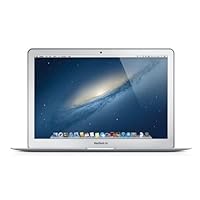
Apple Macbook Air MD231ll/A 13.3-inch Laptop

Apple Macbook Air MD231ll/A 13.3-inch Laptop
Customer Ratings: 4.5 stars
Buy Now
I purchased both the newly updated 13" MacBook Air and the updated 13" MacBook Pro the day they were announced at WWDC and released for sale in June 2012. After using the two machines side-by-side for a couple weeks now, I can say that the MacBook Air offers superior performance in virtually every respect to such a degree that I've pretty much stopped using my brand new MacBook Pro. Of course the Air (which I got factory upgraded to the 2.0 GHz i7 processor and 8GB of RAM) is lighter, slimmer, and sleeker than the Pro, and yes, it does have a much higher resolution display, but I was surprised just how much faster the MacBook Air is compared to the Pro is despite the Air's slower CPU clock speed. The SSD hard drive on the MacBook Air makes an enormous difference in everything from casual web browsing to video editing.

Speed and Performance: Advantage MacBook Air

Apart from the hard drives and port configurations, the technology inside the machines is virtually identical in both the newly refreshed MacBook Air and MacBook Pro. Both Pros and Airs come with either i5 or i7 Intel "Ivy Bridge" processors, Intel HD Graphics 4000, USB 3.0, and lightning-fast Thunderbolt ports. While the MacBook Air models are at a disadvantage to the MacBook Pro models in terms of CPU clock speeds, any performance disadvantage from the processor speed is more than made up for by the lightning fast performance of the Air's SSD hard drive, which Apple markets as "Flash" storage. In everyday tasks from gaming to web browsing to watching Flash movies and editing video, the MacBook Air is faster significantly faster in virtually every task. The Air boots up in less than 12 seconds while the Pro takes upwards of one minute.

Screen: Advantage MacBook Air

Once you get used to the super high resolution 1440 x 900 LED display on the MacBook Air, the 1280 x 800 back-lit LED display on the MacBook Pro looks downright grainy and primitive. Simply put, once you get used to a higher resolution display, the 1280 x 800 display on the 13" MacBook Pro just isn't acceptable. Even for simple tasks like email or word processing where you wouldn't think the resolution would matter, the graphics look grainy and pixelated, which just isn't acceptable for a pro-level laptop in 2012.

Upgradability: Advantage MacBook Pro

One major difference that's important to consider between the Air and the Pro is that the Pro is more flexible and adaptable in terms of upgradability. With only a screw driver and about 10 minutes of your time, you can add more memory to the Pro, replace the hard drive, and even add a second hard drive in place of the optical disc drive. The Air, on the other hand, is stuck in the configuration you purchase it in except that you can opt to replace the SSD "Flash" hard drive with a higher capacity drive. However, both the Air and Pro have USB 3.0 (which is five times faster than USB 2.0 and backward compatible) and Thunderbolt (which is ten times faster than USB 2.0), I see no reason to replace the Air's hard drive any time soon given how cheap external hard drives are and how fast the connection has become.

Design, Weight, Portability, Battery Life, and Form Factor: Advantage MacBook Air

The MacBook Air is the most beautiful computer ever produced by man. The aluminum case is impeccably designed, almost tailored to accommodate the necessary internal components, while maintaining practical ergonomics. It's an incredibly thin, svelte, sexy little notebook. The aluminum case seems sturdy and durable, and its mechanics are very similar to the time-test unibody construction of the MacBook Pro. The MacBook Pro, on the other hand, is a bit of a dinosaur in its bulky circa 2006 unibody. The Pro is heavier than a half gallon of milk at 4.5 lbs, while the MacBook Air weighs in at less than 2.9 lbs. Battery life is roughly even on both machines at anywhere from 4 to 7 hours depending on workload and settings.

Summary Judgement: Buy the MacBook Air

Simply put, the guts of the two machines are basically the same, but the Air's SSD hard drive gives it a tremendously significant boost in performance. Sadly, the MacBook Pro's 5400-rpm hard drive leaves the machine unable to capitalize on the newest, most expensive Intel "Ivy Bridge" i5 and i7 processors that you're paying a $300 premium for in the newly updated Pros. If you are going to buy a Pro, invest the extra money and get it upgraded with a SSD hard drive and get an extra external hard drive if you need additional cheap storage space for multimedia files. When you also consider the superior display, lighter weight, increased portability, and lower price of the MacBook Air, it's hard to find a reason to justify purchasing the current 13" MacBook Pro, which to me looks like a dinosaur rapidly headed for extinction.

Specs on the models compared:

13" MacBook Air (mid 2012) factory upgraded to the 2.0 GHz dual core i7 processor and factory upgraded to 8 GB RAM (1600MHz DDR3L SDRAM) with standard 256 GB SSD ("Flash") hard drive

13" MacBook Pro (mid 2012) with 2.9 GHz dual core i7 processor, 8 GB RAM (1600MHz DDR3L SDRAM), and 750GB Serial ATA Drive @ 5400 rpm

Both feature Intel HD 4000 Graphics, 3.0 USB, Thunderbolt, 802.11n, etc.

Click Here For Most Helpful Customer Reviews >>

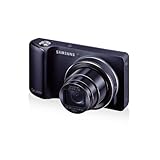
Samsung Galaxy Camera EK-GC100 8GB Black, Android OS, v4.1

Samsung Galaxy Camera EK-GC100 8GB Black, Android OS, v4.1 3G Unlocked HSDPA 850 / 900 / 1900 / 2100 by Samsung from New Generation Products
Customer Ratings: 4.5 stars
List Price: $999.00
Sale Price: $352.61
Today's Bonus: 65% Off
Buy Now

I bought this piece for my wife and took it to Italy together with my 5D3. It is the first time I put this camera in a real trip, so I do feel a lot difference and record them here when the memory is still fresh. Sorry I am not English native.

.With mobile phone, you can take picture anywhere and edit and share instantly. However, there is one thing the smartphone can not and will never do, ZOOM. This piece is a smartphone with superzoom lens, 21X zoom, which is nearly a telescope when you wanna record sth far. This feature is very useful when you get chance to try it. This is the first reason that I think the camera is worth to buy. The tele-zoom lens is the only value for small digital cameras, or, you can use your mobile instead.

.The Android system. When we all enjoy the instant photo taking and sharing, and keep online with friends, why we still stay with a classic camera, a smartphone, and a computer to connect the camera and phone? They are all in one this time, and compact. All setups are as simple as your mobile. Here are what I do with the system: added art effects in real time when taking pictures; record a nice restaurant by taking a picture with GPS tag, and later load this position from the photo into Google map so we can follow the map and go back, all happened by just touching the screen few times; add effects and share photo with friends through IMs and instagram; playing games; using GPS; browsing web; my kid compose the photos and videos into a video stream with music, just on the camera, a lot fun.

. The high end hardware. It is true that Nikon do have a android model of digital camera. However, it is small screen, weak CPU, which means data-intense processing such as photo and video editing may be not so fluent. To me, it is more like altering an interface instead of changing an operating system. The advanced hardware is definitely a must, if you want an android camera.

. The power charging micro-usb connector. It is true that is micro-usb connector is an important thing to me. This means when you have a lot to shot during the day, including long videos, you will not worry about the power supply any more. This is because you can carry a portable power supply (a large battery, such as my 6000mah Philips) to charge the camera at any time, with a standard usb cable. This external battery will also benefit all your android and apple devices. So for the days in Italy, I never worry about power of this camera. However, I am not saying the battery of this camera is weak, it is enough. For the whole week, there is only one day I definitely I have to charge the camera on our way. When we went back to our hotel that day, the power become 100%, fully charged! I believe you have never had this experience with other cameras.

.Huge screen with sharp image and instant touching response. very good experience ever to a camera.

.3G network is a good design, which makes you connected all the time. I mean, in my country, not Italy.

.Voice phone is not designed and not necessary for this camera, since this Galaxy Camera will shut down after 2hrs standby to save energy as a normal camera. So it will not work as a real phone. Use software to call your friends, such as skype.

The improvements needed:

1. the lens quality. Actually, it is a good lens for recording and sharing. I am just expecting the lens could be better when comparing to Nikon, canon, Sony(Zeiss) and Panasonic(Leica)

2. The ccd is still too small, the size of this Galaxy should have enough room for larger sensor.

I am not sure whether I am too strict to this camera since I also have a 5D3. :-)

My recommendation is that this camera is worth to buy if your lifestyle is shoot & share, and enjoy the smart system. If you can live with the image quality of you mobile phone, then this camera is much better than that.

A final story, I also took a Sony TX-9 camera for my wife, since she never believe Samsung could build decent cameras! But finally, she never touched the Sony during the whole trip.

Thanks for your time.

Click Here For Most Helpful Customer Reviews >>

Nikon COOLPIX S6500 Wi-Fi Digital Camera with 12x Zoom (Black)

Nikon COOLPIX S6500 Wi-Fi Digital Camera with 12x Zoom
Customer Ratings: 4 stars
List Price: $219.95
Sale Price: $154.00
Today's Bonus: 30% Off
Buy Now

I recently got the camera at a local store; although, it was cheaper at Amazon, I needed it right away.

After going through all the cameras in my price range; I found that this camera has features found on much more expensive cameras that I was looking at.

Its compact size makes it easy to carry around. The ability to take good quality pictures as well as Full HD video eliminates the need to also carry a video camera.

The camera has several shooting modes to select from such as Portrait, Panorama, etc... Pictures look realistic, they are sharp and the colors are vivid and natural. The image stabilization helps take sharp photos; I found this especially useful when using the zoom for long distance.

As they claim, the pictures at low-light are very good, much better than I expected. At my daughters dance show, they allowed the audience to take photograph without flash. The pictures and videos came out real good considering the distance that I had to zoom and the low light.

The built in HD video camera (CMOS) recording quality is very good. There is a separate button to record videos. You can also pause the video recording so you don't end up with a bunch of short clips.

The camera has editing features to do things like lighten skin tones, whiten teeth, whiten eyes, reduce dark circles beneath the eyes, and apply a blush-like effect to cheeks.

With the built-in wireless you can quickly send your pictures and video to your smart phone, tablet, etc... to email them to your friends and family, or post them online. This beats having to take your memory card out of the camera or plug the camera to a computer to share your pictures. You are also supposed to be able to control the camera with your smart phone; however, I haven't tried that yet.

Options for Image size: 16MP 4608 x 3456, 8MP 3264 x 2448, 4MP 2272 x 1704, 2MP 1600 x 1200, VGA 640 x 480, 16:9 (12MP) 4608 x 2592

Click Here For Most Helpful Customer Reviews >>

Samsung BD-D6500 3D Blu-ray Disc Player (Black) (2011 Model)

Samsung BD-D6500 3D Blu-ray Disc Player
Customer Ratings: 3 stars
List Price: $199.99
Sale Price: $199.00
Today's Bonus: $0.99 Off
Buy Now

I needed to replace an aging Panasonic DMP-BD35K, which had decided to become selective as to which BD's it would play( typically newer titles wouldn't load, I'm not sure if it's a question of a lack in newer firmware, of which Panasonic hasn't released an update in about two years, or if it just isn't working any longer.).

I had researched extensively on the purchase of the Panasonic reading many reviews from several websites, but on this purchase I just decided to take a chance with Samsung. I do own a Samsung television which I really like and the reviews of Samsung's 2010 Blu-ray player were also good. Nearly as good as the 'King of the hill' Oppo( according to cnet video test scores. ). I was also aware of the many negative reviews of the 2010 BD-C6500 and I also noticed that they were mostly in regards to the web enabled apps, and not in regards to video playback. I have an Apple TV which I use for Netflix streaming( it does an excellent job of that, 720p only, but no biggy for me ), and I don't really have any use for the other apps.

So in comes the BD-D6500, I unpack it and connect it in about five minute. The set up is basic with many of the menu selections being 'Auto'. I'm still playing with the set up to see if anything looks better/more accurate. I pop in a disc( Avatar ) and wow, it just looked better. I start going through several BD's and they all look great. The blacks are darker without an over zealous increase in contrast. I run it at 24Hz and it appears to do that better as well( it was always so-so on the Panasonic. ). The Imax shots in The Dark Knight look awesome. And all the while as I am going through several BD's I notice how fast this player loads the discs. Really fast compared to the much older Panasonic.

I'm really impressed by this player. I also played some old DVDs to see how well it upscaled and it did a great job. Again it clearly out performed the Panasonic.

Now as far as the Smart TV apps are concerned I did try to watch a movie on Vudu as it gave me a free rental, and after I selected a movie( Machete ), the player locked up. Maybe it didn't like the movie I picked, but it still shouldn't have done that. I did notice that after I registered the player, the Vudu, along with all the other apps that I went through seemed to work. Perhaps I needed to register the player before I was able to use the apps? And there isn't any built in memory for BD-Live which is kind of lame. You need to use an external USB drive.

In the end I am very happy with this purchase and to be completely honest, a part of me was hoping that this player would have sucked just so I could justify the $500 purchase price of the Oppo BD-93. But it doesn't. It's just a really good Blu-ray player and that's what I wanted. So if your not too concerned with Smart TV apps( which are now working for me ), or too worried about playing files off of your PC( which I think it does, but I haven't a use for. ) then buy with confidence, as I am sure that once the different review sites get their hands on the this new BD-D6500, the results will be stellar.

Click Here For Most Helpful Customer Reviews >>

Canon PowerShot SX50 HS Digital Camera (Black) with 16GB Card

Canon PowerShot SX50 HS Digital Camera with 16GB Card + Flash + Case + Battery + Tripod + Accessory Kit
Customer Ratings: 5 stars
Buy Now
I am extremely pleased with my new Canon SX50. Being new to digital slr's and not much of a techie, I find it perfect for everything I want to do. It takes great pictures with the zoom while bird watching and great close-ups for family shots. I recommend this camera for anyone who wants to step up from a pocket camera but doesn't want to spend alot on a high tech camera and then buy another lens too. Great price, great camera.

Click Here For Most Helpful Customer Reviews >>

WolVol Cheap Mini Laptop Computer 7 inch Android 2.2 Tablet

WolVol Cheap Mini Laptop Computer 7 inch Android 2.2 Tablet with Installed WIFI to access Internet On The Go Includes: Velvet Case, Charger, Mouse
Customer Ratings: 3.5 stars
List Price: $149.99
Sale Price: $119.94
Today's Bonus: 20% Off
Buy Now

I have to retype this as I lost my nearly complete review (used this device to type it)

I purchased this a little over 2 wks ago. Here is my assessment:

PROS:

1. Small, compact and light.

2. Starts up quickly.

3. Comes with about 30 apps. I wouldn't call that a "ton", however, half of them serve their purpose. The file browser app makes it easy to manage all of your applications on the device.

4. Connecting to wifi is a breeze.

5. You can get decent browsing speeds downloading Opera Mini or Dolphin (both free), although the device comes with two browsers pre-installed.

6. Three usb ports for things like flash drives.

7. Easy to set up email to read off-site.

CONS:

1. The keyboard cursor jumps around half the time to a different location when you're typing.

2. The caps lock function seems to be "hit or miss" (at least on mine)

3. Office Suite Pro 5 does not adequately tell you how to save a document. I had to find out on my own.

4. The AC adapter cord is way too short. Expect to be on top of an outlet should you need to recharge.

5. You need to charge the device at least four hours, but you only get about two hours of use from it (unplugged).

6. At the time I bought this device (just over 2 wks ago) there was no case included. I had to buy my own.

7. Included browsers struggle to play video. I found that only Dolphin was able to do it consistently and Opera not at all.

8. Page you're on can unexpectedly "refresh" or go to another site. May be a keyboard or browser issue.

9. Keyboard pops up on screen taking up half of it & there's no instructions on its functions in the manual.

10.It can be confusing to get more android apps. You need to go the android site and then through your android market app.

11.The touch pad isn't always responsive..which is a shame, as I am hoping not to have to buy a separate mouse.

Overall, I am satisfied with the machine, despite its quirks. It reminds me of an overgrown cell phone, without the calling option. Bearing that in mind, as long as you can see it for what it is and aren't expecting what you'd get on a laptop or desktop computer, you should find that the device meets or even exceeds your expectations. It's a cute little thing to have around for writing or browsing..and if the above "cons" weren't an issue, it'd be just about perfect. Now the only remaining thing to consider is: How long will this little machine last?

Only time will tell.

Click Here For Most Helpful Customer Reviews >>

Canon EOS 7D 18 MP CMOS Digital SLR Camera w/ Canon EF-S 18-55mm

Canon EOS 7D 18 MP CMOS Digital SLR Camera w/ Canon EF-S 18-55mm f/3.5-5.6 IS Lens & Canon EF-S 55-250mm f/4.0-5.6 IS Telephoto Zoom Lens LPE6 Battery/Charger Wide Angle / Telephoto Lenses Filter Kit 16GB Tripod DavisMAX IS Bundle
Customer Ratings: 5 stars
Buy Now
This kit gets you started with what you need. The Canon 7D is a great camera! The two lenses in the package give you the versatility of both macro as well as telephoto.

Click Here For Most Helpful Customer Reviews >>

Apple iMac MD096LL/A 27-Inch Desktop (OLD VERSION)

Apple iMac MD096LL/A 27-Inch Desktop
Customer Ratings: 4.5 stars
List Price: $1,999.00
Sale Price: $1,729.00
Today's Bonus: 14% Off
Buy Now

I spent a lot of time debating upgrading to Apple's latest desktop product. After all, my 2009 27" iMac was still humming along fine... how much did I really "need" those upgrades, anyway? One factor was that Macs hold their resale value very well, and since mine was still covered by Apple Care, it would be far easier to sell it now, then a year or two later after all warranty coverage had expired.

When my local Apple Store got the top spec version of the 27" iMac in stock, I caved in and picked it up. Many of my comments come from the point of view of someone who had what was effectively the predecessor "top of the line" model, the 2009 27" i7 equipped iMac.

The iMac that I purchased tips the scales at a hefty $2599. What do you get for this price point over the "entry" level 2012 27" iMac?

* Fusion Drive

* i7 quad core CPU with hyper threading

* Nvidia 680MX Mobile Graphics

When I pulled this new iMac out of the box, I placed it on the same L shaped desk next to its predecessor. Physically, the new machine is a dead ringer for the old one when viewed straight on. However, if it sits on a desk and can be seen at an angle, it's almost mind-boggling how skinny it looks. This is a bit of an optical illusion since it gets thicker towards the middle of the enclosure, but it is a gorgeous computer that will look right at home perched on a desk in your swanky office. The new Mac makes the old Mac look a bit chubby by comparison. One of the ways that Apple achieved this miracle of thinness was elimination of the optical drive. I have moved on to using a portable Blu-ray reader anyways, so this one doesn't bother me at all. While I still love physical discs (I only purchase my movies on Blu-Ray because I want a physical copy of them), the reality is that the technology is on life support, and for people like myself that still use them quite a bit there's no harm in plugging in a small external unit.

One of the things I wanted to compare between the two iMacs was the quality of the screen. See, the new 2012 iMac has exactly the same gorgeous IPS panel display, at the same impressive resolution as last year's iMac. What is different is that now Apple builds the LCD as a sealed unit, with the glass directly over the display (the older model employed magnets that held the glass on the bezel)... this results in the image appearing just slightly sharper since everything visually appears as if it's right on the glass surface... a similar affect to what you see with the newer iPhones.

Another display improvement is that Apple is now laminating the display with an anti-glare coating to cut down on unwanted reflections... this is very welcome for users like myself who use the computer in a room with lots of windows. Does it work? Yes, and it's impressive! With the two Macs sitting next to each other it was pretty apparent which was which, just based on the reflectivity of the display... putting the same photos fullscreen on both displays demonstrated that not only is the new display less reflective, it also appears to have deeper color saturation and better contrast. The new iMac displays are supposedly individually calibrated before they leave the factory and it shows.

So what are the other improvements? Well, this new version, like previous year-on-year model upgrades offers all of the latest PC hardware. The new Intel Ivy 3.4ghz i7 CPU is a beast, with handbrake encodes going over 40% faster than on my previous 2.8ghz i7 based iMac. The new top end Nvidia graphics card is far and away, the fastest "mobile" style graphics board that has ever been available, you can play newer games at very high resolutions without this iMac breaking a sweat (and if it does "break a sweat" the new cooling system is noticeably quieter than the one on the previous generation computer).

The Fusion drive is similarly a big step up. OS X boots in under 15 seconds. Applications launch more or less instantly. The system intelligently figures out what to keep on the 128GB SSD flash drive and what can be offloaded to the pokey 7200 RPM 1TB desktop hard drive. It works folks. I have observed that all of the apps I use the most frequently, Mail, Safari, Lightroom, Photoshop, DevonThink, all launch and run pretty much instantly. With my old 2009 iMac I had cracked it open and installed a 256GB SSD in place of the older hard drive and this new Fusion drive, for all intents and purposes, mirrors that experience, but with the bonus of having a lot of "bulk" storage for big files that don't benefit from the snappy SSD. If I rip a Blu-Ray disk to MKV, the huge resulting file, which I will possibly end up re-encoding later, is going to wind up on the physical hard drive, and that's nice, because I don't have to feel boxed in with a small SSD running out of room.

So, what's not to like? As others have reported, there's no physical optical drive.... which, unsurprisingly won't be that much of a bother to most people. (if it really bothers you to spend USD $50 on an optical reader that you can shove in a drawer when you aren't using it then maybe a Mac is not for you). Other very minor nits are the lack of more USB ports (although it is a huge plus that now the iMac is equipped with USB 3 ports for faster peripheral speeds). Another minor source of concern for some users is that arguably this new iMac is less serviceable by the end user than previous generations. The superb sealed screen unit is now bonded to the chassis with double sided foam tape. While you can remove it and open the Mac up to work on it, it is not quite as "easy" as on earlier models. Honestly though, how many users service their own Macs? Being an engineer, I can and do rip these things open, but it's not typical that's for sure.

Clearly I really like this Mac, so why the four star rating? Price of course. While I am willing to pay the premium for a gorgeous, nearly silent, super powerful PC, many people will have complete and absolute sticker shock. It is quite true that you can build or buy a Windows PC that is just as powerful (if not more so) for a LOT less money (lots less)... you can even cobble something together called a "hackintosh" for cheaper. Here's the rub though. That cheaper PC is going to run a far inferior OS (Having used Windows, and OS X for years, I'm afraid that you aren't going to convince me that Windows is "good enough" for a power user's desktop OS).... that cheaper PC is going to have a crappy monitor unless you are willing to shell out for a really really good one. That windows PC is usually going to be a "big beige box" that is noisy and looks like junk. If you get a PC all-in-one then you're not too far behind the price of the iMac but you're using Windows, have a less powerful machine that will feel noticeably slower, and lacks a lot of the Mac niceties.

I was a PC guy for many many years, but after you go Mac, you probably aren't going back.

If you want the most powerful desktop all-in-one currently available, and can stomach the price, this is the computer that you want. If you really want Windows, Apple has you covered there too, you can run Windows in boot camp, or you can use software like Parallels or VMWare Fusion to run Windows.

Click Here For Most Helpful Customer Reviews >>

Elite Black 70" Pro-70x5fd Flat Panel 3d LED Hdtv

Elite Black 70' Pro-70x5fd Flat Panel 3d LED Hdtv
Customer Ratings: 5 stars
Buy Now
I purchased a 70" Elite form a local High End store. The set up was easy for two adults . Fresh out of the box the picture quality was beyond fantastic. The screen does have some glare that someone might find annoying, especially if you have allot of windows. The first evening we watched some "NATGEO". It knocked our socks off. It was if we were on location viewing it live. I have looked at, played with and researched many displays. Would I buy an Elite again? Absolutely . After viewing all the heavenly glory this TV can display, the buyers remorse that sometimes come with a large purchase was nonexistent . In this particular case , I believe you deffinetly get what you pay for . The sound quality is excellent. The 3D is the best I have ever experienced and it comes with a nice bundle of APPS. This TV looks great even when its off? It is NOT just another Sharp product with an Elite badge. It is a culmination of years of development between sharp and pioneer technicians. The bar has been raised to a new height with this one.... MERRY CHRISTMAS & HAPPY NEW YEAR

Click Here For Most Helpful Customer Reviews >>

LaCie d2 Quadra v3 4TB External Hard Drive (9000258U)

LaCie d2 Quadra v3 4TB External Hard Drive
Customer Ratings: 4.5 stars
List Price: $324.99
Sale Price: $299.99
Today's Bonus: 8% Off
Buy Now

I found this external HD to be of the utmost quality build (the case at least--not sure what actual hard-drive is running inside). One word of caution though, don't get trigger happy and decide to format the drive as I did. This is a GPT drive, and such it cannot be formatted in the normal (default) manner. Make sure to use the included utility to format the drive in order to take full advantage of the 4 TB of storage.

After I realized what I had did (and getting only 2TB of the drive), I tried to go to the manufacturer's website to try and download the software that had come on the drive in order to initialize correctly. However, I couldn't find the software anywhere. I had to turn to an open source program called "EaseUS partition Master" in order to get the drive formatted to the full 4TB.

I can't speak about the "sanctioned" method of formatting the drive with the included drivers (since I zapped those), but be aware if you do initialize to a single GPT partition of 4TB, older OSs won't be able to see it, including Windows XP (with the exception of the 64-bit version).

Other than that one issue (which was of my own making), everything is going well. I've been able to consolidate files I had scattered about, due to storage limitations. Even so, I'm filling up the 4 TB fast! :O This is especially amazing when I consider how much less of storage I lived with in the past.

Click Here For Most Helpful Customer Reviews >>

Canon SX40 HS 12.1MP Digital Camera with 35x Wide Angle Optical

Canon SX40 HS 12.1MP Digital Camera with 35x Wide Angle Optical Image Stabilized Zoom and 2.7-inch Vari-Angle Wide LCD + 24GB SDHC Memory Card+ 2 Extra Extended Life NB10L Batteries + Ac/Dc Rapid Charger + 3 Piece 67mm Filter Kit + Lens Adapter + Super Wide Angle Lens + 2x Telephoto Lens + Mini Hdmi Cable + Full Size Tripod + USB Card Reader + Memory Card wallet + Deluxe Case + Accessory Saver Bundle!
Customer Ratings: 5 stars
List Price: $830.00
Sale Price: $475.79
Today's Bonus: 43% Off
Buy Now

This was a real deal! The item was missing one of theLens Adapter's I made one call and it was sent without question I Highly recommend this seller they are great and make good on their items! I love the camera too Quick response in daylight, takes a little longer when using the flash, and under the flash there is a hot shoe. Great item, Great Seller, thank you!

Click Here For Most Helpful Customer Reviews >>

Sony Alpha DSLRA500L 12.3MP Digital SLR Camera with 18-55mm Lens

Sony Alpha DSLRA500L 12.3MP Digital SLR Camera with 18-55mm Lens
Customer Ratings: 5 stars
Buy Now
I have had my a500 for a few months and am very happy with my purchase. This is a great camera for someone wishing to switch from advanced point-and-shoot to full d-SLR. The menus are intuitive, and this camera is generally easy to use. It has some nice features like HDR imaging, manual live focus, and an amazing live view. I tested this camera with Nikon and Canon models in the same price range and felt this was the superior product. I also like that this camera has the autofocus motor inside the camera itself (unlike many similarly priced models by other brands), making it compatible with my 20-year old Minolta lenses. As you probably know, lenses are as important, if not more important, than the camera body so it's nice to be able to use older, reasonably-priced, solid glass. This generally takes nice low light shots although there is some noise at higher ISOs. This is to be expected from a camera in this price range. Also the kit lens is not the greatest, but this is usually the case with entry level SLR cams. I'd recommend buying the body only and picking up a 50mm prime lens. Then start shooting. I gave this 5 stars because it's great at what it is --a starter SLR camera with some room for the photographer to grow. This of course can't compete with $2000-$3000 full frame models, but it has none-the-less exceeded my expectations. Great value. In general, I think this brand is underrated in the digital camera world. If you are in the market for your first d-SLR, give Sony a try.

Click Here For Most Helpful Customer Reviews >>