I bought this camera for my wife. She absolutely loves it! The camera is easy to use. The kit has everything you need to get started. We like the magnetic closing of the camera case. The close up phot option takes great pics. We have had this camera for over a year with no issues at all. I cannot attest to its connectivity to a computer, since we simply pop the memory card out and hook it up to our card reader. Works perfectly every time.
Showing posts with label nikon digital camera ratings. Show all posts
Showing posts with label nikon digital camera ratings. Show all posts

Apple MacBook Pro 15.4" Laptop - 500 GB HARDRIVE - i7 QUAD-CORE
Note: This review is from someone who knows very little about computers.
Although I truly enjoy PCs and will still continue to keep and use my PC laptop, I felt it was time for a change. It took minutes to load up videos and photos, and I was starting to get very frustrated with the entire process. I hadn't considered purchasing a Macbook Pro before, because I felt the cost wouldn't be worth it. I spent over a month researching and reading and watching reviews. I finally took the leap. The following describes features of the Macbook Pro that I find important to an everyday user.
External Appearance: I sometimes look at the laptop and get surprised by how thin it is. However, once I lift it up, I am surprised again by how heavy it is. Apple has done an amazing job at creating a laptop that thrives on outward simplicity. The cold aluminum feels strong and almost indestructible. The Magsafe adapter is a great feature to have, especially if you need to connect your laptop and sit further away. A trip over a cord easily separates the adapter from the laptop, and nothing is harmed. At first I was surprised that there were only two USB ports, but I can't imagine a time where I will need more than two. The difference I noticed from my other laptop is that there is a lack of ports which might add to the fact that it has an incredibly simple design and that it uses only what it needs. What it thrives on is what's inside.
The Screen: I was originally considering getting a large monitor for the Macbook Pro, so I could easily edit documents and pictures. It's not worth it. Even watching Youtube videos looks great. I was looking at pictures taken on a simple point and shoot camera, and they looked phenomenal on the screen as well. However, the glossy screen can seem like a mirror at times and can get incredibly annoying. 15.4 inches is perfect for anyone considering making the Macbook Pro their primary computer at home.
iLife & other apps: I haven't used iLife as much as I would want, but I was able to look at the Mac app store, and I am pleasantly surprised by the quality of apps provided. If you love writing, Scrivener is great for drafting stories, novels, screenplays, and poetry. iWork is also available at the app store. Each of them are sold separately for $20.00 each, which is cheaper than purchasing iWork altogether! Pages and Numbers are incredibly intuitive, and they definitely compete with Microsoft Word and Excel. Like the app store for the iPod Touch, iPhone, and iPad, there's something for everyone. There are apps for work, play, and everything in between.
Speed: From opening Safari to opening apps, there isn't a glitch in speed. Once I start editing film, I'll update if it changes but if not, that means it's still working amazingly. I did play a few games and not only are the graphics amazing, but there isn't any stopping or starting.
Finder: I didn't think it would be very useful until I downloaded a program and had no idea where it went. Finder (of course) finds every single thing on your Macbook Pro, but it does it with speed.
Trackpad: I wasn't sure whether or not I would like the trackpad. I didn't like the original settings but once I changed it, I'm not even considering getting a mouse. It's fun experimenting with it at first and learning the different motions on your own. The trackpad has made surfing the web easier than before.
Keyboard: I was hesitant about the backlit keyboard. I love that I can type at night, but I am used to the keys being closer together. It did take a couple of hours to get used to it but once I did, it vastly improved my typing speed. The spaces between the letters helped, and the fact that the keys aren't raised high definitely helps. Even better? The keys are practically silent.
Heat: I had read reviews about how hot a Macbook Pro gets but after a week, I haven't noticed any extreme heat. Again, I haven't done anything extreme, so I will update if it changes.
Portability: If you decide to take the laptop around, I would recommend getting a case for it. It is prone to scratches and dents, so any protection helps. I carry the laptop in my backpack, and the weight is quite noticeable. I think it's something I'll get used to, but I'm still surprised by its weight. It is, however, a great device to carry around but if I wanted it for true portability, I might have gone with the 13.3 inch or possibly a Macbook Air. Given the fact that this my primary device used at home, I prefer to keep it there unless I know I will absolutely need it.
The hard drive and RAM are completely replaceable. People were disappointed with the slow performing 5400 RPM hard drives, but I honestly don't see a difference in speed. If it is a huge problem, again, it can easily be upgraded. I plan on upgrading the RAM to 8gb soon. My initial benchmark test showed a score of 8843, so I'm excited to learn what the score will be after upgrading.
If there are any major changes with the laptop, I will update.
UPDATE:
The first thing I would like to update on is battery life. The battery life for the Macbook Pro is pretty good. I no longer worry during lectures or taking it to work. I average about six hours with going on the internet, watching a few videos, and writing.
Secondly, gaming on this machine is great. I played Left 4 Dead 2 for a few hours with a friend. There were maybe one or two times where the game would lag, but it would be for a split second. Other than that, it looks amazingly clear. Load up times for gaming is FAST. As soon as my game booted up, I would ask my friend where he was, and he was still only halfway done with loading. Playing with the trackpad is also very responsive and pretty fun. When gaming, the fan is loud and the laptop gets very hot. However, it's not as hot as my 2009 Toshiba laptop.
I was very worried about how hot the device gets after a period of time. After reading many reviews, I noticed that one of the main problems was the laptop getting so hot, it would burn someone's lap. However, I noticed that this was more a worry with previous generation's of the Macbook Pro, and I have yet to notice a real problem with it.
The speaker quality is amazing. I was originally going to get separate speakers and a mouse for the laptop, but it's not really worth it.
The great thing about this laptop is that it's small enough to take anywhere you need it, but it's powerful enough to use as a regular desktop.
Update #2 1 Month Later:
I thought I'd give one last update. Since people generally give reviews right after they receive a product, I think it would be great to give people an idea of how a product is running a month and a half into ownership
The first thing I would like to mention is lag time. A few times I've experienced considerable lag while trying to perform a few tasks. Once or twice it would happen while I was attempting to play a game. Or I'll attempt to switch out windows, and the infamous beach ball appears. What I would like to mention isn't about that lag itself but the performance AFTER it happens. Each time I experience this, I was tempted to press CTRL + ALT + DELETE (in typical Windows fashion) but after waiting a few seconds, my programs would run as usual. I don't have to restart or worry about my files being corrupted. No computer is without hiccups, but I would like to mention that this laptop is great at handling them. I no longer have to cross my fingers and close my eyes for five minutes while it reboots. It just works.
If you like creating short films or Youtube videos, the speed of creating and uploading films is incredibly fast and easy. After playing with iMovie and iPhoto, I'm glad they're additions to preinstalled programs. Although this isn't exactly a review of the laptop itself, I do enjoy the built in programs and how they easily integrate themselves with the Macbook Pro. The lack of bloatware is also very refreshing. When I first purchase a laptop, I spend the first hour or two attempting to delete free trials.
As someone who has used both PCs and Macs for the past decade, the choice really is up to the consumer. Honestly, I feel that both have very easy user interfaces and both are great for any project that might come up. Why did I choose a Mac over purchasing another PC? I think I was ready for something I wasn't used to in my own home. I've had two PC laptops that failed in less than two years of my persistent aggression. I also wanted impeccable design quality. I didn't want something that just looked good. I wanted it to be both functional and durable. It just so happened that the design for the Macbook Pro fits it all perfectly.
I hope this helps.
9/15/2011 Update:
This is the last update. I promise. I have had this product for close to five months, and I've definitely had some ups and downs with it. I've noticed that while watching Netflix, there's considerable lag when I have more than three programs open. I have to force quit Safari from time to time due to a very sluggish performance. At some point, I really want to upgrade the RAM and update the hard drive, but I'm waiting for prices of SSDs to go down.
Despite this, it continues to amaze me. For the first time in my life, I can open up my laptop and not have to wait a few minutes for it to load up. It's just there. The issue of portability is nonexistent, as I never have to bring my charger if I'm going somewhere for a day or two. The battery life is phenomenal. I have been scanning and uploading a lot of pictures, and it handles it with ease. Creating videos is still a fun process.
While the cover is aluminum, it is still very fragile. I do have a couple of small scratches on the bottom. It still continues to go strong.
I will actually update this a year from now to see how it really holds up. A year is right when I need a new laptop. We'll see if it can take the abuse.

Canon EOS 60D 18 MP CMOS Digital SLR Camera with 3.0-Inch LCD
I've had this camera for about three years now and it's done wonders for me! The quality of the build, the ease of use, and the overall feel of the camera is amazing.
Pros:
-18Mp Amazing quality shots
-High 6400 ISO
-Access to all other Canon lenses
-1080p Video
-Strong quality build
Cons:
-A little bulky
I love the 60D and would recommend it to anyone who's even remotely interested!

Pros:
-18Mp Amazing quality shots
-High 6400 ISO
-Access to all other Canon lenses
-1080p Video
-Strong quality build
Cons:
-A little bulky
I love the 60D and would recommend it to anyone who's even remotely interested!
Olympus 300mm f/2.8 Super Telephoto ED Lens for Olympus Digital
I spend a lot of time photographing birds. They don't cooperate. You need a lot of lens and a lot of light to get a decent shot. This lens is simply terrific at both. The colors are excellent, the pictures are crisp across the entire image and there is no chromatic aberration anywhere.
The four thirds system provides very quick auto focus, crisp and responsive manual focus and relatively light weight. I say "relatively" because this is a big lens. You'll need a tripod or monopod to use it in all but the brightest conditions.
The lens is amazingly sturdy in the field. It was undamaged by a fall that cracked two of my ribs. It works consistently and reliably in very hot (90 degrees plus) and extremely cold (-45 F) conditions. I've carried it outdoors all day at temperatures below zero and never had a problem.
Highly recommended.
Logitech Speaker System Z623

List Price: $149.99
Sale Price: $116.99
Today's Bonus: 22% Off

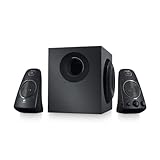
As always, I'm completely thrilled with Logitech and its products, they never disappoint. For a mid-tier speaker system, this setup is fantastic. Excellent bass/mids/highs. Love the bass control knob and headset hook in on the control speaker.
Seagate Momentus 1 TB 5400RPM SATA 3Gb/s 8 MB Cache 2.5-Inch


List Price: $119.99
Sale Price: $81.99
Today's Bonus: 32% Off
I purchased this to replace the original 500GB disk in my MacBook Pro.
Fairly simple process to replace, if you have the right cable.
In this case, I purchased an exteral USB-SATA cable, and used the standard process of creating a new boot volume on the new disk, and then did a copy/clone of the internal disk to the new disk.
Once the disk copy is completed, eject the new disk, shut down the laptop, remove the screws to open the case, 2 screws to remove the drive, unplug the SATA connector, swap the 4 screws from the old to new disk, plug it back in, button up the case and boot.
Done. Simple process. Seems to work fine.
This is a 5400RPM disk, the old 500GB disk I had was a 7200RPM. There is a noticable difference in speed when copying a lot of sequential files. For "normal" use, opening apps, saving files, etc, no speed difference.
Canon 3814B004 EOS 7D 18 MP CMOS with 3-Inch LCD -Body Only -8GB
I brought this package deal, all i can say is its the best deal i could find online and everything comes just as it shows in the picture.. I just got my camera today and I'm already loving it. Worth every penny

Sony A65 24.3 MP Translucent Mirror Digital SLR Body + 16GB SDHC


List Price: $1,599.95
Sale Price: $647.19
Today's Bonus: 60% Off
I love this camera! BUT during my recent trip to San Francisco, the electronic shutter malfunctioned by allowing only one shot; I had to turn off the camera and then turn it back on in order to shoot ONE more photo. I finished the day by using the backup camera I always carry. That night in the hotel room I used the camera menu to reset everything to the factory default settings -problem appears to be corrected. Now I have to regain confidence in the camera; wish I could give it five stars. When it works correctly, this camera is the best one I've ever owned.
VideoSecu 4 Infrared Outdoor Day Night Vision Audio Microphone

List Price: $1,499.95
Sale Price: $279.99
Today's Bonus: 81% Off
The camera is very well built, weatherproof, has a movable sun screen and works as expected for 420 TV line resolution camera. This camera is a great value for the money and the price just came down to boot. It is mounted in a high exposed location where the coverage of the 3.6mm lens provides a semi wide angle view. The 28 LED provide adequate illumination for a distance of about 35 feet. It may work at a greater distance but that is distance in my installation. The cables exit the camera out of the center of the back so there is no real way to protect them from vandalism at this point. The camera comes with a 100 foot cable 1/8 of an inch in diameter and a power supply. This cable was used in initial testing of the camera and it worked OK but I would not use this cable in the actual permanent installation because it appears too fragile. Too many bad reviews of small cables even though his one may be OK I will not take a chance. It takes hours to install the cables in my installation. If the cable fails because I stepped on it or bent it wrong it would be a major job to replace. I used full size RG59 Siamese cable with 95% shielding and 2-18 gage solid copper power lines. Camera gets a 5 star but as a set with the cable it is a 4 star.
Artograph Digital Art Projector- LED300

List Price: $749.99
Sale Price: $651.96
Today's Bonus: 13% Off
The projector is everything the manufacturer promised. It is designed for artists and that is important to me. So far I'm on a learning curve with the projector's remote control and the menu system it accesses.
One feature I often need is a one to one ( 1:1 ) projection level; the LED300 does provide it. I do not do murals so the magnification feature is normally of limited use to me. I did use the normal projector magnification level to 'blow up' an image on a canvas recently and it worked fine. I can get within 12 inches of the canvas and still maintain focus. I could get closer if I was willing to lose the focus and just do an outline for tiny images.
The LED300 illumination is quite bright even in a lit room. I usually turn the overhead light off and leave my many floor lamps lit when using the projector. It is a small unit, very light in weight and mounts nicely on the existing camera tripod I already owned. I like the USB input feature because I keep a lot of my graphic files ( .jpg ) on memory sticks. I can leave the computer alone and just plug in a memory stick into the projector's USB jack and I'm ready to project. That is an important feature for artists in my opinion. It is necessary to convert any Photoshop files ( .psd ) to the .jpg file format in order to project through this unit.
I gave this unit four stars instead of five because of the menu system that you must use to operate this device. When most artists are in their creative state of mind they are in their right brain hemisphere; the creative half of the brain. To operate this remote and control the unit via the provided menu system ( the software that runs the projector ) the artist must return to their left brain hemisphere ( the literal, linear, technical half ); leaving their creativity for a moment. I have found that I spend too much time trying to get what I want to be projected, the size I want it, the orientation I want it via the menu system.
I know this is going to be a longer learning curve than I had planned. Not only with the menu system but also with the physical positioning of the projector on the tripod; not to mention moving the easel up or down to compensate for the tripod's leg extensions. Try to imagine what I'm saying here and consider it when deciding if you should buy this or any digital projector as an art tool.
If you do feel the need for a digital projector in your art studio I will say that this is the one you should get because it is designed for artists. I cannot imagine what it would be like to use a regular digital projector in my studio; probably a nightmare.
I failed to mention the available grid overlays that are built into this device. It allows you to project your image with a superimposed grid over it. This provides an immediate visual of any distortion in the projection. If the grid is not square on the canvas then neither is the image. The correction is also provided with their built in 'keystone' correction feature. Keystone is when a projected rectangle is not square on the surface and needs to be properly oriented. Two buttons on the remote allow for keystone adjustment in either direction. Once you see it the whole thing becomes immediately obvious.
In summation I will say that I made the correct choice in the selection of the Artograph LED300 digital projector for my art work. Time will tell how ruggedly it is built and how long it lasts. I keep it in the provided small case with Artograph embroidered on the front. The carry case holds the unit, the electric cord, the power pack and the remote control in a nice tight, small soft case with a handle. A small lens cap is also provided and is a must when traveling with the projector. The printed users manual, all in English, is quite extensive and is accompanied by a disc with the same manual in many languages on it; any language can be printed out if necessary. I have not yet called the Artograph customer service number yet to see how helpful they are or not.
I suppose this would be a good place to ask Artograph to re-think their software menu system in future digital projectors that they might design. Try to get your engineers to work alongside artists so there is a balance of both left and right 'brained' people in on the development. This would be a good idea to use for the development of any new art related products. Finally, I would like the projector to be able to project any Photoshop format files ( .psd ) on my memory stick without first having to convert them to .jpg files in Photoshop. Thank you.
Fujifilm FinePix Z800EXR 12 MP Digital Camera with 5x Periscopic
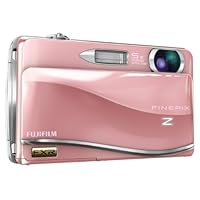
OK, I admitt that I was swayed by the touch screen and slide-cover, 12 megapixels, the FUJI name ( I own the S1800 slr, 18x zoom )and wanted a camera that would fit in my purse or pocket to always have on hand. It is so intuitive to use and the auto features help me, a non techy photographer ( although I am learning by leaps and bounds now)....great photos, easy uploading to the internet. It has become my FAV. OK, I love the metalic soft pink color too! I am blessed.I am thrilled to own this camera and paid more for it too.
Canon EF 100mm f/2.8 Macro USM Lens for Canon SLR Cameras
Prospective buyers of a macro lens for a Canon EOS system have a great first choice in this 100mm Macro. The extra length over a 50mm macro gives much better working distance (space between lens and subject) in the field, and EOS-compatible lenses by other manufacturers match poorly with accessories and are nowhere near as sharp.
Compared with the earlier Micro Motor 100mm Macro that Canon made (which I also own), the USM lens focuses *very* fast. The USM lens also can accept Tripod Collar B (by use of a small plastic adapter)--I recommend you buy the collar with the lens, as adjusting to a vertical composition with a tripod means repositioning everything. The front element is not recessed in the USM model, which makes lens cleaning easier than with its predecessor. And build quality is improved--the earlier model was prone to its switches breaking (could fix it yourself with the ordered part, but really annoying) and eventually the Micro Motor gearing gave out (no trouble so far with the USM ring motor). The USM model will work with Canon's 2x teleconverter by interposing a 12mm extension tube, allowing 2x magnification with lots of working distance, though this is not nearly as nice a solution as the 180mm lens referenced below.
I will quibble with another reviewer--Canon does make sharper lenses, and sharpness compared with the earlier model is virtually the same. But this is still one of the sharpest lenses you can buy, and ergonomically a huge improvement over its predecessor.
Having said that, Canon now has an L-series 100mm macro that is a bit sharper and has better bokeh (out-of-focus highlights). A serious hobbyist might consider that lens, though it costs about 40% more on the street. I purchased the Canon EF 180mm f/3.5L Macro Lens less than a year ago, and am very impressed with its greater sharpness and working distance relative to this lens. If you work much with small critters, take a look at that lens before making a purchase.
If you are building up a set of lenses for outdoor/nature photography and you do occasional macrophotography, this might be the first or second lens to buy. If you work significantly at magnifications greater than 1:1, consider the Canon 65mm 1x-5x Macro zoom.
Adobe Photoshop CS5
My main interest is photography and after using Photoshop Elements for many years I decided to see what Photoshop CS5 would offer. This software package comes with Bridge which is a Browser that will help you keep track of photos by adding key words, and ratings, etc. It will let you open photos then send them to Photoshop. If you shoot RAW photos Adobe Camera Raw is also included. My first impression of these three elements is very positive. I was especially impressed with Adobe Camera Raw. This very capable program will allow you to do most of the adjustments that a photographer will need to do for non-destructive adjustment of exposure, color, sharpness, spot removal, cropping and more. Bridge is great for organizing photos for projects using other Adobe software along with Photoshop. For organizing hundreds or thousands of photos I think Photoshop Elements Organizer is a little better than Bridge. I think the Elements Organizer is a data base where as Bridge is a browser so PSE Organizer will keep track of and show thumbnails photos on external drives or DVDs even when they are off line. As for Photoshop itself it is an awesome piece of software with an amazing capability. You can find plenty of reviews on-line. There is quite a learning curve for this package so I think you need to get a good book on the subject since there is none included. There are quite a lot of on-line video tutors available however. I suggest you check out the Russell Brown Photoshop Tutor on-line. He has several excellent videos free to view also check out Adobe TV, this may be a good way to review the program before purchase.
One big problem I had is this: I wanted to use my existing Photoshop Elements 8 Organizer, to keep track of photos, with Photoshop but these two programs don't play together well. When a Raw file is passed on to Adobe Camera Raw version 6.3 things work ok but when done with ACR the photo will not be passed back to the Organizer whether or not the photo is opened in Photoshop CS5. Using a JPEG photo sent directly to Photoshop seems to work ok however so it looks like the problem may be with ACR. I didn't see a way to open a JPEG into ACR from the Organizer, you can with Bridge. I sent a notice about this to Adobe support and got a reply that since my PS Elements 8 is not supported I would have to purchase support even though the problem could be in Photoshop or ACR which are supported. A web search revealed that this is apparently a bug going back several versions. One blogger was told to buy Lightroom. So don't plan on using Photoshop with Elements Organizer for raw files and don't count on Adobe support for help. You could pay for the support but may still find this fruitless. Of course you may not encounter this problem (I'm using Win 7 Home premium 64 bit). Photoshop Elements will do both Asset Management plus photo editing. To do the same with Photoshop you will need to use Bridge or a better solution for Photographers is to use Lightroom, an asset management program. The Lightroom + Photoshop option costs 10 times more than Elements alone however.
Bottom line: If you are starting out in photo editing I suggest Photoshop Elements and see if that will meet your needs. If not then move on to Lightroom which has the same capabilities as Adobe Camera Raw plus asset management however you will still need an editor. You can use the Elements Editor with Lightroom and if you what even more capabilities then get Photoshop for your editor. Photoshop, Bridge, Adobe Camera Raw has a learning curve of many hours, which could be fun. Elements also will take a lot of time but a lot of the knowledge you learn for Elements is also useful with Photoshop but plan on getting a book for either. You can learn this software on-line but I found that I would tend to bounce around from topic to topic where as a book leads you through a more logical flow. For PS Elements I used Philip Andrews Advanced Photoshop Elements 7 for Digital Photographers also available from Amazon and found it excellent. If you are a Pro or want to do graphic design then Photoshop is the only way to go. I wish Adobe would offer a photographers version of Photoshop that included Lightroom rather than or in addition to Bridge.
SquareTrade 4-Year Camera Protection Plan ($4000-$5000)
I bought their warranty as I had a bought a new to the market digital camera on ebay, and after 2 yrs and 8 months of a 3yr waranty I thought it was a lost cause, when my camera failed on vacation in China, and I had to buy another while away, ( which got stolen before I could insure it....go figure). But I contacted Square Trade on my return and to my amazement they not only responded, but sent me a UPS return label for it...... AND 2 weeks later, repaid the FULL purchase price into my PayPal account.... I was IMPRESSED to say the least!!!! I have since insured my new camera, and my laptop with them, and will also have them cover my soon to be purchased IPhone too...and am a CONFIRMED beliver in SQUARE TRADE... and all my friends know it soooo, JUST DO IT....NOW!!!!

Olympus OM-D E-M5 Micro 4/3 Digital Camera & 12-50mm Lens
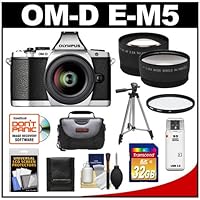
I recently purchased this for myself for Christmas and boy I'm glad I did. I've upgraded from a sony cyber-shot. I've only used the camera for less than a day but I can't seem to put it down. I've used mostly the auto settings so far and they've been absolutely fantastic pics. I've sent a bunch of pics out to my friends and most have asked what kind of camera I purchased because they couldn't get over the clarity. I look forward to really exploring what this camera can do. I'm a kid in the candy store again with this new gadget. Worth every penny. I'm also glad I purchased the bundle of goodies to go along with the camera. The case is excellent but if you need more than one lens your going to have a space issue. Other than that its great for what I need it for. The tripod is nice and light but built with good quality. It folds down to 16" and extends to 50" which is more than enough for me thus far, since I'm a novice for the time being. I hope this helps someone purchase this amazing camera. I cant say enough about it considering I just received it in the mail last night. You won't regret your purchase. Time to get clicking!!!!!
Apple Cinema 20-inch Flat-Panel Display
There was a time that I never considered buying an Apple display. I figured a Mac costs enough money, without spending $1000, or more, on a display. In late January 2005, I purchased the newest Powerbook G4 12 inch 1.5 GHZ G4, with superdrive. The notebook had nearly all the performance I was looking for, and the small form factor allows me to easily haul it around the house, or the world should I ever get to travel properly. However, I wanted more from my Powerbook, when at my desk.
Yes, I was already using my Powerbook with an external display. It was an analog Sony LCD. However, it was only 15 inches, with a resolution of 1024x768, so I actually had as little screen real estate on my external display, as I had on the 12 inch built-in display. I wanted more.
After deciding a 17 inch LCD would not be enough, I ordered the Apple's 20" Cinema Display, and I'm glad I did. Unfortunately, the box arrived beat-up, and there was even dirt inside. However, everything inside seemed to work ok, thankfully. Un-wrapping the cinema display was a joy, and I was eager to put it on my desk. The design of this display is stunning. The aluminium enclosure will please the eyes of anyone, and the back of the display is as beautiful, if not more beautiful than the front. There is a single cable that comes from the back of the display, which neatly goes through an opening on the aluminium stand. This single cable splits in the end into Firewire, USB, DVI, and a power connector that you plug into the power brick. I connected the firewire, USB, and DVI to my Powerbook, and then I connected the power to the display. Wow. It was perfect out of the box. I could never get the color profile right on my old external display, but the cinema display was out of the box the most beautiful display I had ever used. The brightness was exceptional, and it took a few days for me to get used to the brightness. Yes, you can lower the brightness with grace of your finger over the sophisticated tough-sensitive buttons on the right side of the display, but I loved the look at full-brightness.
My computing experience has been at another level, since the cinema display arrived. Whether I'm browsing the web, working in Photoshop and iPhoto, or making a movie in iMovie, the 20" cinema display and its 1680x1050 resolution is a joy to use. The display also gives me two USB and two Firewire ports directly behind the panel, which is incredibly convenient. If you're a gamer, which I'm not, you will appreciate the 16ms response this display offers.
Yes, your computer does all the hard work, but it is your display you interact with. A great display like the Apple Cinema Display allows you to get more done, with less work and effort. For example, you do not have to figure out how to fit all your Photoshop palettes on the screen, for there is plenty of room.
DVDs are quite the experience on this display as well. I popped in Shrek 2, and I was amazed by the images, but DVDs are far from the only reason you should want a widescreen. The widescreen aspect of this display allows you to work in the way our minds are designed and used to working. We read from left to right, so a display that is wider than it is long makes a lot of sense.
Overall, if you would like to save some money, there are other displays out there. Dell actually offers a 20 inch widescreen display, which compares nicely with this one, even supporting additional inputs. However, it does lack something. It lacks the beauty in design that the Apple Cinema Display offers, and it probably lacks some of the quality control that Apple strives hard to achieve. For example, Apple might reject some of the panels they use inside of this display, if they suspect quality concerns, where other manufactures may use any panel they are supplied with, without spending the time and money to ensure a quality panel. If you believe you would like to spend some money on a fantastic display to use with your Powerbook, PowerMac, or DVI-output PC, then you should not pass-up this beauty. It is truly a piece of art from an aesthetics point of view, and the images it displays are spectacular. This display will not look like "yesterday's" display anytime soon. In fact, it is a pleasure to enjoy a display that does not look like it should be part of a busy, cluttered office. This display oozes beauty and grace, and the stock Apple pictures do not do it justice. The Apple Cinema Display gives you the full computing experience.
JVC Adixxion 2 - GC-XA2 One Color, One Size

List Price: $299.95
Sale Price: $299.00
Today's Bonus: $0.95 Off
This camera has excellent video quality when recording at 1080p60. Any setting under this is pretty underwhelming. Good thing it can handle 1080p60 like a champ, right? Wrong. This camera will overheat if you record longer than 20-30 minutes, even if you set the LCD to turn off while recording. I did not experience this issue when recording in slow motion (720p120,) but the video quality was very poor. The bitrate was low and the video was grainy--barely usable. I was expecting the same 720p quality, simply at 120 frames per second. Clearly the processor cannot handle this, so video quality suffers.
When I experienced the overheating, one of two things would happen. 1) The camera would not indicate any problem whatsoever, and when you reviewed the footage later, you would find artifacts and major discoloration, (like a purple filter was applied.) 2) The camera would shut off without warning. If you leave the screen on while recording, you will see a warning about overheating. In my tests, I was using 1080p60, with or without the LCD on, and the camera mounted to a suction cup/arm from my car's windshield. I got the arm so the camera could sit back from the glass, and in the shade of my vehicle to prevent overheating. The device was not in direct sunlight. My A/C was set very comfortably as well. The camera was clearly overheating from the processor handling 1080p60 recording--not due to the environment.
I did get a chance to take the camera to the lake, and it performed admirably. Being quad-proof right out of the box without needing a case is pretty awesome. I did notice that when you got water in the microphone/speaker holes that recording and playback were affected until that water was removed. To help with this, I tended to use the camera upside-down, so the LCD was facing me in my right hand. The water would drain out faster. Video quality is great--I have no complaints there. I do wonder how long the camera will handle water, given the design. You are depending on a seal in the battery cover to protect everything. Eventually, this will fail, due to the way the cover slides into place and the nature of wearing on the rubber itself.
I returned the camera due to the overheating problems. In the manual, it states that the camera should be able to last about an hour of continuous recording at the 1080p60 setting. This seems fairly accurate, and I would also interpret that to mean the camera is capable of recording continuously without overheating. This is not the case, as I had the unit swapped out twice and all of the cameras had the same issue. If you are looking for a camera to take quick snippits of video, this JVC is hard to beat. If you need something that's going to last longer than 20 minutes of trail riding, racing, or whatever other activity you are doing, you need to look elsewhere. I purchased this camera in lieu of the Hero3 Black Edition due to many online reviews complaining of that unit being prone to overheating as well. This may be a common problems in this type of camera, but that doesn't excuse the defect. I want the highest quality available so that I have more to work with when I get back to the cutting room.
Personally, I am now waiting for the HDR-AS30V, which is being released at the end of September.