Showing posts with label the best inexpensive digital camera. Show all posts

Canon EOS 60D Digital SLR Camera Body with EF-S 18-135mm IS Lens

Canon EOS 60D Digital SLR Camera Body with EF-S 18-135mm IS Lens + 16GB Card + Battery + Case + Tripod + Accessory Kit
Customer Ratings: 4.5 stars
Buy Now
I got this package deal as it was the same price as getting just the camera and lens without all the other stuff in the package, so I figured it couldn't hurt. Everything promised is included and new, but some of the additional stuff is pretty cheap, though not all of it. The bag is pretty nice and actually larger than I had anticipated, with plenty of room for this gear and quite a bit more. The memory card is large and fast enough for HD video recording. The extra battery works fine and it is always nice to have a spare. The cleaning kit is pretty simple, but it works. The screen protector works well, you must cut it out to the proper shape though, really not a big deal. The UV filter was incredibly difficult to get threaded properly on the lens, and I will be replacing it soon with a different brand. The main weak point of the kit is the tripod. The tripod is cheap feeling and not very sturdy. As I tightened the screws to lock everything in place, the plastic pieces creaked with even slight pressure. I will use this tripod for now while indoors, but will be replacing it as soon as I can.

All in all:

Great camera

Good lens, bag, battery, screen protector, cleaning kit and memory card

Pretty bad UV filter

Very bad tripod

Still, everything but the body and lens came as a free bonus, so I don't see why you wouldn't go with this over just the body and lens. If you already have a lens that fills the space of the 18-135 in this kit, just get the body and save the money to get nicer accessories.

Update: The price of the bundle has increased, and I would strongly consider getting just the body or body + kit lens. The extra stuff was nice, but I would not have bought this kit at the current price ($100 ish more than the body+kit lens)

Click Here For Most Helpful Customer Reviews >>

Nikon 24mm f/3.5D ED PC-E Nikkor Ultra-Wide Angle Lens for Nikon

Nikon 24mm f/3.5D ED PC-E Nikkor Ultra-Wide Angle Lens for Nikon DSLR Cameras
Customer Ratings: 5 stars
Buy Now
I previously reviewed this lens. I now have second one and it appears the first was either defective or they vary wildly. Lens #1 came from eBay, due to Nikon's "we're backordered, but don't buy gray" policy. Naturally I wanted a lens with US warranty but Nikon US had none. As usual, they were all over Hong Kong but not one in the USA. So I bought a USA one used/mint condition to get a lens that Nikon would service if necessary. Cosmetically, the lens was flawless but something was amiss so please disregard my previous review.

Lens #2 is quite good or great, depending on what you want it for. The photo I see most often is a field of flowers with the lens tilted. I don't have much interest in tilting a 24mm lens but from what I see, its great for this and image quality should be super.

For architecture, the shifting is a bit of a different story. In theory, its possible to shift this lens 11.5 mm when the camera is oriented vertically. In practice, you can do this if the top of your subject occupies only the top center of the frame. If you are a critical user and your subject fills the entire top of the frame you'll probably find the top corners disappointing. (As with the previous lens, f/13 seemed to be best when shifted although f/11 was very close).

The good news is that if you restrict your shift to about 8-8.5mm the corners clean up, the illumination falloff disappears and things are sharp everywhere. If this sounds bad, it really isn't because previous Nikon PC lenses have a similar limitation where you can physically shift them further than advisable. (When the camera is horizontal you can shift as much as you want).

Mechanically, the lens is sound. Its a little front heavy and movements have to be locked which irks me because this is all due to the tilting business which adds size, weight, cost and complexity. But Canon started this and its tit for tat.

If you have a use for one of these and take the time to test it out I think you'll be pleased. Its hands down better than the Canon 24 TS (version 1) and ridiculously better than the Nikon 28PC. I still have to see if it can beat the Olympus 24 shift but haven't gotten around to it yet.

By the way, with regard to the comments that this is a "very technical" lens that takes practice or tutorials to master, nothing could be further from the truth. You point it at the subject, tilt or shift as neeed, focus, lock the movements down, lock the mirror up and trip the shutter. If you want to make things complicated you can read about Scheimpflug but since you get both visual confirmation and auto exposure, its hard to see how you could make a mistake.

Click Here For Most Helpful Customer Reviews >>

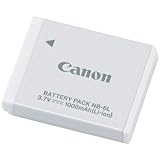
Canon NB-6L Li-Ion Battery Pack for Canon SD770IS, SD1200IS

Canon NB-6L Li-Ion Battery Pack for Canon SD770IS, SD1200IS, & D10 Digital Cameras
Customer Ratings: 4.5 stars
List Price: $59.99
Sale Price: $35.50
Today's Bonus: 41% Off
Buy Now

This NB-6L type battery (provided by cables4U) looks identical to a Canon battery, includes the Canon logo-label, and seems to work properly, but unfortunately, it arrived in a plastic bag with no other packaging. The Canon website indicates that any battery that is not packaged with the Canon hologram should be considered counterfeit. I suspect that may be the case with this item.

Click Here For Most Helpful Customer Reviews >>

Pyle PLPSE4P Parking Sensor System & LED Display

Pyle PLPSE4P Parking Sensor System & LED Display
Customer Ratings: 3.5 stars
List Price: $79.99
Sale Price: $26.69
Today's Bonus: 67% Off
Buy Now

This was easy to install and the sensors seemed to be a good design. They even give you a decent hole saw to cut the correct size hole to fit the sensor in your plastic bumper cover. It may cut through a chrome bumper too. Wiring was straight forward except display is for mounting on dashboard. I mounted mine on rear window shelf so I plugged in the sensors in backward order (i.e 4 into 1, 3 into 2, 2 into 3 and 1 into 4) This way the diplay shows which side of car the obstacle is. It does beep when you get close, then beeps continuously when you get real close (1.5 ft for mine.) My wife likes it too. I spray painted them which did not damage them. Looks Factory.

Click Here For Most Helpful Customer Reviews >>

Gateway ZX6980-UR328 All-in-One Touch Desktop PC

Gateway ZX6980-UR328 All-in-One Touch Desktop PC
Customer Ratings: 4 stars
List Price: $949.99
Sale Price: $699.99
Today's Bonus: 26% Off
Buy Now

I received my Gateway all-in-one desktop a couple of days ago (through another seller). It was manufacturer refurbished and came with no quick guide. While the PC was everything I expected and much more, the lack of installation guide almost ruined the whole system. I was impressed with less cables tangling under my desk, though I still have my old Windows Vista Jurassic at the other end of the room that served me well for 5 years. This PC identified and connected to my WiFi instantly. The display is dazzling with the brightness. Then I got to the wireless mouse and keyboard, and my nightmare began in earnest. I installed the batteries in both of them. They both would not work. After 3 hours of fruitless efforts and a couple of emails to the seller (waiting for the response), I finally located a wifi adapter hidden inside the mouse cover, to my dismay. That was after I have screwed up all the configurations inside the PC in all the efforts to troubleshoot. Then back to undo all the crap that I had caused myself by a reset. A simple quick guide could have saved me the migraine. Now the mouse, the keyboard and the entire system work just as expected and more. The installed windows 8 and the touch screen are very exciting and amazing.

Update: 4/27/13

This machine is going strong by the day. I had a minor scare 2 days. This is the story. I was uploading my updated website to the remote server and the system was going to 10 hours to complete the upload. The machine was literally at a crawl. I just could not upload to the server even after 3 attempts. Come to finally discover that to upload unto the server you may need to either stop other programs that are running or video streaming. Or you may need to just upload the only section of the website that is edited instead of the whole website contents, like I always do. Once I figured this out, my system is back to its old self. Now I can upload as fast as it comes. I love this machine....

Update: 10/3/13

I will downgrade to 4 stars. It is a good buy though. Sometimes this machine is annoyingly slow in response time. I still don't know how to speed up this machine during the slow period. It is not my WiFi connection. I have done all the maintenance required but with little change. At any rate, I like this machine.

Update: 10/7/13:

After some research on how to solve the slow response problem; I was able to zero in on some steps (on advice from a forum) to solve the problem. I went into to start up mode and disable several start ups applications that may not be critical to my needs. I disabled almost half of the start ups. Now this machine is working fine.... at least for now. The response time is faster and my productivity is per excellent. I will still leave the rating to 4 stars while I keep my fingers crossed.

Update: 10/26/13

As much as i like this AIO, I wish it could give 100% satisfaction. Sometimes it runs so sluggishly to a point of annoyance. I have to disk clean, defrag almost everyday to get it to respond normally. I keep all the updates current. I am worried this problem will continue. I like this PC but I am very worried. Looking to get a backup desktop. It may have to be another Brand name.

Update: 11/6/13

This AIO keeps disconnecting from the wifi (Internet). It reconnects after troubleshoots or disabling and re-enabling the connection. I also have a laptop with Windows 7 and 2 Desktops with Windows Vista. Also my android phone and tablets. All maintains stable wifi connections. So I guess the problem must be with the Windows 8.1 OS. All updates and patches did not resolve the problem. Anyway, I was able too zero in on the Network Adapter (Qualcom) inside this system. Two days ago, after much thought, I decided to connect (plug into the usb) one of my wireless network adapters that was lying idle on my desk. Guess what, the connection to wifi has been stable for the past 48 hours. There has been no freezing of the browsers and the internet connection has been good. I will keep my fingers crossed. i will keep the rating at 4 stars. One does not need to go through hassles.

Update: 11/11/13

Solution to the wifi continue disconnects. I think the Qualcom Adapter in this Gateway AIO may not have stable connection with my Zoom Access Point. No patches or updates will fix the problem. I disabled the pre-installed Qualcom adapter and connects an off market wifi adapter. I have not had a wifi disconnection for more than a week. Good news to me. I guess my frustration and annoyance may be over.

Click Here For Most Helpful Customer Reviews >>

Samsung UN50EH5000 50-Inch 1080p 60Hz LED HDTV (Black)

Samsung UN50EH5000 50-Inch 1080p 60Hz LED HDTV
Customer Ratings: 4.5 stars
Buy Now
Many of these TVs don't have a Samsung panel (the screen/the part that has/makes the image!)! I cannot believe this has not been mentioned. It makes a SUBSTANTIAL difference, because some panels they use should be in TV's that cost $100 less.Can you imagine buying a car because you know its manufacturer uses great, reliable engines, only to find out that they use completely different engines without telling you, all of which are of lower quality? Samsung does this with their TVs, and some of them don't EVER have Samsung panels (e.g., the 37" model will NEVER have a Samsung panel because they don't make 37" panels). Samsung uses 4 different panel types from four different manufacturers each with a substantially different technology.

You can tell which panel YOUR TV has by the "Version" on the sticker outside of the box. There's also a sticker on the back of the TV; the "Version" code is below the Model number and above the S/N. BTW, reviews can't be interpreted without the four-digit Version code because they are quite simply different TV's. Here's how to interpret them:

("x" means a number, probably from 1-4, that represents the version of that panel higher means newer but not always better).

TH0x or TS0x: Samsung S-PVA panel (possibly just a PVA, if you're less lucky): This is what you thought you were buying. Best color, best black, best viewing angles.

HS0x: Sharp ASV panel: Lower contrast ratio, more narrow viewing angle. I read HS02 in particular has terrible ghosting.

A_0X: AOU A-MVA panel: Even lower contrast ratio.

CH0x or CM0x or CS0x: Chimea S-MVA panel: You lost the lottery. Markedly worse in every way way worse viewing angle, color reproduction, etc. Just a terrible rip-off.

Mine, from Amazon, is an HS03, so a Sharp panel. I will be testing it tomorrow (DVD and watching football no Blu-ray). There is a decent chance I return it, because it is not a Samsung. Also? Sony and Panasonic do much less "panel lottery" and are vowing to stop entirely. LG does not do a panel lottery. Samsung has absolutely no plans to stop, and they only use "standards" that won't reveal a difference between the different panels.

I will update after doing more testing. I just simply could not believe that this was not mentioned. Nothing like finding out you paid $500 (40" model) for a $400 TV when that extra $100 could have been used for sound, Blu-Ray, etc.

**Other reviewers, please, update your reviews to give your version code!**

More reading:

UPDATED 10/24/12: Added info on how to find version number without the box.

Click Here For Most Helpful Customer Reviews >>

Samsung NX1000 Mirrorless Wi-Fi Digital Camera with 20-50mm Lens

Samsung NX1000 Mirrorless Wi-Fi Digital Camera with 20-50mm Lens Kit. Includes 8GB Memory Card, Card Reader, Extedned Life Replacement Battery, Tripod, Case & More
Customer Ratings: 4 stars
Buy Now
Love Love my Samasung Nx1000 Couldn't have asked for a better product. Syncs awesome with my facebook and dropbox. Would like to see a faster processor though.

Click Here For Most Helpful Customer Reviews >>

INTOVA Digital Waterproof Camera + Deluxe Kit

INTOVA Digital Waterproof Camera + Deluxe Kit
Customer Ratings: 5 stars
List Price: $499.99
Sale Price: $439.99
Today's Bonus: 12% Off
Buy Now

Great deal for the price. Easy set up. Takes good pictures and video. Control buttons are easy to use even with gloves on. I have recomended it already to other divers in our group. We've taken it on 4 shore dives to 40 ft with no problem, it is rated to go to 180 ft. so I can't see where it can't go anywhere a diver would want to go. Strap on the camera case makes it easy to move without holding onto it when your in the water. Wish I could post a few of the pictures and video that we've taken so you could see for yourself!

Click Here For Most Helpful Customer Reviews >>

Lexar Professional 1000x 64GB CompactFlash Card LCF64GCTBNA1000

Lexar Professional 1000x 64GB CompactFlash Card LCF64GCTBNA1000
Customer Ratings: 4.5 stars
List Price: $472.11
Sale Price: $249.00
Today's Bonus: 47% Off
Buy Now

Customer review from the Amazon Vine Program இ Fuzzy Wuzzy's Summary:

ѾѾѾѾѾ Highly recommended with warm fuzzies!

փ Positives:

փ Screaming fast performance, but only if your high-end camera and newer-model card reader can keep up with this card's UDMA-7 read/write speeds.

փ Supports the Video Performance Guarantee (VPG-20) specification for professional-quality 1080P HD video capture at 20 MB/sec speed.

փ Includes downloadable "Image Rescue 4" software that can aid in recovering photo and video files lost due to deletion or card corruption.

փ Limited lifetime warranty.

ჯ Negatives:

ჯ To fully take advantage of this card's write speed from the camera to the memory card, your professional-class camera must be able to write the data out that fast. And to take advantage of its read speed from the memory card reader to your computer, your card reader needs to be able to write that fast.

As both the speed and capacity of CompactFlash cards keeps increasing every year, this UDMA-7 card from Lexar yet again pushes the outer limits of read/write speeds. It was not that long ago when a "133x" CompactFlash card seemed really fast. But this ever-increasing need for speed and capacity becomes more and more important as more cameras can now record 1080P HD video, frame rates increase, and both the frames per second and continuous burst shooting capabilities of prosumer-class and professional-class cameras increase with each year's new dSLR models.

I received this Lexar Professional 1000x 16-GB CompactFlash Card shortly after I had upgraded my Canon 7D's firmware from version 1.2.5 to the latest version 2.0.0. Canon released this version 2.0.0 firmware for their 7D about three weeks ago at the start of August. Having used Canon dSLRs since their EOS D60 in 2002, I have been accustomed to a variety of Canon's firmware updates for their dSLR cameras. But this version 2.0.0 firmware update for their 7D is one of the largest and most significant firmware updates that I have ever seen. I almost feel like I have a brand new version of the 7D by just updating to this new firmware version. Included in this large firmware update is a huge improvement to the 7D's continuous-shooting buffer depth, increasing the continuous burst buffer space from the original specs of 15 RAW files to a whopping 25 RAW files. Combined with the 7D's 8 frames/second speed in high-speed continuous shooting mode, this makes the camera even more ideal for action/sports/wildlife photography and it starts to edge closer to UDMA-7 speeds. But, alas, Canon states that even with this new 7D firmware 2.0: "UDMA 7 CF memory card read/write speeds are not fully supported with the EOS 7D Digital SLR camera. If using UDMA 7 memory cards, the read/write speeds will be equivalent to UDMA 6."

To both test the improvements to my Canon 7D's continuous-shooting buffer depth and to also test how fast my 7D can write files to this Lexar 1000x 16-GB CompactFlash card, I performed a series of tests after upgrading my 7D to its new firmware version 2.0.0. These tests were performed after I freshly formatted this Lexar 16-GB card in my 7D camera and had a fully charged battery. The following measurements consist of shooting my 7D in two higher ISO settings to purposely create larger file sizes (versus shooting at ISO 100). I usually try hard to go no higher than ISO 400 to minimize noise being introduced, but I will sometimes go up to ISO 3200 for low-light or nighttime hand-held shooting, and I try to avoid going beyond ISO 3200 unless I really have to. So I performed a series of continuous burst shooting at both ISO 400 and ISO 3200 with the camera set to output either only L(arge)-Fine JPG files, only L(arge)-size RAW files, or dual Large-RAW and Large-Fine-JPG outputs.

For each of the six RAW/JPG and ISO combinations below, I list the number of images that can be stored on this Lexar 16-GB card.

For the four L(arge)-RAW-only and dual Large-RAW and Large-Fine-JPG tests below, I kept shooting the camera in high-speed continuous mode until its buffer filled up and it had to pause. During this time, I tracked the number of seconds that the camera's card status light remained lit while it was busy writing files to the Lexar card. I then recorded the total number of files that were written onto the card during the continuous burst shooting and the total number of bytes used by those files. For each of the RAW/JPG and ISO combinations, I repeated the burst-shooting three times and averaged the results. There was very little variation for the file count, byte size, and timings in between each set of three tests within a group. From the total bytes written and seconds that it took to write to the memory card, I arrived at a "Bytes/second" write speed for writing data from the camera to this Lexar card.

L-size RAW only at ISO 400

--------------------------------------------------

Maximum images that can be stored: 592

Files recorded into continuous burst buffer (average of 3 tries): 29

Total bytes of all files recorded onto card (average of 3 tries): 680,617,662

Seconds that card status light remained lit (average of 3 tries): 10

Bytes/seconds = 680,617,662/10 = 68 MB/sec

L-size RAW only at ISO 3200

--------------------------------------------------

Maximum images that can be stored: 540

Files recorded into continuous burst buffer (average of 3 tries): 23

Total bytes of all files recorded onto card (average of 3 tries): 707,076,916

Seconds that card status light remained lit (average of 3 tries): 10

Bytes/seconds = 707,076,916/10 = 71 MB/sec

L-size RAW with L-fine JPG at ISO 400

--------------------------------------------------

Maximum images that can be stored: 461

Files recorded into continuous burst buffer (average of 3 tries): 38 (19 CR2/JPG pairs)

Total bytes of all files recorded onto card (average of 3 tries): 568,274,502

Seconds that card status light remained lit (average of 3 tries): 15

Bytes/seconds = 568,274,502/15 = 38 MB/sec

L-size RAW with L-fine JPG at ISO 3200

--------------------------------------------------

Maximum images that can be stored: 425

Files recorded into continuous burst buffer (average of 3 tries): 34 (17 CR2/JPG pairs)

Total bytes of all files recorded onto card (average of 3 tries): 608,925,777

Seconds that card status light remained lit (average of 3 tries): 16

Bytes/seconds = 608,925,777/16 = 38 MB/sec

The two ISO400/3200 tests for shooting only L(arge)-Fine JPG required a slightly different approach. Unlike the above four L(arge)-RAW-only and dual Large-RAW and Large-Fine-JPG tests where my 7D noticeably paused when the camera's internal buffer filled up and the camera then waited for a short duration for the Lexar card to catch up, when shooting JPG-only, there was a far shorter pause after about 6 to 10 seconds of shooting and then the camera would quickly shoot 3 or 4 more shots followed by another very quick pause. So to measure the throughput to the Lexar card when shooting JPG-only, I kept the shutter button constantly pressed for exactly 30 seconds, and then I also timed how long the card status light remained lit. As with the numbers for the "L-size RAW with L-fine JPG" listed above, there is a speed overhead when shooting JPG, either in JPG-only mode or dual RAW/JPG output. But as the numbers below show, it is interesting that after I kept the shutter button constantly pressed for 30 seconds, the camera continued writing to the Lexar card for only an additional 4 or 5 seconds. My 7D camera's internal pipeline is the actual limiting factor in how fast it could clear out its buffer and write everything on the card. With the 7D's new 2.0.0 firmware version, Canon states that the 7D's buffer can store about 130 L(arge)-Fine JPG files. So the extra 4 to 5 seconds of latency is due to the camera writing the remaining buffer contents onto the card.

L-fine JPG only at ISO 400

--------------------------------------------------

Maximum images that can be stored: 2084

Seconds that I kept the shutter button pressed: 30

Files recorded after shooting for 30 seconds (average of 3 tries): 235 (almost 8 shots/second!)

Total bytes of all files recorded onto card (average of 3 tries): 1,619,609,533

Seconds that card status light remained lit (average of 3 tries): 34

Bytes/seconds = 1,619,609,533/34 = 48 MB/sec

L-fine JPG only at ISO 3200

--------------------------------------------------

Maximum images that can be stored: 2026

Seconds that I kept the shutter button pressed: 30

Files recorded after shooting for 30 seconds (average of 3 tries): 230 (almost 8 shots/second!)

Total bytes of all files recorded onto card (average of 3 tries): 1,732,094,464

Seconds that card status light remained lit (average of 3 tries): 35

Bytes/seconds = 1,732,094,464/35 = 49 MB/sec

From the above results, a RAW-only continuous burst write speed of 68 MB/sec at ISO 400 is quite fast, and being able to continuously shoot more than 20 RAWs at 8 frames per second is ideal for action/sports/wildlife photography, but it still does not fully take advantage of this card's 1000x UDMA-7 maximum speed capability. But my tests proved to me that (1) the new firmware update for my 7D did indeed dramatically boosted the continuous burst buffer of my 7D, and (2) even with the 7D's fast shooting, the limiting factor was still the camera and I never even once bumped up against this card's upper speed ceiling for either shooting extended 1080P HD videos at 30 frames/second or high-speed continuous photo shoots.

I currently do not have a UDMA-7 USB 3.0 card reader, so I did not test this card's read speed when transferring files from a UDMA-7-compatible card reader to a computer. Although it may matter for your purposes, my card reader's read speed is not that important to me. When I need to transfer files from multiple CompactFlash cards to my computer, I use two separate USB 2.0 card readers that are both plugged into my computer, and I just keep feeding them cards while I work on other things. I will eventually purchase a UDMA-7 USB 3.0 card reader. But for now, using two USB 2.0 card readers to simultaneously transfer files to my computer works fine for me :)

Inside this card's box package are two sheets. One sheet states that in order to use these Lexar Professional 1000x CompactFlash cards with Lexar's Lexar Media Inc. Dual Slot USB 3.0 Reader Professional (LRW307URBNA), you must download and update its firmware from the URL on Lexar's Web site that is mentioned on the sheet. The other sheet includes a serial number code for use in activating Lexar's "Image Rescue 4" software. You can download the "Image Rescue 4" software from the URL on Lexar's Web site that is mentioned on this sheet.

The downloadable Lexar "Image Rescue 4" software that is included free with this CompactFlash card is similar to Transcend's "RecoverRx" and SanDisk's "RescuePro" software. As with software that tries to recover files that were deleted on a computer hard drive, the "Image Rescue 4" scans and looks for deleted/missing files that can be recovered. If you accidentally deleted some photo or video files from a camera memory card, your best chance for success is to immediately stop using the card, remove it from the camera, and try to recover it using the "Image Rescue 4" (or similar) software. If you have taken additional shots on your camera after accidentally deleting some files, there is a greater chance that the new photo/video files may have overwritten some part of the original image data that you are trying to recover. And if the card is actually damaged or corrupted, the data recovery software may also be of no use.

௫ Fuzzy Wuzzy's Conclusion:

This is an excellent UDMA-7 CompactFlash card that is suitable for the most demanding, large and fast camera buffer, and high frame-rate photo and video applications. Most consumer-class and prosumer-class dSLR cameras currently cannot write to this card fast enough, so your money may be better spent on a less expensive UDMA-6/600x, 400x, or slower card, especially if you have an entry-level dSLR. UDMA-6/600x CompactFlash cards have been on the market now for about three years, their prices have become cheaper, and their write speeds are a better match for the current crop of consumer/prosumer-class dSLR cameras. But some of the latest professional-grade dSLR cameras, such as Canon's EOS 1D-X and Nikon's D4, are now appearing that do fully support UDMA-7 speed. Likewise, if you rarely shoot in high-speed continuous burst modes that are indispensable for action/sports/wildlife photography and you rarely shoot 1080P HD video using your dSLR, a CompactFlash card with a speed rating of 133x, 266x, or 400x may be perfectly fine for your needs, and you can use the money that you saved to buy better high-end lenses :-) because, at the time of this review's writing, this 1000x card does cost more than most other 16-GB cards and you are paying a premium for its speed when used in a camera with fast photo/video shooting that can quickly feed data into the card. Action, sports, and wildlife photography can really benefit from a dSLR that has a high frames/second capability (at least 3 or 4 frames/second), a high internal memory buffer to keep the continuous shooting going without stutters, and fast hardware to write all that data to a UDMA-7 card like this Lexar CompactFlash. With this kind of action/sports/wildlife photography, I usually capture several perfect "caught in the act" shots while deleting plenty of other shots.

But one purchasing decision that you have to consider is if your camera can write data fast enough onto this card to fully make use of its speed, or if you have a UDMA-7 USB 3.0 card reader that can read data from this card at its maximum speed. A UDMA-7-enabled card reader is inexpensive to purchase, and the high speed at which you can transfer files from a UDMA-7-enabled card reader to your computer may be enough justification to buy this card. If you have a prosumer-class dSLR and you shoot a lot of 1080P HD video using the highest frame rate, this is also an excellent card choice. And if you have a professional-class dSLR that can output at UDMA-7 speeds, this card is a must-buy!

At the present time, the 16-GB size of this card being reviewed is my favorite CompactFlash card size for the main reason that I do not like the idea of "keeping all of my photo/video eggs in just one (or a few) baskets". Even though I have never encountered a complete card failure and inability to retrieve the files from any of my SanDisk, Lexar, or Kingston CompactFlash cards (knock hard on wood), and I have only encountered an occasional rare corrupted single file here or there, I still like the idea that my complete set of images, which may include many thousands of dual RAW/JPG files and HD videos that sometimes add up to 400 GB of data for a three or four week travel outing, are spread across multiple cards in case one particular card becomes totally unreadable, or even accidentally lost. And as added insurance, during the trip, I copy the files from my CompactFlash cards onto a laptop's hard drive or another portable hard drive. Eventually, I will migrate more of my card usage up to 32 GB sizes. But I do not trust the idea of putting all the photos and videos from a 3-week travel outing on a handful of 128-GB cards just yet, because if just one 128-GB card gets lost or corrupted, I lose a huge amount of photos :-) So far, after filling up this Lexar 16-GB card with photos/videos more than 22 times, I have not encountered any glitches, corrupted files, or data loss.

Click Here For Most Helpful Customer Reviews >>

Sony DEV-5 Digital Recording Binoculars, Black

Sony DEV-5 Digital Recording Binoculars, Black
Customer Ratings: 4 stars
Buy Now
Interestingly, the Sony site doesn't advertise what the manual does;there's 3 variations;-

DEV-3

DEV-5 with greater magnification than the DEV-3 and also with GPS (when selected in the menu), carry case, lens cover, eye cups and eye cap

DEV-5K same as the DEV 5, but includes the optional external battery charger, larger battery and a couple of extra (but unnecessary) cables

To get up and recording you will need an SD card, but it's not an unusual extra purchase and you can use the binoculars without one.

The accessories included with DEV-5K would come in handy, but with normal use they're not essential.

The only significant other option would be the external monitor the CLM-V55, which makes videoing much easier when using the binoculars at any height other than eye height. BE WARNED though... the CLM-V55 is going to set you back somewhere around $400 and DOES NOT come with Sony batteries (or charger for the batteries) required to power it (why? is beyond belief).

Performance (down to the nitty gritty)

2D

The last time I used a video recorder was when it was um... video. I have to say the difference is breath taking. I plugged the binoculars directly into my Panasonic HDTV and was more than impressed with both colour and clarity. In daylight the performance is outstanding and I was more than happy with low light performance too. Zoom was easy to use. Image stabilisation worked well.

3D

I was a little concerned the lenses were too close together to get effective 3D. In some respects I was right, but in others, quite wrong as 3D when the camera was operated properly was amazing. Let me explain; In order to get a good 3D effect you will need to practice and find a balance between the distance from your subject, size of the subject and magnification (zoom). It's not hard to get accustomed to, it just needs a little practice. Don't purchase the binoculars with expectations of getting 3D from subjects far, far away such as long off landscapes, that's not their purpose. Equally though, the colour and clarity was as described in 2D, and when the 3D effect diminished, the 2D effect was still excellent and the 3D effect wasn't lost altogether. When I hooked up the binoculars to my Panasonic 3D TV with a mini to standard HDMI cable (the cable is again an extra purchase), it recognised it straight away as 3D content and played it without any hassles whatsoever (kudos to Panasonic).

ONE MAJOR DISSAPOINTMENT

You can take 2D photos, but not 3D photos. I mean, come on fellas, it's a standard MPO file that even my 3DTV recognises. Why Sony left this feature out, I have no idea, BUT IT NEEDS A REMEDY!!!

SOUND

I have no complaints about the sound... it was very clear and crisp. The mic does suffer from wind noise when outside, as does any other camera mic, but you can hook up an external mic and add a wind muff and there's a flash hotshoe you can attach it to.

The strap issue: OK, the case doesn't come with a neck strap, but the binoculars do. To me, it's not a big issue... the case has strap holders; either use the binoculars strap in lieu of attaching them to the binoculars or buy a strap. It would be logical to have the extra strap (and courteous by the way Sony), but it's not a deal breaker.

CONCLUSION:

PRO'S

Convenient to use

Useful magnification (relatively standard for binoculars)

Ability to zoom (standard binoculars do not)

Excellent video and audio

3D is amazing (with a little practice)

Can be optioned up with batteries, viewer, audio recorder

CONS:

Cost, especially if you add the options

NO 3D PHOTOS. If I'd known this before I bought the binoculars, I would have waited until it was remedied, and it's not even mentioned until you get to page 30 of the manual (that's very naughty of you Sony and it prevents you from getting 5 out of 5 for an otherwise excellent product).

Click Here For Most Helpful Customer Reviews >>

Lexmark X4550 Wireless All-in-One Photo Printing/Scan/Copy/Print

Lexmark X4550 Wireless All-in-One Photo Printing/Scan/Copy/Print
Customer Ratings: 3.5 stars
List Price: $129.99
Sale Price: $99.99
Today's Bonus: 23% Off
Buy Now

Easy to setup. Got it today and I love it. The wireless feature extends to my walk-in closet. That is where I decided to keep the printer. So far, no problems. I tried scanning and it is awesome. It lets you choose the software you wish to save your scanned document to. The copying is super easy. I mean, this is a great product overall. And, last but not least, I checked the prices of the ink cartridges, and compared to other brands, these are very affordable. Highly recommended printer!

Click Here For Most Helpful Customer Reviews >>

Nikon 85mm f/3.5G AF-S DX ED VR Micro Nikkor Lens for Nikon

Nikon 85mm f/3.5G AF-S DX ED VR Micro Nikkor Lens for Nikon Digital SLR Cameras
Customer Ratings: 5 stars
Buy Now
I use this lens at my Nikon D-5000. Bought it to take pictures of the praying mantis that lives in the plants in our backyard.

Auto-focus is amazingly fast and silent, and the vibration reduction gives me 3 to 4 f-stops leverage. Photographing the mantis, I don't apply the auto-focus most of the time; instead, I focus manually to the closest distance, and then leaning forward (using a mono-pod to eliminate vertical and lateral movement) until the subject becomes sharp. Works like a charm, but requires some practice.

This lens has a very shallow depth of field at f3.5 it measures in fractions of centimeters. The pictures this camera-lens combination generates are brilliant, with true colors and (provided the focus is correct) very sharp.

The lens is somewhat lightweight, using predominantly plastic materials. No cheap feeling on it, though, everything is well built and works flawlessly.

I like also the M/A functionality, where you can adjust/override the focus provided by the AF module manually without having to switch to the manual focus mode first; the lens has an AF/M switch, so you can operate it completely in manual mode.

The minimal focusing distance is very useful and much shorter than the most critters would allow you to use anyway. One nice feature is a scale that tells you the reproduction rate for the distance you focus at.

One small concern I had was the 3.5 f-stop instead of the more common 2.8. But in practical use, that difference is negligible, and would come into play only at some very limited occasions, like with portraits of people. Which, by the way, this lens also does an exceptional job at.

All in all, with over 35 years of photographic experience under my belt, I have to say that this is one of the best lenses I ever had. It beats some of my $1000+ lenses, that I had with the old film SLRs. If you are in the market for a macro lens for your Nikon DX-format DSLR, look no further.

Click Here For Most Helpful Customer Reviews >>

Canon EF 100mm f/2.8 Macro USM Lens for Canon SLR Cameras

Canon EF 100mm f/2.8 Macro USM Lens for Canon SLR Cameras
Customer Ratings: 5 stars
Buy Now
Prospective buyers of a macro lens for a Canon EOS system have a great first choice in this 100mm Macro. The extra length over a 50mm macro gives much better working distance (space between lens and subject) in the field, and EOS-compatible lenses by other manufacturers match poorly with accessories and are nowhere near as sharp.

Compared with the earlier Micro Motor 100mm Macro that Canon made (which I also own), the USM lens focuses *very* fast. The USM lens also can accept Tripod Collar B (by use of a small plastic adapter)--I recommend you buy the collar with the lens, as adjusting to a vertical composition with a tripod means repositioning everything. The front element is not recessed in the USM model, which makes lens cleaning easier than with its predecessor. And build quality is improved--the earlier model was prone to its switches breaking (could fix it yourself with the ordered part, but really annoying) and eventually the Micro Motor gearing gave out (no trouble so far with the USM ring motor). The USM model will work with Canon's 2x teleconverter by interposing a 12mm extension tube, allowing 2x magnification with lots of working distance, though this is not nearly as nice a solution as the 180mm lens referenced below.

I will quibble with another reviewer--Canon does make sharper lenses, and sharpness compared with the earlier model is virtually the same. But this is still one of the sharpest lenses you can buy, and ergonomically a huge improvement over its predecessor.

Having said that, Canon now has an L-series 100mm macro that is a bit sharper and has better bokeh (out-of-focus highlights). A serious hobbyist might consider that lens, though it costs about 40% more on the street. I purchased the Canon EF 180mm f/3.5L Macro Lens less than a year ago, and am very impressed with its greater sharpness and working distance relative to this lens. If you work much with small critters, take a look at that lens before making a purchase.

If you are building up a set of lenses for outdoor/nature photography and you do occasional macrophotography, this might be the first or second lens to buy. If you work significantly at magnifications greater than 1:1, consider the Canon 65mm 1x-5x Macro zoom.

Click Here For Most Helpful Customer Reviews >>
Toshiba Satellite C855-S5137 15.6-Inch Laptop (Satin Black Trax)

Toshiba Satellite C855-S5137 15.6-Inch Laptop
Customer Ratings: 4.5 stars
Buy Now
The ONLY complaint I have about this computer actually has nothing to do with the PC itself, at all. The operating system that came pre-installed is, unfortunately, Windows 8. While there are a lot of mixed feelings about the OS, I am settling the score on this end and letting you all know the facts: the laptop is GREAT, the operating system bytes. However, aside from the assault from a handful of minor annoyances, your overall experience will likely be pleasing. I bought this particular laptop for various reasons, most notably for online schooling. However, I DID take some extra time to review the processor and factory graphics for this machine and I am overly satisfied with the result(s). This is a very well-rounded machine at a very generous and affordable price. This review comes from personal experience and from the collective opinion of various friends and cohorts that have had the chance to sit down and explore this laptop with me. I hope this review helps to lighten the load of the decision for all of you!

Click Here For Most Helpful Customer Reviews >>

Panasonic VIERA TC-P50ST50 50-Inch 1080p 600Hz Full HD 3D Plasma

Panasonic VIERA TC-P50ST50 50-Inch 1080p 600Hz Full HD 3D Plasma TV
Customer Ratings: 4.5 stars
Buy Now
If you are like me and are undecided on which series of Panasonic to get here is the skinny.

1st. If you are swayed by THX certification don't be, THX certification costs money for Panasonic so they only got it for their top two series televisions, the VT and GT. The certification doesn't mean much anyways, only that THX took that specific preset and set the levels to their own specifications. You can do the exact same with custom. The ST has the exact same picture panel as the GT and using custom settings you can achieve 99% of the picture quality as the GT, the only difference is the gray scale level settings in the pro menu, 2 point vs 10 point I believe, which to the naked eye will be negligible to most viewers anyways, even to most videophile snobs despite what they say. I personally never used the THX settings anyways on my past Panasonics preferring to use my own settings with custom.

2nd. Truly, the only real difference between GT and ST is the design of the TV and the dual core processor for graphic speeds while using the browser on the GT, which I use a laptop for anyways but if you want to use this as your monitor, which I don't recommend using plasma screens for monitors, then perhaps the processor speed is better for you. For aesthetics, it's clearly a personal preference but if you like the look of the GT over the ST and it's worth the money to you go for it but don't spend the extra cash thinking it's going towards better picture quality.

3rd. Buzzing. Don't let another person's over sensitive ear turn you away from these sets. This also depends on the individual though so go to a store and turn the sound off a set and listen up close. I can understand some people are plain sensitive to sounds, sights, smells and all other manners of disturbances but the buzzing on these tvs is way overhyped. When people hear the word buzz they tend to think of a fly in their ear or metalic rattling or vibration sound but on the plasmas its more of a low humming. I can really only hear it when I have the set muted during commercials. ALL plasmas do this and if you never heard it and are nervous once you hear it you will no doubt be in disbelief what others are complaining about, it's nothing. I don't know if some sets are more "buzzy" than others but my two sets absolutely, positively can not be heard with even low volume on and even when muted and humming during muted white background scenes it's very hard to hear from in front of the set and it doesn't bother me in the slightest. If it was more of a rattle, or vibrating metalic sound I think I would be annoyed but its just a low hum during screenshots with high white levels.

4th. Image retention/Burn in. I have read that the ST's suffer from burn in more easily than past models and I think this is false based on most of the complaints seem to come from people who open up the box hook up their ps3 set the tv to vivid or game mode and start going to town only to turn off the console and switch it over to the game. That is a surefire way to have your health meter or the score of your favorite team permanently scorched into your set. If this is your first foray into plasma and have been reading about burn ins and are nervous about it just follow the advice of every site that tells you to let your tv settle in for the first 100 hours or so. Yeah that means for about a week after you got your living room Ferrari you can't really put it into full throttle yet but it's worth the wait. I always turn all my settings way down below 50, especially brightness, for the first week or so and zoom in on any game or news channel with a ticker or bug(channel logo). Image retention shouldn't frighten you, it's normal and goes away quickly if you have broken your tv in properly. These sets get better over time. These newer model sets are head and shoulders more resistant to burn in then the first models of plasma anyways. You almost have to try to burn in an image after the set is broken in but with that being said, 100 hours is the recommended time but really take it easy for a good month of regular viewing before you start gaming hardcore on it and even then it's best to use the whitewash scroll bar every hour or so while gaming. Respect the tv and it will treat you well. Don't fall asleep in front of the tv while watching netflix or blu rays, these sets have off timers and if you think you are going to crash then set the tv to turn off in 60 minutes to be safe because it's just best not to ever let a static menu or any image sit on any plasma for hours on end but even if you do it's still highly unlikely you'll get permanent burn in but the image retention will probably last awhile before it goes away, usually the amount of time it was static on screen is the amount of time it takes to disappear with regular viewing. I generally let the scroll bar run every time for a cycle before I turn off the tv at night, it takes a minute and is like getting the oil changed in your car to keep it running efficiently.

5th. Glare. If you have it right in front of a window close the curtain. If you have a lightbulb dangling in front of the screen turn it off. It's a glass screen and there will be a little glare but unless you have a light source shining directly at the tv it will be fine. Regular lighting won't bother this set at all, i.e. floor and end table lamps, most overhead indirect lights won't be picked up on screen. If you have it underneath a chandelier I guess it might pick up some glare but otherwise don't worry about the glare this tv handles light like a champ and really this set will drop your jaw in low to dark light anyways but for those sunday football games don't worry you can watch the game without being worried about seeing the sad look on your face in the screen when your team fumbles it at the goal line. This set handles glare way better than what we're used to with plasmas. And in bright daytime light the screen is more than bright enough to not get washed out by indirect sunlight like some older models.

Lastly, Calibration. Right out of the box people that have never had an hdtv before will be impressed but others who have had hdtv's may not. The preset settings, imho, have always been junk and even on tube tvs I always tinkered with the settings to my liking. There are many sites that offer calibration settings and I recommend DNice's settings but don't be afraid to dive into the custom mode and set it up exactly the way it looks perfect to you. Also, every room has different lighting so settings that may look good on one set may not exactly look the same on the exact same set in another room. You won't ruin the tv tinkering around so make it perfect for you. Advanced videophiles accept under 3 color error calibration, basically tweaking the color settings to be as complimentary and natural as possible, is the acceptable picture quality setting and with this set you can get it calibrated to below 1 which is almost reference quality, meaning this would be the set experts would reference to compare all the other brand's sets picture quality too if it wasn't for the VT. It's that impressive and you can't just do that with any brand set by adjusting the settings, not many tv's can get subtle shades and hues just right no matter how many hours you spend futzing with the settings but this set is as close as it gets. Only the VT series can offer a better picture and it's because it offers many more settings to be controlled and adjusted and you will feel those extra contols in the wallet.

Overall, the ST provides all kinds of bang for the buck. It is a vast improvement even over last years flagship model VT series. What made last year's VT so enticing was it's black levels which have been improved on with this years ST, GT and VT. You are buying plasma for it's inky blacks and deep colors that pop on screen and the black widescreen bars practically disappears into the bezel and the colors are vibrant but natural and not over saturated like they were on my G25. It handles fast paced scenes really well but I turn off the motion smoother to get rid of the "soap opera effect" and action isn't stilted or juttered at all. The detail in darker scenes and the popping of the colors is what sets this tv apart from other brands. Watching nature documentaries in blu ray on this set is jaw dropping. Even Netflix HD looks killer on this. If what you are concerned about is picture quality and believe the extra money for the GT is going to give you a better picture then save your money and get the ST. Even cnet recommends the ST over the GT based solely on the price vs picture performance. If you are on a budget but want a top tier tv ST is it but if you truly have money to spare then skip both ST and GT and get the VT and have it professionally calibrated and you may end up with the best hdtv ever made yet just ask any Kuro owner who has seen this year's VT.

Click Here For Most Helpful Customer Reviews >>

Canon EOS Rebel T3 12.2 MP CMOS Digital SLR Camera with EF-S

Canon EOS Rebel T3 12.2 MP CMOS Digital SLR Camera with EF-S 18-55mm f/3.5-5.6 IS II Zoom Lens & EF 75-300mm f/4-5.6 III Telephoto Zoom Lens + 16GB Deluxe Accessory Kit
Customer Ratings: 5 stars
Buy Now
Pics from this camera are great. Presently I am using only automatic/basic mode since I am new to DSLR. The whole bundle worth for money. But the bag and tripod not a very good quality. Seems better than similar deals. Dealer is very responsive. I would strongly recommend this product/bundle to a friend.

Click Here For Most Helpful Customer Reviews >>

EIZO Foris FS2333-BK 23-Inch Screen LCD Monitor

EIZO Foris FS2333-BK 23-Inch Screen LCD Monitor
Customer Ratings: 5 stars
Buy Now
I had previously bought a u2410 (great monitor) and was really happy with it. It had amazing color depth and screen real estate. However, for gaming I was looking for something with a faster response time. Enter the EIZO foris. This monitor is perfect. The color is amazing, the response time is fast, and it comes with a remote! This is especially handy for switching between inputs. With the dell i had to navigate a touch screen menu, but with this Eizo its at the press of one button. The color rivals that of the dell and the anti glare coating is much more uniform. If you are looking for a monitor that is amazing for gaming and everything else at this size and resolution (1920x1080) this is your best bet. I went through several monitors and this monitor came out on top.

Click Here For Most Helpful Customer Reviews >>