Showing posts with label price comparison digital camera canon. Show all posts

Casio EX-FH100 10.1MP High Speed Digital Camera with 10x Ultra

Casio EX-FH100 10.1MP High Speed Digital Camera with 10x Ultra Wide Angle Zoom with CMOS Shift Image Stabilization and 3.0 inch LCD
Customer Ratings: 4.5 stars
Buy Now
The Casio Exilim EX-FH100's four main draws over other cameras are it's low-light capability, its high speed burst photography, it's slow motion video, and it's loooong battery life.

The excellent low-light performance comes (mostly) from the back-illuminated CMOS sensor which allows for more light gathering than traditional sensors. The camera takes a better shot in low-light situations than similarly sized cameras (small sensor cameras) without the backlit sensor (Sony however has a similar sensor called EXMOR on some of its newest models).

The high speed features include both a high speed shutter that allows amazing action shots (30 shots at a rate of 40fps in burst mode), and high speed video filming for gorgeous slow-motion video (can slow 1 second down to 14 seconds at the max setting of 1,000fps).

The camera further leverages the above features for some neat tricks in difficult lighting situations, which are unusual abilities for this compact form-factor. The sensor and high speed shutter are used together for several preset modes that help in low light. "Lighting Mode" is suggested for situations where parts of the frame are bright and other parts are dim -it takes several high speed shots at various settings, then combines them for a more evenly lit image. There's a similar mode for night shots. The combination helps keep noise unnoticeable even at high ISOs.

The stereo mic is a nice plus over most other cameras (though also present on the only current competitor to this product, Sony's Cyber Shot DSC-HX5V). Other notable features are the wide angle lens, and the availability of a mode that combines mechanical image stabilization with the continuous shutter mode to reduce blur. There are also modes that use the continuous shutter to record both before and after the shutter is fully depressed, to allow you to choose a different moment if for example the person you are photographing closes their eyes or changes their expression.

Spec for spec, The Casio Exilim EX-FH100 and Sony's Cyber Shot DSC-HX5V are nearly identical. However, the Casio has a few advantages a larger aperture, longer battery life (520 shots vs. 310 shots), a faster continuous shutter mode (40fps vs. 10 fps), slow motion video, the option of RAW format (useful if you like to manipulate images with professional photo tools), and priority modes (aperture, shutter which are common but Sony omits them on the HX5V). On the other hand, the Sony allows use of the optical zoom while filming video (in movie mode the Casio only does digital zoom), has a panorama stitching mode, and has GPS capabilities with position & direction metadata.

While the basic functions are easy to use even switching from HD video to slow motion is just a toggle switch -I suggest reading the full manual on the accompanying CD. Certain things are not obvious, such as how to find the two particular video modes that allows switching on-the-fly from HD video to VGA slow-motion video (you don't use the Regular vs. HS video toggle switch for this because doing so stops the recording. For a seamless transition, you actually set the toggle switch to HS mode, and then choose a setting in the menu for on-the-fly transitions, which are then operated via the left & right keys).

Thankfully, Casio has eliminated the pointless video length limit they had put on the previous model, the FH10.

Note that while 30fps video can be up to 720p HD, and slow-motion video at 120fps is VGA quality, increasing the slow-motion beyond this (max is 1,000fps) results in decreasing the screen area displayed as a trade-off to maintain video quality at that data transfer rate. Worth mentioning here is that video can be output via the mini-HDMI out port. A composite A/V cable is included, but if you want mini-HDMI to regular HDMI, you'll have to buy your own cable.

For still shots in continuous shutter mode, it will take 30 shots (or fewer if you release the shutter button) at a rate that is selectable from a scale of 1fps over the duration of 30s, up to 40fps within 1s (yes, you are limited to 30 shots, but the rate goes up to 40fps).

I suggest you set the image quality to Fine and up the sharpness to +2 if you're going to be cropping or printing to large sizes. You'll also want to use a SDHC card that is rated "Class 6" or higher to ensure the memory can achieve the necessary sustained write rate to record HD video or high speed shots.

Click Here For Most Helpful Customer Reviews >>

Audio-Technica AT-LP120-USB Direct-Drive Professional Turntable

Audio-Technica AT-LP120-USB Direct-Drive Professional Turntable
Customer Ratings: 4.5 stars
List Price: $299.95
Sale Price: $213.99
Today's Bonus: 29% Off
Buy Now

So, what do you do when you want to get current with a new turntable

and you find the field swollen with overpriced gear and on the other

side, cheap Junk??

You shoot for a Technics SL1200....at least that's what I thought..

Sorry, but at $7+ bills-for a guy who never

spent over $170 for a turntable back in the day they were King, not going

for that. So what we have here with the Audio Technica AT LP120 USB

to be realistic, is a chinese knockoff of theFamous Technics Table.

So I bought one!

The bad first: On my unit, the finish on the top

of the turntable at three spots shows signs of the 'finish paint' not being

properly sprayed. In another words, it looks like someone took a pencil

eraser and went back and forth a few hundred times over the top finish

and wore out the finish coating. Ok,not good but something I could live

with cause it's not that bad, but, it doesnt make it look splendidly new either!

Do I want to take the time to send it back, no. I'm 51 and I still love my wife.....so

who cares????

Now the good: Ok, after reading many many Amazon customer reviews and others

on the Internet, and knowing a little bit about this thing I unpacked it, which, speaking

of packaging was good and bad. Everything was packaged very well but the styrofoam

they use broke in like 6 places, but the good news is that the turntable itself was not

damaged, nor were the parts like the counterweight and such.

Put it together and I will say, definitely, it IS a very good looking turntable!! Different in

composition than the Technics: whereas the platter on the Technics is a Part of the motor,

the AT is not. The motor is mounted well to the top plate of the TT and the Platter itself

is kinda not heavy, but is much beefier than 90% of the USB turntables out there, and at

a $200 priceline, is MUCH more than expected!! And it is brushed Aluminum and therefore

looks like the real deal, just a few oz lighter than my older Pioneer PL550's MASSIVELY

heavy platter. But that was 1976 and this is 2010, times have indeed changed.....

Now, many others have talked about the stock cartridge in the AT120. For DJ'ing

it's ok. But for TLC of vinyl for Audiophile purposes it's out of the question. I got the

Shure 97 on j&r for $59 and two 78rpm stylus's on Amazon for $22 each.(!) The stylus

is interchangable, so if you want to play 78's, just get the stylus for it and plug it into

the 97's body, re-adjust the stylus pressure and go for it!! At least that's what i've read

on the internet so we'll see if it actually happens. Worst case I'll have to pop for the 78

cartridge and have two spares, not bad actually either way.

I then ran the turntable for 13 hours at the 78 speed forward and backward to see if

the motor would fail, it Didn't. Turned it off, went to work, came home, turned it back

on, 33/45/78 all nailed-no drift, no slowdown or speed up. So Ok, the Motor seems

heavy duty, should hold up to years of use.

The tone arm is very well made and calibrated. Going down to 1 gram of stylus weight

just to see, the balance and bearings were very fluid, which tells me that if they didn't

know what they were doing, the tone arm would choke under a slight weight balancing

test-it didn't. The arm slowly went up and down with my changing oh so slightly of the

counterweight with no points of friction. Good Bearings and initial calibration at the

factory!!!

Tone arm lift is gentle going down and very firm going up, with how fast your finger

is telling it to go.

Platter is as stated solid. When going to 78 the mis alignment in the dots does rear

it's ugly head, but then again, at 33 or 45 you hardly notice it, no big deal.....

ONCE AGAIN, THIS IS A STREET PRICED $200 UNIT COMPARING IT TO A $700+ UNIT!!!!!

Very favorable imho. To get this kind of quality at a $200 realistic price point, is

very impressive. And the Technics does NOT play at a 78rpm speed. For me, this was

a major issue. I did not want two turntables to deal with!!! (Oh yeah, I'll impress people

with my $29 bsr poc next to my Mirage Speakers!!) NOT!!

And I must admit, AT did their homework. Again, not in the same OVERKILL QUALITY

league as the Technics 1200, but in all honesty, almost Overkill at a $200 price point.

Lastly, I opened the sucker to see if any screws were loose, which has been a factor

with EVERY piece of Electronics I've bought in the last 5 years that was made in china.

A B+ grade on this. Some screws needed very little tightening and the motor screws

were dead on snug! The construction inside was around 7 years behind the times

but clean. Compared to modern day factory construction of electronic gear, it wouldn't

win any prizes, but then looking at the guts of the Pioneer 550, judging it in this present

day, it wouldn't either. So there you go. For me, it fits the Bill perfectly, it's like the girl

you really think is hot except for her slightly crooked nose, you sort of accept it, but

you wish it was perfect, but you know it's not going to be. This Turntable is exactly

that. You'll probably fall for it and wish it was a Technics, but day after day, you'll

look at it and say, 'Damn, what a cool looking Turntable', and when you install that

Shure 97 and put on your old Mobile Fidelity copy of Steely Dan's AJA, you'll smile

all the way to the bank. Hell, you might even buy an extra one if Amazon ever

decides to make it a 'Deal of the Day' for a cool $100!!!! I would!!!!

I could go on for ever, but then I would bore myself to death........

Enjoy this Turntable and the Music.

MasterG

July 2010 Update:

The AT continues to rock my world. On 78's with the Shure 78 stylus, it operates flawlessly. And there have been No incidences of tonearm meandering or anything like that. This is a very good turntable and at $200 it's an absolute steal!!

December 2010 Update:

This thing is STILL Rocking! In the last two months I've purchased four Jimi Hendrix Vinyl Box sets, (West Coast Seattle Boy being one for $64!! on Amazon!!!!) and SunDazed Records 10Lp MONO Vinyl Bob Dylan set for $149!!!! (And yes, you get TWO more lp's than the Columbia box for alot less, the remastering is exquisite!!!) and more Hendrix vinyl from other retailers to pass on to my kids when I croak. And except for finding a good turntable mat, (this one comes with a felt mat, which is fine, but i'm a real nit picky type of schmuck so I search and I search for the holy grail without ever finding it...go figure.) it still is not giving me ANY problems. So, overall, after a year or so, It's still soooooooo worth the money I paid for it.

I wish you ALL a VERY MERRY Christmas!!!

Gerry

January 2011 update:

Have gotten alot of questions about hookup, obviously there are alot of people not familiar with the old fashioned record player so here it is as simple as I can put it,

This Record Player/Turntable is a Stereo 'Component', which means that you HAVE to connect it to some kind of Amplifier or Stereo/Home /Theater Receiver in order to hear your records being played. It's NOT like an iPod, which has an internal amplifier and you pop your headbuds on and your in business.

So, you can't just pop a record on this and really hear anything, you have to connect it to some kind of amplifier in order for it to work properly.

Now go and hunt down those cool records you've been dying to here!!

Gerard

Click Here For Most Helpful Customer Reviews >>

Nokia N810 Portable Internet Tablet

Nokia N810 Portable Internet Tablet
Customer Ratings: 4 stars
List Price: $439.95
Sale Price: $169.99
Today's Bonus: 61% Off
Buy Now

I bought the N810 (had been considering the N800 a long time) and this really is a great internet tablet.

I think Nokia has it right in no tmaking it a phone too (and locked down). Firstly the wifi is super on this and detects wifi better than my laptop.

The OS is very fast and spiffy and the software feels like its running on a desktop fast.

You can connect to 3G thru the phone over bluetooth (provided you have a data plan) and that gives me always connected and on status. I call my parents in India now ofrom any place using Gizmo, or Google talk . Its a great tablet for VoIP. Just have to wait some more for Skype to also work on this soon.

As a music player and Video player its superb. Great album art also included in some apps like Kagu and UKMP. Though the music quality is a wee bit lacking in comparison to a good mp3 player (like my iRiver).

It's not a PDA, so many of regular PDA apps are missing but again thanks to open source community (and to Nokia for making it an open device) you can install some basic PIM apps too.

Best of all is internet browsing for people who need access to the web a lot while being mobile THSI IS THE DEVICE. Support flash very well (and hence Youtube too).

And lastly the screen is fabulous. Very sharp and crisp and bright all web sites on the browser is very easy to read even on this small a device thanks to the screen resolution.

And lastly the GPS is good does not replace a full featured dedicated GPS device but good for a handy GPS navigation.

Click Here For Most Helpful Customer Reviews >>

Nikon 1 V2 14.2 MP HD Digital Camera with 10-30mm & 30-110 VR 1

Nikon 1 V2 14.2 MP HD Digital Camera with 10-30mm & 30-110 VR 1 NIKKOR Lens
Customer Ratings: 4 stars
List Price: $1,149.95
Sale Price: $1,046.95
Today's Bonus: 9% Off
Buy Now

To start with I do own the V1 and all the Nikon 1 lenses except for the 10-100 PD zoom. I just borrowed my friends V2 for the weekend and did some comparisons between the two to see if it would be worth upgrading to the new V2. These are only my initial impressions and only for still photography. I do not shoot video so I have no opinion on the video capabilities of this camera. I consider myself an advanced amateur when it comes to photography and have sold some of my work at local art shows and craft fairs. I use mainly a D3X and the D800 for my work but have come to enjoy the 1 series (it took awhile) for its light weight, compatibility with F mount lenses, and more than adequate image quality for those times when I do not want to carry a DSLR.

It seems that Nikon has not learned its lesson with the V1 and is still overpricing its top of the line 1 series cameras. Even with the $50 instant rebate the camera is seriously overpriced for what you are actually getting. At today's price of the V1; (Nikon is giving them away) of $299 there is no real reason to buy the V2. That difference in price is not getting you much more for the extra money that has to be spent; in fact you are giving up some features.

So what are you paying a premium price for compared to the V1:

Well you get:

An improved 14.2 MP sensor vs. a 10MP, not a big change in IQ but it is welcome. Base ISO has been increased to 160 vs. 100 from the V1. Just be aware the mechanical shutter has a maximum speed of 1/4000 of a second. If you shoot at large apertures this may present a problem in bright light. You may have to switch to the electronic shutter which has a maximum speed of 1/16,000 of a second. You get a better more direct way to access functions like white balance, ISO, metering, and exposure mode without going back into the menus. Image review can now be turned off if you desire. These items are much welcomed and are a big improvement over the V1.

Nikon adds yet another "silly mode" to the "smart photo selector" & "motion snapshot" called the "best moment capture" which allows you to pick the best frame of a 40 frame sequence. These are totally useless IMHO and should be ignored as should the auto exposure mode.

A redesigned body with a built in grip and flash. Also a rear command dial has been added which allows easier control of camera functions. The exposure mode dial has been relocated so that is less likely to be inadvertently changed. I have put gaffers tape on my V1 exposure mode dial to keep it where I want it. These are welcomed features and are big improvements to the handling of the camera.

The electronic viewfinder (EVF) seems different from the V1. During use objects seem to jump around almost like the refresh rate is not high enough and the color seems to be off sometimes. In low light it seems grainier and not as sharp as the V1. I wonder why Nikon changed anything from the V1 since the V1 has an excellent EVF.

HDR has been added to the shooting menu. IMHO Nikon should have added auto exposure bracketing rather than in camera HDR to allow the user to process their own images using an external program such as Photomatix or Photoshop instead of the camera processing the image on its own.

The camera will now provide 15fps vs. 5fps in AFC. There are some minor differences in the AF-C focus mode. There are now brackets in the "detailed" display of the LCD and EVF that shows you where your subject should be to acquire focus. Also the manual does not discuss any limitations of the AF system at the higher frame rates as the V1 manual does. Need to do more testing on that. Other than that the AF seems to be just as fast and accurate as the V1.

So far so good you say, but hold on; you are losing some things that you might have wanted:

No IR sensor in the back of the camera, if you want to use the IR remote you have to point it at the front of the camera now. The V1 had sensors in the front and back. This can be a real pain if you use a tripod since you now have to stand in front of the camera to use the remote.

You also lose the interval timer which is a nice feature to shoot time lapse photography, the feature was on the V1 but it looks like it has been dropped from the V2.

The V2 will only use the electronic shutter when you either put it in the silent photography mode or change your frame rate to greater than 5 FPS. So if you need a fast shutter speed say to take a picture in bright light with a large aperture to get that shutter speed greater than 1/4000 you have to go into the menus and either turn on silent photography or change your frame rate. The V1 allowed you shift from mechanical to electronic shutter by using the function button.

For all of you that own other Nikon equipment you will now have to buy yet another type of battery if you want spares. The V1 uses a battery that is used in the D600, D800, and the D7000. I guess that Nikon felt they were losing money because owners were not buying enough spare batteries and chargers so we have yet another battery to add to our collection.

The option for sound settings in the setup menu has disappeared. Now instead of being able to control the sound of the electronic shutter and autofocus/self-timer separately you now have a silent photography selection in the shooting menu which turns off both. In addition when you turn on silent photograph it automatically selects the electronic shutter. So if I want to turn off the beeps for autofocus but still have the shutter sound or keep the mechanical shutter active I am out of luck. If shooting flash with silent photography turned on I am now stuck with a 1/60 sync speed. In certain cases I like to hear the shutter to confirm the picture was taken but want to turn off the autofocus beeps because the beeps seem to disturb people more than the shutter sound. There should be way to control sound level for each function not just a master switch for all sound which also selects the electronic shutter. Nikon takes a step in the wrong direction.

So Nikon is giving some but it also taking back some with the feature set. I always thought that newer models take steps in the forward direction and not backwards.

But the real reason that the V2 is still not worth the extra money are the items that were wrong with the V1 and are still not incorporated into the V2. What are these you may ask?

The camera still does not have a standard hotshoe. This means that you will have to buy the 1 series flashes if want to use an external flash. Another thing that has yet to be incorporated is ability to use the built in flash as a remote commander. Since Nikon has not produced an adapter to use a standard flash on 1 series cameras you cannot use one of Nikons wonderful external flashes as a remote commander either.

Speaking of flashes, Sync speed is still 1/250 of a second for the mechanical shutter and only 1/60 of a second with the electronic shutter. My D40 had a sync speed of 1/500 of a second. There is no reason not to add either FP high speed sync to the mechanical shutter or a faster sync speed on the electronic shutter. The higher sync speed becomes very useful to stop motion in certain situations when using flash.

The Auto ISO feature still does not have the ability to for the user to input a minimum shutter speed that tells the camera when to increase or decrease the ISO. The thing that makes this annoying is that Nikons preset value shutter speed (seems to be around 1/30 of second) of when to increase ISO are still to low IMO for use on lenses without VR such as the new 18.5 mm 1.8. Not all of us are human tripods. The newer Nikons also take lens focal length into account when determining the correct ISO; the V2 does not seem to take this into consideration. So if you want to use auto ISO the camera now forces you to go into shutter priority so that you can maintain your shutter speed fast enough to prevent blur in your photographs.

The camera still does not display RGB histograms. This is totally unacceptable on camera in which costs this much and exposure is so critical to control noise due its small sensor size. The luminous histogram will not always show when a channel is blown out. My Canon S90 has this ability and it costs a lot less.

No programmable function button or user setting. There should be at least one function button that is user programmable for our shooting needs instead of only having only what Nikon thinks we need available. Also there should be at least two custom setting banks that allow the user to change from one bank to the other at will so that each setting does not have to be changed individually when conditions dictate a change in settings (i.e. switching from landscape to sports photography).

Also if you own the V1 you have probably have had to buy spare accessory port covers since they are small and easy to lose, well the V2 accessory port covers are also small and easy to lose and they are not the same.

Last but not least is that auto exposure bracketing has still not been added. Since this camera has a limited dynamic range, when you take a picture in a high contrast situation, HDR photography becomes important. Without this feature I am severely limited when I choose to use HDR because I must adjust the exposure manually which takes time and forces me to use a tripod. Nikons in camera HDR has limitations and is not as good as using a program such as Photoshop or Photomatix.

The worst part of all this is a lot of these things can be fixed with firmware updates, but Nikon has chosen not update the V1 and I do not see them doing it with the V2 either. So if you value these things in your photography do not expect Nikon to add features to the camera with firmware updates.

After weighing the good with the bad I feel that the V2 while a big improvement over the V1 still does not command the premium price tag Nikon has put on it. (Even with the $50 instant rebate) The V1 with its discount is a steal at this time and is a great camera once you adapt to it. Things like not being able to turn picture preview off or having to go into the menu to change ISO, WB, or exposure mode will probably annoy you at first but over time you tend to adapt to the camera. The V2 is also a great camera, better than the V1 in some respects, worse in others, but not worth the extra money you will need to spend to own it, remember most are going to have to buy spare batteries which are only used in the V2.

So in a nut shell if you are looking at a V2 should you buy it? The V1 price cannot be beat right now and the image quality of the V2 is not that much different than the V1. If I did not own the V1 already I would buy it in a heartbeat vs. the V2. Am I going to upgrade? No, not at this time, I am going to wait until Nikon discounts the camera to a price that is more reasonable as they have done with the V1 or wait for the V3.

Click Here For Most Helpful Customer Reviews >>

LAVA UHF/VHF Outdoor HDTV Antenna with Motor Rotor HD-2805

LAVA UHF/VHF Outdoor HDTV Antenna with Motor Rotor HD-2805
Customer Ratings: 4 stars
Buy Now
This antenna has great performance at a cheap price. It also is much smaller than most other antenna's out there. I think it does very well, pulling in anything in the 50 mile range. I have not been able to pull in anything over that, but our topography in NW alabama doesn't help that. I am impressed with performance, but the antenna rotor is low tech, hard to make fine adjustments so It is hard on fringe stations to get a good signal.

Performance is excellent, the actual antenna rotation device is sub par and could use an upgrade, I would pay $20 or $30 more for a more high tech rotor device.

Click Here For Most Helpful Customer Reviews >>

OLYMPUS digital camera TG 1 water proof protect case PT 053

OLYMPUS digital camera TG 1 water proof protect case PT 053
Customer Ratings: 4.5 stars
Buy Now
Bought this to fit on my Olympus TG-@ camera. Still getting used to underwater photography and have only used it on one dive but worked without a hitch

Click Here For Most Helpful Customer Reviews >>

Swann SWDVR-16300H-US 16-Channel Trublue DVR (Black)

Swann SWDVR-16300H-US 16-Channel Trublue DVR
Customer Ratings: 4.5 stars
Buy Now
Unit keeps rebooting constantly, no HDD flashing unit dead-on phone with operator that is "trying" to help ( I am an electronics tech) and I have explained that I have done everything with the unit as she has requested-It took an hour on the phone waiting for some one-plus the 1/2 hour "troubleshooting" the unit to get her to send me an email with the return authorization info...we'll see...

Now I am without a DVR for the 3 days to ship it and the 3-5 business days for Swann to look at it and repair it, and the 3-5 days of return shipping...

Just letting you all know what happens when the 30 days return time runs out of Amazon return policy.....

Worked great for 45 days! Would not recommend unit-who knows if I got a lemon but If I have to base it on mine it gets 1 star....

Click Here For Most Helpful Customer Reviews >>

Sony Handycam HDR-PJ650V 32GB 1080p HD Video Camera Camcorder

Sony Handycam HDR-PJ650V 32GB 1080p HD Video Camera Camcorder with Projector with 32GB Card + Battery + Case + LED Video Light + Microphone + Tripod + Accessory Kit
Customer Ratings: 5 stars
Buy Now
A simple and easy to use camera. The image stabilizing capability is amazing, the motion is smooth as if mounted on a moving tripod. Playback is crystal clear against

a wall or vertical surface.

Click Here For Most Helpful Customer Reviews >>

Canon EOS Rebel T3 12.2 MP CMOS Digital SLR Camera with EF-S

Canon EOS Rebel T3 12.2 MP CMOS Digital SLR Camera with EF-S 18-55mm f/3.5-5.6 IS II Zoom Lens & EF 75-300mm f/4-5.6 III Telephoto Zoom Lens + 16GB Deluxe Accessory Kit
Customer Ratings: 5 stars
Buy Now
Pics from this camera are great. Presently I am using only automatic/basic mode since I am new to DSLR. The whole bundle worth for money. But the bag and tripod not a very good quality. Seems better than similar deals. Dealer is very responsive. I would strongly recommend this product/bundle to a friend.

Click Here For Most Helpful Customer Reviews >>

D-Link Wireless Day/Night Network Surveillance Camera

D-Link Wireless Day/Night Network Surveillance Camera with mydlink-Enabled, DCS-932L
Customer Ratings: 3.5 stars
List Price: $139.99
Sale Price: $64.99
Today's Bonus: 54% Off
Buy Now

I purchased this camera to use as a cheep wireless IP webcam. It offers the ability to hook into your network either with the wireless WSP functionality or with an ethernet connection. It is fairly small with the camera being about the size of an iphone (maybe about 80% that size). The base allows for you to mount it in multiple settings, but be clear, this is a very simple design...not rocket science by any means. The ac power cord is about 4 feet long.

Setup: I ran into an issue when I was trying to set up the wireless connection. I could not get my camera and wireless router to talk at all. I called tech support (the free version) and they were useless. The rep had no clue about the specific devise and it is clear that he was just in a large call center that probably supports dozens if not hundreds of products. I had NO problem when I hooked it into my network via an ethernet cable. The set up application runs very nicely and easily gives you the option to select either wireless or wired set up as needed.

Back to my wireless problem. I decided that I would pay $32 for D-Links premium support for 30 minutes of help...I rolled the dice, as they do not guarantee they will fix your problem for your investment, but I had a feeling my issue was something simple with my network configuration...and I was right. The rep was great, she remoted into my pc, checked out my wireless settings on my router and determined that I had a bad character in my site name. None of my other wireless products had a problem with the character, but the D-Link cam did not like it. She changed the name of my wireless network, we restarted the router,and instantly the camera linked in wirelessly.

I am absolutely convinced that if I had not had a dash in my wireless network name, then this wireless set up would have been a breeze. So, I can't place blame for this issue on D-Link, but it was interesting that no other wireless device I use had a problem with the naming convention of the network.

Once that hurdle was cleared, it has been smooth sailing. I really like the ease of use and the functionality included with the set up...through a web interface, you can control video size, audio (yes it has a mic and sends the audio over IP in realtime), you can set motion detection, auto emailing on detection, and it even has a built in ftp server to send the images where ever you like.

Simple camera that does exactly what it says...it provides decent video and audio wirelessly to your network and then you can do with it what you want.

Pros: Simple, straight forward, nice setup application used on your pc, D-Link offers free remote viewing via their web portal MyD-link, and they also offer a free iPhone app (no audio on the iPhone app).

Cons: Seems somewhat fragile...I would not want to drop it form more than a foot off the ground. A fall from any higher seems would shatter it.

Overall I think this is a really good value.

((Update Dec. 18, 2011)

So I have had this camera in service for over a year now...and it has been installed outside, under an eave of my house. It has no additional protection from the elements...just its own casing and the few inches of cover provided by the eave. It has been subjected to all the weather Atlanta receives in a year...heat 95+, cold 9, wind, rain, humidity, etc. The verdict...GREAT..not one issue with it. So, I just purchased three more for outdoor viewing around the house. I put one into service yesterday and had NO problems with setup at all. Used the auto network connect feature on the camera and my Netgear router and it hooked in within a minute. Great little camera and with the price dropped to $70, I think it will be hard to beat it.

Click Here For Most Helpful Customer Reviews >>

CAMTREE G-51 Gripper Car Suction Mount

CAMTREE G-51 Gripper Car Suction Mount for Photography/Videography
Customer Ratings: 4.5 stars
Buy Now
This equipment is amazing! Before I bought this equipment, I've done many research on which suction car mount I should get for video. I was concern about 3 things, 1) The Price, 2) How stable would the video be, 2) the stability of the suction mount itself, how long would it last without falling off when driving...

I've came to my decision to buy the CAMTREE G-51 Gripper Car Suction Mount. When I bought it, I tested it out when shooting a friend's film. We've placed the mount on a side of a truck (shoot with T2i). The suction mount lasted for about 5 hours. It did not fall, (we took it off). The video was wasn't shaky AT ALL. It would also depends on how you place it.

It would take you some times to set up the Suction Mount on the car (depend on where). And if you set it right, the CAMTREE G-51 Gripper Car Suction Mount for Photography/Videography is worth the Price.

I've also used the same suction mount to test out the Opening (title) sequence for my upcoming short film.

Here is the link to the video, shot on T2i. vimeo.com/54955675

Click Here For Most Helpful Customer Reviews >>

Manfrotto 475B Pro Geared Tripod without Head (Black)

Manfrotto 475B Pro Geared Tripod without Head
Customer Ratings: 5 stars
List Price: $378.00
Sale Price: $349.88
Today's Bonus: 7% Off
Buy Now

I've long wanted a more stable tripod than my 055XPRO, which I think is a very good compromise between cost, portability, and stability. Most of the high-quality photo tripods out there look like more expensive versions of the same basic design. I'm sure the many reviews of the expensive variants are accurate, but I suspect there are some limitations of the design that can't be overcome with carbon fiber. Since there aren't any stores that carry high-end tripods in my area where I could try one out, I couldn't bring myself to buy what intuition suggests would be a marginally better version of what I already have.

When looking for tripods with a different design, I found some Manfrotto models which looked promising. After comparing the 028, 475, 058 & the 161MK2, I chose the 475. The weight of the 028 was attractive, but the narrow tubing means it will have a lot of flex when the third leg section is significantly extended. I also like to shoot landscapes from low angles and it didn't go low enough for my taste. The 161 looked fantastic. It will get pretty low, but it also goes crazy high. I sometimes clamp my camera to a ladder with a magic arm for some stability from high perspectives, and this tripod would have eliminated the need for that. It's strong enough to load down with sand bags for extra stability. It's also crazy heavy. While I didn't buy this tripod to take backpacking, I sometimes carry it a mile from my car to the shooting location, so weight matters. Finally, while I was prepared to spend $500 if I had to, I really didn't want to.

That left me the choice between the 058 & the 475, and it was a tough one. The one-button deployment and leveling of the 058 was very attractive, but the narrower tubing left me wondering if it would be as stiff as the 475. It also occurred to me that this is the kind of thing that might break, though this basic design has been around for a long time and I found reviews from people who said they've used theirs for 20 year and no reviews indicating premature breakage. The real argument for the 475 is price. A good tripod is very important, but it's not sexy. I wanted a Lee Big Stopper, and the price difference between the 475 & the 058 would just about pay for one. I went with the 475. (I'm still waiting for the back-ordered Big Stopper.)

The design of the tripod is good. The positional stops on the leg braces are stiff enough to stop where they should, but easy to get past when you want to. Once locked in place, they add good stiffness to the rig. Also, if they're all locked in the same place, you can release the center thumbscrew and fold in the legs regardless of the angle the legs were at. This is very convenient for repositioning the camera during a shoot. The center column operates smoothly, and won't fall under the weight of your camera if you forget to lock it.

The lower leg sections are the weak link. Once the lower sections are extended more than about 6" the flex becomes noticeable. While this isn't surprising, it is different from other tripods I've used where the center column is the greatest weakness. The first thing I did when I got the tripod was extend it to full height and was shocked by how much it flexed. It was a little less stable than the 055XPRO (with the column down), although almost 2' higher. It would be usable at that height, but not in challenging conditions.

Then I got realistic. With the lower legs sections fully closed and the center column fully down, the mounting plate is about 45" high and the tripod is like a solid block of aluminum. In this configuration with a ball head and camera on top, the viewfinder is about 52" high, which is pretty usable. Hang a sandbag from this configuration and you'll be fine for any length of exposure even on the windiest days. If you want to be more comfortable looking through the viewfinder, extend the lower legs and column about 5" each and the tripod is still solid, and is the perfect height for me at 5'11".

The center column is very stiff when raised & locked. I took a series of test shots with mirror lock-up disabled and the column at a variety of heights. The first shot I took where I could see the difference between the column fully retracted was with the column extended about 8". Of course you won't be shooting this way, but it indicates that the center column has good vibration damping ability up to about 7", and in light wind with mirror lock-up you can use it almost fully extended.

One thing noticeably absent from this tripod is a hook to hang a weight from. You could use the shoulder strap ring, but it's not well located and does nothing to dampen the center column vibration. The moveable part of the center column is equipped with a 3/8-16 stud on the bottom. This can be used to mount your ball head upside down to get very low angles or you can put a lifting eye on it to suspend a weight. Look for a lifting eye small enough to go inside the column tube (it took me a while to find one) so you can leave it on all the time.

All-in-all I got what I wanted, a very-stable, somewhat-portable tripod for a reasonable price. I wouldn't recommend this as a first tripod unless all your shooting will be studio portraits. Once you've got a quality portable, this is a good upgrade for studio or on location when you won't have to carry it very far.

Click Here For Most Helpful Customer Reviews >>

ARCHOS 43 Internet Tablet 16GB

ARCHOS 43 Internet Tablet 16GB
Customer Ratings: 4 stars
Buy Now
This is a video demo and testing of the Archos 43 16 GB Internet Tablet. Overall, I am very happy with its improvements over the Archos 5 IT. I have also changed the rating to a 5 stars after updating the OS to Android 2.2 with the Adobe Flash 10 player installed. This gadget rocks !

12/21/10 update

I have been using this gadget on a daily basis since my original post for checking emails and surfing the web for news in the morning while still lying lazy on my bed. So far so good and it has replaced my iPhone for such use as it is lighter and has a wider display for full web-site surfing. The only issue I have is the short battery life which I have to circumvent by disabling the Wifi when not in use.

Overall feel and handling

The unit is extremely light and fits easily in a shirt pocket. It is much more portable than the Archos 5 IT and even the i-Phone. The single-touch resistive screen works quite nice also. I also noticed that the camera has a small clear plaster cover on it which should be removed for better recording.

OS and applications

12/01/10 Update

Updated OS to Android 2.2 ! This gadget is a lot more stable and works faster after the update. We would need to reinstall the latest Google Marketplace app from the Archos fans site as the previous version does not work with Android 2.2. The Adobe Flash 10 player would also needed to be installed (from the Google Market place) in order to view flash videos from the websites.

Archos 5 used to have an application called Thinkfree office installed which allowed us to view PDF, excel, and word document. I am not able to find this same application on the Archos 43. However, this application and the Adobe viewer could be downloaded from the Google Markletplace. Do some research on the Archosfans website and you would be able to get the instructions on installing the Marketplace app.

Video and display

The display is very nice and sharp. In the demo video, I also showed a side-by-side comparison between an i-Phone and the Archos 43. The display area for the Archos 43 is 32% larger than an iPhone. Whereas the Archos 5 IT has a 65% larger display area over the iPhone with its 4.8" screen. Even though the display area is not much larger than the iPhone, the viewing experience is notably different. The video camera recording is of average quality. It does OK in well lighted area but the video is pretty grainy under poor lighting conditions. I also found some issues with the Amazon's Kindle viewer. The right side text was chopped off by the menu bar.

Sound

The external speaker is much better than the Archos 5 IT and produced much more sound in comparison.

WiFi and internet connection

There are major improvements in the Wifi connection as I experienced no trouble connecting the WiFi to my home wireless network. This was the most annoying problem I had with the Archos 5 IT.

Batteries

Charge time is much better than the Archos 5 IT. Took about 2-3 hours for a full charge. It lasts for about 2-3 hours of constant uses. If we leave the Wifi on, it seems to drain the battery charge rather rapidly. I did another benchmark testing by playing only video with the external speaker at 50% volume. It ran for a good 6-7 hours on a full charge.

It uses a standard micro-USB cable for connection to the PC.

Overall, I am quite pleased with this gadget particularly its light weight and larger screen size than my iPhone.

Click Here For Most Helpful Customer Reviews >>

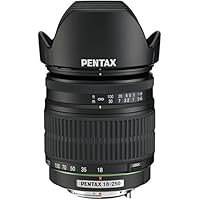
Pentax DA 18-250mm f/3.5-6.3 ED AL IF Lens for Pentax

Pentax DA 18-250mm f/3.5-6.3 ED AL IF Lens for Pentax and Samsung Digital SLR Cameras
Customer Ratings: 5 stars
Buy Now
I received the 18-250 prior to Christmas and used it throughout the Holidays taking about 500 snapshots, both with and without flash. What a workhorse this is! All the way from ultra-wide to fully extended, it was a consistently excellent performer. My K10d focused quickly and sharply starting with photo number one. Although I'm no professional, I do have a stable of pretty nice glass including the DA 21mm Limited pancake, the DA 16-45, & the FA 50mm 1.4 prime. (Also owned the DA 18-55mm and the DA 55-200mm zoom which I've already sold). The clarity and sharpness of the 18-250 rivals the 16-45 (beats the 55-200 hands down) and -to my eyescomes close (but not quite) to the excellent primes, though obviously not as fast. Alas, my 16-45 is now completely redundant and I put it on Ebay today. When you consider the excellent performance of this lens all along the length of its tele range, I believe that it truly could become a do-it-all replacement for most of your medium range zooms while doing a very respecable job at the 18mm wide angle. This lens surpassed all of my expectations and I give Kudos to Pentax for offering this in their digital lineup. Wish it had been there earlier and I could have avoided the expensive migration. I've heard comments that it is a bit pricey I don't think so. It represents great value in a high quality optic that can cover a wide range of photographic opportunities. My prints and slide shows resulting from the 18-250 mounted to my K10d are vivid, sharp, and colorful and have made my photography hobby more joyful and enjoyable than ever. People are impressed with how consistently beautiful & clear my photos are. And isn't that really why we shutterbugs enjoy making memories with photos? If you can get one, try it. . I think you'll love it. It really deepens my appreciation for the reasons I chucked the point-and-shoot digitals for the flexibility and superiority of the DSLR. Cheers.

Click Here For Most Helpful Customer Reviews >>

Samsung H205 Full HD Camcorder with 32GB Internal Memory & 20x

Samsung H205 Full HD Camcorder with 32GB Internal Memory & 20x Optical Zoom
Customer Ratings: 4 stars
Buy Now
I'm impressed with the features of this video camera. It's smaller than my previous samsung camcorder. The buttons are placed in a way that would make it a bit annoying for a person with large hands to hit record or zoom. I was a bit worried about the mechanical noises and bad microphone that other people have complained about. This model didn't have any of those problems though the mic isn't as good as my Samsung SC-MX20 but I'll deal. The picture quality is pretty good even in lower light settings. At 1080i, the picutre quality doesn't suffer much with motion. If you use something like premier pro, you can easily deinterlace the footage. What I'm impressed with over my previous samsung device is the ability to focus while recording video for more professional results. The magic finger touch is a neat little tool that allows you to focus more on a subject by just pressing on the touch screen. There seems to be a soft focus around the edges of the footage when the magic finger touch is used which is something that I like.

My annoyance with this camera is the inability to connect to a mac. I have no need to use the built in software that comes installed already, but I have to transfer files to an SD card and pop that into the mac SD card port in order to view and edit the files. Mac doesn't seem to connect to the camera at all. I will continue to look for a fix but as for now, it's unresolved.

EDIT!! The usb may have been the problem. It uses the same type of usb as my previous camera. I plugged that one in and I was able to access the files without a problem.

Click Here For Most Helpful Customer Reviews >>

Panasonic LUMIX DMC-LX7W 10.1 MP Digital Camera with 7.5x

Panasonic LUMIX DMC-LX7W 10.1 MP Digital Camera with 7.5x Intelligent zoom and 3.0-inch LCD - White
Customer Ratings: 4.5 stars
List Price: $399.99
Sale Price: Price Unavailable
Today's Bonus: 13% Off
Buy Now

Wow, this was a tough upgrade decision. Sony's RX100 is superb competition, and I was certain *IT* would be the camera that pulled me out of the Panasonic camp (I also own an old Panasonic DMC-FX50 "bridge camera" in addition to an LX5, which replaced my LX3 -plus my wife kept a Pana FX35 in her purse before she switched to Sony's slim TX9.

Despite keeping these few cameras around (really just the 3: the FX50, the TX9 and now the LX7), I'm just your Joe Average photographer, shooting mainly the kids, family/friend gatherings, special events, and some home construction-type projects, and other hobby interests.

And what I've ever really wanted out of the LX series is a compact, low light-capable camera with a respectable set of manual controls. Exactly what the SONY RX100 is with its huge sensor, and of the two, it is unquestionably the better performer for indoor shooting situations of fast moving kids, compared to the LX3 and LX5.

If that were my only criteria, I'd have never ordered the LX7, and might be typing up my thoughts on the RX100 instead. But maybe my four years of familiarity with the LX3/5 got the better of me. Maybe I'm just a sheep with a Panasonic logo branded on my flank. But there were a couple of sore points with the Sony that just plain made me unsatisfied. Rather than trash the RX100 (not my intention), here's my list:

There's no escaping the benefit of the wide 24mm lens on the LX series. Not to mention the handy aspect ratio mode switching right on the bezel. And I use the 1:1 aspect ratio more than I care to admit.

The Panasonic's hot shoe is a hot commodity when I need it. I have a Metz 36-AF4O (since replaced by the Metz 36 AF-5, I believe) which is about as big as the camera itself, but provides more than adequate light with bounce capabilities.

Two of my gripes with the LX3 and LX5 were the difficulty of adjusting manual settings via push-button & thumb dial inputs. The LX7's aperture ring and dedicated manual focus lever have addressed this, with varying degrees of satisfaction.

I get to keep my LX5 spare battery, which isn't such a huge deal, but just know that its shelf life is spectacular. Although my predicted number of shots between charges has decreased, per the manual. Nothing drastic; still great battery life.

Most importantly, the Panasonic LX7 has a certain ease and quickness about it -probably due in part to my use of its predecessors -and combined with the newly added manual controls, it feels to me the design is finally at a point where I can set up various shooting solutions with a minimum of fuss and button pressing, nearly (but not quite) like my SLR days many years ago. The "user experience" of the Sony, by comparison, felt a little too menu driven and sticky.

Where did Panasonic fall short with this new model?

For one, the image quality really hasn't changed. My thoughts are that the LX3 was excellent, but the LX5 tended to focus a little soft -although nothing that stood out horribly amiss; maybe within the normal manufacturing variations? I don't want to speculate on sensor sizes or type playing a role, but I can attest Sony's RX100 shoots a "cleaner" or "crisper" portrait-style photo -although that difference disappears once the image is downsized for printing/sharing.

There's still no remote. Or cable release. Or Bulb mode. Can't tell you how much I enjoy those features on other cameras. For the LX5, I have a cable release adapter that slides into the hot shoe and extends an arm over the shutter release for a cable release to activate, but the hot shoe has been realigned on the LX7 so it no longer works.

I continue to have trouble reading the silver-on-silver symbols etched onto the 4-way keys.

If you're one to complain about the lens cap (I'm not, but I know a lot of LX users HATE the thing)... well, it's still here, and it's smaller than before, making it a little more difficult to clip on/clip off.

I once committed to never buying a camera without a tiltable display, but that's just not an option. All things considered, the LX7 display is not as bright at the RX100, but is very visible in all but direct daylight, and viewable from off angles without the colors inverting.

What did Panasonic get right with the LX7 update?

The redesigned lens is noteworthy. It's a definite improvement over the LX5 for indoor shooting, and that extends through the entire zoom range (still only 90mm, which was an improvement over the LX3). I find that I take the vast majority of my photos on the wide end of this lens, but in low light settings, I've been forced to if I'm trying to avoid using the flash. With the lens redesign, I've got a little more flexibility in my zoom before resorting to higher ISOs.

IC? Firmware? Who knows! The camera is snappier than its predecessor, in all aspects: start up, menu navigation, auto focus delay, and shot to shot. It gets shots off near instantaneously. And the kicker is a burst mode!

I can't say I was disappointed by the 720p video of the LX5, but full HD video is a treat -especially with memory prices as cheap as they are compared to two years ago.

Finally, a dedicated white balance button on the 4-way controller! (Panasonic eliminated the "Focus" key featured on the LX5, and also added burst mode selection to the shutter self timer key.)

I'm very excited about the inclusion of a time lapse feature. This was overdue.

The clickable, dedicated aperture ring, especially, and the manual focus lever, sort of (light applause -needs something more "ring like")

The mode wheel is substantially firmer, preventing inadvertent turns while in the pocket.

Some random thoughts on the Sony RX100: It feels a little "rough" at startup (i.e. not-so-smooth lens extension, kind of rough feel & sound), and starts up about a second slower than the Panasonic, but not having to remove a lens cap negates that. Zoom time from full wide to full tele is about one second snappier on the Sony. I felt that the Sony's auto white balance "got it right" more often than the LX, but the custom white balance is at minimum one level deep into the menu (if set to the Fn key). Shutdown immediately after snapping a pic is an agonizingly slow 5-6 seconds for full lens retraction; 3-4 seconds if the camera is already at idle. And not so much a dig at Sony as a kudos to Panasonic, but with the 28mm constraint on the wide end, switching from 4:3 to 16:9 simply crops the top and bottom of the frame, whereas on all the LX cameras with their unique sensor usage, I actually gain extra pixels on the sensor to help compose the shot I want.

Panasonic's history of product support HAS to be a consideration. They released mid-cycle firmware updates for both the LX3 and the LX5, and with the unexpected LX3 update in particular, added new features -not just bug fixes. (Wish I could say the same about the FX50, but that's a story for another day...)

I wouldn't be so bold as to recommend the LX7 over the RX100, but only want to give a little insight via some of the features I hold in high regard. They both definitely have their strong suits. If you're at all familiar with the previous LX cameras, you have a solid basis for understanding the LX7 improvements, as well as its shortcomings. That certainly didn't stop me from happily purchasing the RX100 before giving the LX7 a chance to hit the streets, but by doing so I immediately proved to myself that there is still no "perfect camera," and with the compromises that I had to accept, my preferences fell mainly back to the LX line.

Click Here For Most Helpful Customer Reviews >>

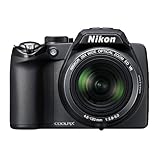
Nikon Coolpix P100 10 MP Digital Camera with 26x Optical

Nikon Coolpix P100 10 MP Digital Camera with 26x Optical Vibration Reduction Zoom and 3-Inch LCD
Customer Ratings: 4.5 stars
List Price: $399.95
Sale Price: $298.99
Today's Bonus: 25% Off
Buy Now

This is a very versatile camera and responsive to most needs. It has a good macro range to go along with a super zoom range. It compares well to a Panasonic DMC-GH1 which has a much larger sensor and more expensive optics (the lens alone is twice the price of this Nikon). The Panasonic also produced higher saturation and contrast shots in default mode and this gives the appearance of higher resolution. The Nikon gave a truer auto outdoor color balance and more natural contrast. Even at ISO 800 it was very sharp. You can enlarge a few test shots at the DPReview forums by searching for "Nikon P100 test shots". or if this works:

The two highlights that amazed me were the Nikon's focusing indicator system. It is so cool that when you shoot a bouquet of flowers the display shows you each blossom chosen by the matrix focusing system. You click the shutter with the knowledge that it is choosing what you want. Wonderful. The second highlight is the range of the optics from good macro, nice wide angle, and amazing telephoto. Please see the photos I uploaded showing how well this camera compares. What the Nikon lacks mostly comes down to smooth tones and fine detail at high ISOs; and this is only because it is being compared to a large sensor camera. The images would easily pass a fairly critical viewer on an 8x10 print and seem to be better than previous cameras with this size sensor.

Pros (so far):

Great focus indicator system, Display shows small green squares over selected objects for focus = ready to shoot, red square = not ready

Light, easy to hold good fit to my medium sized hands.

Articulated screen seems more natural than the swing out to the side screens (aligned with lens)

Quick access to shoot videos, focus tracking option, slow motion (lower res 240 fps),

Hugh zoom range and quite fast action, 1½ ++ second end to end

Outdoor sunlight colors quite natural

Very good resolution lens for this price range and favorably compares to much more expensive lenses (see above photos, several are pieces of 16 x 20 prints)

Very good macro versatility (see blowup of portion of terry towel above)

Adequate viewfinder but very contrasty, necessary info in viewfinder.

Cons (so far):

When shooting a video the focus is not able to keep up with the zoom (I reduced my rating because of this).

No RAW image option (less important with tools like Corel Image Adjustment Lab that gives me color temperature correction on jpg)

Lens cap rather than auto protect system, must remember to take it off before turning on camera (your notified when you forget)

Must use the menu system for several settings (ISO, color balance), slower but OK (hats off to the Canon G11, Panasonic)

Fast zoom over big range means it is tricky to accurately crop a shot (same with others though) Would love to see a 'nudge' feature for small changes.

Color balance with my photo fluorescent lights was tricky to dial in

Quick shutter in most situations but not all

No hot shoe for accessories and external flash

Only an adequate viewfinder

Minimum aperture of f8 (standard for cameras in this class, but would love to see it improved)

Screen does not 'self protect'

Must manually switch viewfinder verses LCD, simple one push button though

Click Here For Most Helpful Customer Reviews >>