Showing posts with label nikon compact digital camera reviews. Show all posts

Sony Cyber-shot DSC-HX20V 18.2 MP Exmor R CMOS Digital Camera

Sony Cyber-shot DSC-HX20V 18.2 MP Exmor R CMOS Digital Camera with 20x Optical Zoom and 3.0-inch LCD
Customer Ratings: 4.5 stars
Buy Now
First, I didn't buy this from Amazon. I was walking around my local electronics store and played with it and bought it. Overall this is a good improvement from the HX9V. Few months ago, I purchased a Canon PowerShot SX260HS for $349.00 (you can get it for $299 now) and it's one of my favorites. How does the SX260 compare to this camera?

Resolution:

The Sony is an 18MP camera, Canon is 12MP.. besides the bigger JPG size, can't tell the difference both look decent when printing on 11x17..

Size/Weight:

Both are nearly identical. The Canon weigh 8.5oz, the Sony 8.8oz

Zoom:

Both have 20x optical zoom, but in comparing pictures, it looks like the Canon's optical "zoom" is closer. Canon has a combined 81x digital zoom, Sony's 40x. Canon's 81x combined digital zoom sounds nice, but there's so much noise that it may not be worth using. With the Sony, even at 40x the picture is still acceptable.

Flash Control:

With the Canon, you can adjust the flash power, with this, you can't....major disappointment especially for a camera that cost $399.00

Menu/Navigation/Ease of use:

This is more of a preference. I used Canon and I used Sony; personally I like the Canon because I think it's more logically ordered

Flash position:

Both are pop up flash. I know it's going to require people to change their grip but I kind of like the pop up flash.

AWB (Auto White Balance)

This is one area that I think Sony made a big improvement with this camera. The AWB on the HX9V was terrible and required manual tweaking. The Canon does a very good job with the AWB. I used this Sony for about a week and went through about 500 shots. The AWB has NOT missed it's mark; not even taking photos indoor with florescent lighting that can cause yellow tinting with improper AWB.

Speed:

One of the reasons why I got rid of the HX9V was because of the slow processing speed. This camera, the image processor performance has improved quite a bit. With the HX9V, it would take up to 6 seconds to save/process images. With this, I think the longest was 3 seconds. The speed is on par with the SX260.

Picture Quality:

In auto mode, the Sony does an excellent job reproducing accurate colors. The colors are more natural looking, but on occasion (especially in landscape mode) the blue and red looks amplified.

Manual Controls:

This camera DOES NOT have a "Shutter Priority" and DOES NOT have a "Aperture Priority" mode! The Sony's manual mode is practically useless. Sony what were you thinking!!! Canon has the Aperture and Shutter mode, and the Canon's manual mode give you more control although it doesn't compare it with a DSLR

ISO Speed:

This Sony goes up to 12800 AMAZING!!!... the Canon comes no where near this..

3D Feature:

I don't have a 3D TV so can't comment on it. I did try to take some 3D pictures (supposedly you can now view 3D pictures on the LCD screen; something the HX9V was not able to do) but I don't think it's working correctly, or maybe I just can't tell the difference. The Canon has no such feature.

Video Quality:

Sony's video quality hands down. This beast is fast capturing full HD. One of the thing I loved about the HX9V was the video quality. It was perfect for those quick moment. This Sony looks just as good if not better.

Memory Card:

The Sony has built in memory, it's not much but better than nothing. I used a Patriot SDXC and a SanDisk SDXC, performance identical. The SanDisk cost twice as much as the Patriot because it's suppose to be faster. I can't tell the difference, and neither can my cameras. Both camera recommends Class 6 of higher, but if you plan to record video, go for the Class 10. A 64GB card can capture close to 10,000 picture.

Battery Life/Charge:

With the Canon, I got about 250 shots before the battery indicator started flashing. The Sony was about the same based on mixed use. One thing about the Sony is that it DOES NOT come with a battery charger. But, you can charge it with a micro USB able. Call me old fashion but if you're going to charge $399 for a camera give me a battery charger! The Micro USB charge may not be a bad thing if they didn't put the port on the bottom of the camera. So when you're charging the camera has to lay on it's side. As others have commented, you can buy a decent aftermarket charger for under $5.00.

Live Mode:

The Canon has a dedicated "live mode" that allows you to adjust the color on the LCD screen before snapping a shot; kind of like a "what you see is what you get". Sony has this built into their auto mode. Press the down navigation wheel to activate this feature.

Scene Modes:

With the HX9V, the scene modes were terrible; the difference were so subtle. This Sony is a HUGE improvement. With the Sony, you can see there IS a difference now. I am especially impressed with the "food" scene. With this mode, when you take a picture of food, it's suppose to enhance the color to make it more appealing. With the HX9V, it's a gimmick, but with this it's a 180 degree improvement. My best description of this is when you see those professional pictures of food at restaurants, this Sony can produce that type of quality. Canon does a good job with most of the scenes, but I prefer the Sony now. The Auto and Super Auto mode works great. For the regular outdoor or well lit environment the Super Auto won't be much difference. For those complicated lighting situation, the Super Auto does a better job. But the Super Auto mode will take about three seconds to process the image. With the scene mode, just because its designated as a "food" mode does not mean you just use it to take pictures of food. I used the "food" mode to take other beautiful indoor pictures that are not food (without flash) at fancy steak houses, and they came out beautiful. The difference with this mode (and the ISO mode) is that the food mode enhances the colors a notch making them appear more vibrant.

Defcocus Mode:

One of the feature I like is the defocus feature. This is one feature that distinguish this camera from other Point and Shoot. With the more expensive DSLR camera, you can take a picture where the portrait is in sharp focus but the back landscape is blurred. Sony does a decent job with this (in fact, I haven't seen this feature on any other brand camera). This feature does not work with the flash because what the camera does is take two shots and combine them to create this effect. But do note that when you use this mode, the LCD screen will tell you how far the subject should be and if you ignore it and take a picture, the Defocus will not work (you still get a decent picture though)

LCD Screen:

Both units have a 3-inch LCD screen, but I think the Sony camera has a sharper, clearer display.

GPS:

Both units have GPS, I haven't used it on either units though.

Camera Body:

The Canon has a more solid feel to it. The HX9V had an "expensive" look and feel. With this Sony, it's just all black and nothing to distinguish this camera for others. The Canon has that expensive camera look and feel, but this Sony does not. It looks plain and boring.

Cost:

The Sony cost $399, Canon cost $299.00, $100 difference.. Is this camera worth $100 more than the Canon SX260HS? You decide...

Sony, if you want me to rate this 5-Star, please do the following:

1. Put the Shutter and Aperture mode back in this camera

2. Give me flash exposure control

3. Give me a battery charger

4. And, give it to me for no more than $349

Click Here For Most Helpful Customer Reviews >>

Ikelite Compact Housing for Canon PowerShot S95 Digital Camera

Ikelite Compact Housing for Canon PowerShot S95 Digital Camera
Customer Ratings: 5 stars
List Price: $350.00
Sale Price: $324.95
Today's Bonus: 7% Off
Buy Now

I purchased this housing for our new Canon S95 to accompany us on our honeymoon this May. Selecting the Ikelite housing was the next best decision after deciding to go on a Western Caribbean cruise. In addition to the housing, we also purchased the Ikelite W-20 wide angle lens (a must have!) and an Ikelite tray and arm to make handling a lot easier. We didn't spring for a strobe so we planned on shooting natural light.

We chose the Ikelite housing over the Canon housing because Ikelite is known for solid products and the Ikelite housing appeared to be better constructed with more rugged knobs and parts. We were correct. The Ikelite design is solid. The buttons are easy to use, the camera settings are easy to control underwater, and the whole setup is intuitive. In addition, I feel safe putting the expensive S95 inside. The O-ring is easily visualized to ensure a tight seal with nothing obstructing the O-ring contact with the body.

The one downside is that while you can control the front ring function quite easily, you loose the ability to control the rear ring. I don't see this as a huge downfall unless you are planning to shoot full manual (I shot mostly shutter or aperture priority). Even so, you are still able to control the setting of your rear dial using the left and right buttons. I don't see the need to spend significantly more money on the FIX Housing which retains the use of the rear wheel.

Overall, the housing is awesome, the camera is awesome, and for a "intermediate" level setup, this combination is capable of taking professional shots. Being able to shoot RAW with a point-and-shoot is a definite win for underwater photography enthusiasts. Your friends will be amazed, just take the time to read the housing user manual and also experiment with the camera in the housing above water. Now you that you have master UW photography, you will also need to master the art of RAW photo editing :) You can't loose with this housing/camera combination!

Click Here For Most Helpful Customer Reviews >>

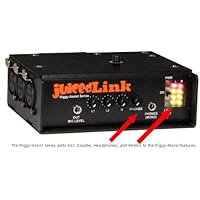
JuicedLink Riggy Assist 3XLR Low-Noise Preamp for DSLR Cameras

JuicedLink Riggy Assist 3XLR Low-Noise Preamp for DSLR Cameras, AGC Disabling, 48V & 12V Phantom Power
Customer Ratings: 4 stars
Buy Now
Only reason I gave it 4 stars is they ask you to go to website for small manual. Really? for $500 you couldn't print the page.

Much more techy and options than my Beachtek DXA-SLR PRO but the mounting is a disappointment (hex wrench) Cork instead of rubber. Battery compartment is so tight under camera, need to use screw driver to release and open.

Click Here For Most Helpful Customer Reviews >>

Canon PG-210 XL CL-211 XL and 4-Inches x 6-Inches - 50 Sheets

Canon PG-210 XL CL-211 XL and 4-Inches x 6-Inches - 50 Sheets
Customer Ratings: 5 stars
List Price: $49.99
Sale Price: $39.99
Today's Bonus: 20% Off
Buy Now

I say relatively because ink cartridges are always overpriced. Having said that, this is the cheapest way to get ink for your Canon printer. First, the XL cartriges are the cheapest per mL of ink. Second, it's actually slightly cheaper to buy them both in this bundle, and the paper is essentially thrown in for free. So, unless you only need one cartridge or the other, this is a no-brainer.

Click Here For Most Helpful Customer Reviews >>

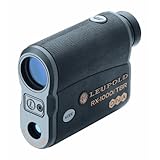
Leupold 112179 RX-1000I TBR W/DNA

Leupold 112179 RX-1000I TBR W/DNA
Customer Ratings: 5 stars
List Price: $499.99
Sale Price: $398.17
Today's Bonus: 20% Off
Buy Now

I spent several months looking at Laser Rangefinders. I am an Oregon Master Hunter and hunt year round. I hunt in the mountains of Oregon where the animal you are hunting is both illusive and quick. I needed a rangefinder that was easy to use, quick to range, account for slope and weight of projectile, and easy to read results. It also had to be rugged and waterproof. After trying many many rangefinders I selected the Leupold RX-1000i, it met all of my criteria and has all of the features I wanted. There are some more expensive and some cheaper, but with this one is well worth the price and has all of the features any hunter needs. I liked it enough I bought a second one for my Son who hunts in Texas and here in Oregon with me. I would recommend the Leupold RX-1000i TBR, DNA to anyone.

Click Here For Most Helpful Customer Reviews >>

Apple iMac MC510LL/A 27-Inch Desktop (OLD VERSION)

Apple iMac MC510LL/A 27-Inch Desktop
Customer Ratings: 4.5 stars
Buy Now
First things first: the iMac offered on this page has the dual-core Intel Core i3 processor. A configuration with a quad-core i5 processor is also sold by Amazon. In addition, an even more powerful quad-core processor, the i7, is available as a build-to-order option from the online Apple Store. Be sure you're looking at the configuration you want. Apple makes four 27" Aluminum iMac processor setups in all: an i3, two with the i5, and an i7 (see the Comments on this review for a link to Apple's official tech specs).

Now then, on with the show. Many reviewers of the previous release of the 27" Aluminum iMac have already discussed the essential hardware and software features. So, rather than repeating stuff that has already been said, I am going to focus this review on my experience of upgrading from a G4 igloo iMac that was running System 10.5.8 .

Migration Assistant

*I used a Firewire 400 to Firewire 800 cable to move the contents of my old computer to the new machine with Migration Assistant.

*The process was virtually seamless, with only a few minor adjustments necessary to the transferred data. Only four applications required reinstallation: ClamXav, iTunes (due to the Soundflower plugin--in any case, no music was lost or damaged), Microsoft Expression Media 2, and a Juniper Networks remote access program (part of a corporate telecommuting package).

*Rules for Little Snitch, a third party utility, need to be reestablished.

*Customized preferences for Spotlight must be reentered.

Magic Mouse

*iMacs now come with a wireless mouse as standard equipment. The Magic Mouse is a vast improvement over the Apple Mouse (aka Mighty Mouse) because it doesn't have a roller ball that eventually stops working. In fact, there aren't any external moving parts on the Magic Mouse, other than the on/off switch.

*Exposé and Dashboard functions are now on the top row of the keyboard, not on mouse buttons.

*If you're interested in the new Magic Trackpad, you'll have to order it separately. It doesn't come as standard equipment right now.

Keyboard

*The chiclet style keys took me a little while to get used to, but now I prefer them to traditional "long stroke" keys.

*For some reason, Apple has made a compact laptop keyboard the standard iMac keyboard (Steve Jobs must be nostalgic for the original 1984 Mac keyboard). Anybody who relies on Page keys for navigation or on a numeric keypad for data entry is out of luck.

*An extended keyboard with Home/Pg Up/Pg Dn/Delete keys and a number pad is available as a build-to-order option, along with additional memory and other treats, at the online Apple Store.

Audio System

*Optical digital audio input and output requires cables or cable adapters with 3.5mm plugs. Standard size TOSLINK connectors won't work. Also, digital audio I/O is run through the microphone and headphone ports. It is consequently impossible to use headphones or an external mic when the computer is setup for optical digital audio use.

*The speakers are a weak point in the design. They are small, underpowered, and sound tinny. I think the igloo iMacs had much better sound. If I recall correctly, they had a specially tuned amplifier--plus the speakers were fairly large and were not built into the computer housing. Users who use their iMac as their main music source or who work with music and sound will want to buy a separate pair of speakers.

Using the computer: screen, fan noise, heat, Rosetta

*This iMac is all about the gigantic 27" screen. It's incredibly sharp and bright, with better-than-HD resolution. Excel users will love being able to see columns A-AE and rows 1-95 all at once at 100% zoom. No more wasting time scrolling around and splitting windows. Photos, movies, and graphics all look absolutely fabulous.

*I initially thought I would hate the glossy finish on the screen, especially after seeing how much glare demo models at the Apple Store showed. But, as it turns out, the shiny glass isn't distracting at all in my home office. That said, anybody who hasn't ever seen a glossy screen computer in person should go check one out before placing an order.

*Something that I miss from my igloo iMac is the ability to move the screen both from left to right (x-axis) and up and down (y-axis). Aluminum iMac screens can only be swiveled up and down, in a fairly limited range.

*Under most conditions, the computer runs very quietly. Fan noise is normally inaudible.

*The top of the computer can become noticeably hot to the touch. Not hot enough to cook the proverbial egg, but definitely warmer than most other electronic devices (except for the original PlayStation3, otherwise known as the Sony Spaceheater).

*PowerPC applications run well under Rosetta. Once it is downloaded automatically, upon demand, it runs invisibly.

Bottom line: it's the screen, the SCREEN, THE SCREEN!! Massive amounts of screen real estate, combined with fast performance, make the 27" Aluminum iMac a true joy to use for both work and play. One star penalty for not making an extended keyboard standard and for the terrible built-in sound system.

Click Here For Most Helpful Customer Reviews >>

Nikon D5200 Digital SLR Camera & 18-55mm G VR DX AF-S Zoom Lens

Nikon D5200 Digital SLR Camera & 18-55mm G VR DX AF-S Zoom Lens with 32GB Card + Backpack + Grip + Battery & Charger + Remote + HDMI Cable + Filters Kit
Customer Ratings: 4 stars
Buy Now
I absolutely love this bundle. It is an amazing camera and accessories. Only downfall was I had to wait for an additional shipment to receive some on the accessories. But once I received them all was fine. I was frustrated that the nikon remote shutter didn't come with instructions. I had to go online to a completely separate site to fine out from another manufacturer how to work it. Overall I am pleased with my purchase.

Click Here For Most Helpful Customer Reviews >>

Samsung LN32B550 32-Inch 1080p LCD HDTV with Red Touch of Color

Samsung LN32B550 32-Inch 1080p LCD HDTV with Red Touch of Color
Customer Ratings: 4.5 stars
Buy Now
I have traditionally been a fan of the Sharp, or Sony TV's, however, I was looking for a TV to fit in a cabinet in my bedroom. I wanted to get the largest one that would fit my space restrictions. The Samsungs, in general, seem to sit lower on their stands than most other brands and really provided the only 32 inch option that would fit my height restrictions. I sure am glad this was the case.

This TV is wonderful. The best part is the picture. It just looks great. The swivel stand is a very nice touch too. I hadn't been looking for it, but it is quite useful as the TV is not directly in front of the bed. The settings and adjustments available are plentiful and adequate. The menus to access them are clean and intuitive.

Another wonderful feature is the energy saving modes. One can set varying levels of energy saving which controls the intensity / brightness of the light for lower power consumption. There is even an auto mode that will adjust the intensity based on what is currently on the screen. This is perfect for the bedroom. When it is late and I am starting to fall asleep I don't like the TV as bright. Energy saving mode is perfect for this and it saves power.

Another feature that I have been wanting in a TV and didn't have until now is a volume moderator. The TV will increase or lower volume automatically to make up for varying source volumes.

The TV seems performant. I haven't had a chance to plug my gaming laptop into one of the 4 HDMI inputs, but with heavy action scenes on TV I haven't seen any ghosting of images. Blacks look black and colors are sharp. No noticable artifacts of any kind.

All in all I am very happy with the purchase.

Click Here For Most Helpful Customer Reviews >>

VideoSecu 4 Infrared Outdoor Day Night Vision Audio Microphone

VideoSecu 4 Infrared Outdoor Day Night Vision Audio Microphone Security Cameras Weatherproof Built-in 1/3' Sony CCD Wide View Angle Lens Home Video Surveillance Bullet Cameras with Power Supplies WAQ
Customer Ratings: 4 stars
List Price: $1,499.95
Sale Price: $279.99
Today's Bonus: 81% Off
Buy Now

The camera is very well built, weatherproof, has a movable sun screen and works as expected for 420 TV line resolution camera. This camera is a great value for the money and the price just came down to boot. It is mounted in a high exposed location where the coverage of the 3.6mm lens provides a semi wide angle view. The 28 LED provide adequate illumination for a distance of about 35 feet. It may work at a greater distance but that is distance in my installation. The cables exit the camera out of the center of the back so there is no real way to protect them from vandalism at this point. The camera comes with a 100 foot cable 1/8 of an inch in diameter and a power supply. This cable was used in initial testing of the camera and it worked OK but I would not use this cable in the actual permanent installation because it appears too fragile. Too many bad reviews of small cables even though his one may be OK I will not take a chance. It takes hours to install the cables in my installation. If the cable fails because I stepped on it or bent it wrong it would be a major job to replace. I used full size RG59 Siamese cable with 95% shielding and 2-18 gage solid copper power lines. Camera gets a 5 star but as a set with the cable it is a 4 star.

Click Here For Most Helpful Customer Reviews >>

Nikon D5200 Digital SLR Camera & 18-55mm G VR DX AF-S Zoom Lens

Nikon D5200 Digital SLR Camera & 18-55mm G VR DX AF-S Zoom Lens with 55-300mm VR + 500mm Telephoto Lens + 32GB Card + Backpack + Tele/Wide Lenses + Monopod + Accessory Kit
Customer Ratings: 5 stars
Buy Now
What can I say about bundles, they're usually not my thing. This selling tactic often results in additional items you otherwise wouldn't have wanted or needed. This bundle, however, not only beat out the price of a camera body and one single lens, the bonus items are useful as well. Maybe for a professional or advanced photographer, they might prefer to select their photographic equipment with discriminating taste. For a beginner, the Nikon D5200 far exceeds an entry level digital SLR. It's the middle child in the line up. As a beginner, may I also suggest the easy-to-understand instruction book "Nikon D5200 for Dummies" available on Amazon. It makes for a great companion to the D5200.

IMPORTANT NOTE: The item description does not indicate that a charger or lithium ion battery is included in the kit. Be aware that the kit does include these necessary items. I made the mistake of ordering them online and now must pay to have them returned.

Click Here For Most Helpful Customer Reviews >>

Zoom H6 6 Track Portable Digital Recorder

Zoom H6 6 Track Portable Digital Recorder
Customer Ratings: 4.5 stars
List Price: $499.99
Sale Price: $399.99
Today's Bonus: 20% Off
Buy Now

Zoom H4n is now obsolete with the release of this device.

I have been a long term user of the H4n and I swore by it in the field to record solid audio for my DSLR video work as well as quick mix downs when doing live audio recordings for my business. This device was a godsend when it released and I have been using it for years. I always thought, how could you make it better than it is today, and the H6 addressed all of my issues that I had.

Pros:

* The mic pre-amps in this device are far superior to the H4n. The noise floor is lower and my post work after shooting video with my DSLR is much better, the audio sounds warmer and clearer and it appears that the signal is a lot cleaner at low dBs

* 4 channels of XLR right out of the box! I love it! Now I can do a backup recording or record 4 XLR's at the same time! I can't tell you how many times I would have loved to push up the pre-amp just a bit to drive out the noise but I couldn't becuase of clipping. Now this is not a concern as you have individual compression on each channel and the ability to do a dual recording with a backup with less gain.

* Yes this does fit in the H4n SKB waterproof case. As soon as I got the device, I pulled the H4n out of the case and put this right into it, with all of the accessories with no problems. The H6 without the mics attached is exactly the same size as the H4n

* The gain dials are smooth and a perfect addition. Much better than the push button gain control on the H4n

* Pad switches right on top. Perfect

* Full Color Display is way better on the eyes and great in low light, and now the display dims to save battery versus turning off the backlight completely. Try turning the H4n light back on in a dark room. Not happening!

* Very solidly built. It is a solid piece of hardware. There are no squeaks and the buttons are solid. The record button is recessed and absolutely silent, so when making track markers you don't get that click sound in your recordings when using the device on top of a camera.

* Two headphone outputs is awesome addition. Now you can direct monitor and send a line out at the same time

* Now theres a track mixer onboard. After recording or even monitoring the sound you can mix the tracks on the fly and run those thru the line out into you camera rig.

* Interchangeable mics are AWESOME!

Cons:

* Menus are now buried. The H4n had quick access to changing bit rates, Folders, File Format, and Speed. I miss that and some thought should have been given to keeping a least the file format and folder buttons as quick access keys. It would have been awesome

* Takes more batteries, but what do you expect with a device with 2 more inputs available

* Select/Enter button is not consistent. Sometimes you have to push the side switch in and other times you have to press the record button to select items in the menus. Don't know why this is not constant. This could be improved in a firmware upgrade.

* Select button has to be pressed very far in. Button could have used a shorter throw.

Overall:

This is a killer device. Where else can you get a six track ultra mobile recorder with 24 bit 96k recording capability. The preamps are better, and footprint is about the same as the old version. This device is a must buy for any DSLR filmmaker or if you have pro setup and need more than 2 audio inputs. If you already have an H4n then and never find yourself needing more than 2 inputs then you might want to pass. But for all others this is an awesome device!

Click Here For Most Helpful Customer Reviews >>

Canon EF 400mm f/5.6L USM Super Telephoto Lens for Canon SLR

Canon EF 400mm f/5.6L USM Super Telephoto Lens for Canon SLR Cameras
Customer Ratings: 5 stars
Buy Now
I've been using this lens about six years. In all that time, I can't remember ever shooting at any aperture smaller than f/5.6. It's amazingly sharp wide open and I've never had any reason to stop it down. When I first bought it, I used it on a tripod almost all the time. These days, I've started using it handheld and I can appreciate how well it handles. In good light, autofocus is fast and accurate. In low brightness and low contrast light, it gets a little slow and sometimes hunts. Not a real problem, just switch off the autofocus and use the superb manual focus ring. Images snap in and out of focus easily whether you do the focusing or you let the lens do it.

The lens is made like a tank. Mine has been subjected to a lot of use but it has never failed me. I sometimes use it with the Canon 1.4x Extender which makes it a 560mm f/8 lens. That combination does usually require a tripod but it is still a handy combination that retains great sharpness. I've also used it with the Canon 2x Extender as an 800mm f/11. It's a good idea to put it on a sturdy tripod and stop down a wee bit to get the best results.

If you can make use of the focal length and you can live with f/5.6 as the maximum aperture, I recommend it highly.

Click Here For Most Helpful Customer Reviews >>

Wacom Bamboo Create Pen and Touch Tablet (CTH670)

Wacom Bamboo Create Pen and Touch Tablet
Customer Ratings: 4.5 stars
Buy Now
Customer review from the Amazon Vine Program I've used Wacom tablets for years, from the low end to the best they offer. When I had the chance to test this "fun" tablet I expected it to be rather basic. But it's actually quite impressive. For one thing, this can be used by both rightand left-handed users. I installed it on my Mac (OS Lion) with ease, and setup was a cinch. I'm used to Wacom's features, though, so I deliberately approached this as if I were a new user, and I was pleased that fine-tuning the functions and specs is quite simple. It's impressive how many ways you can engineer this tablet to work for you: you can designate myriad functions for each button, as well as the sensitivity of the pen tip and eraser.

I ran this in Photoshop CS5 and found that is assimilates perfectly as a drawing tool--new users who are considering this shouldn't be the slightest bit concerned that incorporating a tablet into their Photoshop, Corel, etc. apps will be buggy or requires lots of advanced setup. Nope, it works just how you hope it will. (New users should be prepared for the "weird" sensation of drawing on a tablet while looking at a screen; a pen is not a mouse, and you can't lift and reposition it while maintaining stationary cursor placement like a mouse. The tablet is the equivalent to your screen. Advanced tablet users know all of this.)

This tablet isn't as sensitive as Wacom's more elite models; it detects 1,024 levels of pressure which is VERY good for nearly any use, but the higher-end tablets support up to twice that. I'm an artist, though, and to be honest I haven't yet found the case where the difference has been critical. The tablet is lightweight and easy to hold or carry. The surface is a glassy-feeling plastic that feels natural; one criticism would be that it sense the pen too easily sometimes, so trying to carefully place the pen slowly to the surface might result in a "misfire" when the tablet reads it as intended pen action too soon.

For fun, there are a few games that come with it, but they're not impressive. Doodle on a world map; draw on the Mona Lisa; use the pen to play a rudimentary physics game...meh. Let's be honest: this is a "fun" tablet, but the games aren't actually why you'd want this. At the root of it, this is a tablet for people who want to do things a tablet will let them do (draw, design, and place design items) at a much more affordable price than the higher-end tablets. And once we settle on that, this does just fine. For those who want to do all of these things but don't have full-blown Photoshop, never fear--this includes Adobe "elements" (which does what most peopel need Photoshop to do, without the fancy extras), Corel Painter Essentials, and Autodesk Sketchbook Express. Between each of these, you have a fantastic range of filters, tools, and effects that work extremely well. I haven't had a single bug yet in Mac, and I've run this in Parallels 7 Windows XP on my Mac with fine results there, too. Be careful not to rely on writing-to-text, though; even though the tablet claims to offer this feature, it's not exactly accurate.

Click Here For Most Helpful Customer Reviews >>

Wii Hardware Bundle - Black

Wii Hardware Bundle - Black
Customer Ratings: 4.5 stars
Buy Now
My husband and I got a Wii for our birthday. We also have 3 kids, two of whom are old enough to play Wii games. Right out of the box, we found the Wii to be very intuitive. Set up was easy. He had it set up within a few minutes while I was putting the kids to bed (we wanted to try it out before letting the kids see it!) We immediately put in Wii Sports and found the game to be intuitive. We thought it was fun my husband liked the Boxing best and I liked the Tennis best. We have really enjoyed Sports Resort as well. I think the swordplay is the overall favorite for 2 players, but we have also enjoyed Archery, Skydiving, Table Tennis (well, that's me!), and Frisbee (my husband). In addition to the included games, we got a few others. My 5 year old LOVES the Princess and the Frog Wii game. We also really enjoyed Just Dance! My 4 year old still doesn't understand the controllers, but she was able to participate in Just Dance! without them. My 5 year old and I both held the controllers (we only have 2 right now). Mario Kart is probably our favorite game! It is fun for adults and kids alike (though it is too hard for my 4 year old).

The reason we chose a Wii was the fact that it is fun for the whole family. With the games we have played, there are things for people with a range of ages and skill levels. I love that my kids can play and not get frustrated. We really enjoyed playing Wii games with family and guests. Because the Wii is intuitive, people who have never played before can easily join in with games such as Sports, Sports Resort, Mario Kart, and Wii Ski. Swordplay on Wii Sports Resort is a huge hit for social gatherings. I'm not saying that the games are really easy only that it doesn't require hours of practice to have fun.

We aren't what I call serious gamers. My husband and I used to play a lot of computer games when we were younger and we had Nintendo systems as kids. But we haven't really played many video games as life got hectic. The Wii definitely has better graphics than what we had seen 7 or 8 years ago when we played video games more regularly. I think that the Wii really is the perfect system for a family.

For people interested in a Wii, you don't need to get too much extra other than what comes in the box since it comes with two games. However, it only comes with one controller get a Remote Plus (you don't need Motion Plus with the Remote Plus and either Motion Plus or Remote Plus are necessary for Wii Sports Resort). I definitely recommend getting one more Remote (at least) so you can play with others. You may also want an additional Nunchuck. Last, consider getting a charging station.

As for games, shop around. There's something for everyone. I found that a LOT of games are available for significantly less than $50. Only the newest games are that pricey (and nearly all video games cost around $50 or more when they first come out). You may want to check out some gently used games too or renting them from your local video store. Wii Sports and Wii Sports Resort are fun games, but they aren't "classic" video games. The neat thing with Wii is that you can also revisit video games and characters that you enjoyed 20 years ago!

I wanted to point out that this packaging includes Remote Plus. If you are looking for this in a store, be sure that you buy the one with the Remote Plus. We actually initially bought a Wii at Best Buy but returned it before opening it once we realized that it came with the regular remote and the Motion plus instead of Remote Plus. Remote Plus is the newest Wii remote and does not require you to have a separate Motion Plus attachment.

OVERALL:

Wii is an entertaining game system for the entire family. The Motion games are very intuitive and easy to use for anyone over the age of 5.

The Wii White (and Black) hardware bundles come with the console, Remote Plus, Wii Sports, and Wii Sports Resort. The included games are NOT classic video games, but are lots of fun for a wide range of ages.

You likely will need at least one more controller. Get the Wii Remote Plus, as it has the Wii Motion Plus capability, but doesn't require you to buy both the Wii Remote AND Motion Plus attachment.

You may want to buy additional games. Try renting or check out some used ones for a lower price. There are lots of games for the entire family. You can find traditional video games for Wii as well as ones that take advantage of the Wii's motion sensing capability.

Get a charging station, as Wii remotes go through batteries pretty quickly. We got this one:

Click Here For Most Helpful Customer Reviews >>

Canon EOS Rebel T3i 18 MP CMOS Digital SLR Camera with EF-S

Canon EOS Rebel T3i 18 MP CMOS Digital SLR Camera with EF-S 18-55mm f/3.5-5.6 IS II Zoom Lens & EF 75-300mm f/4-5.6 III Telephoto Zoom Lens + Wide Angle/Telephoto 16GB Deluxe Accessory Kit
Customer Ratings: 5 stars
Buy Now
I must say I am happy to receive my products that I'd purchase ,after reading one of the reviews I was a little wary about the purchase ,I wish the seller would of made a comment to ease others on their business practices .. I'm glad I came back and reviewed the items and decided to to deal with this company one on one ,the products is exactly as I expected and will come in handy as we teach our kids in our park to use take up photography .... Look forward to purchasing more products as our program grow .....

Click Here For Most Helpful Customer Reviews >>

eLocity A7 Touchscreen 7-Inch Android 2.2 Tablet (Black)

eLocity A7 Touchscreen 7-Inch Android 2.2 Tablet
Customer Ratings: 4 stars
Buy Now
First off, I'll apologize for writing a review after owning this tablet for only one night. I hate these kinds of reviews but I felt this needed at least one review from a real customer.

In my few hours with it last night, I downloaded and installed several apps on it from GetJar, including Facebook and Kindle. I also downloaded several apps from my PC onto a thumb drive and installed them onto the tablet from that, which was very cool. I visited several websites that had flash banners and they worked flawlessly. I was also able to play embedded videos on sites including youtube.com and my facebook news stream.

Pros:

USB port I plugged an 8GB flash drive in and installed apps from it.

Micro SD slot Haven't used it yet but plan to soon

HDMI port Haven't used this yet either but it's a great option

Video looks great

Very responsive when touching links or rotating display

Browser is quick and displays flash

Great price for the specs

Cons:

Lack of good, working apps. For the A7, you get your apps from GetJar, instead of the Android marketplace. Some apps refused to install for me, like Angry Birds. Others installed but clearly weren't made to work on this size tablet. There isn't a netflix or skype app available (I was hoping to use the webcam with skype).

Pinch-to-zoom doesn't work particularly well. Seemed to always go way too far in or out. You're better off just double-tapping.

Scrolling scrolling by sliding my finger seems to cause a lot of unintended clicks along the way. I think there's just a bit of a learning curve, being used to my ipod touch. It seemed to happen less as the night went on.

The fixed buttons aren't backlit so at first it's difficult to use in the dark. You quickly figure out where they are and it's not that big a deal

So far it's been hard to find any cases or accessories built for the A7

I wasn't able to set up my yahoo mail in the default mail client. Instead, I installed the yahoo mail app, which is basically a shortcut to the mobile yahoo mail site, which works fine.

This purchase was for my wife, who wanted something like an iPad but at a size that fit in her purse. This is almost the exact same size as my 2nd generation Kindle (a little thicker). So far she's used it to quickly check and respond to things on Facebook, check emails and surf the web. Because of the speed and ease of use, it should supplant most of her laptop use, with the exception of sending long emails and working on speadsheets.

I trust there will be more and better apps for android tablets in the near future. It looks like there are A LOT of similar tablets hitting the market now. For me, this tablet looked like the best specs for the best price right now and I imagine it will be even more fun to use as new apps are made for it.

Click Here For Most Helpful Customer Reviews >>

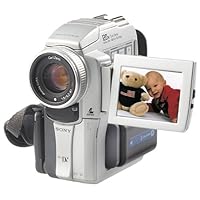
Sony DCRPC110 Digital HandyCam Camcorder with Builtin Digital

Sony DCRPC110 Digital HandyCam Camcorder with Builtin Digital Still Mode
Customer Ratings: 5 stars
Buy Now
I recently decided to get this camera and sell off my TRV900 because I really found I needed something smaller to carry around. It was a tough choice, as the image quality and stills from the TRV900 were decidedly better. But I just couldn't pass up the size. This one is so small for the features you get. It has many, many well thought out features. For instance, it has a little swing-down handle to make filming easier (always an issue with these little digicams). You can hook the camera directly to your computer through USB, no need to get a card reader. Pop-up flash is nice for doing indoor shots. Easy to use menus. Fairly high resolution stills for a digital camcorder. I love the Sony batteries that tell you how much time you have left...same for the tapes and memory cards. Plenty of features that a camera at this level should have.

Now, for the negatives. No progressive scan. Let me say that again. NO PROGRESSIVE SCAN!! Heaven knows why Sony continues to leave this feature off. It was so noticeable between this camera and the TRV900 which does have progressive scan, when you capture stills off of video. The ones from this camera are nowhere near as good. Not even close. If the subject is moving at all (which is usually the whole point of trying to capture a still from video), without progressive scan it is just not as clear, sharp, colorful, etc. Why Sony does not put progressive scan on their cameras is beyond me. Most of the other gripes I have with this camera are fairly minimal. Some of the buttons are fairly hard to locate, the zoom is hard to use and rather touchy, the photo button is right next to it so I often hit the wrong one, etc. Fairly typical problems for a camera of this size. Were it not for progressive scan being missing though, this would definitely be a 5-star camcorder. Without it, sorry Sony. You blew it again.

Click Here For Most Helpful Customer Reviews >>