Showing posts with label best lens for digital camera. Show all posts

Samsung Series 3 NP350V5C-T01US 15.6-Inch Laptop (Titan Silver)

Samsung Series 3 NP350V5C-T01US 15.6-Inch Laptop
Customer Ratings: 4 stars
Buy Now
My wife wanted a laptop that could play World of Warcraft. We normally play on desktop computers with high performance video cards, so laptops have historically been a disappointment. This year, she requested (for Christmas) a laptop that was capable of playing WoW so that when she is upstairs with the kids she has something more fun to play than solitare and more entertaining than watching Barney or Sesame Street on television.

I shopped around, but honestly knew very little about laptops. I have always custom built my own gaming PCs, but laptops were never on my radar. And gaming laptops can get very expensive.

I saw this Samsung on Amazon and was impressed by the price. The KEY feature is the included Radeon HD 7730M video card. If you want to play video games, you must have a 3d graphics card. The built-in Intel HD graphics card is great for anything else, but for playing video games good luck.

I was skeptical about Windows 8. I still am, I suppose, but I've heard such horrible reviews that I almost didn't buy this laptop. I took a chance, and honestly within about an hour or two I find myself using it just fine. I've already connected to our printer, network drive, installed World of Warcraft, etc. It was pretty painless. I'm not sure I like it better than Windows 7, but it seems to work just fine.

IMPORTANT NOTE: This laptop has two graphics cards. It took me an hour of playing around with graphics settings to figure out how to "switch on/enable" the Radeon card. This made a massive difference in performance. The Intel HD card struggled to play World of Warcraft at "Good" settings, and the laptop became very hot to the touch. When I finally figured out how to enable the Radeon card, I was able to bump the graphics to "High" and I even turned on 4x anti-aliasing. I'm getting 25 frames per second, and the laptop doesn't feel nearly as "hot." It is very important to configure this setting or you will be disappointed and you won't know why. One annoying thing about computers is that it is sometimes difficult to tell how the hardware is being used. This is the primary reason that I wanted to post this review right away (I wish I could have read this before I bought it.)

They key detail that isn't obvious: Right-Click on the desktop, select "Configure Switchable Graphics." Everything else is relatively obvious.

Here is a tip: Turning on anti-aliasing in a video game is a good way to "test" if your graphics card is working. You should get similar frame rates either way. With the Intel HD graphics adapter, anti-aliasing destroys your performance.

Bottom line: This laptop is great for the price. Windows 8 was a pleasant surprise. I don't hate it, and it seems to work just fine. It really isn't that different from Windows 7 once you get used to it. This laptop DOES have a Radeon graphics card. It seems to work just fine. It can play World of Warcraft with High settings and 4x anti-aliasing. Not bad. Plenty for what my wife wants/needs. Note: I couldn't update the driver from the web. The generic Catalyst drivers say the hardware is incompatible, "check with your hardware manufacturer." Hopefully this doesn't become a problem in the future. For now, the drivers seem to work just fine, but it is slightly troubling that I can't update them manually.

In case you are wondering how I posted this review before Christmas: I didn't want to wait until Christmas to give this to her. I didn't want to take any chances (I wanted plenty of time to find something that works -what if I needed to send it back?) Plus, with the long Thanksgiving weekend, now she can use it and have fun right away. My wife is pretty awesome, I'm glad she now has a laptop that works well.

Update June 17th, 2013:

-----------------------

My wife is still using this laptop daily. Windows 8 hasn't grown on her (she would still prefer Win 7), but she does still play WoW frequently and still likes the laptop. So far so good. The quality level seems high. It hasn't broken yet (knock on wood).

Click Here For Most Helpful Customer Reviews >>

Panasonic DMC-GH1K 12.1MP Four Thirds Interchangeable Lens

Panasonic DMC-GH1K 12.1MP Four Thirds Interchangeable Lens Camera with 1080p HD Video
Customer Ratings: 4.5 stars
Buy Now
Bottom line up front: this is a great stills and video camera. It is a freshly designed stills camera that gives DSLR performance with P+S ease and DSLR abilities. As a video camera it is the best implemented video system on a "stills" camera today.

This is an amazing camera but before I tell you why I would like to make a comment on the current situation of this camera. First it is disappointing that Panasonic has region coded the camera and that they are starving the US market. Check out the price difference between the US and Japan at Amazon JP. However, you cannot change the language from Japanese to English due to the region coding. Also, punish the companies that are overcharging (Big VALUE Inc. is/was charging a 1.67 price premium). I for one will never ever do business with a company that does that. If everyone boycotted these predator type companies, they would go out of business.

When people first look at the GH1 there is an initial sticker shock. Why would I pay so much more than the G1? The major reason the difference is warranted is because it has a far more expensive lens. The price difference of the 14-140mm lens and the 14-45mm that comes with the G1 accounts for 5/7 of the price difference of the cameras. On top of that the 14-140mm lens is specially designed for video as it has utterly silent focusing and aperture changes. Also, the aperture changes are step-less. This allows for very smooth lighting transitions. The remainder of the price difference can be attributed to the inclusion of the best seen-to-date video implementation in a "stills" camera and an upgraded sensor from the Panasonic Lumix DMC-G1 12.1MP Digital Camera with Lumix G Vario 14-45 mm f/3.5-5.6 ASPH Mega OIS Lens (Blue). If you are not planning on working with movies then the GH1 is probably overkill and the Panasonic Lumix DMC-G1 12.1MP Digital Camera with Lumix G Vario 14-45 mm f/3.5-5.6 ASPH Mega OIS Lens (Red) would be your best bet. Also, the GH1 functions very much like the G1 for stills so any of those reviews will apply to the GH1.

STILLS

Panasonic markets this camera as like a DSLR only SMLR. I think that is a cool bit of marketing and is right on the mark. This camera has the best contrast detection autofocus on the market. It is as fast if not faster than my Nikon D40 and is almost as fast as my D700. This is a great technological breakthrough and is what allows the camera to be smaller than a DSLR while giving nearly identical performance. With this camera you will not miss photos of your children or other fast moving subjects while you wait for your camera to focus. Bravo.

What is also nice about a great contrast detection autofocus is that Panasonic was able to start with a fresh design from the ground up. The live view is the best implementation that I have seen to date. I never use live view on my D700, but I will always be using it with the GH1. It flips out and rotates 270 degrees. This means you can see it from the back, the front (for self portraits), the top, the bottom, and on one side. In addition, to the great screen articulation, the speedy contrast focus is the last piece that makes this live view great rather than painfully slow like it is on other DSLRs.

On top of the great live view, this fresh design allows this camera to handle exceedingly well. In many ways it takes the best of the point-and-shoot (P+S) world and mixes it with the best of the DSLR world. It doesn't have as many dedicated buttons as my D700 but the Q Menu system works very well and allows for quick changes of most shooting parameters. There is a detailed menu system but I don't find myself using it very much while shooting. I feel that this setup allows photographers moving up from the P+S world to feel immediately comfortable on this camera while also giving experienced photographers the control they need to work their craft.

I don't know what kind of plastic Panasonic uses on this camera but I love the way it looks and feels. Also, I think having a red or gold camera is cool and makes it look more like a toy rather than a "professional" camera. With the photographer unfriendly laws proliferating the world, it is nice to have an incredibly capable camera that doesn't look like a professional camera.

This is a micro-4/3s camera system. That has some pros and cons. The chip is smaller than most DSLR chips. A full frame (FX in Nikon speak) sensor is ~860 sq mm, a Nikon DX sensor is ~370 sq mm, the 4/3 sensor is ~225 sq mm, and the typical sensor used in a point and shoot range between ~25-50 sq mm. However, a 2/3 sensor like many TV shows are shot with is ~60 sq mm and a 1/4 sensor like most home video recorders is only ~10 sq mm. What does all of these numbers mean? From a "stills" perspective the 4/3 format is relatively small when compared to DSLRs. That means that for the same megapixel rating, the 4/3 sensor will have smaller photoreceptors and that means more noise. However, the 4/3 sensor is roughly 60% of a DX chip so while this is a great physics discussion, in real life you will not be able to tell the noise difference based on sensor size even with a picture blown up to 100%. This is born out by the GH1's excellent noise control up to ISO800. You can also still use shots taken at ISO 1600 and 3200 but those low light shots are usually better turned into black and whites for that noire grainy look. That is the "downside" (not really much of a downside especially when compared to the up side) of the micro 4/3 system. The upside is that because you have a smaller area to cover, you can make lenses smaller (less weight and less cost). You also get a 2x multiplication factor on your lenses. So now that 200mm lens gives you 400mm of reach. Yea. However, on the wide side of lenses you need a 7mm lens to get a 14mm viewing angle and those can get pretty expensive. The point of all of this mumbo jumbo is that this camera takes great pictures and the lenses are smaller than DSLR lenses. Less weight and smaller size with no noticeable image quality compromise equals great camera.

One thing that some people list as a negative on this camera is that in low-light the electronic view finder(EVF) gets dark, grainy and jerky (slow refresh speed). However, I look at it as a positive because that is how your picture is going to look. Unlike a DSLR which shows your eyes what the world looks like through the lens, the EVF shows your eyes what the sensor sees through the lens; an important distinction. So if you look through the EVF and see a dark (low light), grainy (High ISO), and jerky (slow shutter speed) image then you know you better shoot really carefully, move the subjects to more light, or light the photo with the built in flash (not recommended but if its all you've got..) or use an external flash.

On thing that is a negative is the slow 1/160 flash sync speed. This will be very limiting for off camera flash during bright light. With such a slow sync it will be exceedingly difficult (impossible?) to get shallow depth of fields while lighting. Most people probably won't use this feature but for those that do it will be a bummer. (FP mode and ND filters can help with this though)

I also love the face recognition on this camera. When I am taking group photos, the faces that I really care about are my families'. Now I can register 6 peoples' faces and it will focus on them. Nice

VIDEO

In many ways, this camera lacks some of the features of a dedicated video recorder. So why would I want to use this camera? After all, you can get a G1 and HD video recorder for the same price as this camera. There are two main reasons. The first reason is Depth of Field (DOF). As I mentioned earlier the micro 4/3 sensor has 4 times more area than the 2/3 sensor used for many TV shows and is 22 times more area than many video recorders. Smaller sensors = larger DOF. This makes it harder to isolate your subject from the background by having the background out of focus. Pay attention to movies when you watch them and you will notice how they shift focus to "highlight" their subject. If you have wondered why you can't do that with a home video recorder, now you know. If you shoot with a F4 lens on a 4/3 system you will need a .8 aperture on a 1/4 system to get the same DOF (by the way there is no such home video recorder). The second major reason to use the GH1 is the ability to change lenses. Right now there are not many micro 4/3 lenses. However, the micro 4/3 format is so flexible that, with an adaptor you can use just about any camera lens you want (Nikon, Canon, Leica, etc). The trade off is that you lose autofocus and metering with most non-4/3 lenses. The ability to change lenses grants two major benefits. First, you can put all sorts of exotic lenses on. For example if you put on a 7mm lens, you would give your video a perspective not often seen in home footage. On a 1/4 sensor of a video recorder you would need a 1.4mm lens to get the same perspective as the 7mm on the 4/3 system. (Most camcorders are not going to go wider than 4mm which is roughly equivalent to a 20mm lens on a 4/3 system.) Secondly, you can put exceedingly "fast" (a fast lens is one with a low aperture number. A lower aperture number means more light hitting the sensor so you can run your shutter speed faster. Hence fast lens) lenses on to get shallow DOF. You could easily put a f1.4 lens on this camera. You would need a f0.3 lens to get the equivalent DOF on a 1/4 sensor.

Anyway, it is relatively easy to make beautiful videos with this camera; especially in the 720p/60 mode. This is the first "stills" camera that has the ability to autofocus and track while filming. Additionally, it has two built in microphones for stereo sound recording and these work surprisingly well. Finally, the lens is utterly silent so the focusing and aperture changes will not ruin the sound of any video you are shooting.

A negative that I have heard for this system is that it lacks a powered zoom ability that most camcorders have (you can manually zoom the lens). I again view this as another positive. One the best ways to make your footage look amateur is to zoom while filming (I do it too and it frustrates me when I see the footage). It is exceedingly rare that a camera is zoomed in a hollywood movie. When it does happen it is done for a reason. The lack of a motorized zoom may help people make better movies.

There are a couple of caveats that you need to be aware of when shooting movies with this camera especially in 1080p/24 mode. (For an in-depth discussion I would refer you to the Luminous Landscape GH1 review. I am just trying to make you aware that 1080p/24 mode is not a beginner mode on this camera.) The first is that you will need extra software to edit the 1080p/24 mode. The second is that you want to set the shutter speed to 1/50 for the 1080p/24 mode. Lastly, if you want to use the wider apertures to get the smaller depth of fields then you will need some neutral density filters to put over the lens in bright light (On a bright day at f2.8 you could easily need 1/6400, to properly expose at ISO200. 7 Stops of ND and you are down to 1/50!). These are some of the pitfalls that plague shooting video and in order to get the results you are looking for you will need to be aware of them.

OVERALL

This is a fantastic camera. It obviously has places in which it can improve. However, for the current state-of-the-art, this camera, for 95% of people, is head and shoulders above anything else out there. Panasonic's contrast detect autofocus has raised the bar and no more excuses can be made for this type of autofocus system. (It probably heralds the extinction of the DSLR) Based around this, Panasonic has reengineered the "DSLR" from scratch and has created an outstanding stills camera and an excellent video camera all-in-on. It's a great time to be a photographer!

Click Here For Most Helpful Customer Reviews >>

Nikon 85mm f/1.8D AF Nikkor Lens for Nikon Digital SLR Cameras

Nikon 85mm f/1.8D AF Nikkor Lens for Nikon Digital SLR Cameras
Customer Ratings: 4.5 stars
Buy Now
A exceptional portrait lens for both digital and film, the Nikkor 85mm f/1.8D is usably sharp wide open and tack sharp by the time you stop down even just a bit. Relatively small and very light, it feels just right in my hand. Steve McCurry is one of my favorite photographers and I was happy to discover that many of his great shots were taken with this lens.

Also, if you shoot on a manual focus body like the F3, you'll like the solid but smooth feel of the focus ring.

The 85mm comes with a metal, screw-on hood. My preference is the plastic bayonet mounts, but I find that I don't need the hood that often since this lens doesn't tend to flare.

Two minor complaints about this lens: first, the bokeh is not exceptional. That's OK; I'm not a bokeh hound. But when I see the creamy out of focus specular highlights that the 85mm f/1.4 produces, sometimes I dream about spending the extra money.

Second, I wish it were AF-S. But even without AF-S, it focuses faster than you'd expect.

Finally, the construction is solid. I've used it heavily for two years in deserts, jungles, and glaciers (ok, and in less glamorous places like around the apartment) and it still looks brand new.

In short, my favorite lens. Absolutely worth every penny.

Click Here For Most Helpful Customer Reviews >>

Canon EOS Rebel T3 Digital Camera and 18-55mm IS II Lens Package

Canon EOS Rebel T3 Digital Camera and 18-55mm IS II Lens Package 4
Customer Ratings: 5 stars
Buy Now
I didn't think this deal was legit, but it is. This whole package is cheaper than I cold find the T3 anywhere else. It is a new camera too. I was afraid it was refurbished or something, but it isn't.

Click Here For Most Helpful Customer Reviews >>

Sharp LC-60C7500U 60-Inch Class Aquos 1080p 240Hz Smart LED HDTV

Sharp LC-60C7500U 60-Inch Class Aquos 1080p 240Hz Smart LED HDTV with Quattron
Customer Ratings: 5 stars
Buy Now
I looked at a lot of televisions at a bunch of stores, did some research, looked at prices and ended up purchasing the Sharp LC-60C7500U. The picture is very good but suffers from a problem I noticed in a lot of large wide-screen TVs: The details in faces tend to be sort of wiped out and featureless, like everyone is wearing pancake stage makeup. This is highly dependent on the source, too, and doesn't always happen. But it happens enough to be mildly annoying. I find that the 240 Hz (augmented to 480 Hz by Aquamotion) accentuates this flaw, so for most viewing, I turn all this stuff off. I was watching a nature show about leopards and the spots were kind of swimming around as the Aquamotion tried to blend the pixels to hide any jitter. I also usually turn off automatic contrast control. It makes the screen get noticeably brighter or darker, depending on the scene, and is, again, mildly annoying. However, for watching sports or other fast moving sources, these features work great.

The sound is very good, with enough bass that I usually don't feel the need to run audio through my stereo system. It doesn't get very loud, but loud enough for viewing. Since it is advertised as 35W, it seems they could have put some speaker terminals in the back to allow secondary speakers, but apparently no one does this.

As mentioned before, I find myself adjusting picture quality a lot. This will surely taper off as I get more used to what settings I like, but for the time being I have to keep the TV remote close by. One thing I am finding that has to be adjusted is zoom and stretch. You can pick which format you want, but you can't simply turn it off and rely on whatever the source provides. So when I switch from TV to DVD, I have to fiddle with the controls to make the screen look right, depending on the movie. "The King's Speech" requires one setting, while "Casablanca" requires another.

Overall, I'm pleased with my purchase. In retrospect, I could have purchased a 55" and been just as happy, but I'm not bringing this one back.

Click Here For Most Helpful Customer Reviews >>

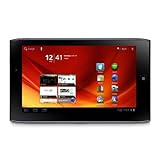
Acer Iconia TAB A100-07U08U 7-Inch Tablet (8GB)

Acer Iconia TAB A100-07U08U 7-Inch Tablet
Customer Ratings: 4 stars
List Price: $329.99
Sale Price: $205.99
Today's Bonus: 38% Off
Buy Now

This is my third Android tablet. My first was a very low budget tablet, the Archos 7 Home Tablet, the second was the Archos 70 Internet Tablet. I was looking for a tablet with more features, most importantly a rear camera and a GPS, but I didn't want to spend $600.

When I rate anything, I rate it based on what is being promised vs what has been delivered. So although I may mention cons in this review, it still scores a perfect rating because those cons are disclosed up front and I wasn't hit with any curve balls.

cons:

-No kick stand. I loved this about my first two tablets and I missed it on day 2 with this tablet.

-Short battery life. I am used to a 7 hour battery life and this tablet cuts 2 hours off of that.

-New OS version brings some apps not being ready. Not the device's fault, but it is still a bummer to see a Force Close.

pros:

-Honeycomb. My other two tablets were 1.5 and 2.2, so this is an amazing experience in comparison

-Price. This is an AMAZING deal considering it is competitively priced but has so many features that you would expect from a premium tablet

-GPS, gyrosensor, light sensor, rear camera, front camera, 1ghz dual core processor, 1 gb ram

-WiFi is super powerful in comparison to my other tablets.

-Very fast and responsive

Screen:

I wish the light sensor would kick it to full brightness more often, but I just turned the auto off and keep it at 50% brightness. The screen doesn't have the best viewing angles, but that is typical with the screen type. However, the display is super sharp and looks great!

WiFi:

When sitting at my desk, I was at maybe 5% reception for WiFi on my old tablet and I often dropped the connection depending on where it was sitting on my desk. With this tablet, I am about 50% reception and I haven't dropped yet. This WiFi is MUCH better than what I have seen before in other tablets.

Battery:

This tablet isn't for everyone because of the battery life. On travel days, it is really going to get to me. I plan on buying a battery charger to juice it up on heavy usage days, but I don't think I will hit empty that often.

Overall, if you want a 7" Android tablet that gives a great experience, this is for you. I can't stress how happy I am with my purchase and I think I will be sticking with this tablet for a while.

Edit (5/24/2012):

It's been a while since this review and there have been a lot of changes since then. Earlier this month, ICS Android 4.0 was released to the device. The system does appear to be snappier after the update, but there has not been an impact to battery life. Unlike when HC was a new OS, I have not had a single app that doesn't run correctly on ICS, so the transition was a lot smoother.

Click Here For Most Helpful Customer Reviews >>

VideoSecu Outdoor Day Night IR Bullet Security Camera Infrared

VideoSecu Outdoor Day Night IR Bullet Security Camera Infrared Weatherproof CCTV Home 1/3' Color CCD 420 TV Lines Wide Angle Lens with Free Power Supply A71
Customer Ratings: 4 stars
List Price: $274.95
Sale Price: $37.89
Today's Bonus: 86% Off
Buy Now

This little camera is very well built with an alumimum body and sliding sun shield. Please note that the camera bracket that I received is not the one pictured on Amazon. The good news is that it is smaller, the same color as the camera and may be metal, just not sure. I really think they have upgraded this part of the camera. Nice! This camera is about half the length of two other cameras that I just recently purchased. SVAT CV31 Hi-Res Outdoor CCD Security Camera w/Long Range Night Vision Please read my Amazon review on this camera! Both of these cameras are about the same in picture and construction quality. The Svat camera comes with 60' of power/video cable with RCA connectons only. Your may need these 20 Pcs of BNC Male Connectors Adapters for RG59 Coaxial Cable 1FV to complete hookup to your DVR card in your computer. If plugging into a TV you will not need these connectors. The VideoSecur camera has the BNC connector so just order your video/power cable with BNC connectors VideoSecu 3 X 50 Feet Power Video Cable with BNC RCA Connector for CCTV Security Cameras 1QA The VideoSecur camera does come with the power adaptor, you just will need the power/video cable. The BNC connectors twist lock at the connection, RCA cables do not. I like the BNC connectors better as they will not come apart. The day time picture is great. The night vision is about the same on both cameras up to 45 feet or so with no additional lighting. I just installed 2 motion detection floodlights which are also a great 5 star product from Amazon (Heath Zenith SL-5525-WH 250-Watt Quartz Motion-Sensing Light) and these make the night picture almost a good as daytime. The Svat and the VideoSecur camera will both do motion recording when hooked up to a DVR card that supports this feature. Since I have motion detection on my cameras and floodlights I can clearly indentify which one of my neighbors cats is digging in my flower bed and leaving paw prints on the roof of my car at 3 AM in the morning. How about that! I put some signs up that I purchased in the windows warning folks that they are on camera and being recorded. I do feel much safer in my home and I think that a potential unwanted guest will probably move to another home to commit a crime. (Sorry about that neighbors). I certainly would not hesitate to recommend this 5 star camera. The only thing I can't say is how long they will last, only time will tell. I can say that all 4 cameras I have ordered where packaged well for shipping and all worked right out of the box.

Click Here For Most Helpful Customer Reviews >>

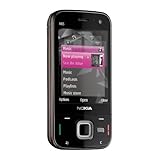
Nokia N85 Unlocked Phone with 5 MP Camera, 3G, Wi-Fi, GPS

Nokia N85 Unlocked Phone with 5 MP Camera, 3G, Wi-Fi, GPS, MP3/Video Player, and MicroSD Slot--U.S. Version with Warranty
Customer Ratings: 3.5 stars
List Price: $549.99
Sale Price: $169.99
Today's Bonus: 69% Off
Buy Now

This is an updated review; I originally wrote it before this phone was commercially available in the USA. After having tried one out in a store in Singapore, I had decided to keep my N95 8GB and wait for the N97 instead. First, I was unimpressed with the keypad design, as the flat surface gives you very little guidance to help you hit the right keys. Plus, both the N85 nor the N96 are merely incremental upgrades, neither one offering the type of groundbreaking advances that the N95 did two years ago.

Well, being a compulsive gadget geek, I succumbed in a weak moment. As the price started dropping (and it has been dropping fast, and continues to do so!) I latched on. The couple of factors that did it for me was the bright, crisp screen (and it is gorgeous!) and its smaller, more pocket-friendly size compared to the N95. Also, I liked the new features that it offered: Tri-band UMTS ("worldwide" 3G), FM transmitter, a UI upgrade with "transition effects".

I was soon taken in with the N85. Not only does it have a much sleeker and modern-looking design than the N95 (especially the N95-3 now looks klunky by comparison), but there are dozens and dozens of little details that have been tweaked in the user interface, making for an overall more pleasant experience.

One thing that came up for me, as apparently for many others, is the issue of build quality. After having used the N85 for less than two weeks, a lot of dust had gathered underneath the display it turns out it is not sealed properly onto the base. I returned it to Amazon for a replacement initially I actually ordered a N96 because of this issue. It turns out that there were other problems with the N96 (particularly related to its slow performance and low available run-time memory), so I returned that too in favor of my second N85. This time I was luckier, and I can now say that I have never been as happy with any other phone.

My original review follows, including some reasons I had planned to forgo it; I have marked updates as appropriate.

Both the N85 and N96 incorporate nearly every feature of the N95: GPS w/optional voice navigation, 5 MP camera with LED flash (though these newer models use two LEDs for brighter indoor pictures) and built-in geotagging, support for up to 32GB of µSDHC removable memory (currently 16GB are largest available), standard 3.5mm headphone/headset connector which doubles as a TV-out port, comprehensive bluetooth suppport, and last but not least Symbian S60 (by far the most popular smartphone operating system in the world, far ahead of Windows Mobile, Blackberry OS, iPhone, etc with a corresponding wealth of available applications). See my review of the N95 8GB for some more details. Also, both the N95, N85 and N96 are issued in a "standard" version for international markets, and a "NAM" version for enhanced support of North American 3G networks.

The N85 and N96 differ from each other as follows:

UPDATE: I have added the older N95 8GB into the mix for comparison's sake.

* The N85 has a 2.6" OLED screen, whereas the N95 8GB and N96 has a 2.8" standard LCD screen. OLED offers brigher colors, especially in sunlight, and lower power consumption (longer battery life). That's because the pixels themselves illuminate, rather than relying on a backlight to do this.

* Both the N85 and N96 are running S60 release 3 "Feature Pack 2", which means that they support "transition effects" for an overall smoother UI and interactive experience. In particular, the N85 seems overall more "modern" than the older N95. (ADDED 3/19/09)

* In addition to quad-band GSM/2G (850/1900 MHz for North America, 900/1800 MHz for the world outside), the N85 also has a tri-band UMTS radio. The North American version supports the 850/1900 MHz UMTS bands (for e.g. AT&T), plus 2100 MHz for roaming internationally, while the N85 8GB NAM and N96 NAM only supports 850/1900 MHz. (Conversely, the international versions of the N85 and N95/N96 support 900/1900/2100 MHz and simply 900/2100 MHz, respectively). In short, it means that if you take your N85 with you abroad, you should still be able to get faster 3G coverage in most places where available, something which is not true for either the N95 or the N96. (Plus, among the North American models, the N85 is the only one that also will work in Japan, since there is no 2G/GSM network available there, only 3G/UMTS over 2100 MHz).

* The N85 has a built-in FM transmitter, for streaming voice calls and music e.g. to your car stereo. This is particularly useful if your car is not equipped with bluetooth (incl. A2DP) technology.

* The N96 has a built-in TV tuner, supporting DVB-H (Digital Video Broadcasting for Handhelds). However this feature is not enabled in the North American version, because such broacasts are not available here. AT&T, like other North American carriers, have instead chosen to use MediaFLO for digital video broadcasts.

* The N96 has 16GB of built-in mass storage, in addition to a µSDHC slot. Thus, in theory, it is able to store up to 48GB of data with the addition of a 32GB µSDHC card. The N95 8GB is limited to the same 8GB of memory for its lifetime, while the N85 has a µSDHC slot (I currently use a 16GB card in it).

* The N85's processor contains a 369 MHz ARM11 core, while the N96 has a dual 264 MHz ARM9. It is difficult to say which one performs better, but both use Symbian S60 version 3 feature pack 2, which offers significant improvements in interactive feel over the N95 (which contained a 333 MHz ARM11 core). That said, none of these have the graphics coprocessor that the N95 did, so applications (mainly games) that are optimized for this, will run much faster on the older N95. The N95 also wins hands down in JBenchmark trials.

UPDATE 3/18/09: Now having owned/tried all three, I can say that overall, the N85 is the snappiest one of the bunch. The N96, in contrast, is quite underperforming; it even has problems streaming audio to my Pioneer car stereo over Bluetooth A2DP without hickups every 11-12 seconds. As for interactive use, both the N85 and N96 feel a little bit quicker than the older N95.

* Some people have complained about cheap, plasticky build quality on the N85 (see e.g. HowardForums); in particular, the keypad is seemingly somewhat flimsy and simply glued onto the phone. People who have tried both generally seem to prefer the N96 on this account.

UPDATE 2/8/09: With a few day's use of the N85 under my belt, I'd say it is no worse than the N95. The keys are flat and with less tactile feedback, so it may be a little bit more difficult to text with one hand; however it's no worse than, say, the Motorola RAZR or some Samsung phones.

UPDATE 2/19/09: As described above, mine had a problem with the display peeling off the base, and dust gathering underneth.

UPDATE 3/19/09: My replacement N85 has been stellar.

* The N85 is smaller (mainly due to the smaller screen) and will fit easier into your pocket. UPDATE: Both the N85 and N96 are slimmer than the N95.

* Both the N85 and N96 use the micro-USB standard (a slightly wider and flatter connector than mini-USB as seen on the N95) for data, and both can be charged through this port as well. In addition, the N96 has a separate Nokia charging connector. Now, here is the single reason I will not be replacing my N95 with a N85: This connector is at the top of the phone! To me, this is stupid (and the only reason I subtracted a star from my rating), because it precludes the ability for third party manufacturers of docks and cradles to create one that you simply dock your N85 into for syncing/charging. This is especially important in your car, if you plan on using the GPS navigation feature of this phone (keep in mind that when the GPS reciever is turned on, the batteries are drained pretty fast). With my N95 8GB, i simply got a Brodit/ProClip device holder, along with a corresponding vehicle mount from PanaVise, and voila I have a very nice little GPS device/music player/etc readily available; the N85 is definitely a bit more cumbersome in this regard. UPDATE: Obviously I caved in and got the N85 anyway. now has a cradle for the N85 but as I said, it does require that you manually plug the charging connector into the phone.

* As always, beware of rather dismal repair/warranty service from Nokia USA (c/o PALCO). You buy it, you own it. You should be able to do most repairs yourself, though, with parts from e.g. cnn.cn once available for this device. UPDATE: Various customer accounts both here and on[..] indicate that PALCO have gotten significantly better lately.

All this said, the bottom line is that there is simply no match for these phones when it comes to their sheer capabilities and the amount of features found on them. Sure there are phones out there with more emphasis on ease of use and eye candy (e.g. iPhone), and sure there are ones with their own unique features/gimmicks (e.g. the Google Applications in the new T-Mobile G1) but Nokia S60 smartphones are widely regarded as pure workhorses with the best overall feature sets.

The N85 pushes the limits a little further, and is perhaps the phone with the most capabilities on the market today. But if you are concerned about a solid build, you might want to consider the N95 8GB or N96 instead. Or, wait for the newly announced N86 8MP, where apparently a lot more attention has been paid to build quality.

Click Here For Most Helpful Customer Reviews >>

Samsung UN60D6400 60-Inch 1080p 120 Hz 3D LED HDTV (Black)

Samsung UN60D6400 60-Inch 1080p 120 Hz 3D LED HDTV
Customer Ratings: 4.5 stars
List Price: $3,099.99
Sale Price: $1,599.00
Today's Bonus: 48% Off
Buy Now

After several months of using this TV, here are my impressions. Note that I'm using Antenna HD, PS3 Bluray, and DVD.

Design:

The thin bezel design and glass(stem) stand is gorgeous, it feels like the picture is floating on the stand. The thin bezel really enhances the picture by minimizing reflections. It's really refreshing to not have a thick glossy bezel shining at you when watching TV; although the bezel itself seems to get mighty hot after several hours of use. The screen is glass and it does have reflections in daylight. It will probably annoy those of you that have a lot of glare coming from windows.

Picture Quality:

HD picture quality is outstanding while SD ranges from good to OK. The SD quality really depends on your broadcasting source; higher quality SD means good SD picture. Blacks are good, but I believe the processing engine goes a bit overboard and saturates the blacks to a point where details are lost. I haven't found out how to tone down the blacks, even after shutting off all the processing. Colors seem to really pop out, if it's too much one can adjust RGB in the menus. Initially, this TV did not exhibit any noticeable clouding for several months but now I can clearly see clouding on a completely dark transition screen. I'm a bit disappointed it has developed clouding over time, but it's not bad enough that you'll notice it during tv viewing. This is an edge-lit LCD and there are inherit weaknesses. Motion picture quality is very smooth and artifacts are kept to a minimum; in fact, this is the smoothest picture I've ever seen on any HDTV.

Adjustment Controls:

This TV has quite a few options for tuning the picture. There's standard, dynamic, natural, and movie modes. Each mode has it's own saved settings. For my normal viewing, I started with the movie settings while in Standard mode and made a few adjustments to brighten up the screen. Movie mode has a "warm2" color tone that I changed to "standard" since I don't like warm colors for normal viewing. For movies, I use the movie mode where the colors and brightness are toned down, with relatively few adjustments made. The natural and dynamic modes are horrendous, don't even go there. There's some fine adjustments in each mode with backlight, contrast, sharpness, hue, brightness, color, etc.

Connections:

Has HDMI 1.4 connections, which allow 1 Audio Return and single Ethernet connections (with specific high speed compatible HDMI cables and other HDMI 1.4 devices). Has 1 composite connection and 1 component (both use supplied extension plugs). Switching between sources is a tad slow to me, wish it was bit faster. Note that the optical out connection will transfer Dolby Digital sound from the antenna input, but it will only transfer stereo sound if you are connecting a device from HDMI and outputting the sound using optical out.

Sound:

Sound comes from the back panel and these kinds of tvs always sound odd. It's definitely loud enough, but not as good as a tv with good front speakers. You can use simulated surround sound and it's not bad at all. The one annoying thing is your sound settings are kept the same as you change your input sources; even after you've configured one input source as having movie sound settings. You can use the equalizer to adjust the sound to your liking. I might buy a sound bar to accompany this tv.

Internet apps:

I took a little while to play around with the apps, they're ok but respond pretty slow. Just your standard apps, nothing impressive. It does have an app store where you can purchase more apps but I didn't try that. I found youtube to be a bit odd. I started up youtube and it showed me the annoying orange video on startup; really strange it just loaded up with that video.

Other apps:

The photo viewer is pretty decent, seems a bit slow in rendering the pictures from a USB stick. I've also played some AVI and MKV files on the TV and it looks good to me. MKV files do not seem to have subtitle options.

3D:

I bought the Samsung SSG-3100GB bluetooth glasses for 2011 3D TVs. The glasses are great and much better than the old versions I tried out on a 2010 TV. It syncs up really well and I don't notice ghosting. There is a 3D button on the remote where you can convert 2D programming to 3D; this is done on the fly using the TV's processor. The 2D-3D is applied minimally so it isn't great; you will barely notice the 3D effects on the conversion. However, watching true 3D movies is great but 46" is really small for 3D. What others say about having a 50" plus TV is true if you want to experience the depth of 3D. What truly blows me away is playing 3D games through the Playstation 3. I started Wipeout HD up and I was giggling like a silly schoolgirl for a while. It really blew my mind how the 3D enhances the fun of games.

Remote:

Remote is pretty decent. It has a your standard TV buttons as well as a way to control playback on other sources with fast forward, rewind, stop, play. Remote has a backlight you can activate.

Settings:

Here are some basic calibration settings I used.

0) Standard Mode

1) Backlight: 13

2) Contrast: 93

3) Brightness: 45

4) Sharpening: 10 (keep this low!)

5) Color: 45

6) Tint R/G: 50, 50

7) Color Tone: Auto

8) Dynamic Contrast: Low

Additionally, I nearly turned off all the processing (including motion plus)

Verdict:

Very good TV with an inherit weakness in edge-lit LED technology in that you will find some uneven lighting and clouding. This might be as good as edge-lit LED is going to get. I gave it a 4 star here but it's really more 4.5 out of 5. I won't give it a 5 because true local-dimmed LED TVs have better contrast and color consistency, but you'll be paying a lot more (unless you buy the ugly Vizio LED TVs).

Update 1/13/2012:

I upgraded to the newest firmware and noticed after rebooting it reset all my settings. I don't see anything different except I noticed how crappy the picture was. It's important you do not leave the it on the default settings as the picture quality is pretty horrendous. Use my settings as a baseline, especially keep sharpening low, turn off motion plus, and you will see the potential of this tv.

More notes:

I recently noticed that my tv was tilted down to the left a little as it sits on the supplied stand. I took out a tape measure and noticed the left end was nearly 1/4" lower than the right side. This really bugged me so i took apart the stand and slipped a piece of paper folded several times in the gap where you screw in the stand. This helped balance it perfectly.

Click Here For Most Helpful Customer Reviews >>

Canon EF 400mm f/5.6L USM Super Telephoto Lens for Canon SLR

Canon EF 400mm f/5.6L USM Super Telephoto Lens for Canon SLR Cameras
Customer Ratings: 5 stars
Buy Now
I've been using this lens about six years. In all that time, I can't remember ever shooting at any aperture smaller than f/5.6. It's amazingly sharp wide open and I've never had any reason to stop it down. When I first bought it, I used it on a tripod almost all the time. These days, I've started using it handheld and I can appreciate how well it handles. In good light, autofocus is fast and accurate. In low brightness and low contrast light, it gets a little slow and sometimes hunts. Not a real problem, just switch off the autofocus and use the superb manual focus ring. Images snap in and out of focus easily whether you do the focusing or you let the lens do it.

The lens is made like a tank. Mine has been subjected to a lot of use but it has never failed me. I sometimes use it with the Canon 1.4x Extender which makes it a 560mm f/8 lens. That combination does usually require a tripod but it is still a handy combination that retains great sharpness. I've also used it with the Canon 2x Extender as an 800mm f/11. It's a good idea to put it on a sturdy tripod and stop down a wee bit to get the best results.

If you can make use of the focal length and you can live with f/5.6 as the maximum aperture, I recommend it highly.

Click Here For Most Helpful Customer Reviews >>

HTC Flyer 7 inch 32GB 3G WiFi Android Tablet Network:

HTC Flyer 7 inch 32GB 3G WiFi Android Tablet Network: HSPA/WCDMA: Europe/Asia: 900/AWS/2100 MHz Quad-band GSM/GPRS/EDGE: 850/900/1800/1900 MHz
Customer Ratings: 4 stars
Buy Now
I bought the wi-fi version, but I noticed a couple of "cons" in the reviews below and thought that if I responded to them, it might help those users enjoy their Flyers more. Here's a couple of things I learned while using my Flyer...

-THE STYLUS-It's true that you can't use the pen-tip of the stylus to select most icons outside of the special "scribe-compatible" apps...however, the opposite end (the "eraser" side) of the stylus works as a capacitive stylus. That's the same as what you might buy for an ipad or any number of different capacitive screen devices. I wouldn't suggest using it unless you already have a screen protector on the Flyer as it's a metal stylus and could scratch the screen. Now, I don't know whether it's easier just to use your finger than to flip the pen around, but the option is there.

-THE SCREEN-The Flyer has an autodimmer on it which, when placed on the default setting of auto, tends to make the Flyer look washed out. Setting it to the highest level makes it nice and bright, and an easy competitor to other devices out there. I downloaded an power control app (free) that allows you to toggle between three different settings easily from your homescreen.

-THE POWER PLUG-While the Flyer *does* ship with a special plug, the port itself will accept any of the standard microusb cables that work on most new phones these days. At first glance, with that vaguely horseshoe shaped hole, it doesn't look like a standard plug will fit, but it does, and snugly. Just make sure you line it up correctly. I don't know if the full plug that ships with the Flyer charges faster, but I use a regular microusb cable to charge my Flyer every day, and it works wonderfully.

-VIDEO OUT-Ok, I know this wasn't a con that someone listed, but this was almost a dealbreaker for me until I saw a video review on youtube. The Flyer doesn't appear to have video out like most devices do (HDMI, etc), but the power port serves double duty as a video out port. You have to buy an adaptor, but it does work. Not the easiest way to get video out, but it may be worth it for those who could use the feature.

I hope that helps...

Click Here For Most Helpful Customer Reviews >>

Patriot PYRO 240 GB Solid State Drives PP240GS25SSDR

Patriot PYRO 240 GB Solid State Drives PP240GS25SSDR
Customer Ratings: 5 stars
Buy Now
After I installed this drive on a Dell M4600 notebook the Windows 7 disk index went to 7.9 -> which is the maximum. A Sata 3 interface is needed to get the most benefit and for this price after the rebate it has the best size-performance/price ratio.

I can think of no CONs whatsoever. The warranty is 3 years which is OK as an upgrade is a possibility after 3 years anyways. Most probably we will see the terabyte ranges then.

And finally, no I am not afiliated with Patriot in any way. I had to point this out, as I myself always think of such too good to be true reviews written by paid people!

Click Here For Most Helpful Customer Reviews >>

Sony DSC-HX300/B DSCHX300V DSC-HX300V + Wide Angle + Telephoto

Sony DSC-HX300/B DSCHX300V DSC-HX300V + Wide Angle + Telephoto Lens + Case + Battery + Flexpod + Filters + 32GB Deluxe Bundle
Customer Ratings: 5 stars
List Price: $528.00
Sale Price: $448.00
Today's Bonus: 15% Off
Buy Now

It's an awesome camera. Best pictures of the moon I've ever taken! Even my kids and husband have been impressed at how well it takes photos in low light settings! And I'm talking without the flash, also! The only drawback is I've read the entire manual and it doesn't get into details of how to use all the functions. I see you can access some info on the camera's built-in guide, but still seems limited in some of the information given. So I have yet to still figure out everything. I bought an extra battery and car charger so I am never just stuck with a dead battery!

Click Here For Most Helpful Customer Reviews >>

Celestron Ultima 100 22-66x100 Spotting Scope

Celestron 52252 100mm Ultima Zoom Spotting Scope
Customer Ratings: 4.5 stars
List Price: $570.95
Sale Price: $239.99
Today's Bonus: 58% Off
Buy Now

I use this as a spotting scope for target shooting. So far everything I've looked at and worked with gets dicey at about 500 yds. It just depends on the conditions. But a rule of thumb is if the sun is out and you aren't being barraged with thermals you should be able to see at minimal 500 yds. So far I have not been disappointed in what I got for the price. When there are no thermals and good light, I can see very well at 500yds.

I also like it's field of view. I was actually watching 4 targets the last time out without moving the scope. These are 12" x 12 " targets.

I have a Schmidt and Bender 56mm scope and it's brightness and optics are actually better, but we are comparing a $2000 + set of optics to a < $500 set of optics. I also have a NightForce 56mm scope and I would compare it's brightness as a little better.

I have had quite a number of people use my scope for spotting and they are really amazed at it's performance vs cost. So I would say that if these guys would put in a MOA or mildot reticle, they could sell quite a few more to people who are in the sport of long distance shooting.

At 600 yds on a good day like the last, I think this would have been fine. But no matter what scope you get, there are going to be some days you just have to walk up.

The only reason I gave it 4 stars is that it doesn't have a hash reticle option, and the optics are really not the best. But I think price vs performance this is a keeper. So far I haven't run into anyone who could see something I couldn't.

Click Here For Most Helpful Customer Reviews >>

Bushnell Yardage Pro Laser Rangefinders Elite 1500

Bushnell Yardage Pro Laser Rangefinders Elite 1500
Customer Ratings: 4 stars
Buy Now
ok, so you're reading my review, you've been up till the wee hours of the morning weighing options on this one on that one. this one has this option, that one has that option. it's nuts, i did it. i finally narrowed it down to this bushnell and the leopold. the reviews in this price range are all about the same. both are great products. the final deciding factor for me was number of gadgets and how expensive is it going to be down the road. let's face it, i HATE batteries, i hate em. i'm so sick of everything with the batteries and every time you get ready to use something the freakin battery is dead. so you can either buy all the gear to charge the batteries or get new ones. well i have enough in my life to keep up with so i chose in this instance like most others, simplicity. KISS priciple, keep it simple stupid. the bushnell uses a 9 volt battery, which are everywhere and they are cheap. the leopold uses the flat watch type batteries, and good luck finding them. every convenience store in america has 9 volt batteries, grocery stores, pharmacies, etc. so that was a huge factor for me.

the next big piece is that the leopold requires that you have to learn it, it's got a plethera of settings. so if you like pushing the buttons and playing with gadgets when you should be shooting the rabbit, or hitting the golf ball, then be my guest. the bushnell is point and click. it's got 3 settings and that is it. the beauty of it is, it works. at least it does so far. it's electronic, and so i'm not expecting it to last more than 4 or 5 years. face it, none of this electric junk we are becoming dependent on lasts longer than that. so if i can get 5 years i'll be tickled pink.

now for the fun part, i got this thing about 3 weeks ago and i have been playing with it ever since. it's addictive. just look where you are wanting to range and push the button, and walla it tells you how far it is. so far it hasn't missed a beat. i started playing a little game, guess how far it is before i range it, so i can teach myself how far stuff is so when this thing finally nose dives hopefully i will have develeped a skill of good estimation.

as always your milage may vary. but so far i am pleased with my purchase, and i would highly recommend the bushnell. i would recommend it more if it was cheaper, but it is what it is.

Click Here For Most Helpful Customer Reviews >>

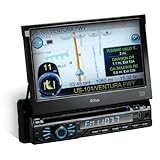
Boss Audio Systems BV9969NV Bluetooth-Enabled In-Dash Single-DIN

Boss Audio Systems BV9969NV Bluetooth-Enabled In-Dash Single-DIN DVD/MP3/CD AM/FM Receiver
Customer Ratings: 4.5 stars
List Price: $486.00
Sale Price: $237.31
Today's Bonus: 51% Off
Buy Now

This unit from Boss is (almost) exactly what I wanted, it does everything that it is supposed to do, and does it well, the screen is nice and bright, the menus are easy to navigate through, the GPS software that comes with the unit is Polnav 6, its easy use and fast to recalculate routes.

Radio: Easy to set up and store stations.

Blu-Tooth music: No lag easy to set up.

Blu-tooth phone: Easy to set up, download address book from phone to radio, make calls from the head unit.

GPS: Fast & accurate, maps are a bit dated.

SD Card: Plays MP3 no problems.

SD Card: Plays Avi files no problems.

DVD: Plays DVD movies, initially a little slow to load, but once movie started looks nice on the screen.

Head unit remote has good distance and is easy to use.

Ipod connection: Charges my i-phone and plays music from it, I don't have any video on the phone so cant attest for that function.

USB front and rear: No problems with either, dont load both at the same time though, I did and the radio locked up, removed one device and all is fine.

Rear View camera input: No problems.

Remember at the top I said (almost) the only issue I have is, the radio cuts off when the GPS voice comes on, I have a Pioneer Avic F710BT in my other car and there is an option within the menu to lower the radio voice and have the GPS voice is louder, I really miss that function, is Boss released a firmware update to address this this head unit would be awesome.

Click Here For Most Helpful Customer Reviews >>

Acer Aspire S7-391-6810 13.3-Inch Touchscreen Ultrabook

Acer Aspire S7-391-6810 13.3-Inch Touchscreen Ultrabook
Customer Ratings: 4 stars
List Price: $1,299.99
Sale Price: $909.76
Today's Bonus: 30% Off
Buy Now

Just bought a unit from a local store. I agree with another review...the touch screen is a great match with Win8. However, I have noticed two issues. The keyboard seems to be quite sensitive. When I type normally like I would on my old laptop, I've noticed that some keystrokes were registered more than once, and hence, causing certain letters to repeat. As a result, I have to use backspace often to correct typing errors. Alternativelyy, I could let computer do auto correct butt auto-correct isn't always accurate. Notice the previous sentence has the extra "y" and extra "t" from repeated letters and they were not auto-corrected.

Also, the touchpad seems to be loose. Even with very light tapping with finger tip, the touch pad makes some clacky noises as if it may come off. I don't know if the touchpad is normal. But, I am going to stores to try out demo units to see if those touchpads have the same issue.

-----------Update

Checked with the store, clacky/loose touchpad isn't normal. But it was easily fixed by tighten two screws (on the bottom side) underneath the touchpad.

"Repeating letters" issue while typing is not as severe if I place the unit firmly on a table. Since it's an ultrabook, many will do typing in a less-than-optimal position. Based on my research, the sensitivity of the keyboard may be optimized for soft/touch typist due to its shallow key travel.

Battery life is about 4 hours on normal & mixed use. Although I'd wish it's longer, I can live with it since it's such a thin laptop.

----------Update

Put the unit to sleep by closing the lid when battery indicator was at 20%. 8 hours later. It was at 18%. So, 8-hour sleep drained 2% of power. Don't know if that's good or bad...but my first impression is that it's not as good as advertised. 6% power consumption within 24 hours means it can only stand by for 17 days (assuming linear power consumption).

Besides the clacky touchpad, which is easily fixed, the whole unit has superb fit & finish. Edges are very sharp, especially around the screen. It gives an impression that one may cut oneself easily. I've forced my fingertips and palms thru all edges without any cuts. I can't say the same for other body parts though...try at your own risk.

High resolution screen is GREAT. However, it's a double-edged sword. All clickable menu, buttons, links become so small that it is difficuult to click them using fingertips. This is particularly worse around the corners. e.g. I couuld eaislyy close the window instead of resizing it at upper right corner.

--------Update

I am still finding my ways around Win8. But I can confidently say that if you don't want or don't care about Win8, you should save yourself $200 and look for other excellent ultrabooks that have no touch screens. In addition, a large, responsive, and accurate multi-gesture touchpad can be just as effective for Win8 (i.e. about 80%-90%). So, a touch screen is really just a nice-to-have for Win8 but not a necessity. This unit's touchpad is quite good...so I find myself using the touch screen less and less for productivity work. However, I use the touch screen almost exclusively for leisure browsing of web sites where typing is not really needed.

After a few days of using it, I can confidently say that one should realistically expect the battery life to be no more than 4 hours. If you tweak the power saving configurations, you may squeeze another hour or two out of it.

--------Update

Noticed that wifi isn't reliable (i.e. disconnected) whenever I am at busy or low quality hotspots. I have not experienced this with my 2-year old Sony laptop. I suspect this may have to do with the power management configuration/setting.

After using the unit extensively for about one week, I'd say the sensitive/touchy keyboard is the only remaining annoyance for me. I also wish it has longer battery life but it's a conscious trade-off for such a thin ultrabook. Overall, it's a very gorgeous ultrabook with beautiful glass top that you can even serve sushi and sashimi on it.

-------------Update

The intermittent wifi disconnects (while on battery) can be fixed or minimized by changing the property in advanced power management for 'wifi adaptor'. Change it from max battery to max performance.

I am starting to warm up to the Win8 Metro/Modern UI. Certain activities are just more efficient if you simply lift your arm/finger to point & click on a touch screen ... instead of (a) lift your arm/finger onto touchpad, (b) move the mouse cursor to the desired button/link, and (c) click or tap the touchpad.

Win8 definitely requires you to "mix & match" how you use tablet/phone and how you use a traditional PC/laptop. It just takes time to warm up to it.

Of course, you need to have a touch screen to take full advantage of Win8 Metro/Modern UI. However, a touch screen isn't a must for Win8 because you can also change Win8 back to the classic Windows interface.

Click Here For Most Helpful Customer Reviews >>