Showing posts with label canon digital camera problems. Show all posts

Zeiss 18mm f/3.5 Distagon T* ZE Series Lens for Canon EOS

Zeiss 18mm f/3.5 Distagon T* ZE Series Lens for Canon EOS Digital SLR Cameras
Customer Ratings: 5 stars
List Price: $1,495.00
Sale Price: $1,395.00
Today's Bonus: 7% Off
Buy Now

I purchased this lens a few months ago and it is amazing. I slapped this beast on my Canon 5D Mark III and it is now my go-to. The image quality is astonishing.

I did a ton of research on wide angle glass for over a year before going for this. I was considering the Canon 24mm TS II, but I couldn't justify it considering I already have a 24-105L. The 24mm TS II is much better in terms of image quality, but it isn't wide enough. I noticed a difference in quality with the first photo I took using this lens.

There is some distortion, so it's not particularly great for architectural work, but it's fantastic for landscape work. This is the smartest purchase I've made since getting the Mark III.

Click Here For Most Helpful Customer Reviews >>

Motorola Atrix 4G MB861 Unlocked GSM Phone with Android 2.2 OS

Motorola Atrix 4G MB861 Unlocked GSM Phone with Android 2.2 OS, Dual Core, 5MP Camera, GPS, Wi-Fi and Bluetooth - Black
Customer Ratings: 4 stars
List Price: $479.99
Sale Price: $124.40
Today's Bonus: 74% Off
Buy Now

I can only speak to the version sold by Accessory Distributor (there are 10 or more vendors offering "new" phones) but exactly what flavor of "new" this is I am not sure. It came in a generic Motorola box, no model number or other labels, and contained no warranty, safety, or manual documents, at all. Battery, back cover, and phone all came separately wrapped and "looked" new. But clearly this is some sort of re-packaged or perhaps re-furbished phone. Worse (as I found out when the screen started to time out and not wake up using the power button at all -battery pull and reboot required every time the screen times out for 1st time) Motorola has no intention of honoring a new warranty on these phones. After hassling for 3 days with Motorola tech support via chat messages, phone calls to some Caribbean country, and multiple case numbers, I was finally told that the IMEI for this phone had a warranty which expired in July, 3 months before I bought the phone. No Motorola service even for an out-of-box problem on a "new" phone. Motorola would not honor an Amazon original invoice. Accessory Distributors said they would grant a 30day warranty and repair the phone, with all shipping at my cost. Amazon offered arbitration with the vendor, but ultimately my only recourse was to accept having a non-authorized vendor repair the phone up to 30 days out, then I was on my own. A service plan would have cost $130 a year. OR return the phone. The only good thing about this deal is that the vendor accepted the return (not the shipping, but Amazon picked that up except for the return). My theory (no one said this) is that these are bundled unsold OEM phones from 2011(new or refurbished) bought from either Motorola or ATT, unlocked, and repackaged without an original warranty, and that Motorola has no desire to keep 1-year old models on the market cutting into their new-model Atrix sales. And ATT likely has no interest in doing favors for people who plan to use the phone with service from a competitor provider (as I did). I emailed 6 other vendors in the Amazon list selling them as new and none would include a Motorola warranty. This being advertised as "new" doesn't mean much, and there is no proof they are. So after all was said and done, I was out $6, plus about a week of hassle with Motorola, the vendor, and Amazon (latter was the only easy one to deal with -I am still an Amazon fan). Plus still looking for a non-plan smartphone

My recommendation is to avoid this particular phone deal unless you find a vendor who promises a 12-month Motorola warranty, as all new Motorola cell phones are supposed to have. I am OK with people selling used or refurb items without a warranty, but to bill these as "new" without such a warranty is deceptive consumer advertising and should be an FCC issue. I am surprised Amazon allows it, even on purchases they fulfill. C'mon guys, repair this ad. These are new phones.

Addendum: as also observed in other reviews, the phone also came with a 1500 mAH battery not the stock 1930 mAH one that came with the original phone. Whoever repackaged this shaved about $10 off the cost of the package by cutting this corner on a power-hungry dual-core big-screen smartphone

Click Here For Most Helpful Customer Reviews >>

Midland XTC100VP2 640 x 480 Standard Definition Extreme Action

Midland XTC100VP2 640 x 480 Standard Definition Extreme Action Camera with 4 types of Mounts Included
Customer Ratings: 4 stars
List Price: $99.99
Sale Price: $63.99
Today's Bonus: 36% Off
Buy Now

Let me start by saying that this cam makes great, clear video. It lasts beyond the rated 2hrs. using rechargeable batts. An 8gb card gives about 1:50 of record time, @ 2gb per 30 mins. A 16gb card would let you max out the batt. life.

I gave it 4 stars for a few small(sort of) issues. The mounting systems have limited adjustment, and very limited instructions. The H.bar mount sits very high, and has no provision for screw tightening, you pull it tight like a tie-wrap. The helmet and goggle strap mounts require bending a plastic tab, and pulling the base completely out of the mount to adjust the vert. angle, something near impossible to do if you're already wearing it. You need eyes on to do it right, and not break it. The stick-on helmet mount has no side to side adjustment, so you better get it pointed right on the first try. It also has very limited tilt range, so it almost has to be where the goggle strap goes anyway. There's no provision for top mounting, only side.

The cam itself works great, with caveats. If any air will move near the cam, the mic hole MUST be taped over, otherwise a horrible screeching will be heard. The problem with this is that the batt. cover includes one side of the mic hole, requiring replacing the tape each time. Sound level is still fine with mic taped, this thing hears EVERYTHING! One last thing; when mounted from the bottom, on the bike helmet mount, it's near impossible to remove batt. cover without loosening the cam first. And I think it would benefit from a small sun shade, a bright sky can make the trails go almost black. I haven't tried adding one yet, so I can't be sure it will work.

I highly recommend this cam, but you'll need to tweak things a bit depending what you use it for.

Also, I bought the Transend class 6 micro sd card with reader and it works great.

I bought the Kingston class 4 first, and it was either defective or fake, it did all kinds of crazy stuff, like making 30 files that were 10 secs. long during one ride. Also, pull the card out and use a reader. Downloading from the cam directly is frustratingly slow.

One last thing(really). This cam will start a new file every 30 mins., so it's best if you cycle it off and on yourself before this, or you will lose a random 10-15 seconds while cam resets.

Click Here For Most Helpful Customer Reviews >>

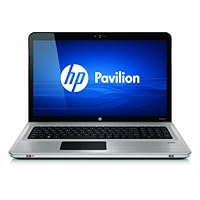
HP Pavilion dv7-4060us 17.3-Inch Laptop

HP Pavilion dv7-4060us 17.3-Inch Laptop
Customer Ratings: 4 stars
Buy Now
I just purchased the HP dv7-4060us on Tuesday. There are so few reviews right now on this because it is such a new system. Right out of the box, this is ready to go. East step-by-step setup will guide you through personal settings, and setting up your wireless network.

The dv7 starts up very quickly. With the Quick Web feature, which I haven't tried to use yet, allows the user to access the Internet without having to start up Windows! This can be set up as the default setting when the unit is initially turned on. Since it doesn't have to boot up Windows, you can literally get online in 1/3 the time. Nice time saver.

Windows 7 took a little bit getting used to. I am switching from an XP Pentium M laptop, so it will take a little time to get acclimated. Should be no trouble, however, for most people. I like the feel of the chicklet style keys, with the full number pad too. 1GB of dedicated graphics, which supports DirectX 11, makes this machine good to great for most mid-to-high levels of graphic intense programs. I should be able to run AutoCAD with shading on this machine flawlessly. The high-performance ATI 5650 GPU can be switched off when operating on battery power, or when there isn't the need for the dedicated graphics. This saves battery usage and overall power consumption. HDD speed is 7200. Often, this is an upgraded charge in many laptops. 4GB DDR3 memory, expandable up to 8GB, should fulfill most needs. The display is brilliant, although not up to 1080P, but for a 17.3", you probably won't notice any issues. The screen does attract fingerprints. It has a large touchpad, however, I use a USB mouse. Use the fingerprint reader if you need the extra security. The webcam is easily viewable, and is very fluid in motion. Wireless card can be enabled/disabled by pressing a button on the keyboard. There are 4 USB ports (2 on either side) and an HDMI port too. The power cord plug is on the right side. This may get in the way slightly if you use a mouse. I didn't have any issue with that in the short time I have owned it. Also has a 9-cell battery, which for some systems, is an up-charge as well.

The specifications and rankings of this dv7-4060us Triple Core processor with 1GB of dedicated graphics, for the low price of $699 really can't be beat. Yes, you can spend another $200-300/minimum and get a little bit beefier machine if you are into heavy duty gaming and whatnot, but for the average to advanced user, this will certainly suit your purposes. For me, I couldn't justify paying the extra amount for more power that I wouldn't even use, for the most part, and I think you will find that to be the same.

Click Here For Most Helpful Customer Reviews >>

Samsung BD-E6500 3D WiFi Blu-ray Disc Player (Black) (Old

Samsung BD-E6500 3D WiFi Blu-ray Disc Player
Customer Ratings: 3.5 stars
Buy Now
On the same day I received this bluray player, I was informed by Samsung that neither this BD-player nor any of this year's bluray players (announced so far) will support 2D to 3D conversion. I was really let down by this, as my previous bluray player (the 2011 BD-D6700) was a sleeper hit as one of the BEST 2D-3D converters out there! Some have even said the 2011 Samsung 3D BD players were as good, or better than a 3D Bee stand-alone converter

One comparison that showed how good it was, is that I could pop in a 2D bluray and take turns converting it on both my 2011 D8000 Samsung 3DTV, and on my 2011 bluray player. The bluray player would always win hands down and the 2D to 3D conversion process was done 10x better by the D6700 than by the TV. If the result on both were supposed to be "near 3D results" I'd say the conversion on the TV was almost 2.5D while the BD player converted to a stunning 2.9D

So Samsung confirmed my fears that this player (the BD-E6500) would not convert 2D material, and I later found that this is also stated somewhere within the first few pages of the manual. I was very, very much looking forward to seeing how Samsung could have further refined the 2D-3D conversion process, and now I find out that my most beloved feature got the ax! If you're not a 3D junkie, you may not care, but why spend 200+ on a 3D! blu ray player unless you actually care about the 3D features! Apparently Samsung never considered that!

So here's what you do get with the E6500:

You are getting 1 gb of memory on board (pretty standard these days)

More way to connect with your other devices (Soft AP etc)

Disc to Digital feature (supposed to be the big feature $this year$)

2 HDMI INPUTS and 1 out (instead of 2 HDMI OUT as I loved having last year)

Functional Web Browser

3D playback from a 3D bluray

Up to 7.1 HD Audio

So when I first opened the box, I noticed that the BD player's black/grey design was nice as expected. But unfortunately the remote looks small and cheap now. They changed it and made it a lot more compact, but even my wife thought it just looked cheaper

Ok, so here are some notes I made when I first got it, and added to later on. They cover pretty much everything you would like to know:

Product updates upon setup

Smart Hub updates upon setup

Several/almost all Apps update upon selection of an app (when you first use that app)

Feels like a step down from last year's models, for being the highest model released this year

The BD player's menu is a little faster/smoother to navigate than last year

The menu system has been overhauled and is now identical to last year's Samsung HDTV's menus

I was not impressed by the Web Browser. In fact I couldnt' stand it after about 1 minute of use with the directional pad of the remote as my "mouse". There is an option to use a wireless keyboard or mouse with this player and I did and went back and found the browser quite usable. It even lets you move the mouse around within the Smart Hub itself which is nice. I'd say the browser speed and functionality are comparable to the browser's on last year's higher end Samsung Tv's. Browser could be and should be faster for the price point. If they added a dual core processor to these bluray players (like they are doing with the 2012 high end TV's and like even most smart phone's these days include) it might make their web browsers worth using everyday. As is, it's not

The Youtube function seemed to work well enough

When entereing text with the remote, an onscreen keyboard pops up instead of the horrendous numerical pad of pre2012

The Family Story and other "BIG" primary features seem lost in translation. Give this thing some more processor power and speed and maybe then your whole family might consider making it the "hub" of their network

I see a lot of people getting excited about the Disc to Digital feature. I'm not and never have been impressed. Could it be handy to have digital copies available on the go? Yes. But isn't that why most blu ray combo packs already come with "digital copies?" If you already have those, why the need to pay around $1 for each movie that you want to use the disc to digital feature for? It's no coincidence that it's not free, and that it's this year's big feature

2 HDMI in. Why? For those who don't have a sound receiver? Why would you want to spend $200 or more on a blu ray player that puts out 7.1 sound if you don't even have a sound receiver as your "hub" with hdmi inputs anyway? Dual HDMI OUT would have been more useful, both for those whose receivers aren't 3D capable and for those who just want to send a separate hdmi out for their video pristine and untouched directly to the TV

I could not find an HBO Go app (but it is an available app on my Samsung tv for some reason)

There is still no Amazon video app (Come on already!)

So there it is. I hope this helps you make a better informed decision than I did. I had no reviews to help me decide, and there was very little detail on the features of this player. But so goes the fate of the early adopter

In conclustion let me say this: This is a good 3D blu ray disc player. The areas where it fails, are where a lot of bluray players fail. But I shouldn't expect to get the processor speed and features of a PS3 at this price point...or should I? (bit of sarcasm there) This newly released bluray player and me just don't get along because I know that it is a step down (even with the new features) from my 2011 Samsung bluray player and at times it just seems cheap (the remote for instance)

Why couldn't they have kept ALL of the previous features AND added the new features on top of that. That's all I was asking of Samsung. That's all I AM asking. Of the announced list of Samsung BD Players, this one (E6500) is top of the line. There has been no mention as of yet of a E6700, E7000, or E7500 to match those higher end models of last year, and there may never be. I'm hoping they will be announced and address some of these issues mentioned and create the PERFECT blu ray player (It may not be perfect but it would be pretty close :) Until then, I'll keep on dreaming that next time they won't take two steps forward and three steps back

Click Here For Most Helpful Customer Reviews >>

Apple MacBook Air MC504LL/A 13.3-Inch Laptop (OLD VERSION)

Apple MacBook Air MC504LL/A 13.3-Inch Laptop
Customer Ratings: 5 stars
Buy Now
This review is for the 256gb SSD 13.3inch Macbook Air w/ 2gb of ram.

(Check the comments after reading the review if you're still on the fence, I'm going over some more uses and offering more tips and advice, and if I have problems I'll note them below, I'll try and add a video review in a week or two showcasing everything after some more use, stay tuned!)

Here's a short overview of the benefits of the 13.3 inch macbook air, and things you should know prior to pulling the trigger, final recommendation is at the bottom :)

When I heard about the air I had the follow questions / concerns. Hopefully I can ease your mind...

2gb of ram only (you can custom order 4gb but you can't install this any time later on).

I was paranoid this computer would be unusable. I feel like I need 8 gigs of ram and a quad core machine just to run firefox (it gets so slow), not to mention the other tasks I enjoy doing. 2 GB is going to be far too much of a bottle neck... or so I thought!

2gb is ample ram. If you run out of ram, OSX writes to the hard disk (virutal ram, the stuff you've been told your entire life is bad and to avoid it at all costs... but with SSD, this becomes a non issue).

13.3 inch screen... Is it going to be enough to use as my main computer? Will it be too heavy to travel?

The 13.3 inch is perfect. I had a 13 inch macbook pro, I loved it, but I got rid of it because I needed a bit more screen real estate and the machine seemed a bit too slow (likely the hd was the major bottleneck).

The 13.3 inch macbook air has the resolution of a 15 inch, in the form factor of a 13 inch. It's truly the perfect combination.

Gloss (on the air) is a non issue, unlike the macbook pro 13 inch on up (where it is a issue). I thought the gloss on here would annoy me... not a bit! It's different.

The next concern I had was the processor. Honestly, I thought 1.86 core 2 duo was going to be a bit sluggish. Especially with 2gigs of ram... However, (I'm pleased to report), there's been no such problem on my end (a friend of mine bought the 11inch and the speed difference is noticeable, but compared to a 15inch macbook pro (running i5) it feels about the same, only more speedy on launching.

That's to say, with this base configuration (1.86ghz core 2 duo) you can do everything you need (including playing games like Crysis, Call of Duty, Battlefield, Starcraft) all on this little machine.

I've edited HD video on the unit (no problems), (though exporting is obviously much slower than on my imac, as to be expected, but editing and working on the footage was pretty much the same, it's only in exporting where you realize the machine is slower).

All in all the processor is fine.

So let me recap.

I was afraid the processor might be a bit too slow to use as my only every day machine (turns out it's not, granted if you edit HD video daily as your job, you might be better off with a i7... in fact you would... but if you edit video a few times a week, not a big deal).

I was hoping I might be able to play a game every now and then and was afraid the 2gb of ram and 1.86 core 2 duo would be the death of me... not even a problem. I can play call of duty modern warfare 2 (I'll come back and let you know how Black Ops is when It comes out), and Dirt 2 with no problems (granted, I'm using low to medium settings). So the processor is not an issue.

I was afraid 2 gigs of ram was far to unacceptable (almost didn't buy this because of it), but again, that's not a problem. The SSD is more than zippy enough to handle any paging if required.

(I'm typing this on firefox with over 40+ tabs open, listening to music with itunes, downloading photos from my amazon s3 account, and uploading a video via FTP to a web host)

No slow down at all. I usually experience slow down on my imac with a quad core, where here I do not.

Everything is just instant.

I was worried about the screen. I'm one of those who likes taking his computer outside on the beach, at a conference, or to a local coffee shop to get work done. The macbook pro glare was unbearable. The 13 inch screen was limiting...

The Macbook Air? No such problems, glare is pretty much a nonissue, and the extra resolution is a god send (especially if you want to do any programming or editing (video or photo).

Bottom Line:

This is the perfect computer for me right now (and I do a lot of things).

I've edited video, worked on photo's, wrote, and opened obscene amounts of tabs, all with no slow downs (again, applying filters in photoshop on 12+ mp files will slow down some, obviously, and exporting your HD video will be slower, but the actual working is a non issue).

The main benefit of this machine to me (and the reason I bought it) was so that I could use this at my desk when needed, I could take with me on the road, and when traveling.

I need to be able to edit photos (screen shots, comps, whatever) and edit video (as well as export).

I need to be able to write (using this mac it is instant, just a click of a button, no more waiting on the spinning beachball of doom for word to load up... ON MY IMAC QUAD CORE!)

I want something with a decent battery life (I got over 10 hours of use, I have the brightness set low (around 50%) bluetooth off, wireless on, browsing the web (no flash), itunes running, and typing away (checking wikipedia and google constantly, all with no slow downs at all, this thing is better than my imac!)

(To be fair, I did watch some netflix videos and hulu on my laptop as well and the battery lasted around 4 hours).

And I need to be able to carry this machine around and do all my work. This machine is just perfect.

I love it, and I love it more with each day.

Right now I have a somewhat unique setup. I have a laptop stand for the laptop (sets it off beautifully) that I use with an external keyboard and mouse (logitech wave combo, which I prefer due to ease of typing, when I need the track pad for gestures it's right there (along with my fellows gel pad).

I have a lap desk for my laptop, and the air works on it perfectly. So I can get work done on my laptop in perfect comfort while laying down, or lounging on a chair or couch at home (I don't take it with me).

I have a nice laptop sleeve that fits perfect (be.ez 13 inch macbook pro sleeve, fits the air like a glove), that I fit inside my vertical messenger bag (which houses this laptop + + a wacom tablet and my kindle will fit in there too).

So when I'm on the go I have the laptop secure and protected (I also bought a slip on pad that gives your wrists relief when typing on the laptop).

In the end, I feel this is the perfect computer. 128 SSD is enough for most people, if you install windows, you can live with 128, but 256 gives you room for your music library and editing videos.

I use an external Western Digital Passport 1tb with this laptop (requires no power cord) and I'm 100% perfect. I love this setup and I doubt I ever go back to the way things where.

No more desktop work (except to batch encode or use as a render farm), and no more bulky laptops (this thing is everything I want and need).

5 out of 5 stars.

If you do a lot of video work, or you render out animations a lot. You can use this machine to do your work, and your desktop to handle the heavy processing. Just store your files on a usb flash drive and xfer to your desktop to handle the render.

If you do 3d animation / modeling. Modeling will be fine, rendering may be a bit slow, when ready, save your file to usb drive, xfer to desktop and your done. (Or use your favorite batch rendering program).

I LOVE IT!

Here's links to all the accessories I use, and at the top under the product description you can view images of how it all looks together.

I'll come back and update this review through time, feel free to post any questions and I'll come back and respond.

Have fun, and buy one!

My Media Drive (House Movies, Photos, Music)

Western Digital My Passport Essential SE 1 TB USB 2.0 Portable External Hard Drive WDBABM0010BSL-NESN (Silver)

(Note they have a newer version that supports USB 3.0, however the macbook air does not support 3.0 so I see no need in spending the extra cash, There is a black version that supports 3.0 and is the same price. I just already have a 500gig black one that I use so I went with silver).

My Case (Macbook air fits perfect)

Be.ez 100691 LA robe Allure Sleeve for Macbook 13.3 (Black)

My Lap Desk (use it on the couch, in the bed, lounging around, non slip and very steady)

Logitech Comfort Lapdesk

I really use it the most when researching, browsing the web and consuming media. When I'm creating content at home (other than writing) I'll sit at my desk and use this...

Logitech N110 (seems that it's not being sold right now by amazon so I can't use the insert a product link, just type it in and you'll find it, check my images at the top for more).

I use this keyboard at the desk:

Logitech Wireless Wave Combo Mk550 With Keyboard and Laser Mouse (920-002555)

I like this for the ergonomics, it feels good even while typing for extended periods.

I hope you enjoyed this review and feel free to leave a comment or question below :)

Click Here For Most Helpful Customer Reviews >>

Konova Radial Dolly for Dslr Camera Circular Motion Table

Konova Radial Dolly for Dslr Camera Circular Motion Table Shooting
Customer Ratings: 5 stars
Buy Now
Let me start off by saying I've been skeptical of tabletop and floor dollys before which is why I hadn't purchased one. My experience came from using a friend's Pico Dolly and finding that I didn't enjoy the quality of it or the precision required to use it. It always felt like it required a lot of setup for a shot that could be replicated very well using a simple slider. To sum it up, I was wrong, and the rest of this review will tell you why. If you've been in the market for a tabletop/floor style camera dolly then I would highly recommend reading my review and considering purchasing the Konova Radial Dolly yourself.

The Radial Dolly itself comes in a nice padded case similar to the K3B2 camera slider. In it comes the dolly itself and a small keychain laser with magnetized mount (I love lasers!). The Konova Radial Dolly has the same 3/8 inch tripod screw mount as the K3B2 so I can swap my Manfrotto 701 tripod head easily between the two pieces of equipment. In the future I plan to purchase another 701 head to speed up time when on shoots.

The Radial Dolly itself is incredibly well built with the entire base machined from one solid block of aluminum. The wheels are of the high quality type you would find on a set of roller blades, with very nice ball bearings making it roll smoothly. Be warned, if your dolly is on even a slight incline it will begin rolling if you don't have the brake set. And yes, the dolly has a brake! It's a little pad that is lowered by a set of screws making it easy to keep the dolly stable while you are mounting a camera to it, making adjustments etc.

Speaking of adjustments, the dolly makes it easy to replicate shots by having all three wheels rotate and lock in independent directions. Like the tick marks on the K3B2 slider, each wheel has 360 degree markings so you can set it for consistent rotation. This is incredibly helpful when on a video shoot and you need to repeat a shot in different locations, each time you can set the wheels to the same settings. The entire base plate is also adjustable so you can set it to the proper level if the ground is uneven.

By far the coolest thing about this dolly is the laser and mount that come with it though. The mount can be magnetically set to 6 different areas on the dolly, depending on the direction the dolly is facing. Once set, the mount can hold the pocket laser in the on position so it can target whatever you are rotating around to ensure it stays on target the whole time. This is incredibly useful for ring shots etc. when you need to keep it in the same spot in the frame the whole rotation.

With all these pros, the Konova Radial Dolly still comes with a con that is present in all tabletop dollys and others that do not use an actual floor track. The dolly shot itself will be as smooth as the floor. This means you should follow one of the cardinal rules of cinema and make sure you do your location scouting beforehand. Will the location have a smooth floor or table you can use? In my month of using the dolly, with proper scouting I was always able to find a good place to use it. I'm even considering bringing a board or other flat material to shoots so I have a guaranteed way of using the dolly.

In the review video, you can watch how I used this dolly in many real world scenarios. I wanted creative shots of dance floors, reveals at wedding receptions, and a creative ring shot with candles in the background. All of these shots weren't possible if I didn't have the dolly.

The Konova Radial Dolly is very useful when you need a specific shot that isn't possible with other camera equipment. I'm very happy to have it in my arsenal and you can expect to see more shots used with it in my future films.

PROS

-Heavy duty aluminum construction

-Super smooth wheels

-Laser targeting system

CONS

-Like all tabletop/floor dolly's you need a very smooth surface to get smooth motion.

5 STARS

Click Here For Most Helpful Customer Reviews >>

Sigma 50mm f/2.8 EX DG Macro Lens for Nikon SLR Cameras

Sigma 50mm f/2.8 EX DG Macro Lens for Nikon SLR Cameras
Customer Ratings: 5 stars
Buy Now
I recently purchased the Nikon D200 camera. I had several nice zoom lenses but I did not have anything which would take macro close-up photos. I did some research and found good reviews for this lens. So I got it.

The lens is an excellent lens for close-up photos. I am not a professional photographer but I try really hard to get good sharp photos. This lens will do the job.

Since it is also also a 50mm lens I have used it as a normal lens. The only problem with that is that over the years many of us have been spoiled with zoom lenses. With a zoom lens you can stand in one spot and zoom the lens in or out to get closer or father from your subject. With just the 50mm capability of this lens you have to physically move in or out to get a closer shot or a wider shot. This is not necessarily a criticism, just a comment about how we have been spoiled by zoom lenses.

I do not believe you will be disappointed with this lens. The price is great for the quality.

Click Here For Most Helpful Customer Reviews >>

Canon EF 24-70mm f/2.8L II USM Standard Zoom Lens

Canon EF 24-70mm f/2.8L II USM Standard Zoom Lens
Customer Ratings: 5 stars
Buy Now
After several years of use of the prior iteration of this lens, I've now had about a month of use with the II. This lens is beautifully sharp absolutely no question as to it being an improvement of what was already a wonderful lens. Generally speaking, I've found that I do not sharpen images in post to the extent that I used to, if at all, with no changes to camera settings. I've been using this with a full frame (5D III) and this is definitely my standard lens that I walk around with now. While this model is still heavy, it's significantly lighter than the last model. Though I don't particularly notice that around my neck, I find that the camera sits better against my chest with a standard neck strap than it did with the earlier lens, which tended to pull down on the camera body. That said, you may find in a full day of walking that a lighter weight lens is preferable. There are definitely days when I feel like just putting a 50mm prime on the camera and calling it a day.

Controls on the lens body operate smoothly perhaps not quite so smoothly as on the earlier model, but close enough the lens barrel itself may be where some of the weight savings come into play, but this is mere speculation on my part. Don't forget that this lens has an 82mm filter diameter, so all your filters for the last model will need to be replaced. The 82mm size is a little large for smaller hands to manipulate as easily, but this won't be a significant issue for most. Neither this nor its predecessor has image stabilization. That is truly a non-issue with Canon's current line of cameras where your shooting ISO can be increased quite reasonably to the point where a handheld shutter speed is attained with almost any aperture. Obviously, your situations may vary from routine daytime exterior shots, but I found that I could obtain quite acceptable HDR shots where the camera shoots three pictures in rapid succession while holding the camera without a tripod inside an old church. I prefer saving the ounces to having IS in this particular lens.

The II is significantly more expensive than the earlier model. If cost is not an issue, I'd say the decision is clear Canon has made significant improvements with the new version. If cost is an issue, obtaining the earlier model instead would not be an incorrect decision; the cost differential will buy a lot of other gear. But you may find yourself eventually longing for the improved sharpness and lighter weight.

Click Here For Most Helpful Customer Reviews >>

RICOH THETA

RICOH THETA
Customer Ratings: 4 stars
Buy Now
Unless you are crazy about immersive panoramas and willing to grant the Theta the kind of unconditional love normally reserved for puppies, spend your money on something more reliable. I'm thinking pork belly futures.

Everything negative that you have read about this camera is probably true. Please understand that I love this camera to pieces. But I'm not a complete idiot. Here is my take on the worst problems.

Internet Connectivity and Image Accessibility

What I consider to be its worst problem is correctable in software: Ricoh Pentax have not released code in any form (source, binary, app, servlet, library) that allows for the independent display of the .jpg images produced by the Theta. Currently, the only way to get an image on the internet is to use either Ricoh's free iOS app or Microsoft's Photosynth app to push the image to Ricoh's servers at theta360.com. Having done that, one can link to the page on which the image resides (not the image itself). Let's say that you have a blog and want to show someone a 360 degree view that you've taken. In your blog text, you'd insert a link to image page on theta360.com. Having clicked that link, your reader is then directed to the Ricoh server and can readily navigate via touch or mouse around your image. Unfortunately, the reader is also subjected to any decorations or ads that Ricoh chooses to weigh down the image with. For some people, this will be a dealbreaker. You are completely at Ricoh's mercy. What happens if -perish the thought -this $400 misunderstanding isn't the huge hit that Ricoh hopes it will be? How about they shut down the server and you're toast? Won't happen? Right.

Let's take the case that you're trying to write a review of the Theta and have uploaded a conventional .jpg that is a highly cropped extract of a 360 image that shows how unobtrusive the camera mount is. Amazon encourages the reviewer to add notes to the image. Suppose in your note you want to add a link to the whole glorious picture to show how tiny and unobtrusive the camera stand is. Well, you cannot, because Amazon don't allow links to images in this context. Nor should they. They don't want to depend on a third party (in this case theta360) who could offer unreliable service, or change the content of the link to an ad or pornography or whatever. The obvious solution is to upload the whole image to Amazon. Oops, you can't do that because Ricoh only supports links to the page on which the image resides. And Amazon only allows images.

One solution is for a Ricoh to register a specific extension for the Theta's images, say .sir which would stand for spherical image Ricoh. Then they could offer operating system level drivers or browser extensions or server side support for that extension which would handle the image rendering. This must sound very tedious. I wouldn't be talking about it if a Ricoh had properly dealt with it.

Image Quality

I got hooked on digital panoramas in the late 1990s. I think that the camera I was using then produced two meg images. The stitching software I could find allowed for stitching together an arbitrary number of images to create a long strip of up to 360 degrees. There was no concept of stitching together two bands along their long axes. So the product of a fair amount of effort was a skinny vertical or horizontal photo. Even skinnier if you cropped the scalloped edges. In contrast, the theta quickly delivers a complete 360 degree image. Whatever stitching that is done is hidden from the user. In my experience, banding that occurs where the two hemispheres is subtly or non-existent. Finger scrolling through the image on my iPod is exciting. Maybe I'm easily amused, but I just love it.

What isn't exciting is the image quality, which is terrible, probably worse than I was getting with the cameras available to me in the nineties. Particularly in the interior shots, the digital grain is like marbles. I'm pretty sure that the software that makes the exposure decides to boost the ISO film speed equivalent rather than extending the exposure. This is crazy. There out to be a setting that asks if the camera is on some sort of support. If it is, i can see no reason why the software that drives the camera cannot increase the exposure time. If the sensor is like that on any other digital camera I've seen, keeping the ISO low should yield profound improvement in resolution.

Another IQ issue that is a little trickier is exposure latitude. Almost be definition, any 360 image is going to have a wide range of illumination, often beyond the capability of any sensor to capture in a single exposure. If the software was told the camera was on a support, it could make several bracketed exposures and not have to clip highlight and shadows.

Usability

Few experiences in life are more pleasant than running crisp software that is smarter than you are. Conversely, hardly anything is more galling than what I will call arrogant but ignorant software. Theta app, how do I hate thee? Let me count the ways.

Running the camera remotely from an iOS (and on 29 November, Android, if Ricoh's announcement holds true) app is brilliant if you happen to have an iPod or iPhone. What isn't great is communicating across a public wifi network hosted by the Theta. Initially, this makes sense. Achieving a connection to a known SSID is something that we all know how to do. The password is engraved on the bottom of the camera, invisible to all snoopers except those with a tripod socket fetish. what is inconvenient is what happens when you start using it. For me, the normal workflow is to take a shot or two and then upload them to the internet. This means that you are constantly toggling back and forth between your normal WiFi connection and the Theta connection. The acronym for this condition is PITA. Far better for them to have used an ad hoc connection which can coexist with a standard connection and avoid swapping altogether. I'm not sure, but I think miracast is an example of what I'm talking about. Also, AppleTV and ChromeCast.

Every time you want to upload an image, you have to log onto FaceBook. This is automated, but what if you don't want to be a member? Tough.

Prominence of Hands, Tripods, and Other Camera Supports

For me, this is a non-issue. Basically every frame the Theta exposes is its own selfie. Otherwise, they'd call it something like Theta 359. If you're holding the camera, at least one hand, foot, mouth, or other body part is going to show up in the image. I prefer to use an unobtrusive support. Along with the camera, I ordered two small tripods, a mini CCTV stand, and a D-ring which screws into the tripod socket and can be used with monofilament. So far, my big favorite is the CCTV stand ( Panavise 845-246W Deluxe Micro Mount (Cream) ). In my opinion, its color and shape blend in nicely with the stub of the camera that inevitably shows up in the image. While it comes with a nice ball head, most tables and suchlike are level enough that I don't need it. There should be a shot of the setup in the product images.

Case

The Theta's body otherwise sleek body is of necessity dominated by two exophtalmic half orbs -the lenses that together give it the capability to make panoramas. Ricoh provides a cute but insubstantial case which probably keeps the dust off but offers virtually no drop or shock protection. I think that Ricoh should spring for the couple of bucks a custom Pelican case would cost them. In the meantime, don't be stuffing your Theta in no overhead bins.

Conclusion

Ricoh Pentax joins two companies with a long history of innovation. I am desperately hoping that the shortcomings I've discussed are mostly 1.0 software problems that can be addressed in upcoming releases. The pressures to bring out a product in time for the holidays must be enormous.

In the meantime, this pioneering nanoniche camera is a source of endless fascination for me and others afflicted with immersive panorama syndrome. People who are just looking for the occasional panorama would be better and less expensively served by virtually any smartphone.

Click Here For Most Helpful Customer Reviews >>

Sigma 18-50mm F/2.8 EX DC Lens for Nikon Digital SLR Cameras

Sigma 18-50mm F/2.8 EX DC Lens for Nikon Digital SLR Cameras
Customer Ratings: 5 stars
Buy Now
I took a look a this lens almost as a fluke -I wanted something that gave me quick speed at 2.8 but had more range than than the prime standard 50/1.8...and I was so pleased with the lens I have used it quite a bit more than I thought I would. The quality of the photos is excellent, good colors, good contrast. The lens is relatively light (less than a pound) so it "feels good" on the body. Compare this lens to the Tamron 17-50/2.8 They are virtually identical. This is a supurb replacement for your standard kit lens.

Click Here For Most Helpful Customer Reviews >>

Apple iPod nano 8 GB Pink (6th Generation) (Discontinued

Apple iPod nano 8 GB Pink
Customer Ratings: 4.5 stars
Buy Now
Got this thing for my wife for her birthday and it completely died the 2nd day she had it. The Apple store would not exchange it for a new one but they would let me make an appointment to come back and have someone look at it to tell me what I already knew it wouldn't turn on. They still would not give us a new one but would offer us a refurbished one..... when they got one in stock.....??? So they told us they would call us when 1 came in so we could come back a third time to get a refurb (one that has already been defective and hopefully repaired) for a unit that died on day 2.

Btw, read the news, you'll see Apple is now the #1 most valuable company in the world. Now that they are the big dog instead of the underdog, I'm sure they can get away with this kind of attitude and people will still buy their pretty, overpriced junk.

Thumbs up to Amazon though, they always do their customers right when it comes to returns!

Click Here For Most Helpful Customer Reviews >>

Nokia Lumia 920 Unlocked GSM Phone - Black

Nokia Lumia 920 Unlocked GSM Phone - Black
Customer Ratings: 4.5 stars
List Price: $999.99
Sale Price: $320.00
Today's Bonus: 68% Off
Buy Now

Windows 8 apps are a welcome change from iOS. Among the three ecosystems, I prefer Android, Windows 8, and iOS in that order. Blackberry, what ?! For ease of use, Windows phone is really easy to use. For someone interested in a first smartphone, Lumia 920 is an excellent choice. I got access to few Windows 8 phones to review. I will try to review them, but since I have not used for a period longer than a month I am not reviewing for reliability. User interface in Windows 8 is very pleasing and this is one of best phones with awesome user experience. If you prefer great user experience over infinite hackability, aka Android, then Windows 8 phones are great choice.

The Lumia 920 has a stunning 4.5" IPS LCD, 1280x768 resolution, 332 ppi display. This phone has up to 32 GB storage and 1 GB RAM. 8.7 MP camera and a 1080p HD Video. 1.5 GHz dual core processor. I have extensively used in the past HTC Titan I and II which is pre Windows 8 (7.5) and I was surprised it has become more buttery smooth now. This phone has Gorilla Glass 2. Glass 3 is in the making and supposed to be even better. Stating following because this is highly underrated in reviews. From Corning's Gorilla Glass specs; WHAT MAKES GORILLA GLASS SO DAMAGE RESISTANT? The unique composition of Gorilla Glass allows for a deep layer of high compressive stress (created through an ion-exchange process). This compression acts as a sort of "armor," making the glass exceptionally tough and damage resistant. Ion exchange is a chemical strengthening process where large ions are "stuffed" into the glass surface, creating a state of compression. Gorilla Glass is specially designed to maximize this behavior.

Lumia 920 does not support microSD expansion. I always feel this is a bummer. But with 32GB it is plenty with current app ecosystem. These phones seem to be copying iPhone philosophy. Battery 2000 mAh Lithium polymer battery (Compared to a high end Android Galaxy Note II, which has a battery of 3100 mAh Battery.) Unlike the Nokia Lumia 820, the Lumia 920 doesn't have a removable battery cover, which means you can't access or replace your battery. __Not having a storage expansion slot is a bummer for lot of people! Not being able to remove battery is a double bummer.__ For me, storage expansion and removal of battery is very important, so I was disappointed. This is the downside the unibody design. Wireless charging is a big plus, though!

Phone quality was excellent and speakerphone was awesome. Nice to see built in active noise cancellation with a dedicated mic. Nice to see Lumia 920 has Bluetooth 4.0. Bluetooth low energy (BLE), known as WiBree, is a subset of Bluetooth v4.0 with an entirely new protocol stack. As an alternative to the Bluetooth standard protocols that were introduced in Bluetooth v1.0 to v3.0, it is aimed at very low power applications running off a coin cell. I was able to get excellent reception with Bluetooth headset, Jaybird Sportsband Stereo Bluetooth Headphone Bulk Packaging Midnight Black and JayBird BlueBuds X Sport Bluetooth Headphones Midnight Black All the usual smartphone stuff, facebook, twitter, music, emails etc are all excellent. It is only the third party apps that are lacking in some arenas. If you are Microsoft heavy like Office suites, Lumia phone are awesome!

Apps are limited in Windows 8 marketplace. Yes, we have heard this a gazillion times. Lumia has GPS receiver with A-GPS and GLONASS support. I tried with Garmin Navigon app which turned out to be great in giving voice directions. App ecosystem is a chicken and egg situation. Unless more phones are sold, developers don't have incentives to write apps. Apps are less now, because people are not buying in big droves. Windows Phone is now (early-mid 2013) the third-leading mobile phone platform, more than tripling its market share year-over-year. One recent report I read Android and iOS are ahead in games with 162.1 and 37.4 million shipments in 1Q13 and Windows phone came in 7 million. This is more than double from previous year. I really hope for Windows 8 platform to surge ahead because having a 3 way competition with iOS and Android is good for the ecosystem.

ONE LINE SUMMARY: The Nokia Lumia 920 is certainly the best Windows Phone 8 smartphone on the market right now.

Click Here For Most Helpful Customer Reviews >>
4GB SDHC (Secure Digital HC) Card Sandisk SDSDB-4096 (BUB-S)

4GB SDHC Card Sandisk SDSDB-4096
Customer Ratings: 4.5 stars
List Price: $19.99
Sale Price: $5.84
Today's Bonus: 71% Off
Buy Now

Standard SD and SDHC cards look identical in size and shape, only SDHC-compatible products will be able to accept the new SDHC cards. SanDisk differentiates its new cards with the new SDHC logo on the card and retail package.

Now my web research finds that at the time of its release Wes Brewer, vice president of consumer product marketing at SanDisk, said, "In order to provide the easiest and most compatible solution for 4GB and larger capacity SDHC cards in the market, SanDisk chose to bundle its new MicroMate USB 2.0 SD/SDHC compatible card reader, which normally retails for $19.99, with this new card."

Note this deal does not include a reader.

In my case the device I bought it for can read it. Without the dedicated reader my year old HP computer cannot .

Click Here For Most Helpful Customer Reviews >>

Tamron AF 28-75mm f/2.8 SP XR Di LD Aspherical (IF) Lens

Tamron AF 28-75mm f/2.8 SP XR Di LD Aspherical Lens for Konica Minolta and Sony Digital SLR Cameras
Customer Ratings: 4.5 stars
Buy Now
I have never bought a non-Canon lens because I just love the look, feel, and optical quality of the Canon line particularly the L series lenses. But I kept reading glowing reviews about this lens. On multiple websites. So, I went out and took a look.

First impression: the build quality is not as good as a Canon L series lens. Duh! It costs about 1/4 as much for goodness sake. This is a plastic lens not metal. But I must admit that the build quality was pretty darn good. Better, I think, than the Sigma lenses I've seen. Fit and finish was very nice and tight. I'd give the build quality a 4/5. Not bad. I figured I could live with it.

Next, I put the lens on my camera. I'd read reviews complaining about the speed of the focusing. It may not be quite as quick as my 200 f2.8 L series lens but it was pretty darn good and for my purposes, plenty fast. A 4.5/5

I'd read reviews complaining about the noise and the fact that the AF was not USM. I thought the AF worked very quietly. Not at all distracting and barely discernable. Noise not an issue.

Then, I took pictures with the lens and I was absolutely floored! How in the world did Tamron manage to produce a lens that performed so well optically for such a reasonable price?! Beautiful contrast, excellent resolution, gorgeous colors, and extremely sharp, particularly above f2.8. But, f2.8 is very good as well.

Obviously the first comparison that comes to mind is between this lens and the Canon 24-70 f2.8 L. I would say, I kid you not, that this lens is in every respect optically the equal of the Canon or better than the Canon. I could not believe it.

I tested this lens directly against a brand new copy of the Canon 24-70 f2.8L. Method: I tested both lenses on a tripod @ F 2.8 and 8.0 @ 28mm 50mm and 70mm. Target limestone wall 9.5 feet parallel to the sensor plane. Remote release employed. No mirror lockup. Center and all four corners were evaluated to my naked eye on a monitor using 100% crops. Both lenses were new copies received within the last 7 days.

The limestone wall lent itself perfectly to evaluating sharpness and subtle contrast and color rendition. There was enormous detail present in the wall with subtle colorations present.

Findings:

28MM F8: Tamron definitely sharper in the center and corners

28MM F2.8: Tamron definitely sharper in the center and corners

50MM F8: Tamron slightly sharper in the center and very slightly sharper in corners

50MM F2.8: Tamron slightly sharper in center and equal in corners.

70MM F2.8: Canon sharper in center and at corners. Incidentally noted was inability of Tamron to focus as sharply as I was able to achieve with manual focusing.

70MM F8: Tamron sharper in center with Canon slightly sharper in corners.

Some have said that there is less flare with the Canon, but if you use the lens hood that should not be a problem. I didn't notice excessive flare in my copy.

Admittedly there is significant copy to copy variation in both the Canon and the Tamron, but my findings convinced me that at 1/4 the price, and with the Tamron weighing 1 pound less than the Canon that the Tamron was the lens for me. Optically 5/5!!

I cannot recommend this lens highly enough. It is the first non-Canon lens I have owned and I am thrilled.

Click Here For Most Helpful Customer Reviews >>

Sony Bravia EX700 Series 60-Inch LCD with LED back-lighting HDTV

Sony Bravia EX700 Series 60-Inch LCD with LED back-lighting HDTV
Customer Ratings: 4.5 stars
List Price: $2,999.99
Sale Price: $1,449.00
Today's Bonus: 52% Off
Buy Now

I got my 60ex700 yesterday and I am really happy with it. It is a great TV. There was a little flashlighting and uniformity is not perfect but it seems you can tune it quite a bit. There are an amazing amount of settings and I have it set to be more than acceptable for me. Great price on a great TV. Contrast is great with deep blacks and white whites. The motionflow is great also.

Furthermore, the sound is acceptable for normal viewing and much better than I expected due to all the people dissing it. I have a nice theater 5.1 setup but I don't want to use that for everything and the sony sound is just fine.

Netflix and internet stuff is great, the remote is fine. This technology is getting so good we are really picking nits at this point. I just hope it is engineered to be reliable and long lasting because I intend on having this in my living room for the next 6-10 years.

I am sure you can spend a lot more and buy a better TV with better picture quality but for this price... killer TV.

The only downside is the TV is so damn thin and light that I feel nervous holding the bezel when I have to put in the inputs. It is solidly built but it just looks so fragile.

Click Here For Most Helpful Customer Reviews >>

Metz 58 AF-2 MZ 58326S Digital Flash for Sony Cameras

Metz 58 AF-2 MZ 58326S Digital Flash for Sony Cameras
Customer Ratings: 5 stars
List Price: $445.00
Sale Price: $399.99
Today's Bonus: 10% Off
Buy Now

Updated after a few weeks of almost constant use (July 16, 2013):

Positives: No overheat indicators yet. Battery usage is awesome a single set of Eneloops goes almost forever.

One feature that is really interesting (which my 580EXII did not have) is the secondary strobe on the front of this unit. When you set the primary strobe to reflect off the ceiling/wall, the secondary strobe can act as a sort of fill flash. To avoid the deer in the headlights look, you can even reduce its intensity. The results are actually very pleasing.

Original Review:

#############

I loved the Sony HVL-F60M. It was perfectly balanced on an A99, fit well on the universal hot shoe, and was a joy to use.

However, coming from the fabulous Canon EX580 II, I rely heavily on bounced light, often at full power.

Unfortunately, the F60M didn't care for that style of shooting. At a recent event, it shutdown at the single most inopportune moment, causing me to scramble to try to manage without its help.

Rather than trying to change my style to conform to my tool, I chose to find a tool that could adjust to my style.

Fortunately, with the Metz 58 AF-2, it seems like I've found that tool.

What works well:

############

1] No overheating. Works as well as my 580EX II in this regard.

2] Decent image exposure using TTL and ADI Flash Mode.

3] All the features of a top line flash tilt/swivel head, HSS, etc

4] Built-in modeling light

5] Weighs and costs much less than its competition.

What does not work as well:

###################

1] Hot shoe adapter needed on an A99

2] Less than stellar usability (fiddly controls)

3] Less than solid build quality

4] Tilt/swivel mechanism could be easier to use

Conclusion:

########

I'm still in the early stages of my relationship, and so far I'm cautiously happy.

Its usability flaws can be mitigated by using the A99 to control its functions. And, while I don't know about its longevity (its weaker build is a concern), its maker has been building strobes since 1952.

Only time will tell how this will work out, but so far so good!

Happy Photography!

Note:

The Sony version of the 58AF2 does not have a metal foot (the image on the product page is incorrect.)

Click Here For Most Helpful Customer Reviews >>