Showing posts with label compare digital camera lenses. Show all posts

Sony NEX-5RK/B 16.1 MP Compact Interchangeable Lens Digital

Sony NEX-5RK/B 16.1 MP Compact Interchangeable Lens Digital Camera with 18-55mm Lens and 3-Inch LCD in Black + Sony 32GB SDHC + Sony Camera Case + Replacement Battery Pack + 49mm Filter + Accessory Kit
Customer Ratings: 5 stars
List Price: $773.00
Sale Price: $598.00
Today's Bonus: 23% Off
Buy Now

Small and light camera which produces quality photos and video footage.

Had a problem with the Vivitar replacement battery; it would not recharge in the camera. Focus Cameras agreed to send a replacement battery immediately after notifying them of the problem.

Click Here For Most Helpful Customer Reviews >>

Pioneer AVH-P3200BT In-Dash DVD Multimedia AV Receiver

Pioneer AVH-P3200BT In-Dash DVD Multimedia AV Receiver
Customer Ratings: 4.5 stars
Buy Now
I hadn't installed car electronics in ages, and just decided it was time to replace the factory stereo in my 2002 Toyota Highlander. I was sick and tired of juggling with the lousy sound and wires all over the place, cassette adapter, iPhone charger, Sirius radio... it was time for an upgrade. With Amazon running a sale on Pioneer car audio, it seemed it was time to jump. In the process, I learned a few things that I hope will help you make the right decisions.

TIPS

----

1) Pioneer sells a $35 "Double DIN install kit". I'm sure it's needed in some cars, but the 3200 was a perfect drop-in in my Highlander, at least as far bolting it to the equipment chassis. The screw holes are exactly in the same place as on the Denso factory double DIN stereo it replaced,.

2) Getting a wire bundle adapter (available from Amazon, cost is under $10) simplifies the installation tremendously and makes it easy to put the original stereo back in. It's basically a connector that looks like the one on the factory stereo and has a color coded bundle of wires attached. You solder or crimp these wires to the bundle that comes with your new stereo and you're in business: it's now a perfect drop in substitute for the factory stereo. The bundle adapter is specific to your car, not the stereo you're installing.

3) Lock-out of some features (movie playing, phone number pad dialing...) is done by detecting the state of the parking brake. If you don't connect the parking brake wire, you will not be able to use these features, ever. Of course if you were a bad person you would just attach this wire to the ground somewhere, which would disable the lock-out. I'm just sayin.

4) Why are there so many iPod cables for this family of receivers? It's infuriating! There's the CD-IU50, the CD-IU50V, and the CD-IU200V. The IU50 is just a very expensive iPod/iPhone USB cord like the one that came with your iPhone. Despite what its description says on the Amazon page, it will not provide video. The IU50V will play video from the iPod (it has a USB jack and also a minijack for the video, which both plug into the front). The IU200V is similar to the IU50V but is for the 4200DVD only (according to the manual). If you want to play video from your iPhone on the 3200BT or 3200DVD, get the IU50V.

5) There's a hideous gap of 3/4" to the left and right of the receiver, and a smaller one at the top and bottom. Once again, Scosche to the rescue; they make an inexpensive kit that fills the gap. It was harder to find than I would have hoped.

Now that this is out of the way, how about performance and ease of use? Well, here goes.

PROS

----

Sounds great, lots of equalization options, easy to configure, lots of power.

Great user interface, very responsive and easy to use.

Displays all songs in iPhone (I used with iPhone 4), allows browsing by artist, record, song, even displays the album artwork!

PACKED with features (supports rear view camera, second zone video, HD radio, Sirius/XM, etc...)

Customizable theme

Plays DiVX

Bluetooth phone feature very easy to setup and works like a charm. Loaded the contact list from my iPhone 4 in seconds, and people I have been talking to can't believe I'm using a hands free system in a car, it's just that good.

Convenient USB and A/V inputs in front.

Convenient SD memory card reader

Charges iPod/iPhone during use. You can still use your iPhone while music is playing.

Available AVIC-U220 navigation option

CONS

----

Screen washes out in sunlight and can get very hard to read

Must use front connector for iPod/iPhone, so leaving a discrete connector permanently plugged in is not an option with the 3200BT model.

No stereo bluetooth, if you need that get the AVH-P3200DVD and purchase the pricey CD-BTB200 option

Remote control is optional

Options are prohibitively expensive (Navigation, Bluetooth for 3200DVD and Sirius satellite radio options cost way too much)

CONCLUSION

----------

Love, love, love this receiver. It's a lot of functionality for the price, easy to install, easy to use, iPod integration is top-notch, and the minor flaws don't really warrant not giving it the five stars it deserves, considering its very reasonable price. Highly recommended.

Click Here For Most Helpful Customer Reviews >>

Olympus EC14 1.4x Teleconverter Lens (for at f/2.8 on E-System

Olympus EC14 1.4x Teleconverter Lens
Customer Ratings: 5 stars
Buy Now
I guess you sum up teleconverters as a way to get a little more out of your lens(es), but at a price. Olympus has not kept up on their "compatibility list" for this it turns out it works on alot of lenses that are not on the "compatibility list" even other (sigma) brands. So the five stars are for its compatibility in the system.

Before you buy it look at all your options. I did finally buy it but first I looked at a "better" lens. They were all slower than my existing 50-200mm + 1 stop. It ends up being a 283 mm lens with the OLY teleconverter, so it was the best solution overall. It's not exactly 1.4 but pretty close

I did not like loosing the 1 stop, and I did notice the darker image in the viewfinder as the 1 stop loss is not removed while focusing like any dialed in stops are, but that's the real price you pay you are just more aware of it. I use the converter on about 10% of my shooting with the 50-200 lens when I am outside and have a tripod or inside with a GN 50 flash. Remember it magnifies your movement too so a good tripod helps with the extra weight.

A last couple of notes keep in mind your photo size is 4 x 5.33" and not 4x6 so be sure to zoom out just a bit and leave a boarder for post processing into 4x6 standard prints. Having the extra zoom tends to make you want to fill the frame but then you must cut something later. Your camera's weight and balance will change too. Pick a decent tripod that can handle the combined weight of your lens, body, teleconverter, along with flash and extra power systems. A flimsy tripod will show in your 1:1 pixel reviews of your shots. Finally, the 1.2 x magnifier for the eyepiece seems to work really well with this in your optics line to aid in focusing with the extra 1 stop you can not take out of your lens.

This is a quality product from Olympus and extends your flexibility on many lenses, but at a price. If you own a "favorite" lens, this is probably a great add-on but ask around about compatibility first as new lenses are showing up all the time.

Click Here For Most Helpful Customer Reviews >>

Samson C01UCW Studio USB Mic with Cakewalk Sonar LE

Samson C01UCW Studio USB Mic with Cakewalk Sonar LE
Customer Ratings: 4.5 stars
List Price: $234.99
Sale Price: $79.99
Today's Bonus: 66% Off
Buy Now

The audio quality of the mic is outstanding, worthy of 4 stars on its own. I use it to do production for radio and it sounds nearly as good as the studio mics. The problem lies with the software and the drivers. Mac users aren't the only ones experiencing headaches. If you are going to use this microphone on a Windows PC, I highly recommend using the native Windows drivers instead of the Samson SoftPre drivers, as the XP drivers are much more stable. The SoftPre, for some reason, conflicts with the native XP drivers and is prone to crashing and causing erratic audio performance such as stuttering, clipping and popping noise, none of which I get using XP's drivers. The Samson drivers also crashed my computer three times in the first couple of days I used it, so now I am using the XP drivers. The Samson drivers aren't fully compliant with Windows XP, and as such you'll get a barrage of warnings when installing them ("Drivers are NOT digitally signed...may cause system instability!"). Its kind of a disappointment, because the SoftPre has some very useful basic features like Gain, LPF and such, but if you know anything about working with DAW's, any capable editing program will have these functions built in anyways. So for the price, I say go for it...just stay FAR away from Samson's software.

*update*

This mic works perfectly with the native OS X Tiger drivers. Its truly plug and play, have been using it in Garage band with no problems. Also, this mic works perfect with Vista...no software needed.

ALSO...I notice alot of people commenting on adjusting the balance when using this microphone. You dont need to do that, because you are forgetting that this is a MONO sound source. In your audio editing program, select the Samson CO1U, and then when you select input, choose "Input 1 MONO" instead of "Input 1-2 Stereo." Stereo is out of balance because again, its a single mono source. Hope this helps.

Click Here For Most Helpful Customer Reviews >>

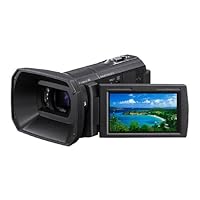
Sony HDRCX580V High Definition Handycam 20.4 MP Camcorder

Sony HDRCX580V High Definition Handycam 20.4 MP Camcorder with 12x Optical Zoom and 32 GB Embedded Memory
Customer Ratings: 4.5 stars
Buy Now
I just purchased this video camera on Monday evening, Feb. 6, 2012 from Beach Camera and received it today. I have only been able to work/play with the camera for a few hours, but these are my experiences so far.

1. This was my first experience ordering from Beach Camera, through Amazon. Was a little concerned at first when product didn't ship for a couple of days, but when they did ship, it must have been shipped two day priority, because it arrived halfway across the country by Saturday. Package arrived in perfect shape and sealed in factory condition. So far, impressed by Beach Camera and their service.

2. Camera is physically much smaller than I expected. It feels about the same size of a can of soda laying on it's side. Very nice! My last video camera was a Panasonic mini dv. That camera was a decent size, but this Sony is even more compact and fits very nice in my hand. The controls, zoom, photo button and record button all line up nicely and are easy to use. The camera feels solidly built, just as most sony products.

3. One item that I was concerned about was whether there was an available SD or memory card slot to add memory. The Sony website doesn't really make it clear whether there is that feature, or if it's just the internal memory. Well I can positively confirm that there IS a SD memory card slot on the bottom side of the camera. A little door flaps open and you insert the card. It probably accepts a memory stick too, but I only tried a SDHC extreme memory card 16gb card. Worked perfectly!

4. Now, for the feature that was the biggest hit with my family.... the built in projector! This is truly amazing technology. I projected a few of the short movie clips I just took, onto a large empty wall, and we were all totally amazed at the quality and sound. I backed up about 15 feet from the wall and projected an approximate image of 8 feet across. I am impressed at the image it can project at such a distance. Our wall is painted a medium brown color and it still looked good. Of course it would look even better if the wall was white or was actually projected onto a movie screen. Sound is pretty much what you'd expect from a pair of small speakers, sort of tinny, but it was pretty loud and definitely good enough to sit around and listen to our home movies. Good job Sony!

5. As for the quality of the video, this is what I've experienced so far. I played around briefly with the top two quality settings, 60i and 60p. I hooked the camera directly to my HD tv via the HDMI cable that came with the camera. The 60p looked slightly better, but both videos looked great. The video I took was at night, with only interior lighting on and it still looked great. I can't wait to see what daytime video looks like. It was super easy to view the video on the tv. As soon as I plugged the camera into the tv, the tv recognized the device and displayed exactly what was on the LCD screen. The only annoying thing was the sound coming out of the video camera and the tv at the same time, gave it an echo sound. I'm sure there is a way to turn down the sound on the video camera when plugged into the tv, just haven't figured it out yet.

6. Another feature I love is the crispness of the LCD screen. The high resolution of the screen makes the image so clear and easy to view. Love it! The only minor complaint I would have of the screen is the touchscreen feature. So far it seems like I have to press on the screen twice in the same spot to activate what ever button I was trying to push. Maybe it's just me being to careful and not wanting to press to hard on the screen or the screen isn't as responsive as it needs to be. Either way, I'm sure after a little more use, I'll get use to it and it won't be a big deal.

7. As for software, there is no cd/dvd's that come with the camera. There is a "lite" version of Home Memories software that comes preloaded on the internal memory of the camera. When you first plug the camera into your computer, you upload the software and install it. The software then offers to download additional features from it's servers. I downloaded and installed the additional features and it worked perfect. I have a computer with windows 7 that is about 4 years old. The software looks pretty basic, but it does do a nice job of importing and organizing your old photos and then imports your new video and pictures from the camera. I haven't worked with it enough to know how easy or hard it is to edit video or burn discs. I was able to import the new video clips I recorded tonight and was able to play all of the clips, including the highest quality video on my computer no problem. I played the video in both windows media player and in the Home Memories software and both looked really good!

Overall my initial impressions are very good. The still picture quality appears to be average to good for a video camera. Definitely not as good as a stand alone digital camera, but truthfully I haven't taken very many pictures, so maybe it will be better than I think. I plan on buying an extra high capacity battery, since I have never had good luck with batteries lasting very long, plus it's always good to have a backup.

One feature I haven't been able to figure out yet is what happens when you're recording video and either your internal memory or memory card gets full, does it switch over to the other memory seamlessly? Or does the recording stop and you have to switch to the other memory. When i determine the answer to that question, I'll post an update.

In summary, this appears to be a high quality camera that seems appropriately priced for the features it has. I definitely recommend it. My kids can't wait to make home movies with their friends and have a movie/popcorn night and watch their creations projected larger than life up on the wall!

Click Here For Most Helpful Customer Reviews >>

Sony A390 Digital SLR Camera - Black

Sony A390 Digital SLR Camera - Black
Customer Ratings: 5 stars
Buy Now
Years ago I used to use a Nikon F SLR with an assortment of wide angle, normal, and telephoto lenses. I would buy my film in bulk, load it into casettes, shoot, then develop and print in my home darkroom. Those days are long gone. Once digital arrived I used a variety of compact cameras whose main virtue was portability and convenience, which sometimes did not provide the sharpest pictures.

With the birth of a grandchild on the way, my wife decided to look for a "really good" camera. She bought this camera at a one day sale at Electronics Expo as part of a kit that also included a 75-300mm lens, tripod, cleaning kit, 4GB SD card, and Bower camera bag--all for $600. After she brought it home the "photo bug" that had been dormant for so many years bit me again. I absolutely love this camera. Here is why.

1. Picture quality is stunning. Don't be overly impressed with the 14.2 megapixels because unless you regularly make 16 x 20 pictures or larger, you won't really notice a difference from a camera with say 10 megapixels. The whole emphasis on megapixels is really just a marketing ploy. The thing to focus on are the lenses, and both lenses that came with our kit take amazing pictures--clear, sharp, vivid colors. I use one of the pictures that I took as a screensaver on my 22 inch monitor, and the detail is incredible. Also, my cousin who is an avid photographer has a much more expensive Nikon DSLR, and because the Sony lenses are so good, there is no noticeable difference in our picture quality.

2. The lenses are easy to remove and put on, and the autofocus and automatic light metering features work very well.

3. The included flash is compact but powerful. No it is not a substitute for an external flash if you do lots of flash photography, but for ordinary use it works just fine.

4. If you are a beginner or just don't want to be bothered with lots of technical details, just set the main control dial to Auto, and the camera will take care of all of your settings for you. If you want to start playing with settings to adjust aperture, shutter, depth of field, ISO settings etc. you can do so. In short, you can simply point and shoot or else start making all kinds of adjustments to become more creative.

5. The manual that comes with the camera is adequate. If you want a book that clearly and concisely explains everything about using this camera with lots of tips for being creative, buy David Busch's book on Sony DSLR A390. I already have his book on the Sony A380, which I used to own and is essentially the same as the A390 (see paragraph 10 below), and can tell you that nobody explains things more clearly. He takes nothing for granted if you are a rank beginner, but at the same time provides tips for more seasoned photographers.

6. The Bower Camera Bag (which I have reviewed on Amazon) is superb for holding all of the equipment, and was part of the package that my wife got. Even with the camera bag loaded with everything, it is not that heavy, and is about the size of an average pocketbook.

7. Lens caps on any DSLR have a way of popping off and getting lost, so I suggest you buy an inexpensive lens cap keeper. I use the one made by Bower (I have reviewed it on Amazon).

8. I suggest buying an extra battery. Battery life is pretty good, but an extra battery is always a good idea. I bought one made by Lenmar that works just as well as the Sony battery, but is half the price (I have reviewed it on Amazon).

9. Although there is no video on this camera, I don't consider that a problem. I have always preferred using a separate video camera because taking videos is much different from taking still photos, and video cameras have a different set of controls that are missing on a DSLR. For the time being I have settled on the latest Flip Ultra HD 8GB 3rd Generation (which I have reviewed on Amazon).

10. Except for the handle grip and a few other minor differences, this camera is basically identical to the Sony A380. Both work equally well, so buy whichever one you can get the best deal on (my wife first bought an A380 package, which we gave to our daughter once our granddaughter arrived, and next bought the A390 package because that was then the best deal).

Bottom Line: Whether you use this camera as a simple point and shoot or start experimenting with the different settings, you can take great pictures. I recommend this. Shop for price.

Click Here For Most Helpful Customer Reviews >>

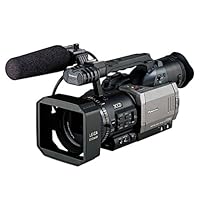
Panasonic Pro AG-DVX100A 3-CCD MiniDV Proline Camcorder w/10x

Panasonic Pro AG-DVX100A 3-CCD MiniDV Proline Camcorder w/10x Optical Zoom
Customer Ratings: 5 stars
Buy Now
CineTech22's information is correct regarding effective resolution, exposure latitude, etc. Film is a chemical process, and the amount of detail that can be delineated on essentially a molecular level on celluloid is staggering, even with 16mm. BTW, DV resolution is 720x480, not 640x480, but your point still is made--WAY less info than film. As far as the focus operation is concerned, there is an aftermarket "follow-focus" rig available to address this, but yes, the stock camera doesn't let you set your focus-pulling marks.

I would contend, however, that you've lost the forest for the trees. This camera DOES spell the end of 16mm as the preferred medium for indie filmmakers. Premium Panasonic DV tapes are about $5/cassette (63 minutes). And are reusable. What does 16mm cost in stock and processing for an hour of footage?

The path to indie glory is no longer only "shoot in 16mm, blow it up to 35mm for festivals or limited release, get discovered". Now we have "shoot in anamorphic DV, release on DVD, get discovered" as the new, much more cost effective option. Another note: DV footage shot on a DVX100a looks great uprezzed to HD, even better than some low-end prosumer HD cams out there, mostly due to its great color abilities.

I have used both the DVX100 & 100a, and have run up against their limitations. Exposure and depth of field are the biggest and require a lot of production compensation to get around--lots of zoomed, wide open aperture shots with heavy ND filtering to get that truly cinematic look.

Still, if you know what you're doing, this camera is fantastic. Audio is superb (phantom-powered XLR's--yeah, baby!!), 24p is beautiful to work with, color is very "film-like", and although it is easy to "bloom" the whites and "crush" the blacks, the range is better than most DV cams, and both can be avoided by indie filmmakers who pay attention to settings and lighting.

Would-be filmmakers who want to go this route need two important accessories: the 16x9 anamorphic adapter by Panasonic (AG-LA7200g), and Barry Green's book/DVD package . By understanding the camera's strengths and weaknesses, you can get fantastic results from the DVX100a. If you are an independent fillmaker with a limited budget, buy this camera, the anamorpic adapter, Barry's book, and do some test shots to figure it all out, Then spend the $$$THOUSANDS$$$ you've saved by shooting with the DVX100a and use it for better lighting, production, script doctors, better actors, and more time in post. The result will be far more impressive than 16mm done on a shoestring--a turd that could more easily be blown up to 35mm, but is far less likely to be worth it.

That's my take, anyway. This camera does for independent filmmaking what the Alesis ADAT did for digital audio recording in the 90's--completely "democracizes" the field so that young, up-and-coming creative people can produce work of incredible quality for very little money and absolutely no "studio" control.

So buy this camera, indulge your creative freedom, make your prize-winning indie film, and "stick it to da MAN!"

Click Here For Most Helpful Customer Reviews >>

Nikon 85mm f/1.4D AF Nikkor Lens for Nikon Digital SLR Cameras

Nikon 85mm f/1.4D AF Nikkor Lens for Nikon Digital SLR Cameras
Customer Ratings: 5 stars
Buy Now
This lens is highly coveted by anyone that has ever shot with it. The 9-bladed aperture creates beautiful bokeh (the out of focus areas) and the sharpness, color and contrast are amazing. Primarily designed as a portrait lens, it really shines at f/2 to f/5.6 with an amazing 3-D like quality that has to be seen to be believed. The fit and finish are first class, with a nice feel and balance to it. It uses 77mm filters like most other Nikon pro glass and flares quite easily so be sure to use the included metal lens hood.

Click Here For Most Helpful Customer Reviews >>

Apple MacBook Pro MD318LL/A 15.4-Inch Laptop (OLD VERSION)

Apple MacBook Pro MD318LL/A 15.4-Inch Laptop
Customer Ratings: 4.5 stars
Buy Now
Let me start with the good:

So awesome. Great OS, fabulous improvements to the existing line bumping up the processor speed and adding the thunderbolt port. This is my second MacBook. The first one I had was a 2006 model, not the Pro. I fell in love with it. This one has had the same effect. I had upgraded my old MacBook to Lion, so I kind of knew what I was getting, but hadn't been able to enjoy some of the awesome new multi-touch features. The improvements to the OS have been relatively gradual, but substantive. The feel of this machine compared to the old MacBook is far superior. The Unibody construction is solid, sleek and beautiful. It is everything I'd hoped it would be from a look and feel standpoint, but somehow a bit more sturdy.

For the not so good, I got the stock screen which is VERY glossy. I mean ... REALLY glossy. It's still beautiful and has better color reproduction than I could ever expect from a notebook. The reflectiveness of the display is only a minor inconvenience if you work in a controlled-lighting environment like me (I prefer it dark) or if you can crank up the brightness.

My real problem with it? The statement of 7 hour battery life is not just mere exaggeration -it's a lie. I challenge anyone to show proof that through anywhere near normal use can get more than 2.5 hrs out of it. I've got the brightness all the way down to just one notch above 'off' and the keyboard backlight off. The first full charge of this battery got me only about 2 full hours. Enabling the battery timer is useless. The "Time remaining" goes from 4 hours plus to less than 2 hours over the span of about 10 minutes. It's a joke. It's so bad that I'm thinking I only got half a battery or something.

I have an extended battery on a Dell notebook that gives me 7.5 hrs of regular use, and had an extra "slice" battery that attached to a Compaq elitebook that gave me 7-8 hrs. I know what 7 hrs of battery looks like. This ain't it.

My only other complaint is that it gets really hot. There's a reason they aren't called laptops. :-)

If you buy this don't go into it expecting 7 hrs of battery life, and you'll be perfectly satisfied.

All that being said, I think I'm done buying Windows PCs.

UPDATE:

With the help of some responders to my original review, I am seeing much better results from the battery close to 5 hrs + of normal use. Leaving the original text of the review intact, but updating the rating to the 5 stars the product deserves. I'm extremely satisfied. Very happy Mac owner. :-D

Click Here For Most Helpful Customer Reviews >>

Olympus E-P2 12.3 MP Micro Four Thirds Interchangeable Lens

Olympus E-P2 12.3 MP Micro Four Thirds Interchangeable Lens Digital Camera with 14-42mm f/3.5-5.6 Zuiko Digital Zoom Lens
Customer Ratings: 4.5 stars
List Price: $1,099.99
Sale Price: $444.78
Today's Bonus: 60% Off
Buy Now

If you're a camera enthusiast taking pictures of vacations, pets and kids' birthday parties and willing to spend a few extra bucks on your gear, this camera is a marvel. (The video it shoots is so good that several filmmakers have made films with the E-P2 as their only camera). At its tiny size, which is comparable to high-end P&S cameras, you can't beat it. Good image stabilization, decent resolution at 12+ MP, good low-light performance, a growing range of decent interchangeable micro 4/3rds lenses. In general, the image quality is closer to a low-end DSLR than a high-end P&S if you factor in the lenses that the low-end DSLR shooter is going to purchase. The small size spares you a lot of the misery of taking a decent photographic outfit through the gauntlet of modern air travel. If you want to take decent flash pictures, you can get into the rather silly situation of using an on-camera flash unit that's bigger than the camera itself, but even that can be more convenient than dragging around a full-size black-brick SLR setup.

Note on image quality: you clearly cannot expect a camera like this to match the image quality of a high-end professional DSLR with a $3,000 lens attached to it. But you definitely can compare this camera to a low-end DSLR with its bundled el-cheapo kit lens. Given the choice between the E-P2 and the low=end DSLR, I would go for the E-P2 for convenience reasons. If on the other hand you're planning to build up a collection of top-quality lenses, then this camera is not a candidate.

My particular E-P2 tends to over-expose a little, but if you shoot RAW that's not always a bad thing. If you're into tweaking parameters, there's pretty complete manual control over everything in addition to a million geeky bells & whistles like reliable face-detection focus.

In general, I've found myself driving to the airport with this camera in my bag and my much fancier DSLR sitting at home recently, quite a few times. Broad generalizations are dangerous, but my feeling after decades of photography with film and then digital is that this camera or its successor would make a lot of amateur photographers happier than the low-end DSLR they've had their eye on. At this point it may cost a few extra bucks, but it takes great pictures, has a lot of features, and is feather-light and fits anywhere.

Highly recommended for anyone who needs a small, reasonably priced camera that takes excellent pictures and video. In my opinion, greatly preferable to an entry-level DSLR with a bundled kit lens--and worth the few extra bucks.

But this technology changes so fast that reviews like this are worth what you pay for them.

Click Here For Most Helpful Customer Reviews >>
Bower SLY358SE Ultra-Wide 8mm f/3.5 Fisheye Lens for Sony E

Bower SLY358SE Ultra-Wide 8mm f/3.5 Fisheye Lens for Sony E Digital
Customer Ratings: 4.5 stars
List Price: $349.99
Sale Price: $239.00
Today's Bonus: 32% Off
Buy Now

Let me begin by saying that this lens is manufactured in Korea, not China, and is made by Samyang under their name as well as Bower and Pro-Optic.

I first encountered this lens on Ken Rockwell's web site, where he gives it a glowing recommendation. On further review, I found equally glowing reports of the Pro-Optic on Amazon and Adorama web sites.

This is a manual lens, so you have to do a little work when using it. Loss of auto focus is no big deal with a lens this wide, since its hyperfocal range is so great just set it at 10 feet, and you should have all distances covered. Depending on your camera, you may or may not lose auto exposure. I shoot this with a Nikon D200, and can auto expose with aperture priority not all Nikons can do this, however, only the more advanced it will not auto expose with the D40 or other entry-level cameras, so it pays to research this lens with your camera if lack of auto exposure is a deal breaker.

The images this lens produces are SHARP. It's hard to believe that such an inexpensive lens can be so good. Keep in mind this is a fish eye lens, and it produces a great deal of distortion, especially on the edges. This being said, it's certainly not the lens to keep on your camera as a "walk around" its suited for special effects and impact, so I wouldn't recommend it as your primary lens.

To sum up, if you're looking for a fish-eye lens, it's hard to go wrong with this bargain its popularity seems to be growing, and I wouldn't be suprised to see the price go up, as happened to the Tokina 11-16mm 2.8, which originally sold for about $100 under its current price (when it's available).

Click Here For Most Helpful Customer Reviews >>

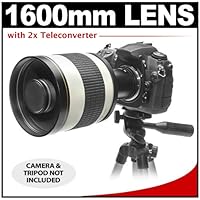
Rokinon 800mm Multi-Coated Mirror Lens with 2x Teleconverter

Rokinon 800mm Multi-Coated Mirror Lens with 2x Teleconverter for Nikon D3100, D3200, D5100, D7000, D700, D800, D4 Digital SLR Cameras
Customer Ratings: 4 stars
Buy Now
Let's get 1 thing clear. It's a piece of junk compared to Canon lenses. It's blurry at 800mm & extremely blurry at 1600mm. It's 18oz with teleconverter & EF adaptor.

The answer is no. The 2x teleconverter doesn't buy any more resolution. The fact that the 2x teleconverter has no front lens cap shows how valuable its manufacturer thinks it is.

What the 2x teleconverter buys U is sharper focusing. If your goal is focusing bright objects, use the 2x teleconverter & throw away 1/2 the frame to get better focus. It's much easier to focus this way.

It's probably no better than a 400mm L & it's probably no better than a 200mm L + 2x teleconverter for $200 in 2007. Unfortunately the Canon 2x teleconverter jumped 50% since then. It's definitely better than a 200mm L.

F/8 is a really narrow depth of field. F/8 & F/16 R not a problem when using a tripod & a modern digital camera. The Canon's focusing squares R useless. It's too blurry & dark. Unfortunately, F/16 brings out all your sensor dirt.

U need to fabricate a lens platform to mount it on a tripod. It's too heavy to hang off the camera body.

Focus guides on T mount lenses R worthless because they always go on the bottom, but it still has a focus guide.

It can make out the space station solar panels & fill 1/2 the frame with the moon. It can't see Jupiter's bands.

Click Here For Most Helpful Customer Reviews >>
JVC GZ-E300 Full HD Everio Camcorder, 40x Optical Zoom, 200x

JVC GZ-E300 Full HD Everio Camcorder, 40x Optical Zoom, 200x Digital Zoom, 3' LCD Touch Panel, CMOS Sensor, SC/SDHC/SDXC, 2.9-116 Focal Length, Red
Customer Ratings: 5 stars
Buy Now
It is the best camcorder we have ever used for being so compact. We used it at our son's wedding. All modes: still shots and video and couldn't have been more pleased with the quality. It deserves more than five stars.

Click Here For Most Helpful Customer Reviews >>

Canon EOS Rebel XS (a.k.a. 1000D) SLR Digital Camera Kit (Black)

Canon EOS Rebel XS SLR Digital Camera Kit W/ 18-55mm IS Lens & Canon 75-300mm III Lens + Lowepro Digital Gadget Bag + Spare LP-E5 Battery + 58mm UV Filter + Transcend 16GB SDHC Card + Willoughby's Accessory Bundle
Customer Ratings: 5 stars
Buy Now
My students and I had to sell a lot of ads to be able to purchase this camera, but we are so glad that we did. The camera is easy to use, takes exceptional pictures and I can't imagine publishing our paper without it. It is a bit heavy, but that's the only complaint I can think of.

Click Here For Most Helpful Customer Reviews >>

Pentax 21977 DA 18-135mm f/3.5-5.6 ED AL (IF) DC WR Lens

Pentax 21977 DA 18-135mm f/3.5-5.6 ED AL DC WR Lens for Pentax Digital SLR cameras
Customer Ratings: 4.5 stars
List Price: $529.95
Sale Price: $415.79
Today's Bonus: 22% Off
Buy Now

I wasn't sure I'd like this lens from the mixed reviews, but after using mine for 3 weeks on my Pentax K-5 I'd say it's one of the best super zooms you can get for a Pentax DSLR.

Pros:

Weather resistant in rain, snow, etc.

Excellent color and contrast

Auto focus is very quick on my K-5 and quiet

Solid build, especially compared to other plastic extending zooms

Not a macro, but works surprising well for flower shots

Really smooth bokeh for closeups and telephoto

Reversible lens hood

Auto focus doesn't move the focus ring, but can be moved manually anytime for adjustments

Resistant to flare and ghosting

Cons:

Focus ring has no scale and can be moved past the "stops"

It's a varifocal zoom (zooming requires you to refocus a bit)

No aperture ring (unfortunately this is becoming a trend)

Manual focus ring is usable, but not ideal since it only turns 90 degrees (before reaching the soft stops)

Some chromatic aberrations (purple fringe) with high-contrast subjects (correctable with software, or in my K-5)

My copy shows slight visible barrel distortion from 18-24mm, good from 24mm-50mm, and slight pincushion from 50-135mm

Unfortunately this lens is not suited for serious video: where you usually want manual focus, zoom without losing focus, and the ability to rack aperture.

People also complain that the lens is soft -a common complaint with super zooms. The real question is, "is it sharp enough." That's very subjective. My copy looked good, but a bit disappointing when pixel peeping. I tested it and found it was front focusing slightly. Easy to correct on the Pentax K7 and K5. Now it's sharp in the center, and sharp enough in the corners.

So as a travel/walkabout lens I give it 5 stars.

As a serious video lens: 3 stars -you're better off with manual zooms and primes that give you much better control and selective focus.

Click Here For Most Helpful Customer Reviews >>

PTC 25ft Premium Gold Series HDMI Cable (HH-26-25E)

PTC 25ft Premium Gold Series HDMI Cable
Customer Ratings: 4 stars
Buy Now
This is a great cable at a great price.

There is one problem that may potentially affect you though. The height of the HDMI connector is quite high (ie it is thick). Whereas many of these connectors are around 1/4 inch tall, this one is 7/8 inch. There is some a/v equipment out there that doesn't have enough room for this connector. My SONY LCD projector falls into this category.

What I ended up doing was to get a small (1 foot) m-f HDMI cable extender, and this ended up with a male plug small enough to fit into the projector connector.

This probably won't affect you, but measure your input connector area just in case.

Click Here For Most Helpful Customer Reviews >>

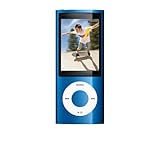
Apple iPod nano 8 GB 5th Generation(Blue) (Discontinued

Apple iPod nano 8 GB 5th Generation(Blue)
Customer Ratings: 4.5 stars
List Price: $229.00
Sale Price: $169.00
Today's Bonus: 26% Off
Buy Now

When Steve Jobs announced the newest generation iPod nano, he suggested that with its new video capability the nano would easily compete with the Flip Video camcorder. While someday down the line this may be a serious contender in the pocket video camera market, it's not there yet. I took some comparison footage with the iPod nano and the standard definition Flip Mino to show why. My point in all this is not to suggest that you go buy a Flip instead of an iPod nano, but that you ask yourself what it is you really want. If you want to make videos you can upload to Youtube and you want them to look pretty decent, and you don't care much about music or you already have an mp3 player, I wouldn't buy this iPod just because now it has video. On the other hand, having some video capability might be enough to give this the edge over most other music players; if games are more important to you than video, though, you'd be better off with an iPod touch.

One thing you'll notice in the footage, where I shot the same things back to back with both camcorders, is that where the Flip really shines is in low light. I shot the hamster moments at night, in a room illuminated only by a lamp. Not only did the iPod nano take grainy video, it also didn't do any kind of white balancing and the indoor lightbulb added an orange tint to the clip; I'm not sure exactly how the Flip is designed to address this (whether it automatically adjusts white balance or just has a better average setting), but the footage shows that it captured light correctly both outdoors and indoors. If you compare the hamster shots with the Flip and with the nano, I think it's clear that for indoor and lowlight there's no comparison and the Flip has the nano beat hands down. The outdoor images are closer, but I think even this small video shows greater detail in the Flip video. When you blow the images up bigger there's no comparison -the Flip looks decent even on a big screen TV, the iPod nano footage looks like it was shot with, well, a toy camera. In all fairness, that's all it is at this point. (Note, by the way, that, like the Flip, the nano will only take video and doesn't take photos. You can manually add photos to the nano from your computer, but you can't use the onboard camera to capture stills.)

Another thing that bugs me a bit about the new iPod nano is the bizarre placement of the camera lens. It's nestled down in the corner of the backside below the screen -exactly where it is most natural to hold this thing if you are shooting with it. Even if you just grasp the thing at the corners, there's a tendency for some part of a finger to accidentally edge into the camera frame. In fact, I found that even after I was aware of this fact I kept doing it anyways -the way this thing fits in my hands just makes it likely I'll catch an edge of a finger in my shots unless I'm conscientious about avoiding it, and that detracts from the spontaneity this is designed to take advantage of. (I even noticed I'd done it on most of the iPod nano footage for this video comparison -and I thought about doing it over, but then decided to leave it in just to show how easily it can happen.)

So, to sum up: what you really get with the iPod nano is a toy camera, fun to have in the pocket and very cool to have just in case there's something you want to shoot, but not quite the quality we've come to expect from the handy pocket camcorders like the Flip Mino and the Creative Vado and the Kodak Zi8, that keep getting better and better. Video is a nice new feature on the Nano, but not really a radical innovation and not a game changer.

What makes the iPod Nano worth it is that in addition to video on the fly, you get to listen to music, you get an FM radio that works quite well and even tells you what song you are listening to, you get a voice recorder (a VERY nice feature, excellent for students who can listen to music on their way to class and then record a lecture), a decent quality mini speaker, a somewhat useful pedometer, decent game options for killing time. You don't get any of that with the Flip! Sure, the new iPod nano is a toy ... but it's a very cool toy.

Click Here For Most Helpful Customer Reviews >>